
Unsubscribes in Flodesk: What Happens & How to Handle Them
Overview
When a subscriber clicks 'Unsubscribe' on one of your emails, Flodesk takes care of the rest automatically. No manual action needed on your end. Your subscriber won't receive any more emails from you, but their contact record stays in your audience, so you never lose that history.
This article walks you through exactly what happens during an unsubscribe, how subscribers can opt out, and how they can come back if they change their mind.
What happens when someone unsubscribes
The moment a subscriber clicks the unsubscribe link in one of your emails and confirms they want to leave your list, here's what takes place:
Their status in your Flodesk audience is updated to Unsubscribed.
They are immediately removed from all future email sends, including scheduled newsletters and active workflows.
Their contact record is retained in your audience. You can still see their name, email, and activity history.
You cannot manually send emails to an unsubscribed contact from Flodesk.
Good to know
Flodesk keeps unsubscribed contacts in your audience to protect you from accidentally re-adding them.
This also helps you stay compliant with anti-spam laws like CAN-SPAM and GDPR.
How can subscribers unsubscribe
They can unsubscribe via your email footer link
Every email sent through Flodesk includes a mandatory unsubscribe link in the email footer. Subscribers can use this to opt out at any time by following the below steps:.
Open any email they received from you.
Scroll to the bottom and click the Unsubscribe link.
They will be taken to a confirmation page. Once confirmed, the unsubscribe is processed immediately.
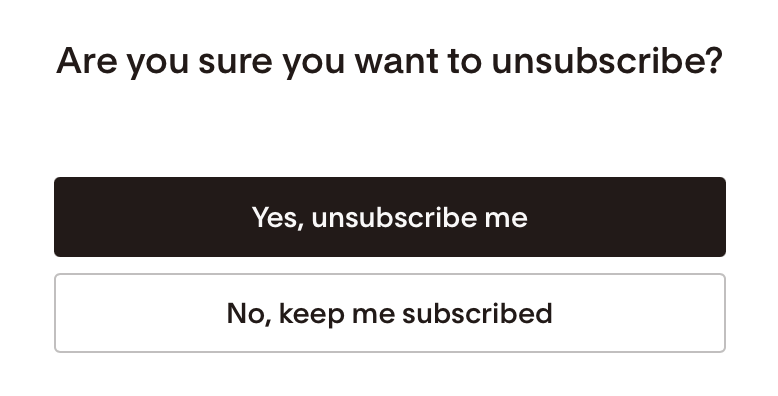
They can unsubscribe via their inbox provider
They can click the one-click Unsubscribe button provided by their inbox provider, like Gmail, in the examples below.
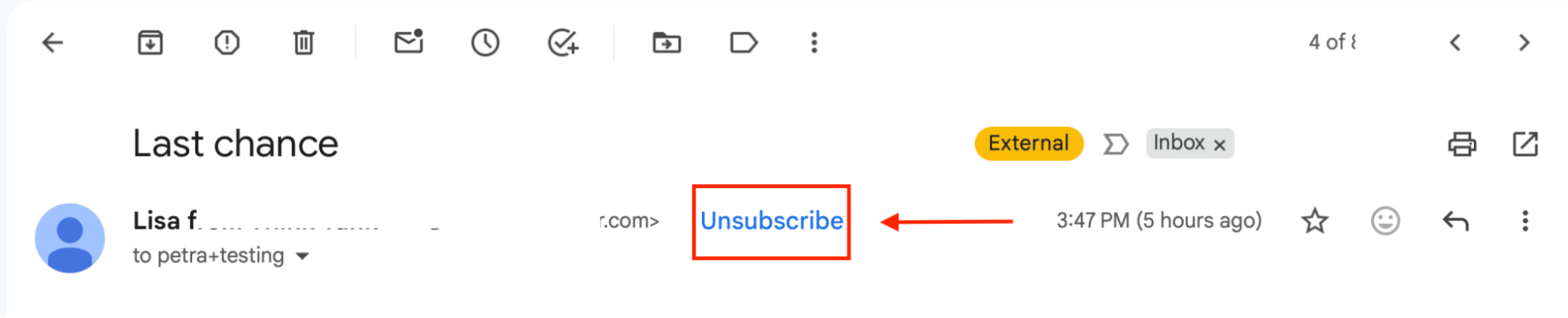

There's nothing you need to do. Flodesk handles the status update automatically.
They can ask you to unsubscribe them
On occasion, a subscriber may contact you directly to unsubscribe them from your list manually. You can do that by:
Searching for the subscriber’s email address under All subscribers [https://app.flodesk.com/subscribers],
Selecting the subscriber's email address,
Clicking the “Unsubscribe” action,
Confirming the action.


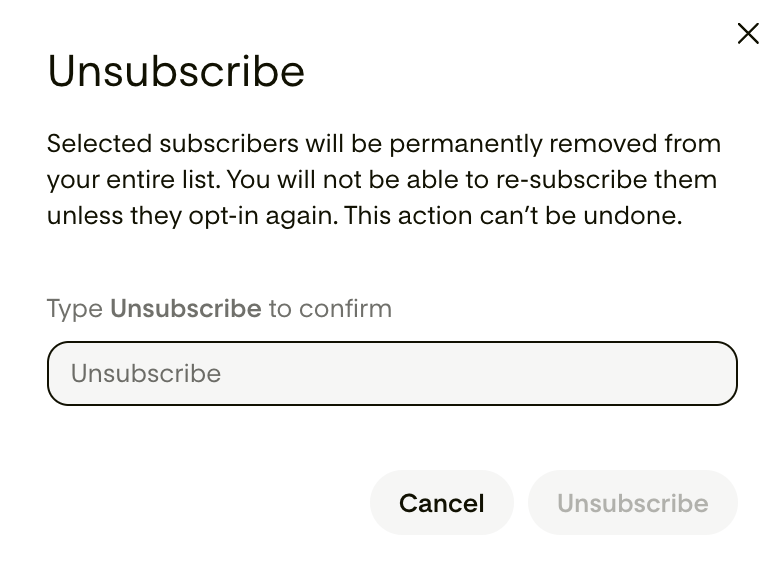
They can unsubscribe via a partner integration
When a partner integration directly supports subscriber synching, like for example in the case of our Wix integration, if they unsubscribe in Wix, that will sync over to Flodesk and they will be set to unsubscribed in Flodesk as well.
How Flodesk handles unsubscribes
Flodesk uses a soft-removal approach: unsubscribed contacts stay in your audience list, but no emails are sent to them. Here's a quick summary of what changes and what doesn't:
What changes | What stays the same |
Status becomes 'Unsubscribed' | Subscriber record remains in your audience |
Removed from all future email sends | Name, email, and activity history visible |
Moved to the Completed step in workflows | Segment membership and custom fields retained |
How can subscribers resubscribe
If a subscriber changes their mind, they can sign up again via the following methods:
Via a Flodesk opt-in form
The easiest way for a subscriber to resubscribe is to fill out one of your Flodesk opt-in forms again. Once they submit the form with the same email address, their status will be updated back to Active and they'll re-enter any workflows connected to that form if you enabled “allow repeat subscribers” under the workflow setting.
Share your Flodesk signup form link (full-page form, link in bio form) or embed it on your website (inline form, popup form).
The subscriber enters their email address and submits the form.
Their status updates to Active in your Flodesk audience.
They'll receive your form's double opt-in confirmation email (if enabled) and may re-enter any connected workflows.
Via a Flodesk-built integration
Flodesk-built direct integrations support resubscribing where the partner platform’s webhook data includes valid marketing consent. For example, in the case of our Shopify, Wix, Thrivecart, and Squarespace integrations, if someone resubscribes in Shopify, Wix, Thrivecart or Squarespace at checkout that data will sync over to Flodesk.
Via a Partner-built integration
3rd-party apps and platforms can build integrations with Flodesk using Flodesk’s public API. Such integrations include, for example, but are not limited to, Manychat, Interact, Marvelous, Session, BookFunnel, BDOW!, involve.me, Grow by Mediavine, HoneyBook.
Subscribers can resubscribe to your Flodesk email list through a partner-built integration if they send over the required opt-in timestamp data to Flodesk, and the timestamp is more recent than the one Flodesk already has on file.
Via Zapier managed integrations
You can connect several 3rd-party apps to Flodesk via Zapier. If those apps send the required opt-in timestamp data to Flodesk, then the “Create/Update subscriber” Flodesk action in Zapier can be used for resubscribing.
Note: Any integrations that don't expose this information to Zapier will not be able to collect resubscribes.
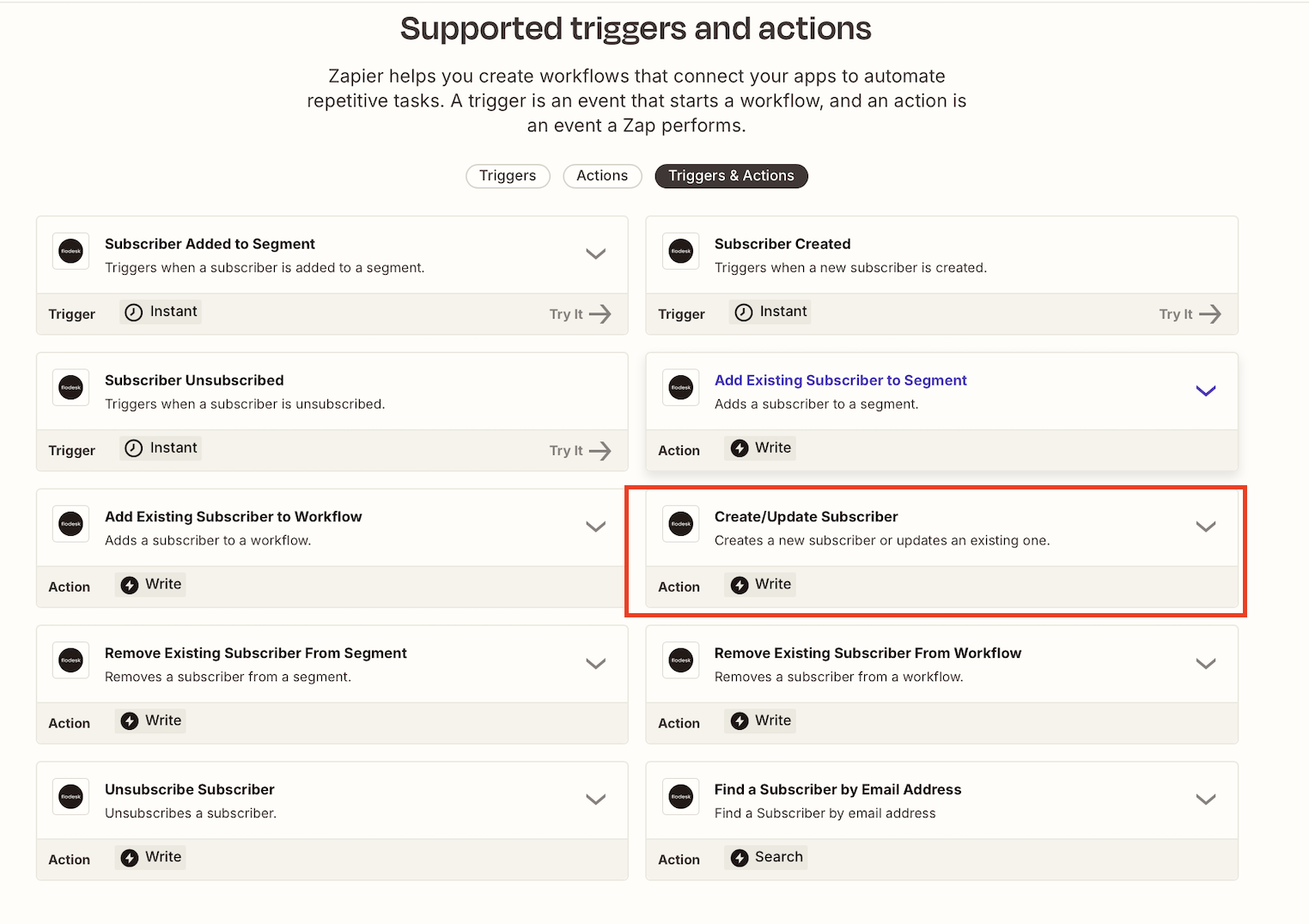
What does it mean?
If you connected a platform to Flodesk via Zapier, and a person tries to resubscribe via the connected platform:
When the required field (opt-in timestamp) is present, and the timestamp is more recent than the one Flodesk already has on file, Flodesk will automatically reactivate (resubscribe) the subscriber.
If this field is missing or the timestamp is older than the existing one, Flodesk will ignore the resubscribe, and the existing subscriber record will stay as-is (unsubscribed).
FAQs
Will I lose the subscriber's data when they unsubscribe?
No. Flodesk keeps the contact record in your audience, including their name, email address, segments, and email activity history. Only their email delivery status changes.
Can I email an unsubscribed contact from Flodesk?
No. Flodesk automatically prevents emails from being sent to unsubscribed audience members. This protects both you and your subscribers and helps you stay compliant with email regulations.
Does an unsubscribe apply to all my emails or just one?
When someone unsubscribes, they opt out of all emails sent through your Flodesk account, not just a single campaign. You can let them opt-out from certain emails only using link actions or the manage preferences link in your email footer.
Can I see a list of all my unsubscribed contacts?
Yes. In your Flodesk Audience, you can filter subscribers by status. Select 'Unsubscribed' to see the full list.
What if someone unsubscribed by mistake?
They can resubscribe by using one of the listed methods:
Via a Flodesk opt-in form (inline, popup, full-page, link in bio)
Via a Flodesk-built integration where the partner platform’s webhook data includes valid marketing consent
Via a Partner-built integration, if it sends over the required opt-in timestamp data to Flodesk
Via Zapier managed integrations, if the connected app sends over the required opt-in timestamp data to Flodesk