
How Flodesk’s new subscriber-based pricing and auto-upgrade model work
Overview
As of December 2, 2025, Flodesk pricing is based on your Active Subscriber count. As your audience grows or shrinks, we’ll match you to the right subscriber tier automatically so your emails and workflows keep running—no interruptions, no manual steps, and transparent billing. This approach also improves deliverability by encouraging a healthy, engaged list.
Note: If you started your paid Flodesk subscription before December 2, 2025, you are on one of our legacy plans. If you have any questions about your legacy plan, please contact us at support@flodesk.com with your account details.
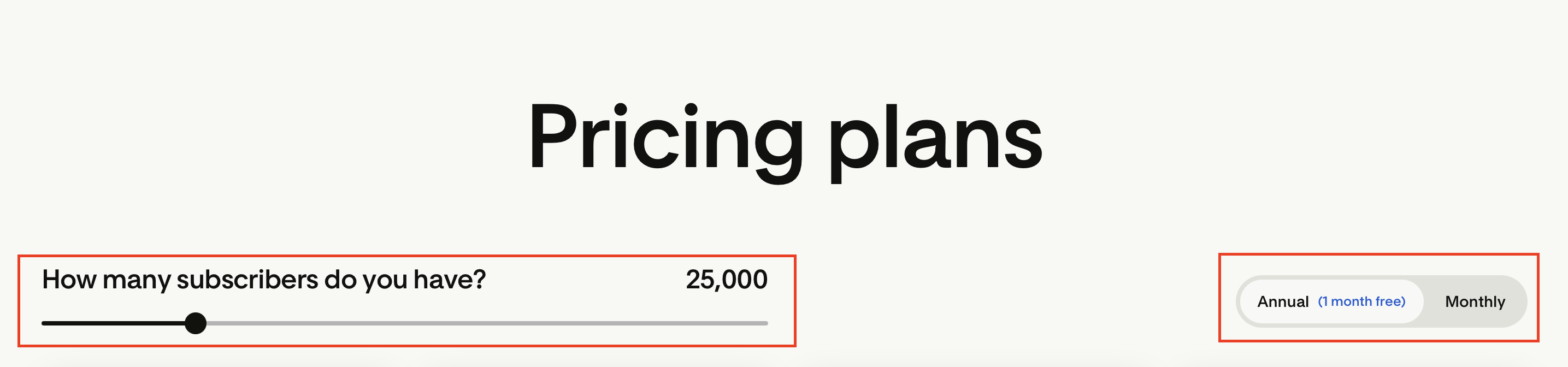
To understand how much your subscription would cost based on your active subscriber count, visit our pricing page here: https://flodesk.com/pricing and use the scale by moving the pointer left or right to adjust the subscriber volume counter and select whether you would pay monthly or annually. All plan prices below will automatically reflect the expected costs. Note that depending on your location, sales tax may apply.
Why We Made This Change
Continuous service: Your emails and workflows never stop sending, even when your list grows unexpectedly.
Fair, transparent billing: You only pay for active subscribers, not unengaged or unsubscribed contacts.
Better deliverability: Focusing on engaged subscribers improves your sender reputation and inbox placement.
No surprises: You’ll get clear notifications before any changes take effect.
What Counts as an Active Subscriber
Your active subscriber count determines your pricing tier. You can check this under Account settings > Plan + billing.
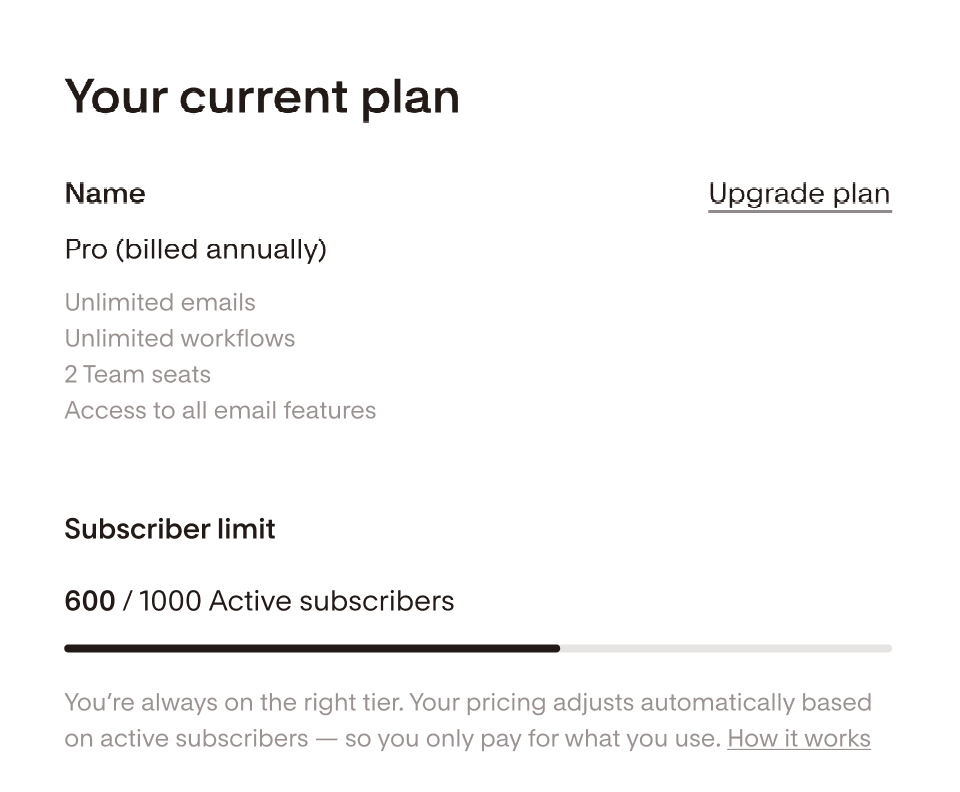
Only Active and Soft Bounced contacts count toward your limit.
Status | Counts Toward Limit? | Receives Emails? | Description |
Active | ✅ | ✅ | Subscribed and eligible to receive emails |
Unconfirmed | ❌ | ❌ | Signed up but not confirmed via double opt-in |
Unsubscribed | ❌ | ❌ | Opted out of all emails. Must sign up again to rejoin. |
Bounced | ❌ | ❌ | Hard-bounced or exceeded soft bounce limits. Must sign up again with a valid address. |
Marked Spam | ❌ | ❌ | Reported your emails as spam. Must re-subscribe via form. |
Cleaned | ❌ | ❌ | Automatically removed for hygiene |
❌ | ❌ | Temporarily removed from your active subscriber list | |
Deleted | ❌ | N/A | Permanently removed from your list |
How Automatic Upgrades Work
Flodesk automatically upgrades your plan when your active subscriber count goes over your current tier’s limit.
For monthly plans
You’re upgraded at your next billing date if you exceed your tier.
You won’t be charged retroactively for growth during your current cycle.
You’ll receive notifications at 90%, 95%, and 100% of your limit. Notifications are sent by email and inside your Flodesk account.
Example:
If your billing date is January 10 and you pass your limit on January 12, your new tier starts February 10.
For annual plans
Because annual plans have longer billing cycles, upgrades happen monthly on a prorated basis.
You’ll be billed the difference for the remaining months in your term.
You’ll receive advance notice before any change.
Example:
If your annual plan started January 10 and you pass your tier on January 12, the prorated adjustment will appear on February 10.

How Automatic Downgrades Work
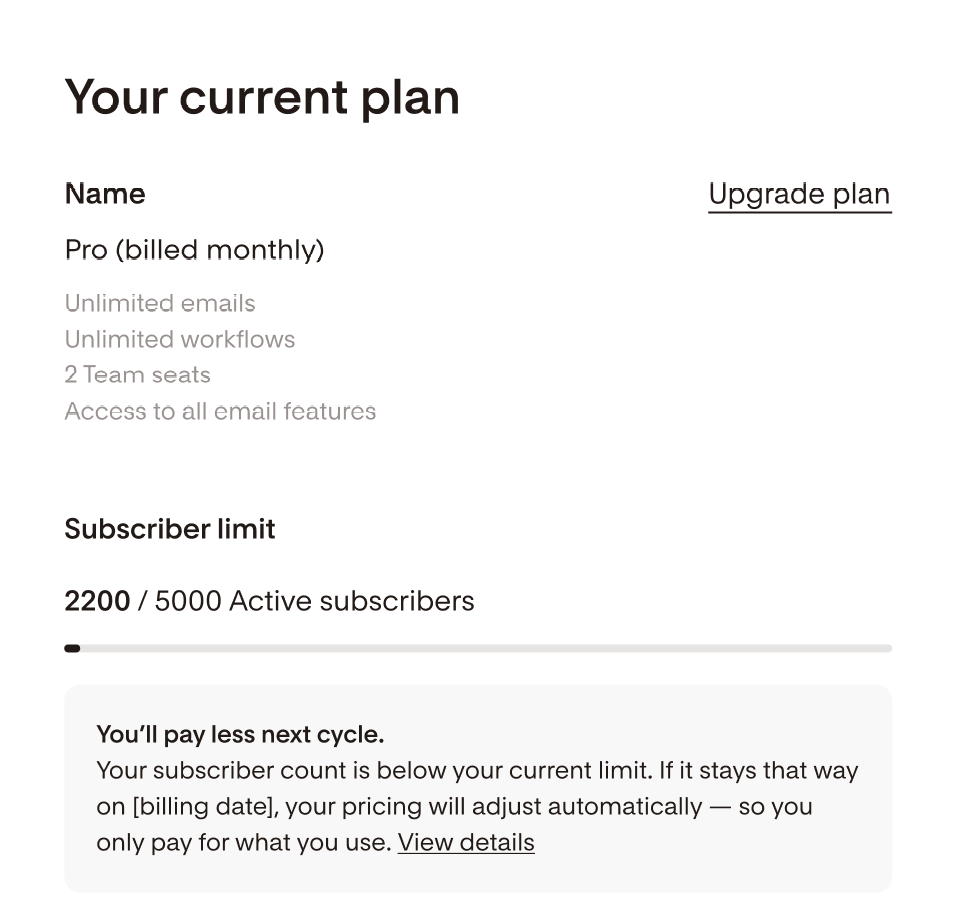
If your subscriber count falls below your tier’s minimum, your plan will automatically downgrade:
Monthly plans: downgrade applies at your next billing date
Annual plans: downgrade takes effect at subscription renewal (not mid-term)
You’ll receive a downgrade notice in advance.
Note: Downgrading between plan types (for example, from Pro → Lite) must be done manually in your account settings once you qualify.
Lite → Pro Transitions
If you exceed the Lite plan’s 25,000-subscriber limit, your account will automatically upgrade to the Pro plan, matching the correct subscriber tier.
Cancellations and Growth During Cancellation
If you cancel your plan:
Your account moves to Free at the end of your billing cycle.
You’ll lose access to sending, workflows, and checkouts.
All team members and subscriptions will be removed.
If you’re on an annual plan and your list grows during the remainder of your term, automatic upgrades and prorated charges may still occur, even with a scheduled cancellation.
This prevents campaign interruptions and ensures sending continuity. Learn more about how to prevent automatic subscriber tier increases by disabling forms and integrations here.
Refunds After an Auto-Upgrade
If you were automatically upgraded but your list later fits within your previous tier, our Member Experience team (support@flodesk.com) can help if:
You request a refund within 30 days of the charge
Your active subscriber count fits your previous tier after list cleaning
Refunds are processed manually.
For Very Large Accounts
If your list exceeds 255,000 subscribers, you’ll maintain full sending capabilities, but further automatic upgrades will pause.
Our team will reach out directly to discuss custom billing options.
Summary Table
Situation | What Happens | When You’re Billed |
Exceed plan limit | Auto-upgrade to next tier | Next billing date (monthly) or next prorate (annual) |
Drop below plan limit | Auto-downgrade to lower tier | Next billing date |
Manual downgrade | Done in account settings | Next billing date |
Scheduled cancellation | Plan ends at next billing date | No new charges unless growth occurs on annual plan |
FAQs
Q: Will my emails stop sending if I pass my subscriber limit?
No. Flodesk automatically upgrades you so your emails and workflows continue without interruption.
Q: How will I know if my plan is changing?
You’ll receive both in-app and email notifications at 90%, 95%, and 100% of your plan limit. You’ll receive a downgrade notice in advance.
Q: Can I downgrade after cleaning my list?
Yes. Your plan will automatically downgrade once your active subscriber count drops below your tier.
Q: Does the auto-upgrade apply to canceled accounts?
Yes, if you’re still in an active billing cycle and your list grows. This ensures you don’t lose sending access.
Q: How do refunds work after an auto-upgrade?
If your list fits back within your previous tier, contact our MX team within 30 days for a manual refund.
Q: I don't see my plan listed on the Flodesk pricing page. Where can I learn more about it?
If you started your paid Flodesk subscription before December 2, 2025, you are on one of our legacy plans. If you have any questions about your legacy plan, please contact us at support@flodesk.com with your account details.