
Understanding bot clicks and their impact on your email campaigns
Why you might see instant opens or clicks right after sending an email and what it actually means.
If you’ve ever sent an email and thought, “Wow, that was fast!” only to realize those clicks didn’t lead to real engagement… you’re not imagining things. That’s likely the result of bot clicks.
Bot clicks play an important role in keeping inboxes safe, but they can make your email stats look confusing. Let’s break it down in simple terms.
What are bot clicks?
When you send an email, Flodesk automatically converts your links into tracking links so clicks and activity can be measured.
Before your subscribers ever see those links, mailbox providers and security systems often check them first.
They do this using automated programs—commonly called bots—that:
Scan links for malware or phishing
Confirm where a link actually leads
Protect recipients from harmful content
These bots may open the email or click links automatically, without a real human ever touching it.
Why do bot clicks happen so fast?
Bot activity usually happens:
Immediately after your email is delivered
Before a subscriber even opens their inbox
Without any visible interaction from the reader
That’s why you may notice:
Opens seconds after sending
Clicks with no replies or follow-up actions
Higher engagement than expected
How do bot clicks affect your email campaigns?
While security bots are helpful, they can create some side effects for marketers.
You may notice:
Inflated open or click rates
Link actions triggering unexpectedly
Engagement based Yes/No steps in workflows starting too early
Testing results that don’t match real behavior
Difficulty telling what’s human vs automated
In short: bot clicks can make your metrics less reliable for measuring real engagement.
Who is most likely to trigger bot clicks?
Bot clicks are common with:
Work or organizational email addresses
(like.edu,.gov,.org)Companies with strict security software
Mail apps with built-in antivirus scanning
But this isn’t limited to work emails.
Bot clicks can also happen with:
Gmail, Yahoo, or Outlook addresses
Third-party email apps
Devices running extra security software
So yes, even personal emails can trigger bot activity.
How can I spot bot clicks in my audience?
While there’s no perfect way to identify every bot click, you can run a simple test to help flag likely automated activity.
A simple way to identify possible bot clicks
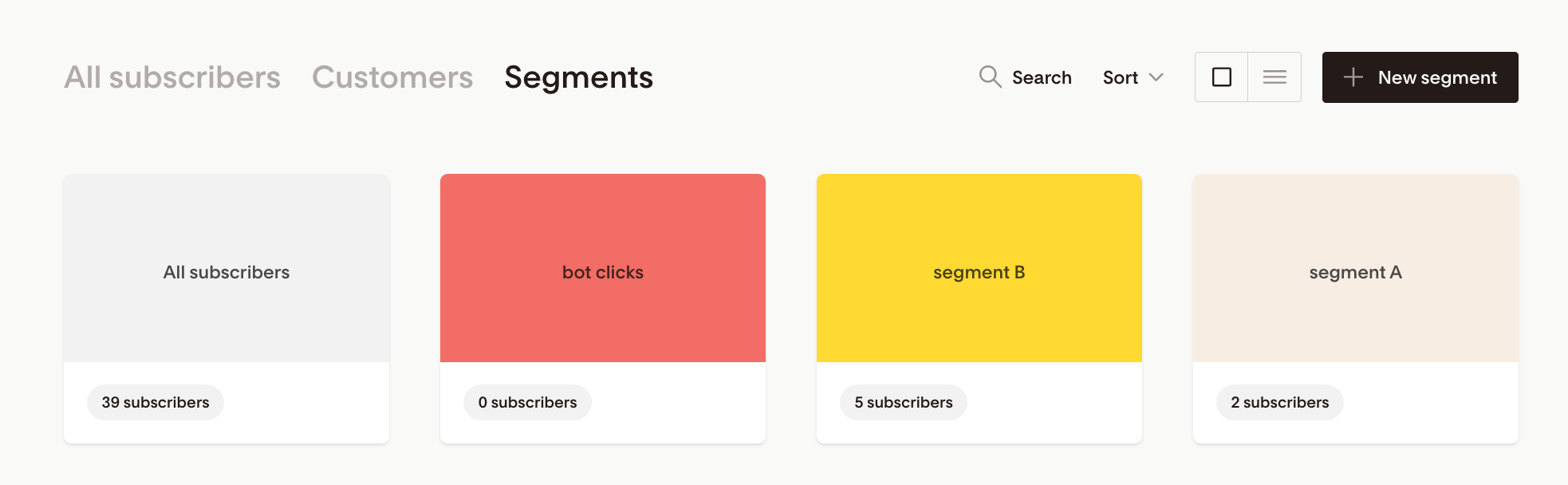
Step 1: Create a segment
Name it something like “Bot clicks”
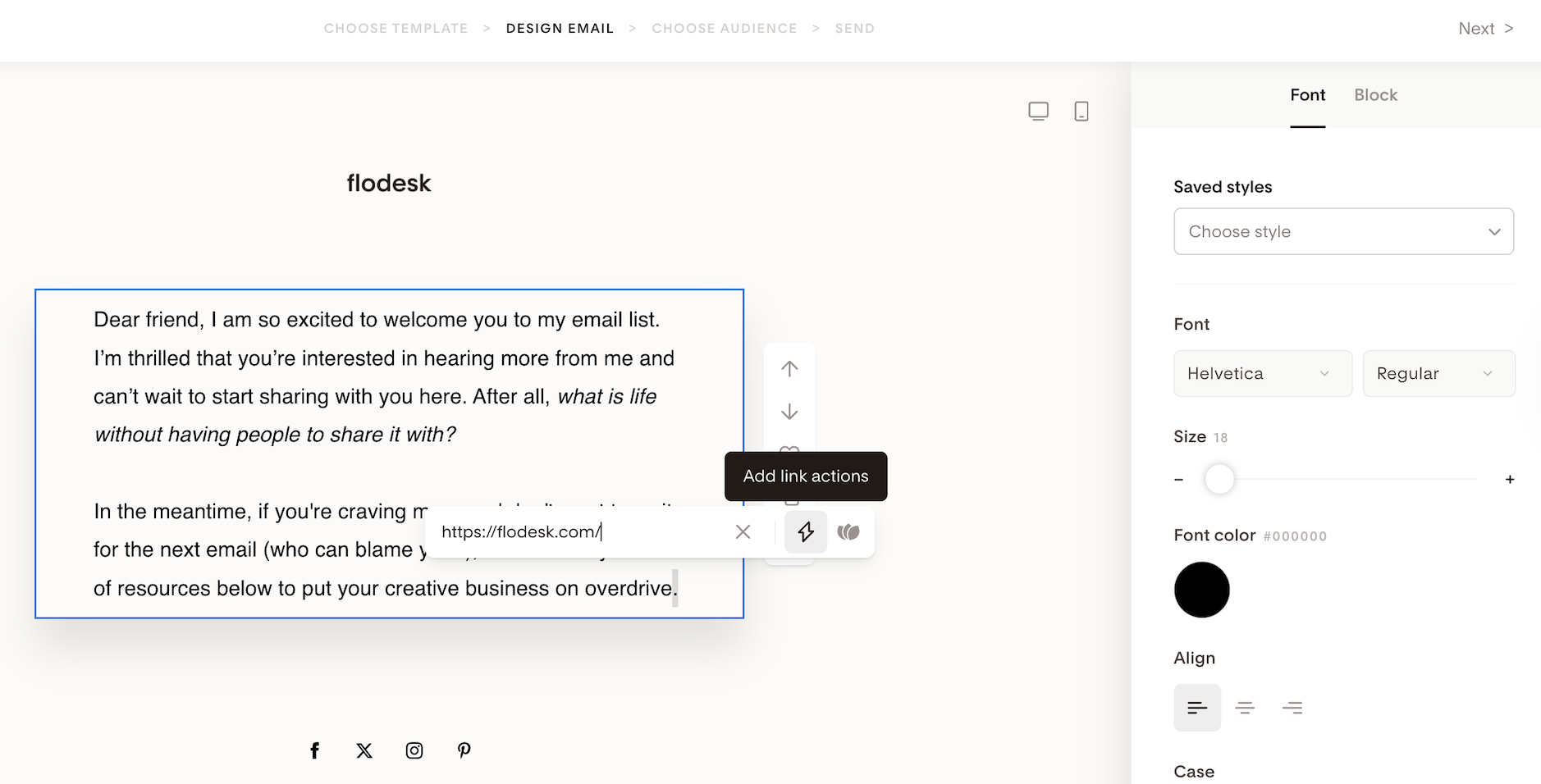
Step 2: Add a hidden link to a punctuation mark in your email
Create your email as usual
Near the bottom of the email, hyperlink a single punctuation mark (for example:
.or,)Link it to your homepage or another safe URL
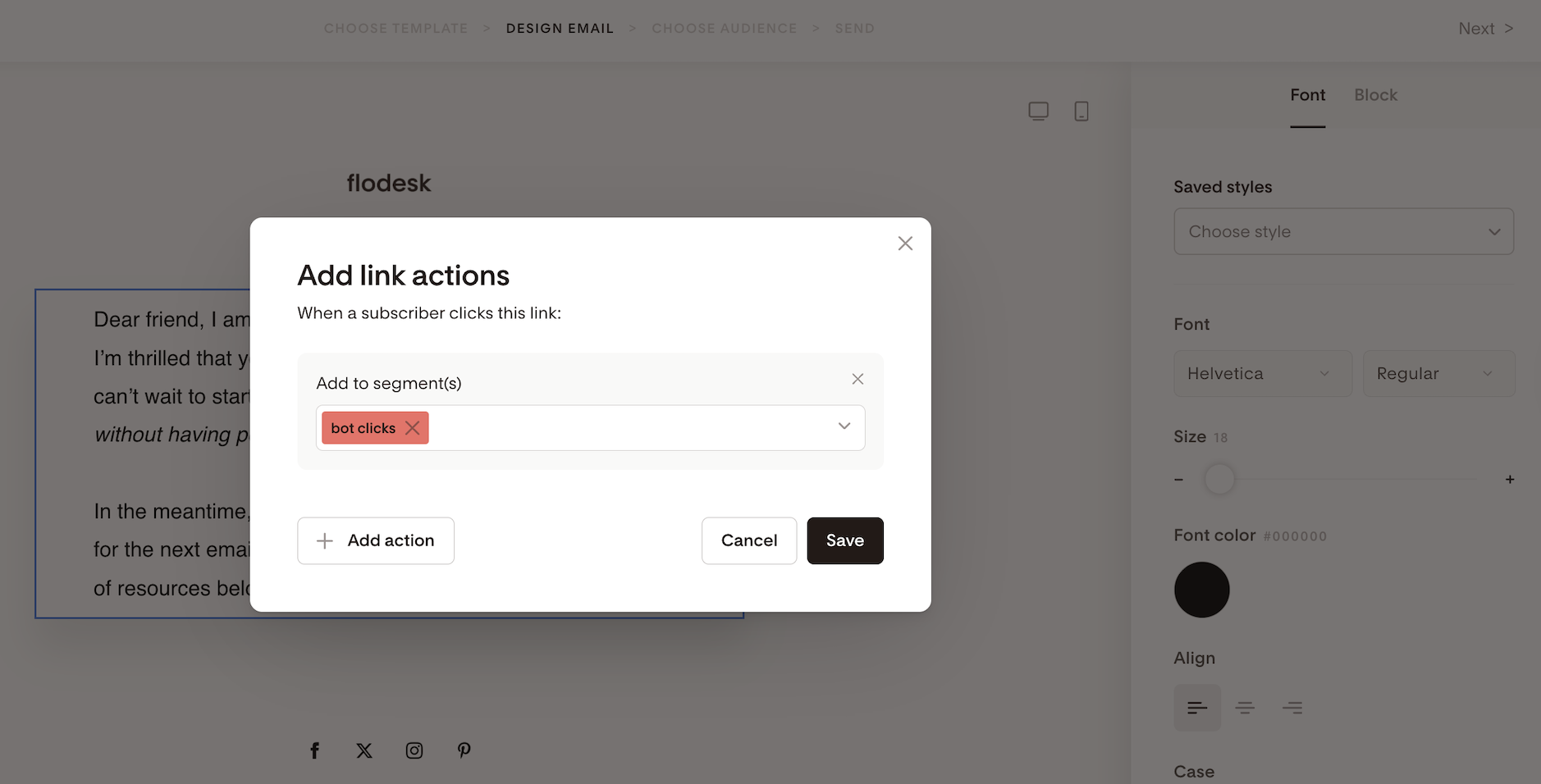
Step 3: Set a link action
Add a link action so anyone who clicks that punctuation link is added to the “Bot clicks” segment
Make sure that the hyperlinked punctuation mark remains the same color as your email body text. This makes it:
(Almost) invisible to human readers
Easy for security bots to detect and click
Important: This method isn’t foolproof and won’t catch all automated activity. However, security bots typically click links immediately upon delivery, making this a useful way to identify patterns of automated clicks.
Can I stop bot clicks from happening?
Not completely and that’s okay.
Bot clicks are controlled by mailbox providers and security systems, not Flodesk. However, you can reduce their impact.
What you can do:
Send from an authenticated custom domain
Maintain a strong sender reputation
Keep your subscriber list clean
Avoid typing out full URLs as plain text
Use HTTPS links
Encourage subscribers to use personal email addresses when possible
You can also:
Exclude your “bot clicks” segment from click-based workflows
Treat click data as directional, not absolute
Should I worry about bot clicks?
In most cases—no.
Bot clicks:
Do not harm deliverability
Do not count as spam behavior
Are a normal part of modern email security
They’re simply something to be aware of when reviewing your stats or building automation.
Summary
Bot clicks are automated link checks performed by security systems—not real people.
They:
Help protect your subscribers
Can inflate opens and clicks
May affect automation based on engagement
By understanding how bot clicks work, you can interpret your metrics more accurately and build smarter workflows that focus on real subscriber behavior.
Frequently asked questions
Are bot clicks unique to Flodesk?
No. Bot clicks happen across all email marketing platforms. They’re caused by mailbox providers and security software, not your ESP.
Do bot clicks mean my email was flagged as spam?
No. Bot clicks are routine safety checks and don’t mean anything is wrong with your email.
Will bot clicks trigger link actions or workflows?
Yes, they can. That’s why it’s best to avoid relying solely on clicks or opens for critical automation.
Is my deliverability affected by bot clicks?
No. Bot clicks do not negatively impact your sender reputation or inbox placement.
Can I remove or filter out bot clicks from my analytics?
No. At this time, bot clicks cannot be removed, excluded, or filtered out from Flodesk analytics. Because bot clicks come from mailbox provider security systems (not Flodesk itself), they are recorded the same way as other opens and clicks. While you can identify patterns that suggest automated activity, the analytics will still include those events. For this reason, we recommend using click and open data as directional insights, not exact measurements of human engagement, especially when building automation or workflows.