
How to Cancel Your Flodesk Subscription or Delete Your Account
Overview
You can cancel your paid Flodesk plan at any time from your Plan + billing settings.
When you cancel, your subscription will remain active until the end of the current billing cycle, so your existing plan continues until then.
Instead of cancelling completely, you also have the option to downgrade.
How to cancel your free trial
Your Flodesk free trial is commitment-free. If you choose not to upgrade to a paid subscription, your trial will expire automatically, and your account will move to the free plan. There's nothing to cancel at this stage as you haven't made a payment.
Here’s what happens when your free trial ends:
You’ll no longer be able to send one-off emails
Workflows will stop sending
Checkouts will be deactivated
Forms will remain active and continue collecting subscribers
Want to upgrade later? You can restart anytime by choosing a plan under Account settings > Plan + billing and entering your payment details.
How to cancel a paid subscription
Step 1. Go to Plan + billing
In your Flodesk account, click your avatar (top right).
Select Plan + billing from the left-hand menu.
Step 2. Click “Cancel or Downgrade”
You’ll find this button at the bottom of your billing page, next to your invoice history.
Note: The same button is used for both downgrading and canceling your plan.
Step 3. Review and confirm cancellation
Follow the prompts and confirm your cancellation. Taking these steps will start the cancellation process, and your subscription will remain active until the end of the current billing cycle.
Important: if you’ve cancelled your annual plan, new subscribers added before your cancellation takes effect could still move your account into a higher tier, which may result in an additional charge.
To prevent this, you can disable the features that automatically add subscribers:
Unpublish or delete forms to stop new signups through forms
Turn off integrations to stop automatic imports from other platforms
Learn more about how to prevent automatic subscriber tier increases by disabling forms and integrations here.
After cancellation:
You’ll be moved to the free plan
Your content (emails, forms, workflows, etc.) will still be available
Forms will remain active and continue to collect subscribers
You can reactivate your plan at any time by resubscribing
Can I request a refund for my Flodesk subscription?
If you have a question or concern about a charge, reach out to our support team within 30 days of the billing date so we can look into it for you. You can contact us at support@flodesk.com with your account email and details about the charge. Billing concerns raised after 30 days are not eligible for review, as those charges are non-refundable. See section 4.1(e) of our Terms of Service.
Requesting Full Account Deletion
If you’d prefer to permanently delete your Flodesk account and all associated data:
Email us at support@flodesk.com
Let us know you’d like your account fully deleted
⚠️ Deleting your account is permanent. This action will erase all data, including emails, workflows, forms, subscribers, analytics, and settings, and cannot be undone.
Be sure to download anything you’d like to keep before requesting deletion.
Cancelling your Flodesk plan — FAQs
How can I cancel my plan?
Go to Account settings → Plan + billing and click Cancel or Downgrade. Follow the prompts and confirm your cancellation. Note: you can only cancel paid plans. If you're on a free trial, it will end automatically at the end of the trial period.
When will my cancellation take effect?
Your cancellation takes effect at the end of your current billing cycle. You’ll stay on your current plan until then.
Will my data or workflows be deleted when I cancel my paid subscription?
No, your data remains safe and all your content will still be available. Once your subscription cancellation takes effect, you will be moved automatically to the free plan.
Can I cancel my cancellation if I change my mind?
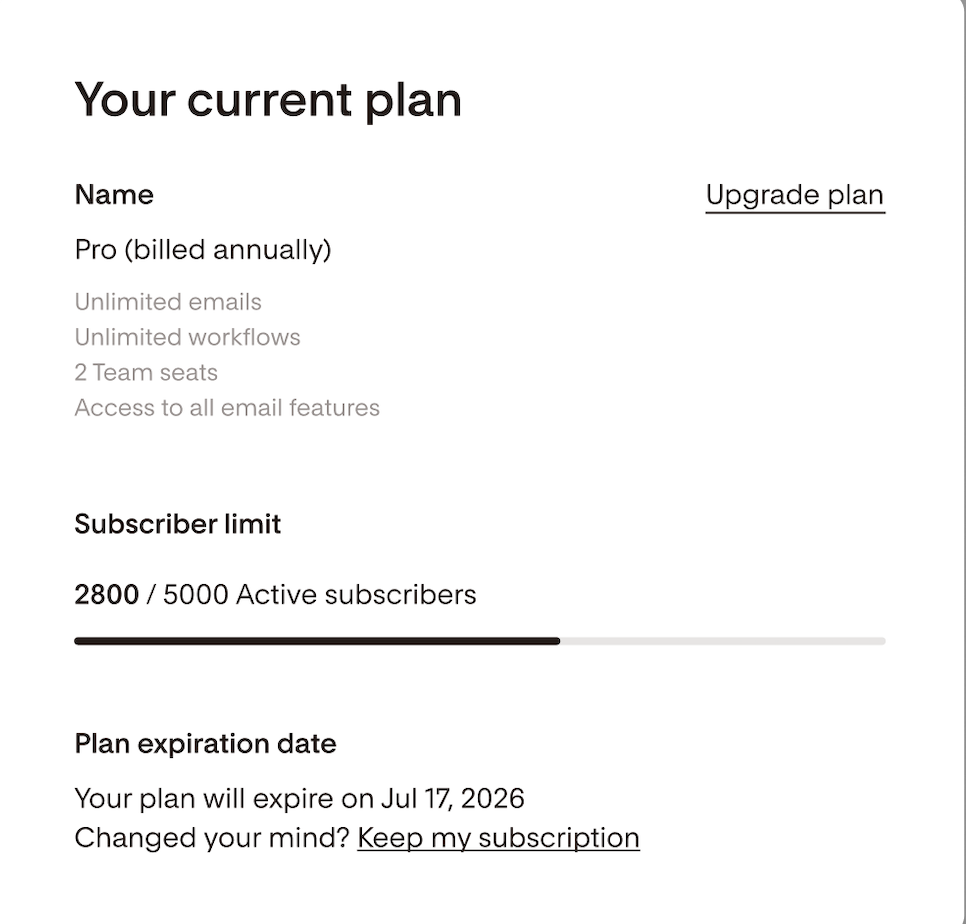
Yes. You can stop your scheduled cancellation at any time before it takes effect.
Go to Plan + billing, then click Keep my subscription.
How do I permanently delete my account?
Email support@flodesk.com and request full account deletion.
Important: Deletion is permanent. All emails, workflows, forms, subscribers, and analytics will be erased. Download anything you want to keep first.