
How to Upgrade Your Flodesk Plan
Overview
You can upgrade your Flodesk plan at any time from your Plan + billing settings.
Upgrading takes effect immediately, giving you instant access to new features.
When you upgrade:
Your new plan starts right away
Billing updates automatically
You unlock any additional features included in your new plan
For a detailed comparison of what each plan includes, visit https://flodesk.com/pricing.
How to upgrade your plan
Step 1. Go to Plan + billing
In your Flodesk account, click your avatar (top right).
Select Plan + billing from the left-hand menu.
Step 2. Click “Upgrade plan”
You’ll find this button at the top of the “Your current plan” card.
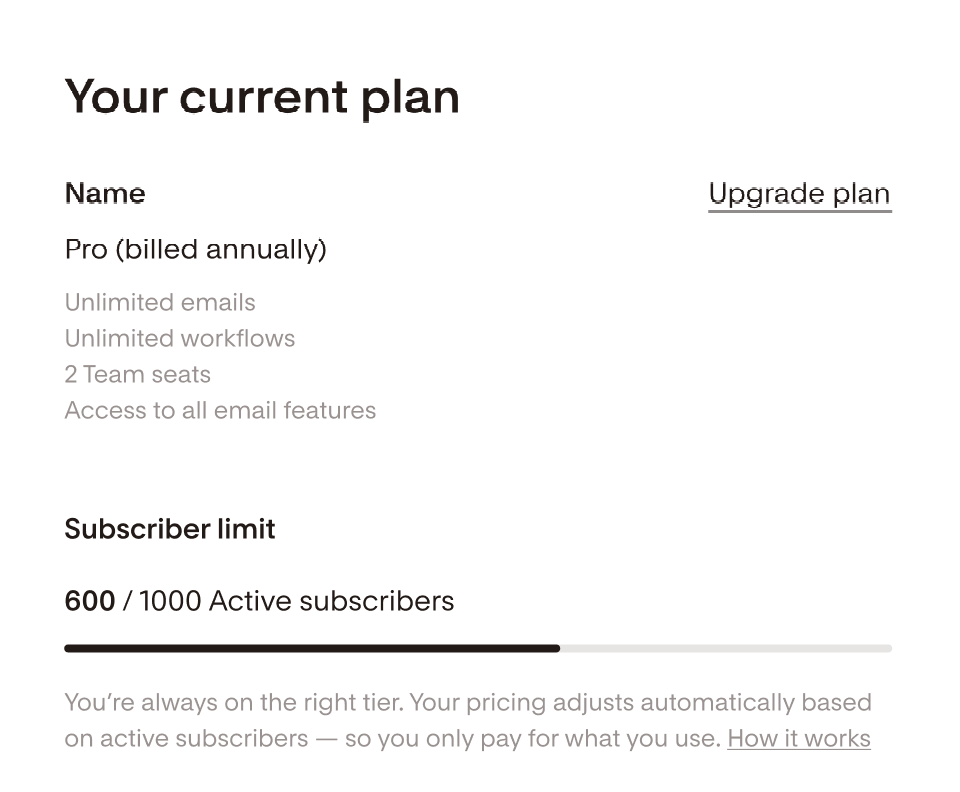
Step 3. Choose your new plan
You’ll see available upgrade options, each showing the features you’ll gain access to. Select the plan you want by clicking Upgrade now.
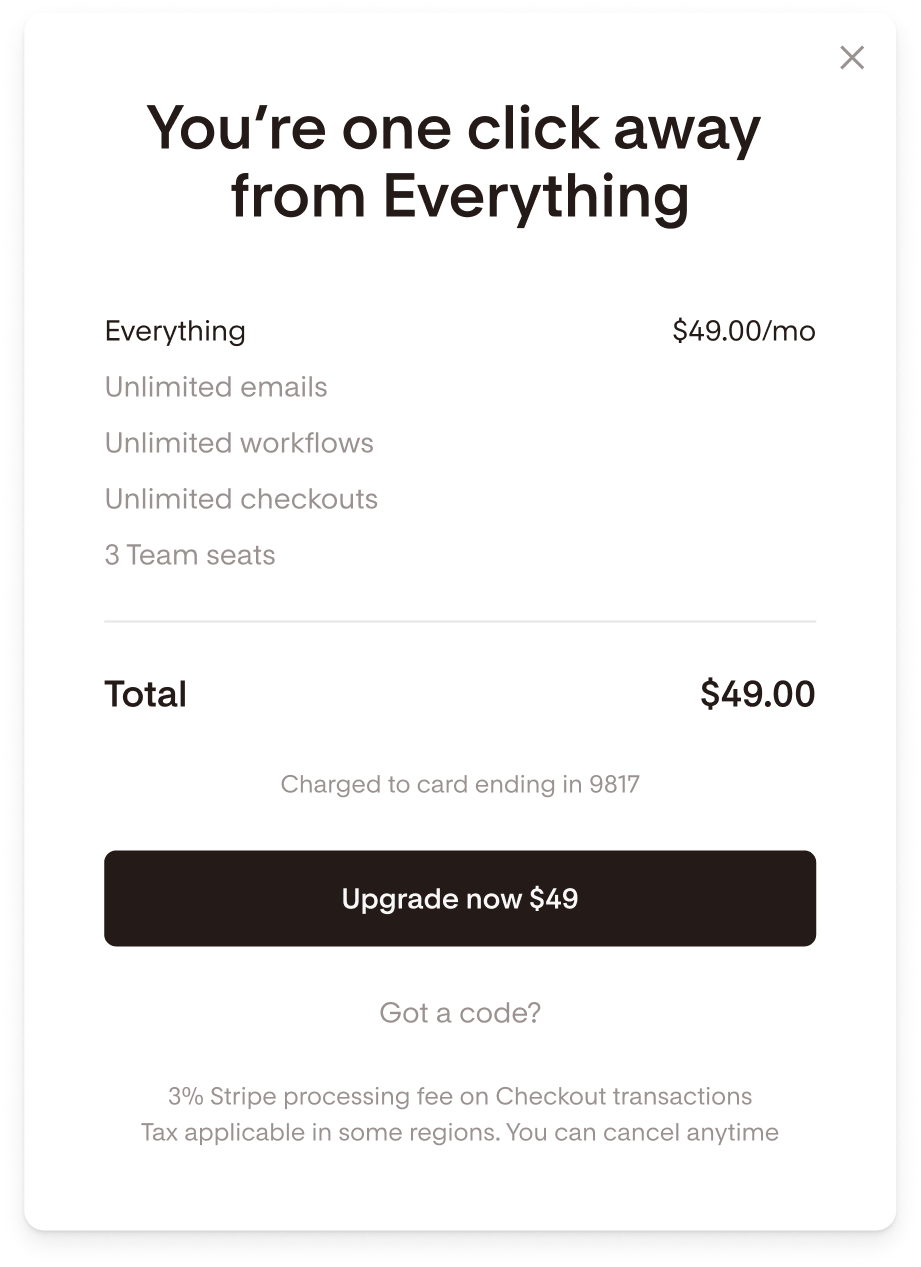
Step 4. Review and confirm
Review the plan summary details and disclaimers, and if you’re ready to proceed, click “Upgrade now” again to confirm. Your plan change will take effect immediately.
How to upgrade from a Legacy plan
If you’re on a legacy plan (Unlimited or Beta), upgrading moves you to the new plan structure.
That means:
Your pricing will be based on the number of active subscribers in your account
You’ll lose unlimited subscribers once you upgrade
Beta members will receive a 50% discount when upgrading to the Everything plan
To upgrade
Go to Plan + billing
Click Upgrade plan (at the top of the “Your current plan” card)
Select your new plan and click Upgrade now
Read and acknowledge the message about losing unlimited subscribers. This is needed to avoid accidental changes to your current plan.
Click Upgrade now again to confirm
Your new plan will start right away, and the new billing rate will apply based on your subscriber count.
What Happens Next
Your billing and features update immediately
You’ll see your new plan details under Plan + billing
All new plan features become available instantly
Upgrading Your Flodesk Plan — FAQs
How can I upgrade my plan?
Go to Account settings → Plan + billing and click Upgrade plan. Choose your new plan and follow the prompts.
When does my upgrade take effect?
Immediately after confirmation. Your new plan and features activate right away.
Can I upgrade during my free trial?
Yes. Upgrading during a free trial activates your paid plan immediately.
What happens to my billing when I upgrade?
You’ll be charged a prorated amount for the remainder of your billing cycle, based on your new plan rate.
I’m on a legacy plan—what should I know?
Upgrading will move you to new pricing based on active subscribers.
You’ll lose unlimited subscribers.
Beta members get 50% off when upgrading to the Everything plan.
Can I downgrade later if I change my mind?
Yes. You can downgrade anytime from Plan + billing.