
Why your spam rate matters (and how to keep it low)
Overview
Your spam rate is the percentage of your emails that recipients mark as spam. It's one of the key signals inbox providers like Gmail and Yahoo use to decide whether your emails land in the inbox or get filtered out.
Keeping your spam rate low protects your ability to reach your subscribers. This article explains what spam rate means, what the thresholds are, and what to do if yours needs attention.
What spam rate measures
Every time a subscriber clicks "Mark as spam" (or "Report junk") in their inbox, that gets counted. Your spam rate is the number of spam complaints divided by the number of emails delivered, shown as a percentage.
For example: if you send 1,000 emails and five people mark them as spam, your spam rate is 0.5%.
This number is tracked by mailbox providers, not just by Flodesk. Gmail, in particular, uses its own data through Google Postmaster Tools to measure this independently.
Why your spam rate matters for deliverability
Inbox providers like Gmail pay close attention to spam rates. A high spam rate signals to Gmail that your subscribers don't want your emails, and Gmail may start routing your emails to spam or blocking them entirely.
This affects everyone on your list, not just the people who complained.
Gmail is the most widely used email provider, so keeping Gmail happy is especially important. In fact, Gmail has published specific thresholds that senders (including anyone sending marketing emails) are expected to stay within.
Gmail's spam rate thresholds
Gmail measures your spam rate and compares it against two benchmarks:
Recommended threshold: below 0.10%. This is where you want to be. At this level, Gmail considers your sending healthy.
Policy violation: 0.30% or higher. At this level, Gmail will actively block or filter your emails. This can affect your entire sending domain, not just individual campaigns.
The goal is to stay well below 0.10%. Even approaching that threshold is worth paying attention to.
Note: Gmail only reports spam rate data for days when you send roughly 50 or more emails to Gmail addresses. If you're sending smaller volumes, you may not see Gmail specific spam data
Where to find your spam rate in Flodesk
Flodesk shows your spam rate in two places.
Emails Analytics dashboard
Go to your Emails Analytics dashboard. Your spam rate appears in a table below the “Open and click rate” chart. You can view data across the last seven days, 14 days, four weeks, 12 weeks, six months, or 12 months.
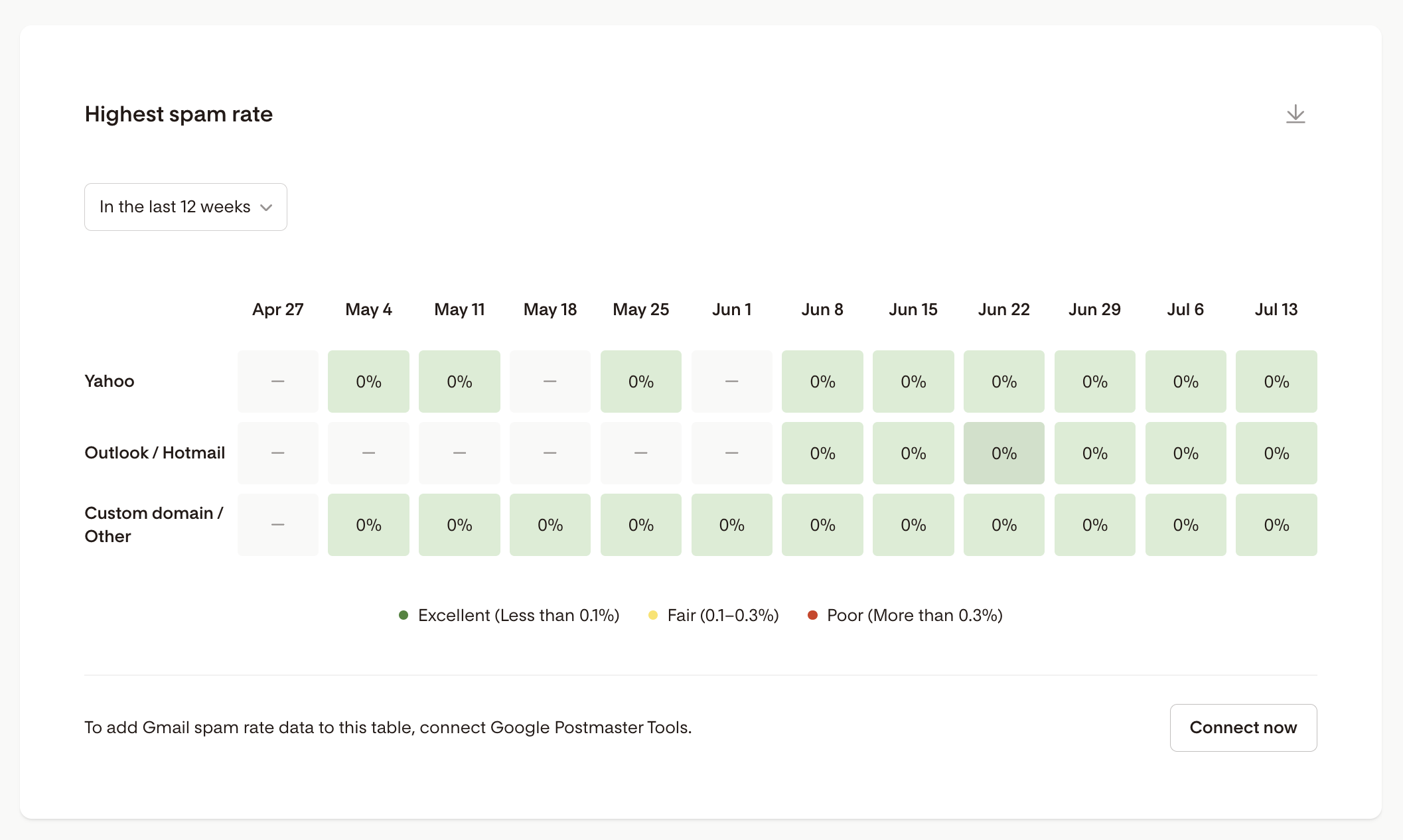
The table shows spam rate data from multiple mailbox providers, including Gmail, Yahoo, and Outlook/Hotmail. Gmail data comes directly from Google Postmaster Tools (once connected).
If not yet connected, click the Connect now button to start the process.
Next, click Set up your Google account on the Google Postmaster Tools card under the Domain setup panel.
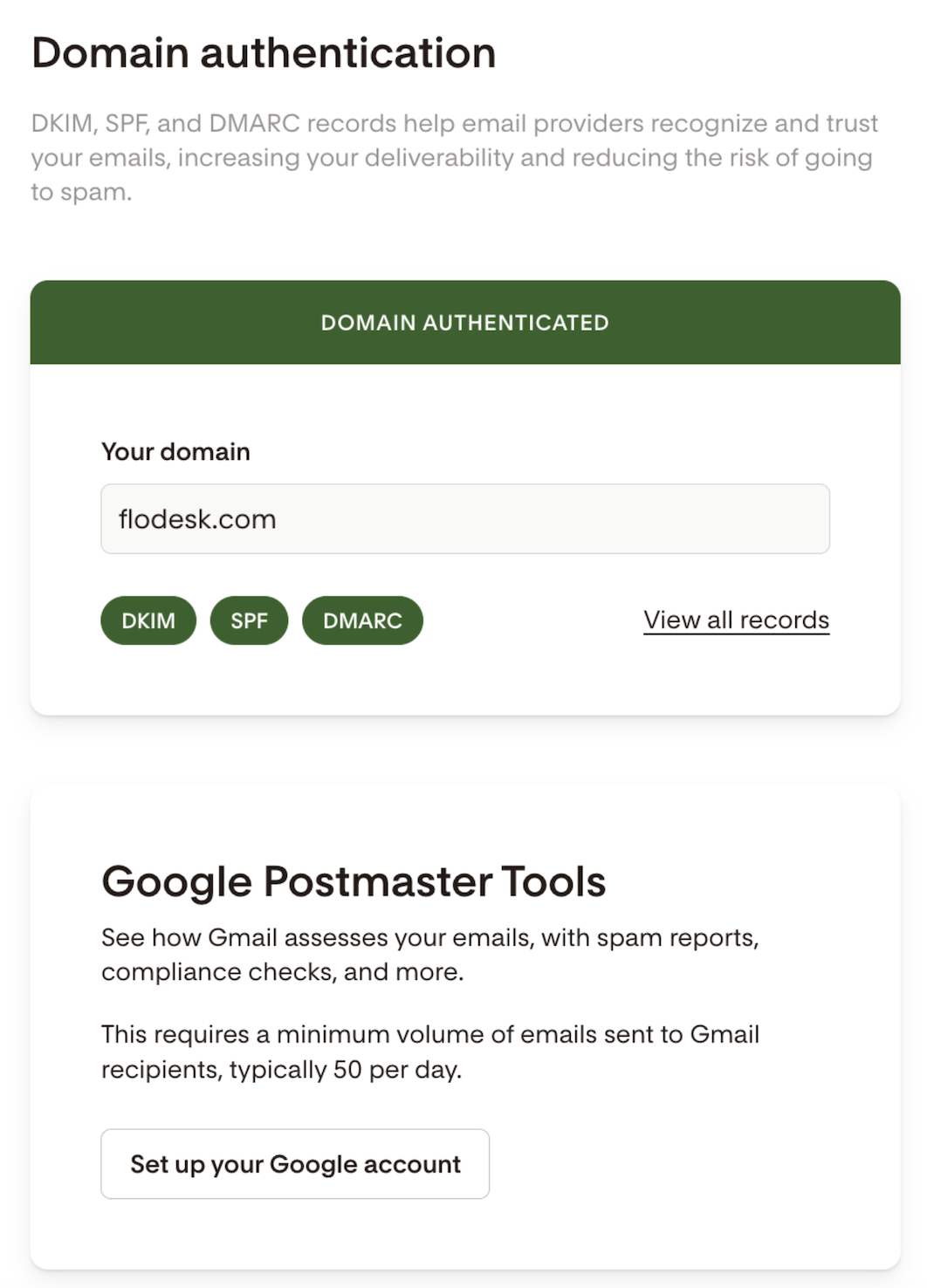
Domain setup
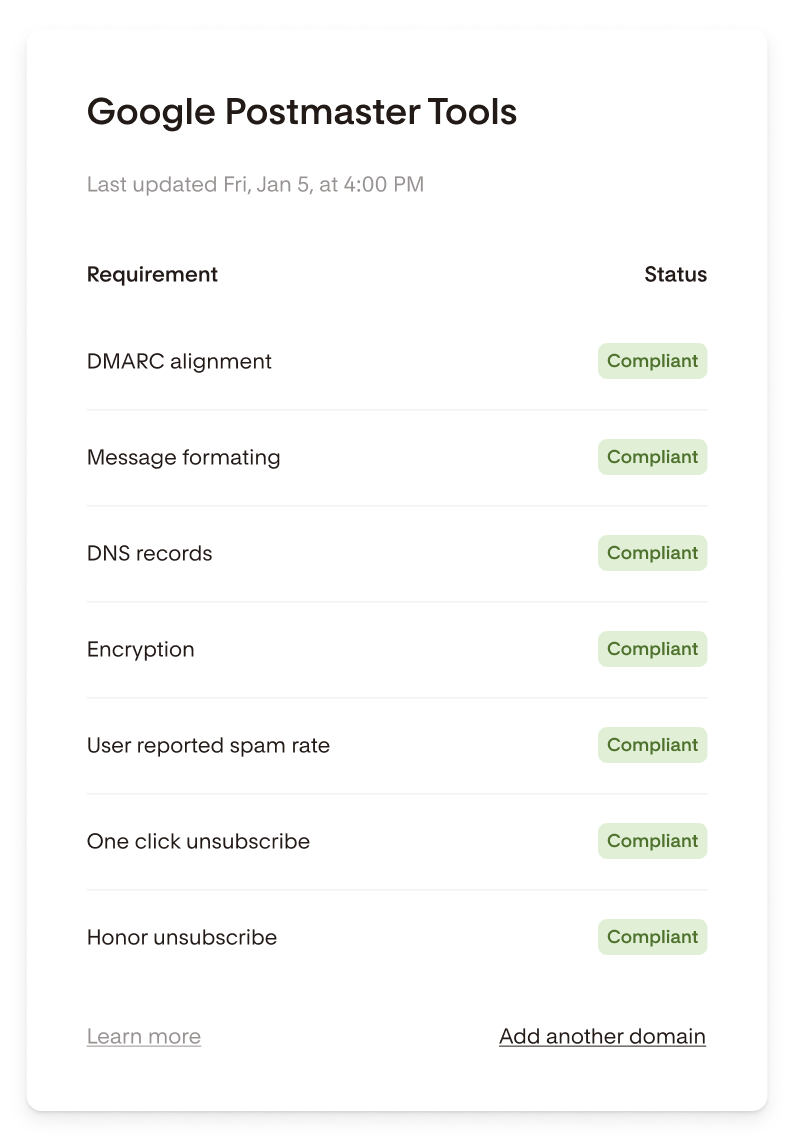
Go to My Account > Domain setup. If you've connected Google Postmaster Tools, you'll see a compliance checklist for your sending domain. One of the items listed is "User reported spam rate," which shows whether your rate is currently compliant or needs attention.
How to lower your spam rate
If your spam rate is higher than you'd like, a few changes can make a real difference.
Send to people who want to hear from you. The most common reason people mark emails as spam is that they don't remember signing up, or they feel the emails aren't relevant to them. Regularly archiving unengaged subscribers from your active list reduces the chance of complaints.
Make it easy to unsubscribe. If someone can't find the unsubscribe link, they'll hit "report spam" instead. Flodesk includes a one-click unsubscribe link in every email automatically, so this is handled for you. However, make sure the unsubscriber footer in your emails is visible and legible (font size and font color matters).
Honor unsubscribe requests promptly. When someone unsubscribes, they should stop receiving emails right away. Continuing to send to people who have opted out is one of the fastest ways to damage your spam rate and your reputation. If a subscriber contacts you via email or in a DM asking to unsubscribe them from your list, do so right away. If they hit the unsubscribe link in your email, Flodesk does this automatically.
Check what you're sending. Emails that feel unexpected, overly promotional, or off-brand for what someone signed up for tend to generate more complaints. Make sure your content matches what subscribers expected when they joined your list.
FAQ
What is a spam rate?
Your spam rate is the percentage of delivered emails that recipients marked as spam. It's calculated by dividing the number of spam complaints by the number of emails delivered, then multiplying by 100.
What spam rate does Gmail recommend?
Gmail recommends keeping your spam rate below 0.10%. Reaching a rate of 0.30% or higher is considered a policy violation and will affect your ability to reach Gmail inboxes.
Where can I see my spam rate?
You can find your spam rate on the Emails tab in Analytics in the spam rate table.
Why isn't there any spam rate data for Gmail showing yet?
Gmail only reports spam rate data for days when you send roughly 50 or more emails to Gmail addresses. If you haven't met that threshold recently, or if you've just connected Google Postmaster Tools, Gmail may not report any new data back to us.
My spam rate shows "needs work." What should I do?
Start by reviewing your subscriber list for unengaged contacts and removing anyone who hasn't opened your emails in a long time. Check that your unsubscribe link is visible and working, and make sure you're only sending to people who actively opted in to your list. If the issue continues, reach out to Flodesk support for help.
Does Flodesk's unsubscribe link help with my spam rate?
Yes. Flodesk automatically includes a one-click unsubscribe link in every email, which is required by Gmail for bulk senders. Making it easy for subscribers to opt out reduces the likelihood they'll mark your email as spam instead.
What's the difference between Gmail's spam rate data and data from other providers?
Gmail's spam rate data comes from Google Postmaster Tools, which measures complaints reported directly within Gmail. Other providers (Yahoo, Outlook/Hotmail, and others) are tracked through separate feedback loops. Your Flodesk spam rate table shows all available sources so you can see the full picture.
Does my spam rate affect my whole domain, or just one campaign?
Your spam rate reflects your sending domain's reputation overall, not just a single campaign. A high rate in one campaign can affect deliverability across all of your emails.