
Archiving subscribers: clean your list without losing your contacts
Overview
Keeping your list healthy doesn't have to mean permanently removing subscribers you're not sure about. The Archived status lets you remove subscribers from your active sending list without deleting them, so you can always bring them back if things change.
This article explains what Archived means, when to use it, what it can and can't do, and how it works with your campaigns, workflows, and integrations.
What is the Archived status?
Archiving a subscriber moves them out of your active list and stops them from receiving your marketing emails. Their contact record stays in Flodesk, and you can restore them at any time.
Think of it like moving someone to a holding area: they're out of sight, but not gone.
Archived subscribers:
Can’t receive marketing emails or workflow emails
Can still receive transactional emails (like purchase receipts from Checkout)
Can re-subscribe on their own by filling out one of your forms
Can be manually restored to Active status by you at any time
Don't count toward your plan's subscriber limit if you're on a tiered plan
How Archived compares to other statuses
Status | Receives marketing emails | Can re-subscribe | You can reactivate |
Active | Yes | — | — |
Archived | No | Yes | Yes |
Unsubscribed | No | Yes | No |
Marked Spam (Complained) | No | Yes | No |
Bounced | No | No | No |
Cleaned | No | No | No |
Archived vs. Unsubscribed: The key difference is who can reverse it. You can restore an Archived subscriber yourself. An Unsubscribed subscriber has to opt back in on their own. You can't reactivate them.
Archived vs. Cleaned: Cleaned is permanent. It's reserved for addresses that could seriously damage your deliverability, like known spam traps or invalid email format. Archived is for contacts you might want to re-engage someday.
When to archive a subscriber
Archiving is the right move when you want to stop sending to someone, but you're not ready to lose their data permanently.
Good reasons to archive:
They haven't opened or clicked any of your emails in a long time
You want to clean up a cold segment before an important campaign
You accidentally imported contacts you didn't mean to include
You're unsure if a contact is still relevant, but want to keep their record just in case
When not to use Archive:
As a method for unsubscribing. Instead, ask your subscribers to use the unsubscribe link in the emails you send.
You want to permanently remove a subscriber. Archiving keeps their data on file.
Flodesk also automatically archives subscribers in certain situations to protect your sender reputation, for example, when
an email address is repeatedly undeliverable,
a mailbox has been full for many consecutive sends, or
an address looks risky to send to.
When this happens, you'll see a plain-language explanation in the subscriber's record explaining why.
How to archive subscribers
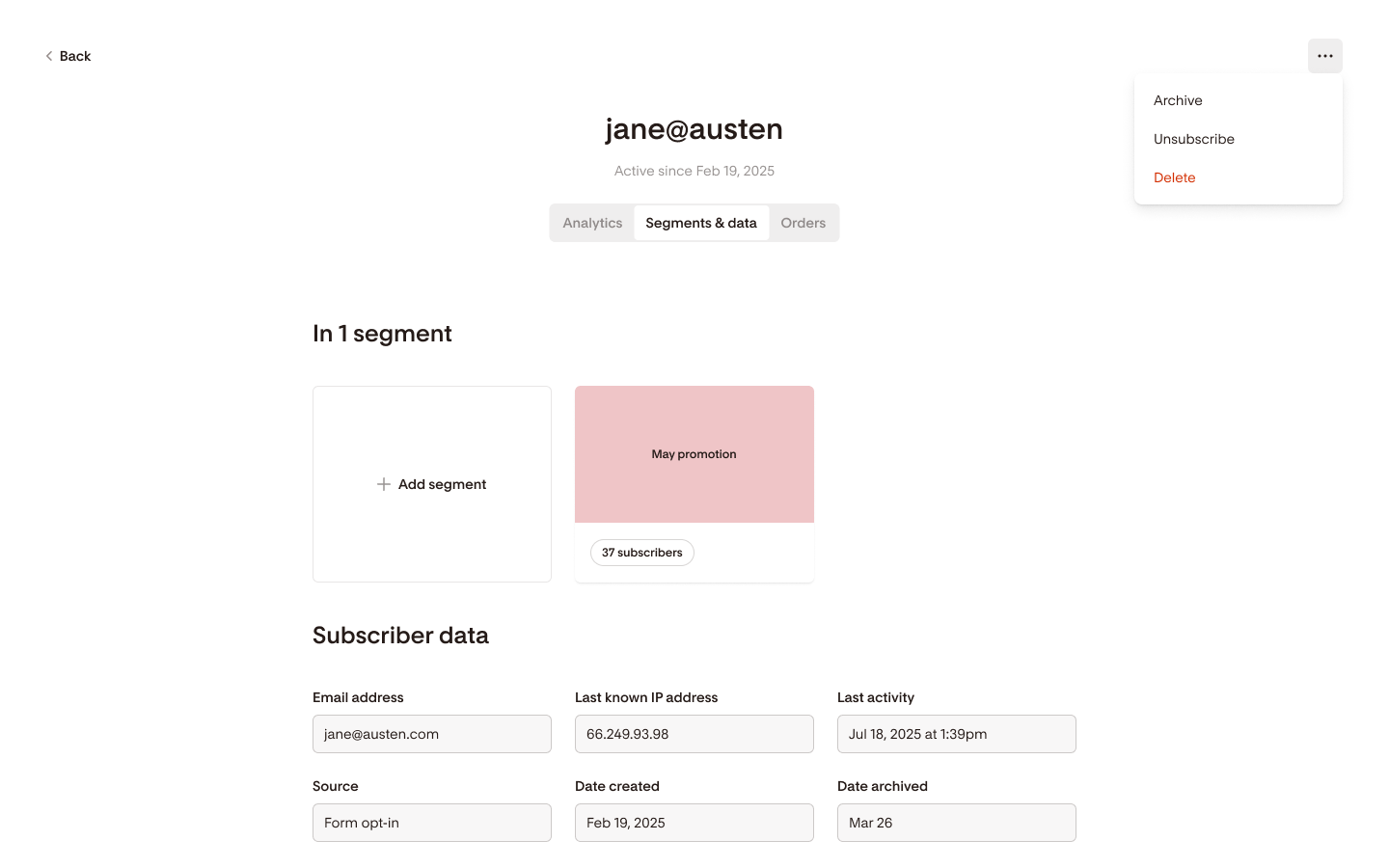
Archive a single subscriber
Go to Audience in your Flodesk account.
Find and open the subscriber's profile.
Select Archive subscriber and confirm.
Archive multiple subscribers at once
Go to Audience.
Select the checkboxes next to the subscribers you want to archive.
Choose Archive from the bulk action menu.
Review the confirmation. It'll show you how many will be archived and flag any that will be skipped.
Confirm.
If some selected subscribers can't be archived (for example, because they're Unsubscribed or Complained (Marked Spam), Flodesk will skip those contacts and let you know why.

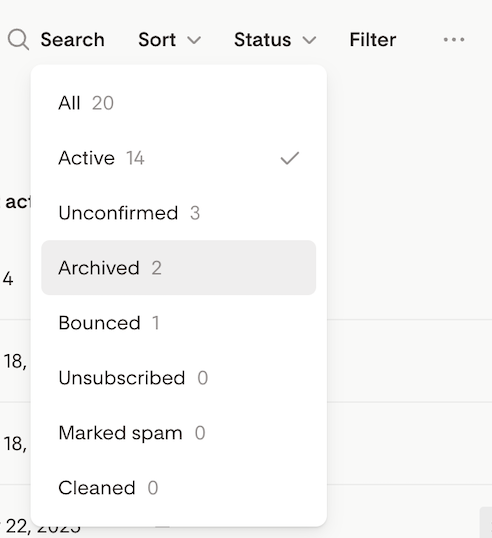
To see all subscribers who have been archived, filter the Status by Archived.
How to unarchive subscribers
Unarchive a single subscriber
Go to Audience and filter Status by Archived.
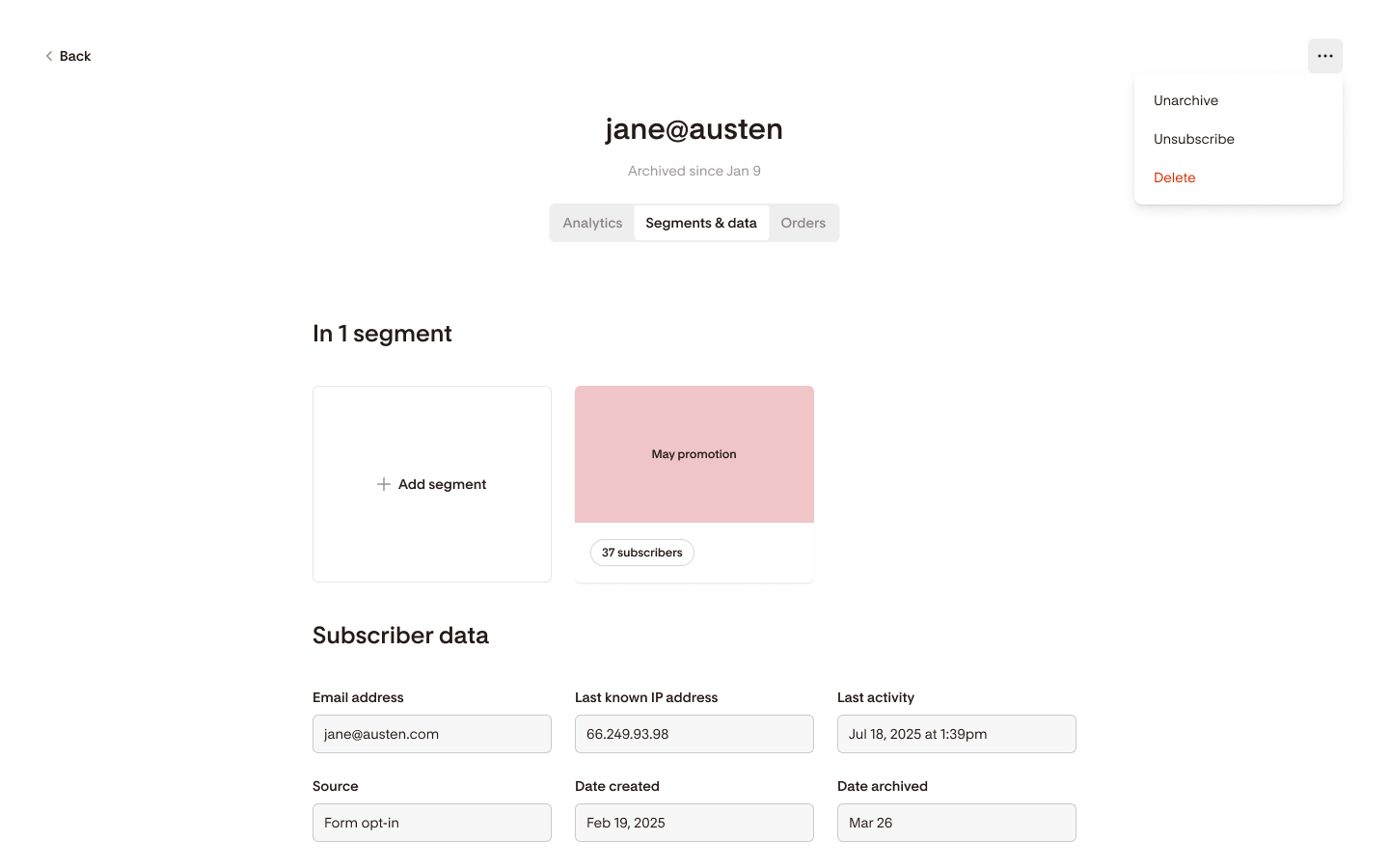
Open the subscriber's profile. You'll see the reason they were archived here.
Select Unarchive subscriber and confirm. Their status returns to Active.
Undo a bulk archive action
If you archived a group of subscribers by mistake, you can reverse the entire batch at once.
Go to Audience and use the Status selector to show Archived subscribers. Alternatively, use the Filters to find Archived subscribers.
Select the checkboxes next to the subscribers you want to unarchive.
Choose Unarchive from the bulk action menu and confirm.
Flodesk will restore all eligible subscribers to Active and confirm how many were recovered.
If some subscribers from the original batch can no longer be unarchived (for example, they've since unsubscribed or been marked as spam), you'll see a summary of who was restored and who was skipped, and why.

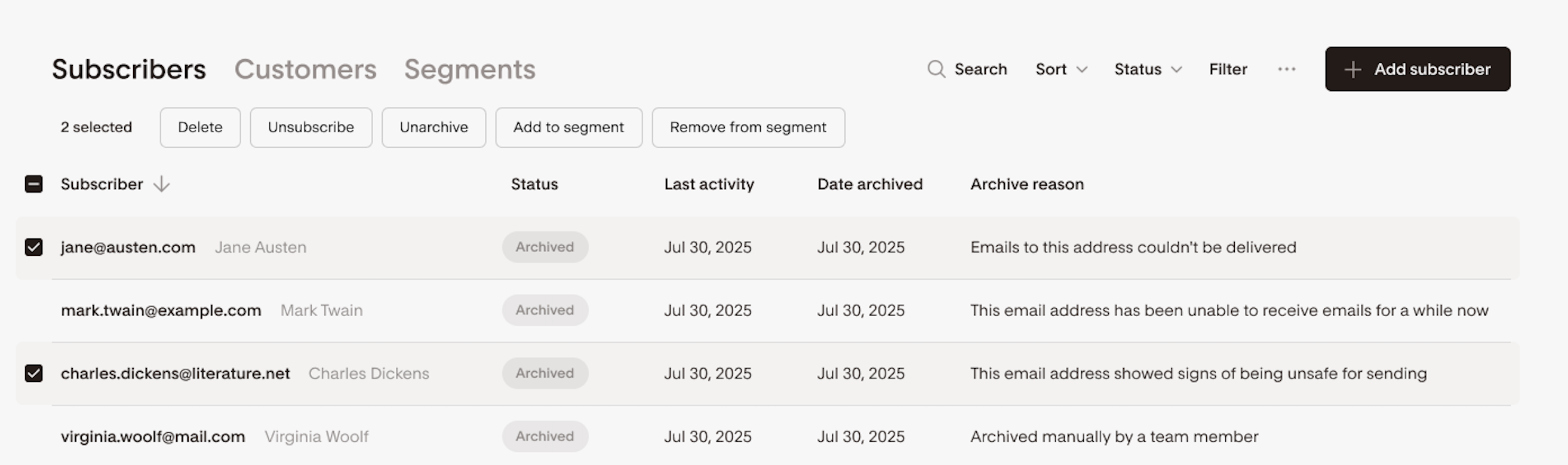
After unarchiving: Restored subscribers are added to a 45-day protection window. During this time, they're excluded from automatic system cleanup, so Flodesk won't re-archive them right away.
Limitations to know
The 45-day archive rule
Each subscriber can only be archived once within a 45-day window, across your whole team. If you try to archive someone who's already been archived within that window, you'll see a message explaining why the action wasn't completed. This limit applies to member-initiated archives only. Automatic system archives don't count.
The 45-day unarchive rule
Each subscriber can only be unarchived once within a 45-day window, across your whole team.
Who can't be archived
The following statuses cannot be moved to Archived:
Unsubscribed — subscriber-controlled
Complained (Marked Spam) — protected for compliance
Bounced — set after a hard bounce event
Unconfirmed — pending confirmation
How archiving affects campaigns and workflows
Campaigns
Archived subscribers won't receive any marketing emails you send, even if they're part of a segment included in a campaign. Flodesk handles this automatically at send time. You don't need to manually exclude them.
Workflows
Archived subscribers can still enter a workflow, but email steps will be skipped while they're archived.
If an archived subscriber reaches an email step, that email is skipped. They continue moving through the rest of the workflow logic, they just won't receive that particular email.
If a subscriber is unarchived while mid-workflow, they'll start receiving emails from that point forward. They won't retroactively receive any emails that were skipped.
Checkout and transactional emails
Archived subscribers can still receive Checkout purchase receipts. They cannot receive abandoned cart emails while archived.
How archived subscribers can return to Active
There are several ways an archived subscriber can become Active again:
You unarchive them manually — as described above.
They fill out one of your Flodesk forms — a form submission counts as fresh consent.
Double opt-in enabled: they'll move to Unconfirmed until they confirm.
Single opt-in (or confirmed double opt-in): they'll move straight to Active.
Through a connected integration
Integration provides an active status — subscriber moves to Active
Integration provides a non-active status — subscriber stays Archived
Integration doesn't include a subscriber status and no marketing consent is confirmed — subscriber stays Archived
Through Checkout
Purchase made with explicit marketing consent — subscriber moves to Active
Purchase made without marketing consent — subscriber stays Archived, but still receives the purchase receipt
Through CSV import or manual add
Importing a CSV that includes an archived subscriber preserves their Archived status. They won't be reactivated automatically. If you manually add a subscriber who is currently archived, Flodesk will show a warning including the reason they were archived, so you can decide whether to reactivate them before confirming.
Permissions by team seats role
Role | Can archive | Can unarchive |
Admin | Yes | Yes |
Manager | Yes | Yes |
Editor | No | No |
If you're an Editor and try to archive or unarchive a subscriber, you'll see a message explaining that this action requires Admin or Manager permissions.
FAQ
What's the difference between Archived and Unsubscribed?
Archived means you removed the subscriber from your active list and you can bring them back whenever you want. Unsubscribed means the subscriber chose to opt out, and only they can re-subscribe. You can't reverse an Unsubscribed status yourself.
Can archived subscribers still receive emails from me?
Archived subscribers cannot receive marketing emails or workflow emails. They can still receive transactional emails, like Checkout purchase receipts.
What happens if an archived subscriber fills out my form?
They'll be reactivated. With single opt-in, they move straight to Active. With double opt-in, they'll move to Unconfirmed until they click the confirmation link.
Can I archive subscribers in bulk?
Yes. You can select multiple subscribers in your Audience and archive them all at once. Flodesk will tell you how many will be archived and flag any that can't be (with a reason), before you confirm.
I archived the wrong group of subscribers. Can I undo it?
Yes. Go to Audience and use the Status selector to show Archived subscribers. Alternatively, use the Filters to find Archived subscribers. Select the checkboxes next to the subscribers you want to unarchive. Choose Unarchive from the bulk action menu and confirm. Flodesk will restore all eligible subscribers to Active and show you a summary of who was recovered and who couldn't be restored.
Why can't I archive a subscriber who has unsubscribed?
Unsubscribed is a subscriber-controlled status. Moving them to Archived and then back to Active would bypass their opt-out which isn't allowed. The same applies to Complained (Marked Spam), Bounced, and Unconfirmed statuses.
Why was my subscriber automatically archived?
Flodesk automatically archives contacts in certain situations to protect your deliverability and sender reputation. Common reasons include repeated delivery failures, a full or inactive mailbox, or signs that an address may not be safe to send to. You'll see a plain-language explanation in the subscriber's profile.
Can I re-archive a subscriber I just unarchived?
Each subscriber can only be archived once per 45-day window, across your whole team. If you just unarchived someone, you'll need to wait until the 45-day window resets before archiving them again.
Does archiving a subscriber remove them from my segments?
No. Archived subscribers can still appear in segments, but they won't receive emails sent to those segments. The exclusion happens automatically at send time.
What happens to an archived subscriber who's in a workflow?
They'll continue moving through the workflow, but stop at any email step if they're archived. Once unarchived, they'll receive emails from that point forward. They won't receive anything that was skipped.
If I import a CSV with archived subscribers, will they be reactivated?
No. Importing preserves their current Archived status. You'd need to manually unarchive them if you want to reactivate them.
Can archived subscribers still place orders through Checkout?
Yes. An archived subscriber can make a purchase and will receive their order confirmation. If they give explicit marketing consent at checkout, they'll be moved back to Active. Without that consent, they'll stay Archived.