
What are tags and where can I find them in Flodesk?
Learn how Flodesk uses tags behind the scenes—and why you only work with segments.
Quick answer (TL;DR)
Segments are groups of subscribers you can see, create, and email.
Tags track subscriber behavior automatically behind the scenes.
You won’t see or manage tags in Flodesk, and that’s by design.
This setup keeps things simple while still giving you powerful targeting and automation options.
What is a segment in Flodesk?
A segment is a group of subscribers who share something in common.
For example, a segment might include subscribers who:
Signed up through your link-in-bio form
Clicked a specific link in an email
Regularly open and engage with your emails
Purchased a product or opted into a freebie
Segments help you send emails that feel personal and relevant without guessing what your audience wants.
What are tags and how does Flodesk use them?
Tags record subscriber behavior, like opens, clicks, signups, and activity dates.
Here’s the big difference:
Flodesk automatically handles all tagging for you.
You don’t create tags.
You don’t manage tags.
You don’t even see tags.
Instead, Flodesk uses this behavioral data quietly in the background so you can:
Create smarter segments
Set up automations later (even retroactively)
Avoid manual errors or over-complicated setups
This means you get the power of tagging—without the mental load.
Why doesn’t Flodesk show tags?
Most people use tags manually and often incorrectly.
Flodesk takes a different approach:
Tags are tracked automatically
Data is always consistent
You never have to guess what to tag (or forget to do it)
This allows you to focus on designing great subscriber experiences instead of managing technical rules.
Why automatic tagging is helpful
By automating tagging, Flodesk can:
Track many behaviors at once
Reduce your workload
Eliminate human error
Let you create segments after something happens
Even if you’re brand new to email marketing, your subscriber data is already working for you.
Common examples of “tags” in action (without you seeing them)
Below are real-world examples of how Flodesk uses tags without ever asking you to manage them.
Segmenting your "clickiest" subscribers
Subscribers who regularly click on links in your emails are considered highly engaged. They not only open your emails but also take action to explore your offers.
Go to Audience > All subscribers
Click Filter
In the filter panel, start with these ranges:
Engagement Signal | Start with |
Status | Active only |
Last activity | Within 60 days (Confirms recency) |
Emails delivered | ≥ 5 in last 60 days |
Emails clicked | ≥ 5 in last 60 days (Confirms recent click history) |
Note: If your filter returns too few or too many subscribers, adjust the thresholds until the segment feels representative of your real top performers.
Click Apply to view results.
Select all and add them to a new “Engaged” or “VIP” segment to use in your next campaigns.
You can then select and add them in bulk to an "engaged" segment from that filtered view and send hyper-relevant emails, such as "I'm grateful for your support. Here’s a specific gift for you".
Where’s the tag?
The behavior “clicks links in emails” is automatically tracked by Flodesk.
Segmenting subscribers based on interests
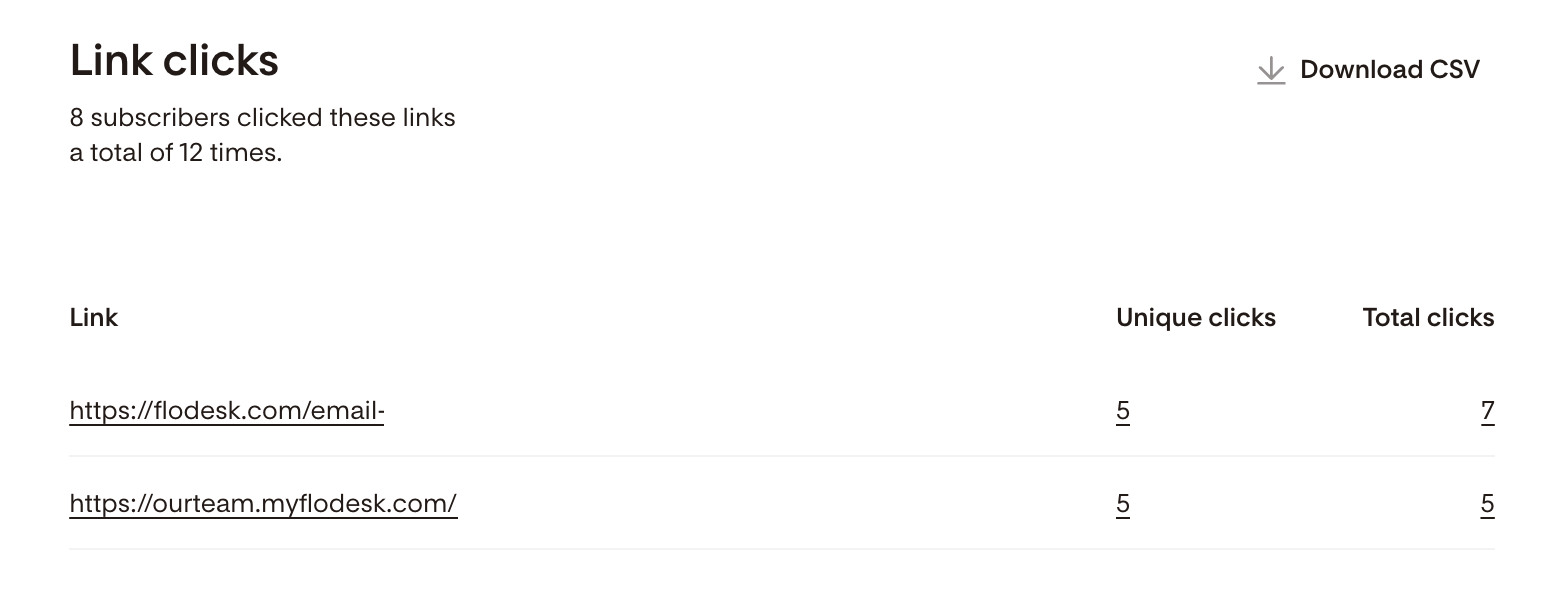
Let’s say you sent an email a few weeks ago asking subscribers to click a link if they’re interested in a new service.
To follow up now with those who clicked:
Open the email from your Emails dashboard
In At a glance, click Clicks
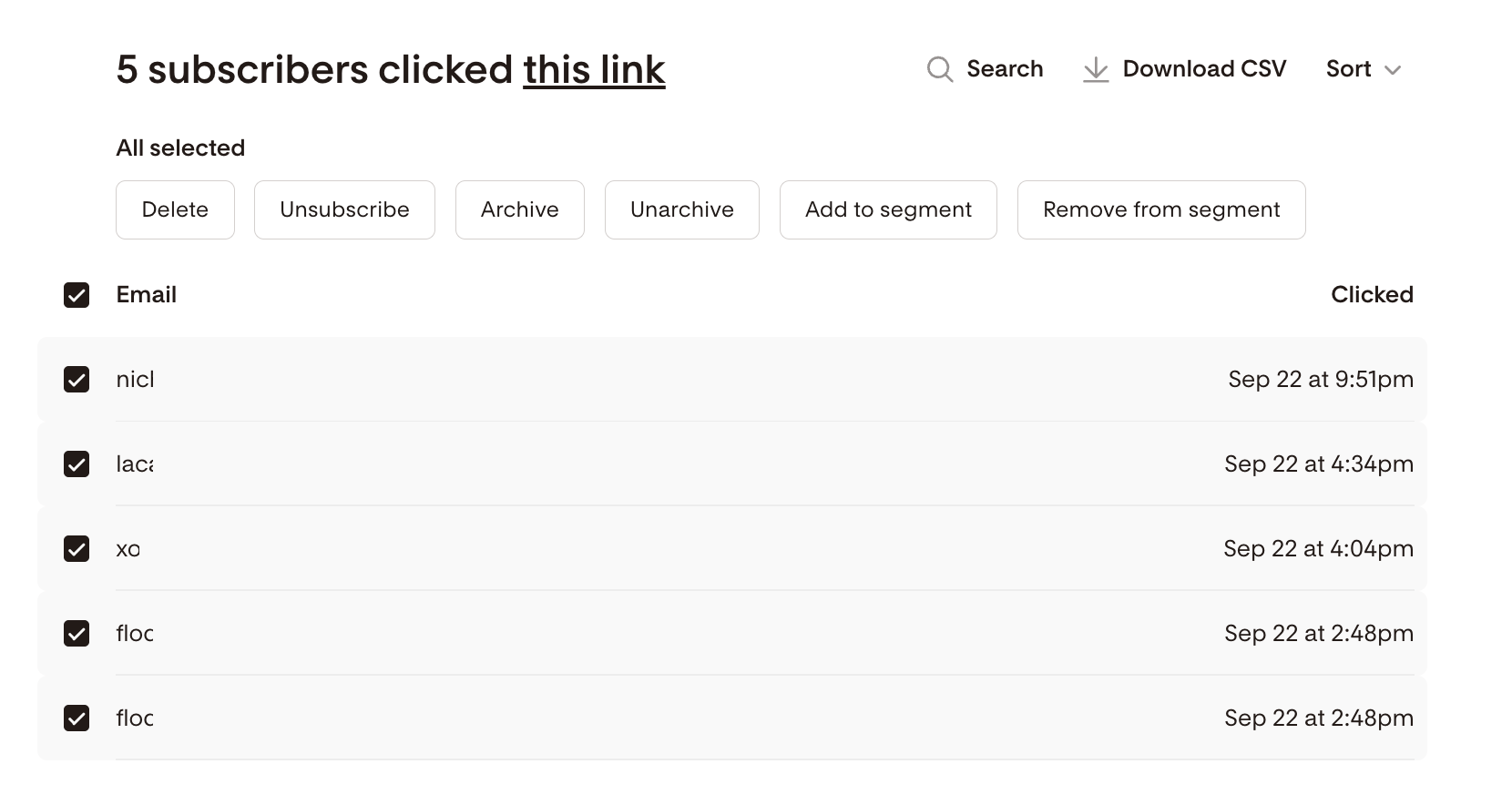
Click the Unique clicks number for the specific link
Select subscribers in bulk and add them to a new segment
Now you can send targeted follow-up emails just to that group.
Where’s the tag?
The action “clicked specific link” is automatically tracked.
Following up with subscribers who didn’t open an email
You can also segment based on email opens.
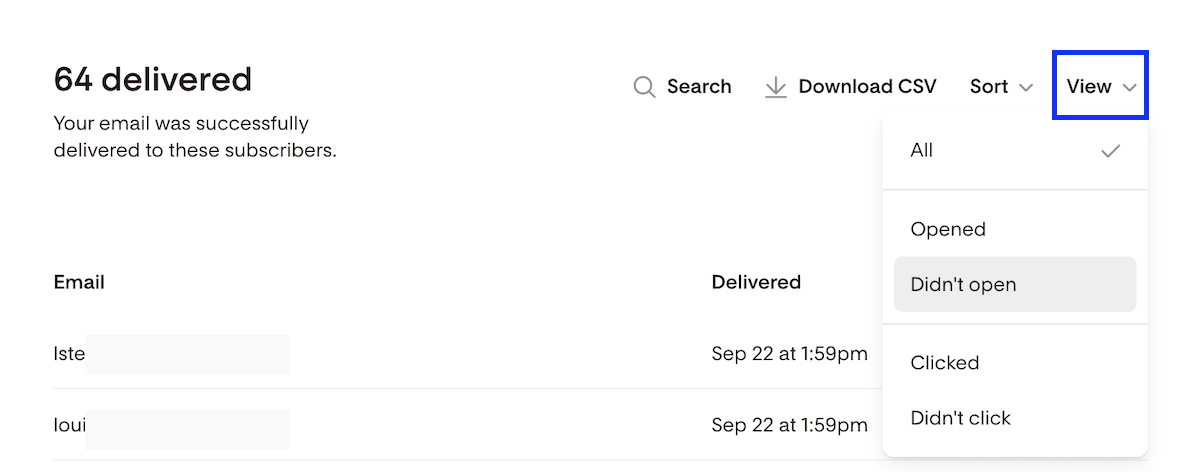
To find subscribers who didn’t open a specific email:
Open the email report
Click Delivered
Use the View selector to show Did not open
Select subscribers and add them to a segment
This is great for:
Reminder emails
Resending with a new subject line and a slightly revised content
Where’s the tag?
Flodesk automatically tracks email opens for you.
Summary
Segments are visible groups you create and email.
Tags track behavior automatically behind the scenes.
Flodesk handles all tagging for you. No setup required.
You get powerful segmentation without complexity.
FAQ
Can I create my own tags in Flodesk?
No. Flodesk doesn’t use manual tags. All behavior tracking happens automatically.
If I can’t see tags, how do I know they’re working?
Any time you filter, segment, or automate based on subscriber behavior, you’re using tag data without needing to manage it.
Can I create segments later using past behavior?
Yes. Since Flodesk tracks behavior automatically, you can create segments retroactively at any time. Learn more about filtering your subscribers here: How to Filter Your Subscribers in Flodesk
Are segments the same as tags?
No. Segments are groups you work with. Tags are behavioral data Flodesk uses behind the scenes.
Do I need to set anything up for tagging to work?
No setup required. Tagging starts automatically as soon as subscribers interact with your emails or forms.