
How to complete verification for a partially verified custom domain
In this article
Overview
How to check your authentication status
How to add your missing DNS records
DNS propagation time
FAQ
Overview
If your domain is showing as partially verified in Flodesk, it means one or more authentication records (DKIM, SPF, or DMARC) are either missing or haven't been confirmed yet. This article walks you through how to find and add those missing records so your domain is fully verified.
Starting in February 2024, major inbox providers like Gmail and Yahoo require bulk email senders to authenticate their domains with DKIM, SPF, and DMARC. Without full authentication, your emails are more likely to land in spam or get blocked before reaching your subscribers.
The fastest way to fix this: head to My Account > Domain setup in Flodesk. Your domain card will show exactly which records are missing.
How to check your authentication status
Log in to your Flodesk account.
Navigate to My Account > Domain setup.
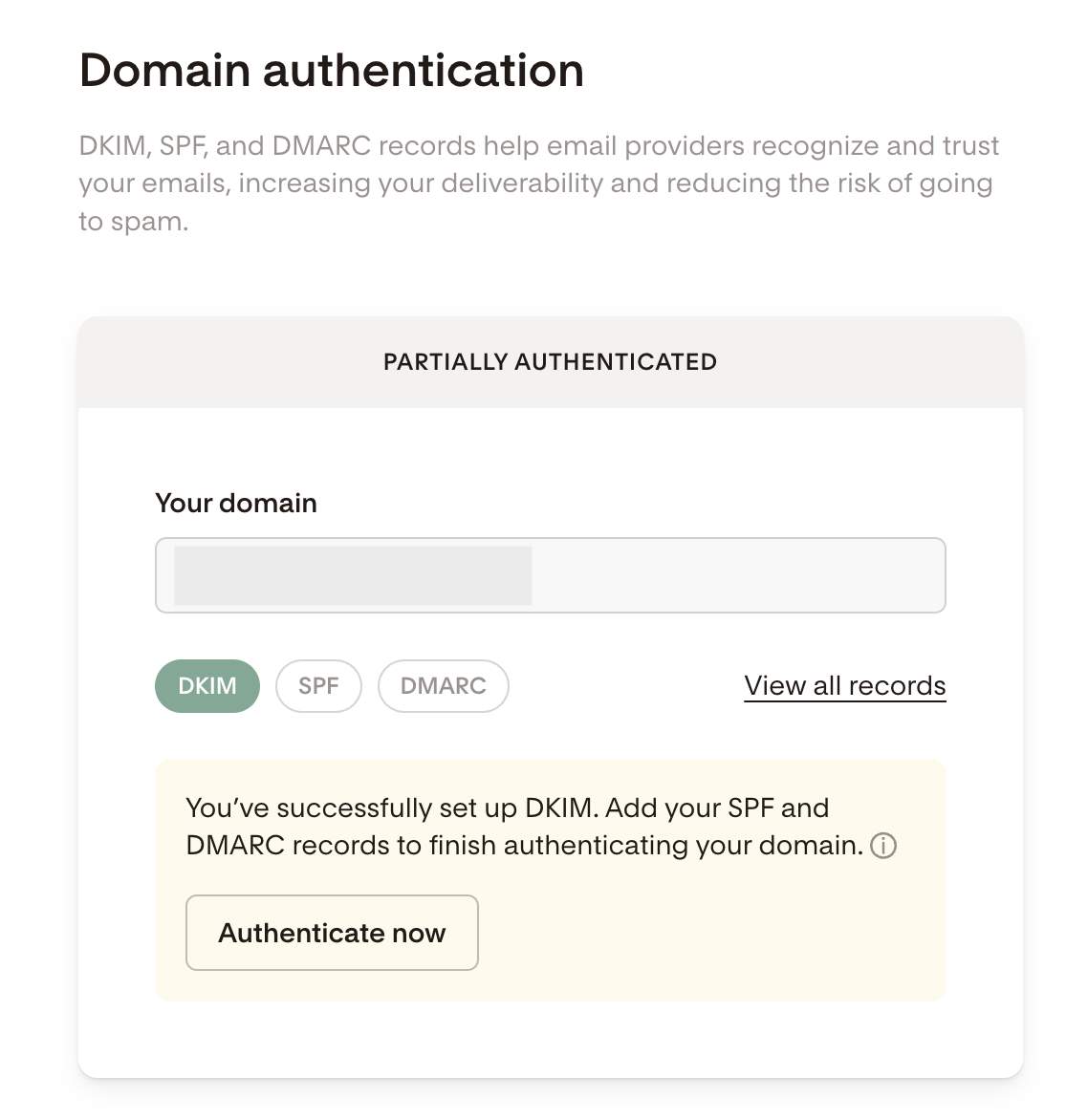
If any records are missing, your domain card will show as Partially authenticated and display which specific records still need to be added.
How to add your missing DNS records
Step 1: Start the verification flow
On your domain card, click Authenticate now.
From here, you have two options:
Automatic setup: Let Flodesk handle it via the Entri integration.
Manual setup: Click I'll do it manually to add the missing records yourself.
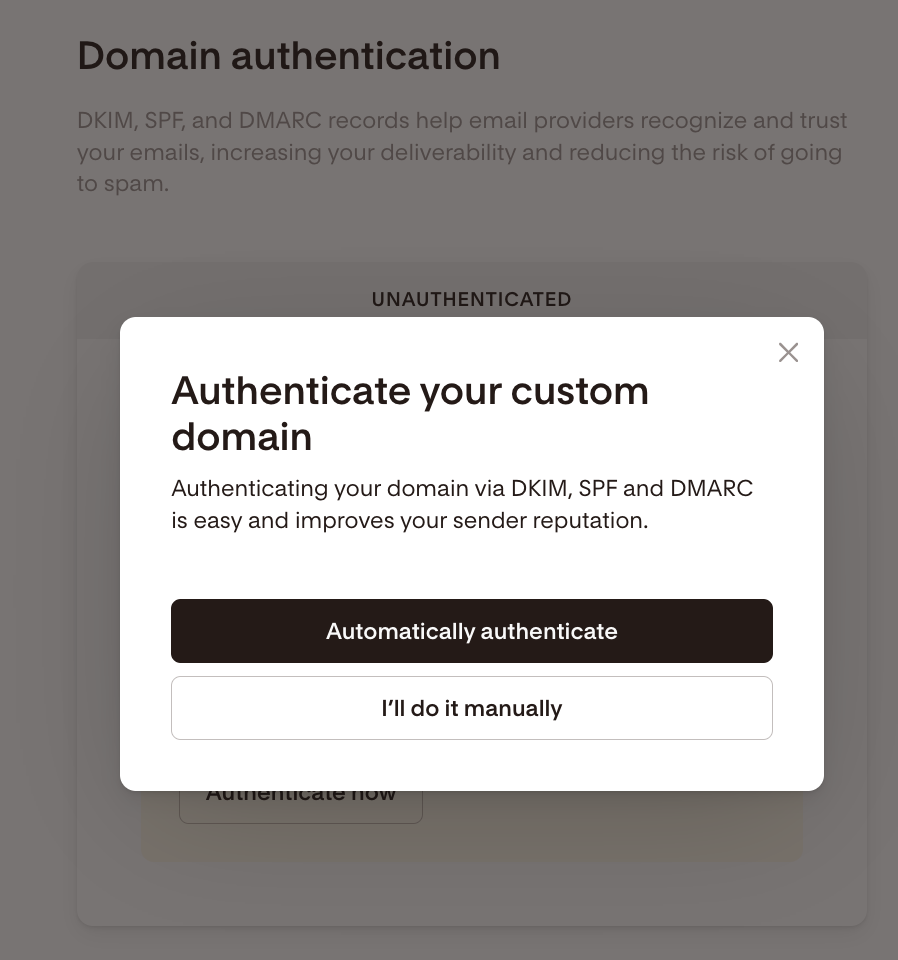
To manually add the missing records, click "I'll do it manually".
Setup will vary by provider. Here are some step-by-step articles on how to add your DNS records within top domain providers:
Step 2: Review your missing records
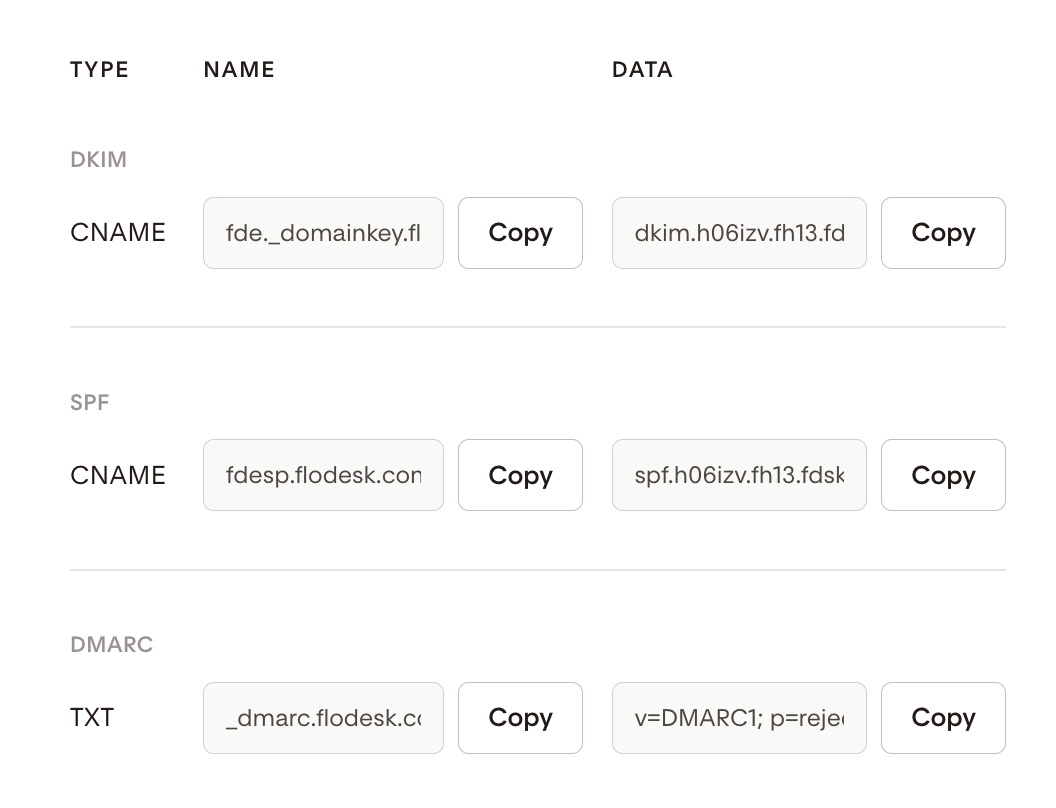
Flodesk will show you all of your authentication records, with a note indicating which ones are still outstanding. Depending on your account type, you'll have either three or five records in total:
Three records:
One SPF record
One DKIM record
One DMARC record
Five records:
One SPF record
Three sets of DKIM records
One DMARC record
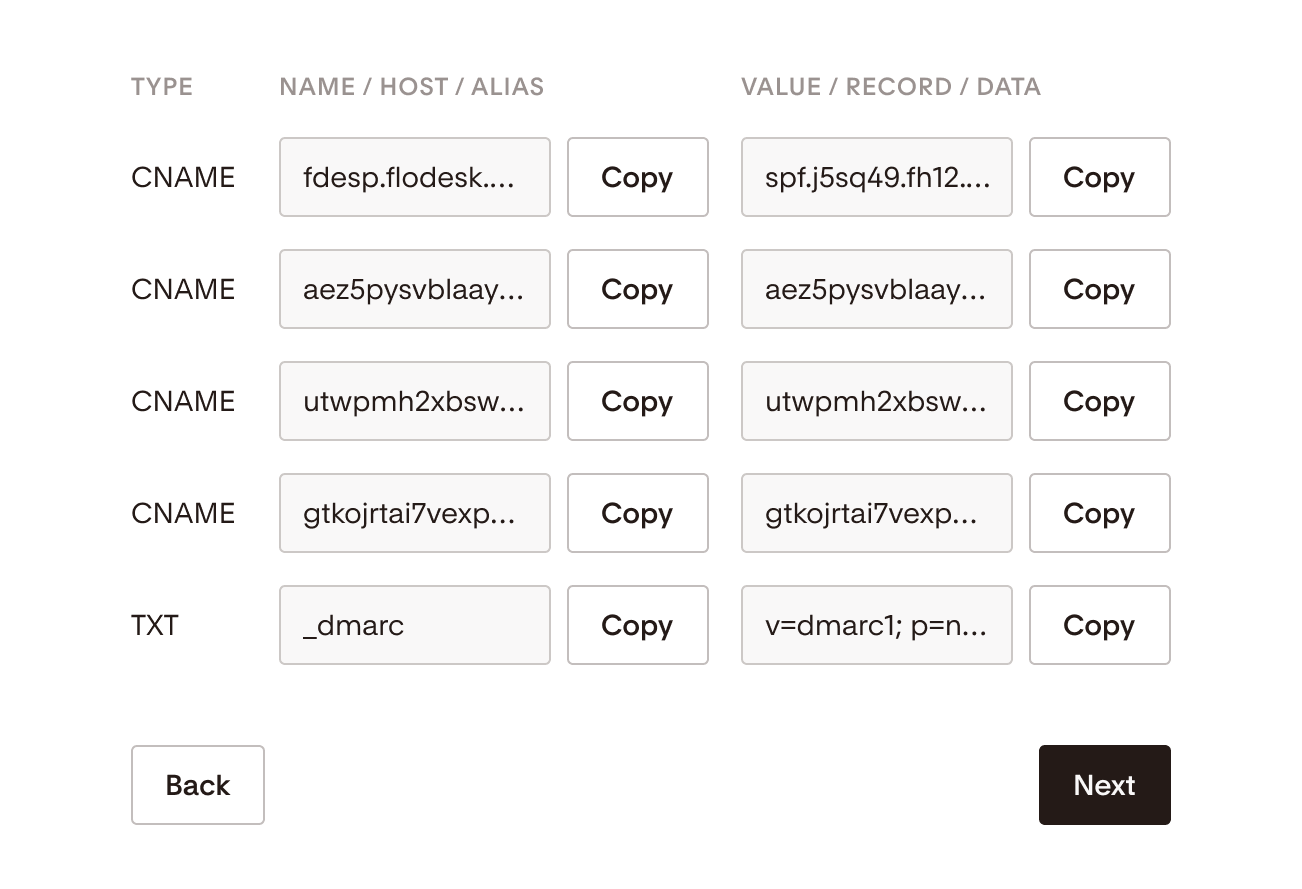
Use the Copy button next to each record to copy the values, then paste them into your domain provider's DNS manager. Here's how each record type gets added:
Record | Type to add in DNS |
|---|---|
SPF | CNAME |
DKIM | CNAME |
DMARC | TXT |
Important: Flodesk provides CNAME SPF records, which are not the same as the TXT SPF records that other email service providers may give you. Always add the Flodesk-specific CNAME SPF record as a separate new DNS record. Do not combine it with any existing TXT SPF records.
Important: Your domain can only have one DMARC record. If a DMARC record already exists in your DNS settings, skip adding the DMARC record shown in Flodesk. The one Flodesk provides is intended for members who haven't set up a DMARC policy yet.
Step 3: Add the records in your domain provider
Open a new browser tab, sign in to your domain provider's dashboard, and add each missing record exactly as shown in Flodesk. Even a small typo can prevent verification.
Not sure where to find your DNS settings? These step-by-step articles walk you through the process for the most common domain providers:
Video tutorial: GoDaddy
Video tutorial: Shopify
Video tutorial: Squarespace
Video tutorial: Namecheap
Step 4: Return to Flodesk and finish up
Head back to Flodesk once you've added the records.
Click Next, then Done.
Flodesk will begin monitoring your DNS records automatically.
DNS propagation time
DNS changes don't take effect instantly. Here's what to expect:
It can take up to 48 hours for your domain to be fully verified.
During this time, your domain status will show as Pending.
Partial verification (for example, DKIM verified while SPF is still pending) is completely normal.
You don't need to re-enter your records or repeat any steps while propagation is in progress.
FAQ
What does "partially authenticated" mean?
It means your domain is recognized in Flodesk, but one or more authentication records (DKIM, SPF, or DMARC) are either missing from your DNS settings or haven't propagated yet. Your domain card in My Account > Domain setup will show exactly which records are still needed.
Why do I need DKIM, SPF, and DMARC?
These three protocols work together to prove your emails are legitimate and coming from you:
SPF confirms your domain is authorized to send emails.
DKIM adds a digital signature to verify your emails haven't been altered in transit.
DMARC tells inbox providers what to do if SPF or DKIM checks fail (for example, send to spam or reject the message).
Without all three in place, your emails are more likely to be filtered as spam or blocked entirely.
I added my missing records. Why does my domain still show as "Partially authenticated" or "Pending"?
DNS changes can take up to 48 hours to propagate across the internet. This is normal. You don't need to re-enter your records or take any further action. Check back after 24 to 48 hours and your status should update.
Do I need to add the DMARC record if I already have one in my DNS settings?
No. Your domain can only have one DMARC record. If one is already set up with your domain provider, skip the DMARC record shown in Flodesk. The record Flodesk provides is only for members who don't yet have a DMARC policy in place.
What's the difference between the SPF record Flodesk gives me and the one I might already have?
Flodesk provides a CNAME SPF record, which is different from the TXT SPF records that some other email service providers use. If you already have a TXT SPF record in your DNS settings, don't replace or merge it with the Flodesk one. Add the Flodesk CNAME SPF record as a separate, new DNS record.
Can I use the automatic setup instead of adding records manually?
Yes. Clicking Authenticate now on your domain card will use the Entri integration to handle the DNS updates for you automatically. This is the quickest option if you'd rather not dig into your DNS settings. Learn how to automatically authenticate your domain.
What if I added the records but something still looks wrong after 48 hours?
Double-check that each record was entered exactly as shown in Flodesk, with no extra spaces or missing characters. If everything looks correct and your domain still isn't verifying, reach out to Flodesk support and we'll help you sort it out.
Why do some accounts have three records and others have five?
It depends on your account setup in Flodesk. Some accounts require three DKIM records for technical reasons related to how your sending domain is configured. Flodesk will always show you exactly which records apply to your account.