
Resending to unopens
Overview
Resending an email to subscribers who didn't open it the first time can increase your open rates by up to 8% on average. Flodesk's Resend to unopens feature makes this straightforward, but it works best when used thoughtfully. Sending too frequently can hurt your sender reputation and lead to more unsubscribes or spam complaints.
This article walks you through how to use it, when to use it, and what to check if your open rates are lower than usual.
Important: if you see a sudden/significant drop in open rates, resending to unopens may not be the solution and could even cause more harm to your sender reputation and deliverability.
Before you resend: what you need to know
The Resend to unopens option is only available when all three of these conditions are met:
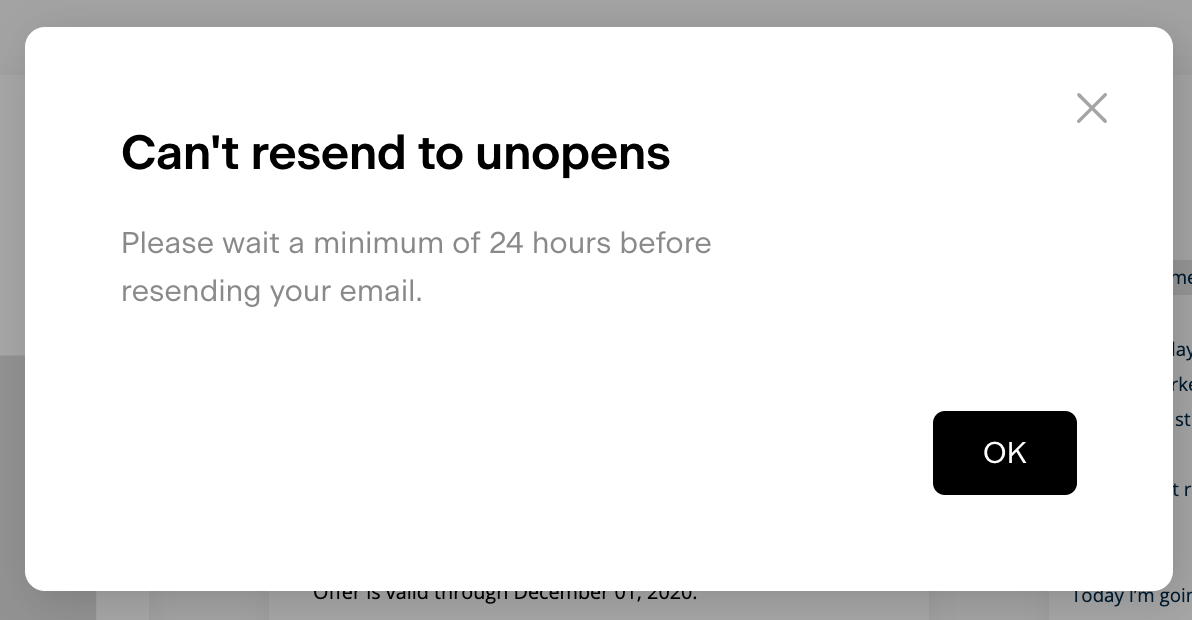
At least 24 hours have passed since the original email was sent
The email still has subscribers who didn't open it
You haven't already used the resend feature for that email (each email can only be resent once)
If any of these conditions aren't met, you won't be able to resend the email.
If you're seeing a sudden or significant drop in open rates, resending to unopens may not be the right move and could make things worse. Jump to the "Low open rates? Check these first" section below before proceeding.
How to resend to unopens
Step 1: Find the email
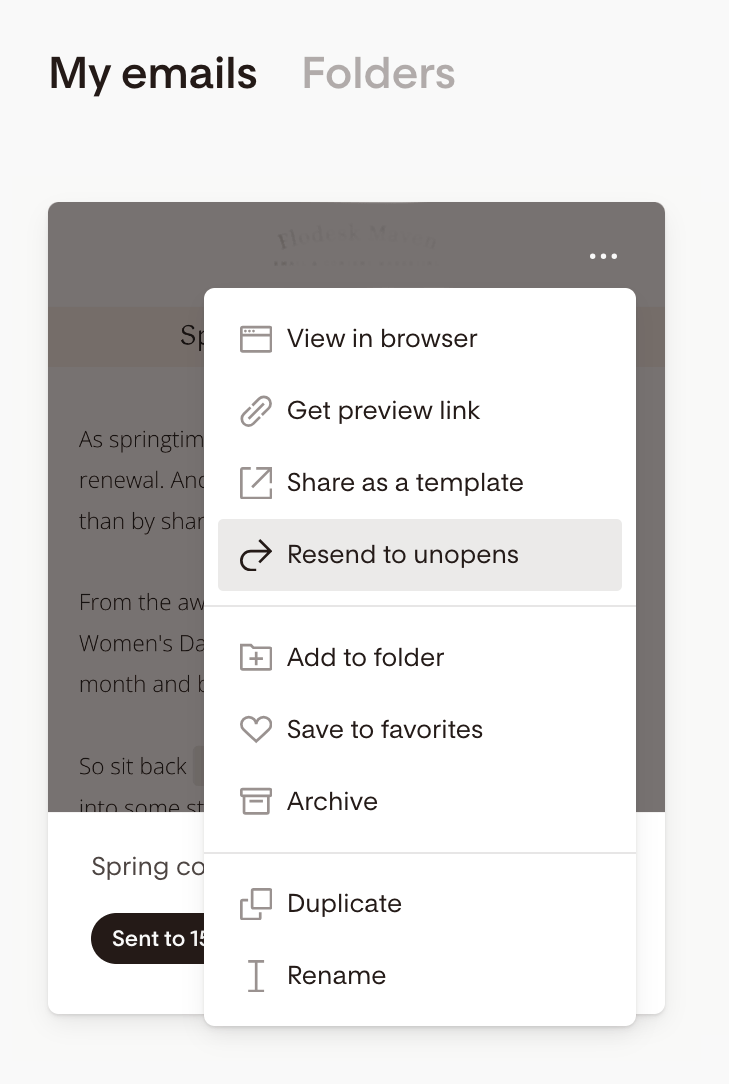
Go to My Emails
Hover over the email you want to resend
Click the three-dot menu (...) in the top-right corner of the email card
Select Resend to unopens
If 24 hours haven’t passed yet, the option will be disabled.
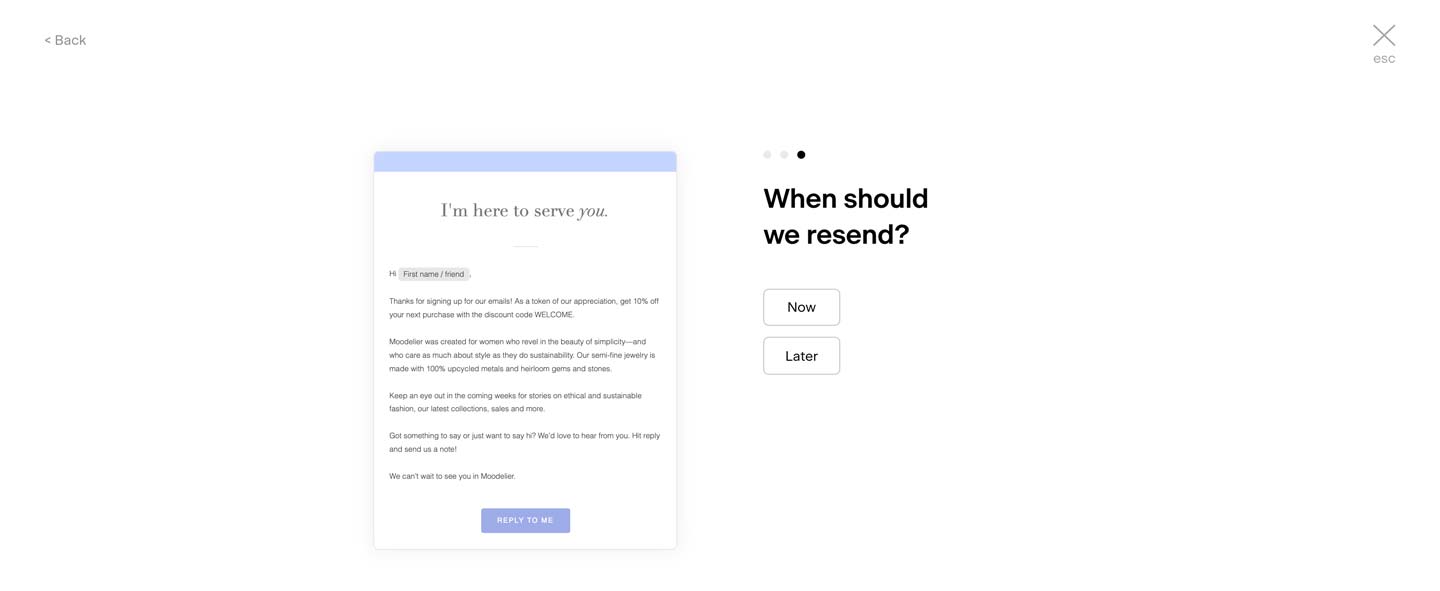
Step 2: Customize the resend
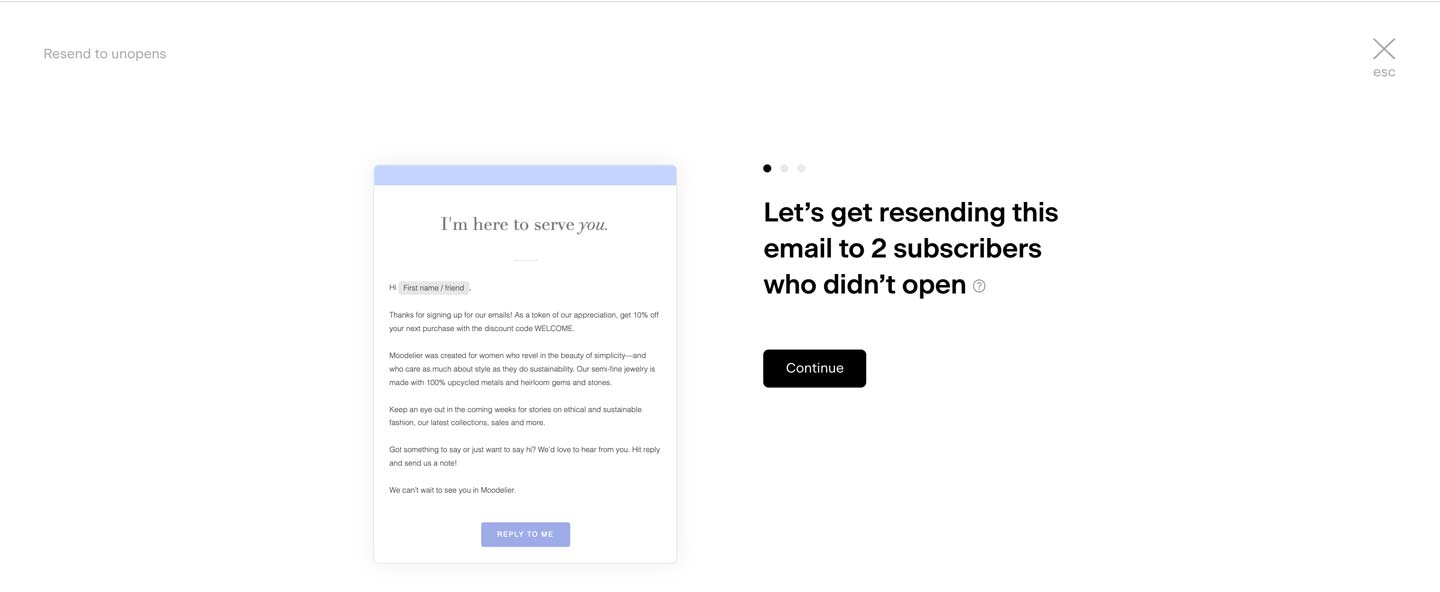
Choose whether to send immediately or schedule for a later time
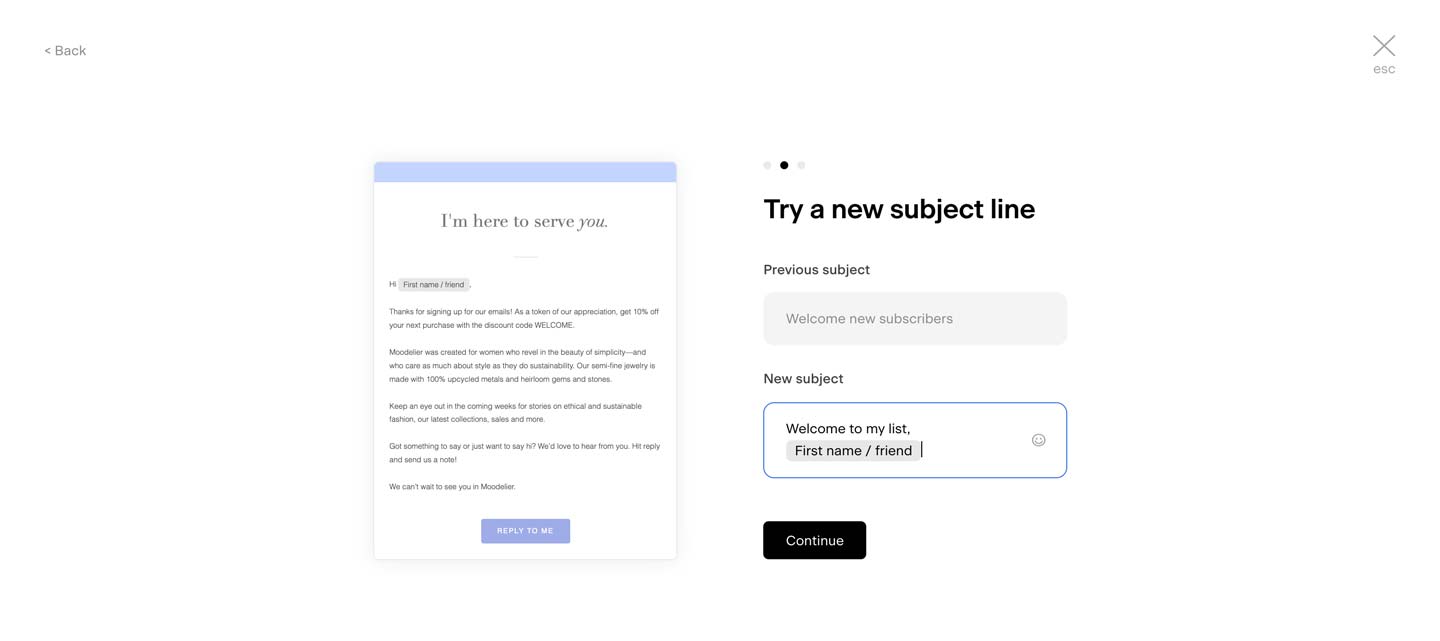
Update the subject line to give the email a fresh angle (something shorter, more personal, or phrased as a question tends to work well)
For best results, wait 48 hours to seven days after the original send before resending. This gives the first email time to reach subscribers who may open it later.
Note: while resending to unopens can increase an already-sent email’s chance of landing in the inbox, we suggest you use it sparingly. Resending every email can increase your unsubscribes and marked spam, and impact the overall deliverability of your emails.
Step 3: Cancel the resend (optional)
Changed your mind after scheduling? You can cancel it:
Go back to the email in My Emails
Click the three-dot menu (...)
Select Unschedule
After the resend
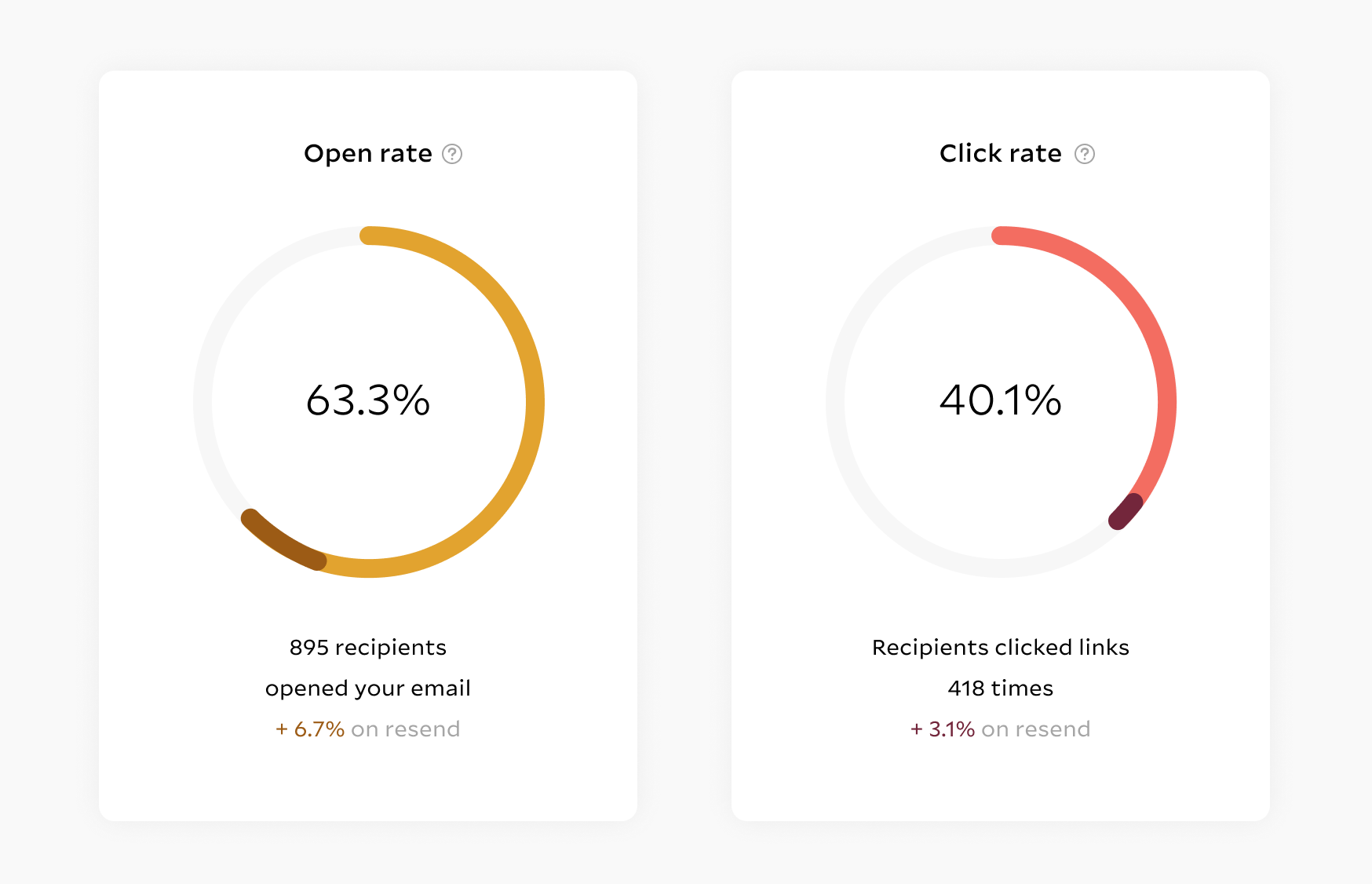
Once the resend is complete, head to the email's Analytics tab to review:
Total opens and clicks
How the resend performed compared to the original send
One thing worth noting: Flodesk automatically removes subscribers who open the original email after you've scheduled the resend. That means they won't receive the same email twice.
Low open rates? Check these first
If you're seeing a sudden drop in open rates compared to your usual numbers, a few things are worth investigating before you use the resend feature.
Is your custom domain authenticated? If your custom domain email address isn't fully authenticated, it can affect whether your emails reach the inbox at all.
Learn how to authenticate your domain in Flodesk.
Did you recently switch to a custom domain? After switching to a verified sending domain, some fluctuation in open rates is normal. Things typically stabilize within two to three weeks of consistently sending from your authenticated domain.
Could your email be landing in spam? A drop in open rates is sometimes a sign that emails are being filtered into spam.
See tips and best practices for avoiding the spam folder.
Has Gmail clipped your email? Gmail clips long emails and won't count an open unless the subscriber clicks "View entire message." This can reduce your reported open rates by 50% or more, even when subscribers are engaging.
Learn more about Gmail clipping and what to do about it.
Additionally, you can learn more about the steps to take if your email open rates decreased in detail here.
FAQ
How do I resend an email to subscribers who didn't open it?
Go to My Emails, hover over the email, click the three-dot menu (...), and select Resend to unopens. From there, you can update the subject line and choose to send immediately or schedule for later. The option is only available after 24 hours have passed since the original send, and only if the email hasn't already been resent.
Can I resend an email to unopens more than once?
No. Each email can only be resent to unopens one time.
How long should I wait before resending to unopens?
Wait at least 24 hours (this is required), but 48 hours to seven days is the recommended range. This gives the first send time to reach subscribers who may open it later before you follow up.
Will subscribers who opened the original email receive the resend?
No. Flodesk automatically removes subscribers who open the original email from the resend list, even if they open it after you've scheduled the resend. Only subscribers who haven't opened the email will receive it again.
The "Resend to unopens" option is grayed out/not available. Why?
There are three reasons this option may be unavailable: fewer than 24 hours have passed since the original send, all subscribers have already opened the email, or the email has already been resent once. All three conditions need to be met for the option to be active.
Can I change the subject line when resending to unopens?
Yes, and it's a good idea to do so. A different subject line gives the email a fresh look in the inbox. Try something shorter, more personal, or phrased as a question to improve your chances of engagement.
How can I see how my resend performed?
Go to the email's analytics page after the resend is complete. You'll see total opens and clicks, along with a breakdown of how the resend compared to the original send.
Should I resend every email to unopens?
This feature works best when used occasionally, not as a default for every email. Resending too frequently can lead to higher unsubscribe rates, more spam complaints, and lower deliverability over time.
My open rates dropped suddenly. Should I use Resend to unopens?
Not right away. A sudden drop in open rates often points to a deliverability issue (such as an unauthenticated domain, a recent domain switch, or emails landing in spam) rather than a lack of interest from subscribers. Resending in that situation can make things worse. Check the "Low open rates? Check these first" section of this article to troubleshoot before resending.