
Why do I need a mailing address in my emails?
Every email you send from Flodesk must include a complete, valid mailing address. This isn’t optional—it’s a legal and deliverability requirement that helps protect both you and your subscribers.
This article explains why a mailing address is required, what address you can use, and how to update it in your account.
Why is a mailing address required in emails?
A mailing address is required to comply with anti-spam laws, including the U.S. CAN-SPAM Act and similar regulations worldwide.
These laws apply to all commercial emails, regardless of business size or location.
Including a valid mailing address:
Confirms that your business is legitimate
Builds trust with email providers and subscribers
Helps prevent your emails from being flagged as spam or blocked
Do online or virtual businesses still need a mailing address?
Yes.
Even if your business is fully online or doesn’t have a physical storefront, you must still include a mailing address in your emails.
This requirement applies to:
Online businesses
Freelancers and solopreneurs
Creators and service-based businesses
Side hustles and home-based businesses
What if I don’t want to use my home address?
You’re not required to use your home address.
Common alternatives include:
PO Box
Virtual business address (sometimes called a virtual office address)
Many businesses choose virtual address services because they:
Provide a professional-looking business address
Protect personal privacy
Can often receive and forward mail
Pricing and availability vary by region, so it’s best to research providers and choose what fits your business needs.
What happens if I don’t include a mailing address?
If your emails don’t include a valid mailing address:
Email providers may see your emails as untrustworthy
Your emails may be blocked or bounced
Deliverability and inbox placement can suffer
Spam complaints are more likely
A missing address can directly impact whether your emails reach the inbox at all.
Can I use a fake or placeholder address?
No.
Using a fake address (for example, “123 Smile Street”) can cause serious deliverability issues.
Email providers can detect invalid addresses, and using one may result in:
Emails being blocked
Reduced sender reputation
Long-term inbox placement problems
Always use a real address where you can receive mail.
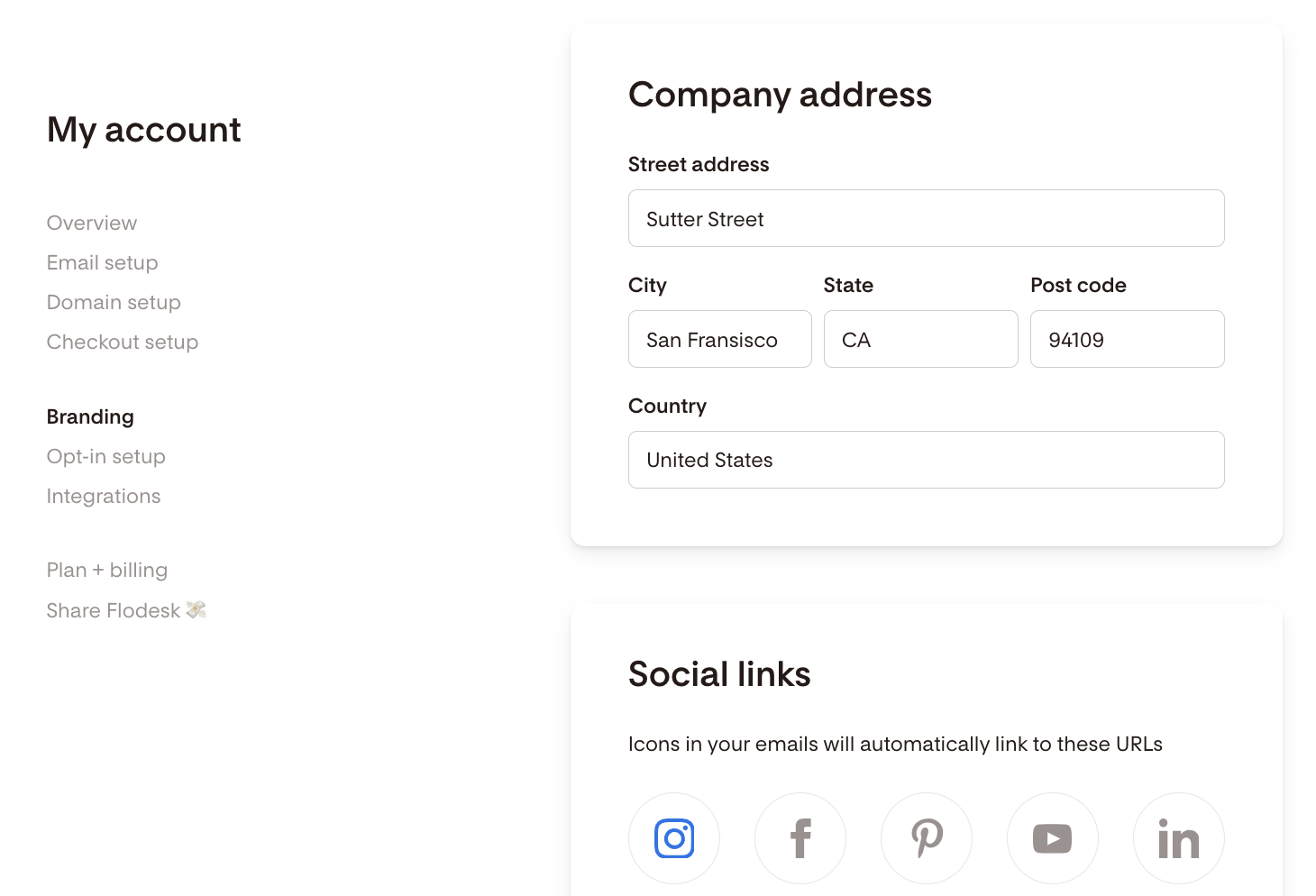
How do I change the mailing address in my Flodesk emails?
To update your mailing address:
Go to My Account
Select Branding
Click Company address
Update your address and save
This updated address will automatically appear in new emails you create.
Important note about workflows
Currently, the new mailing address won't sync automatically to published workflows. If the email is already published inside a workflow:
Pause the workflow
Open the email in edit mode
Click Finish to allow the new address to populate
Re-publish the workflow
You don’t need to change anything else in the email.
Summary
A valid mailing address is legally required in all commercial emails
This applies to all businesses, including online-only businesses
PO Boxes and virtual addresses are acceptable alternatives
Missing or fake addresses can hurt deliverability
You can update your mailing address anytime in My Account → Branding
FAQ
Do I legally need a mailing address in my emails?
Yes. Anti-spam laws, such as the CAN-SPAM Act, require a valid mailing address in all commercial emails.
Can I use a PO Box instead of my home address?
Yes. PO Boxes and virtual business addresses are common alternatives.
What happens if I don’t include an address?
Your emails may be blocked, bounced, or flagged as spam by email providers.
Can I use a fake address?
No. Fake or invalid addresses can damage deliverability and cause emails to be blocked.
How do I update my mailing address in Flodesk?
Go to My Account → Branding → Company address and update your information.