
How to add a signature block to your email
Add a handwritten-style sign-off to your emails for a warm, personal touch.
There’s something timeless about ending an email with a signature. Whether it’s a script-style font or a custom-designed sign-off, adding a signature block helps your emails feel more human and on-brand.
Below, you’ll find the exact steps to add a signature block in Flodesk — plus an alternative option if you prefer designing your signature in Canva.
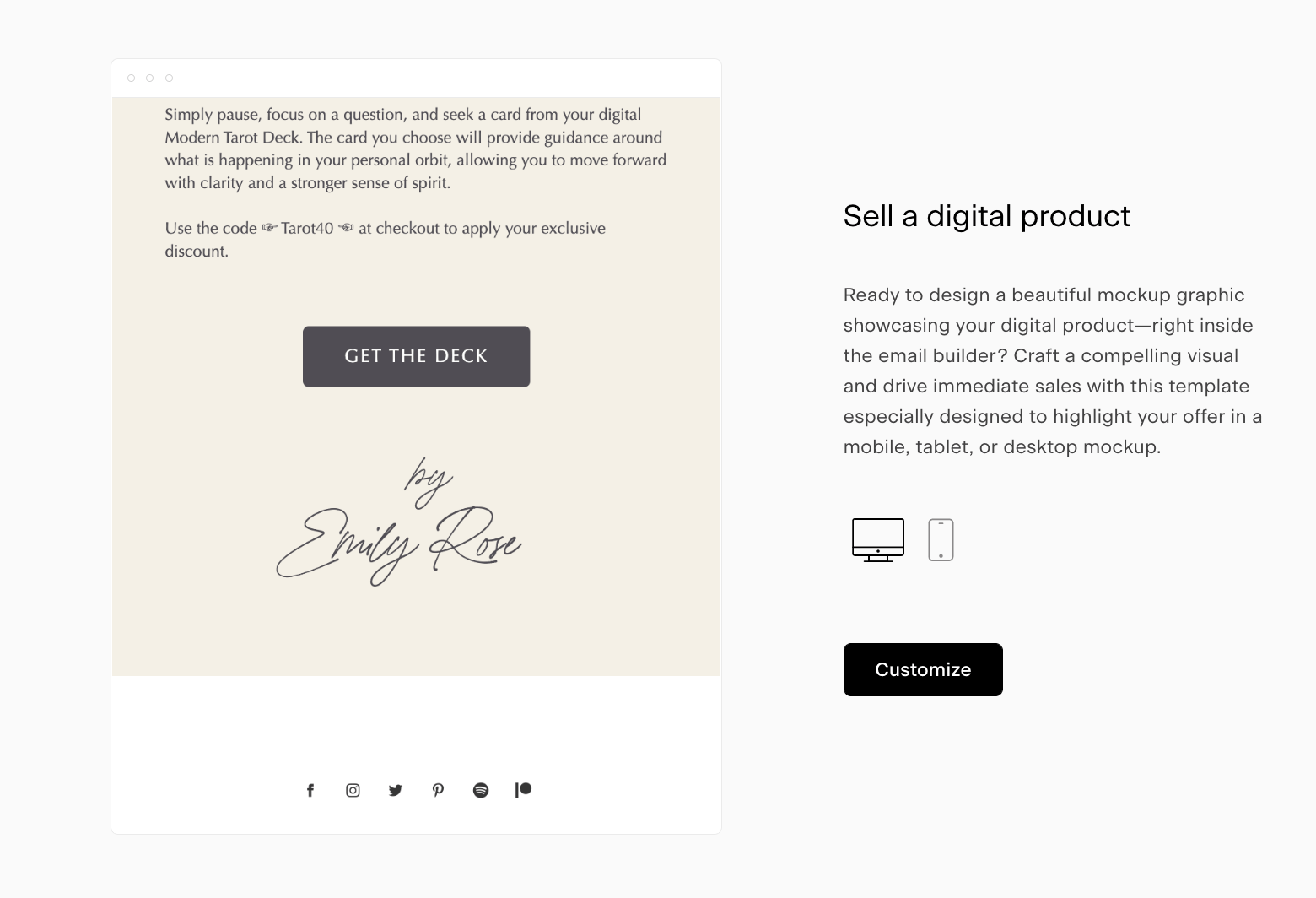
Before you start
Script and specialty fonts are only available inside Layout blocks (not plain Text blocks).
You can also upload and use your own custom fonts in Layout blocks.
If you prefer a fully custom design, you can create your signature in Canva and add it as an image.
Option 1: Add a script-style signature using a Layout block
This is the easiest way to create a handwritten-style sign-off directly in Flodesk.
Step 1: Open your email
Go to your email and click Edit.
Step 2: Add a Layout block
Hover over the block where you’d like your signature to appear.
Click the plus (+) button that appears above or below the block.
Select the Layouts icon.
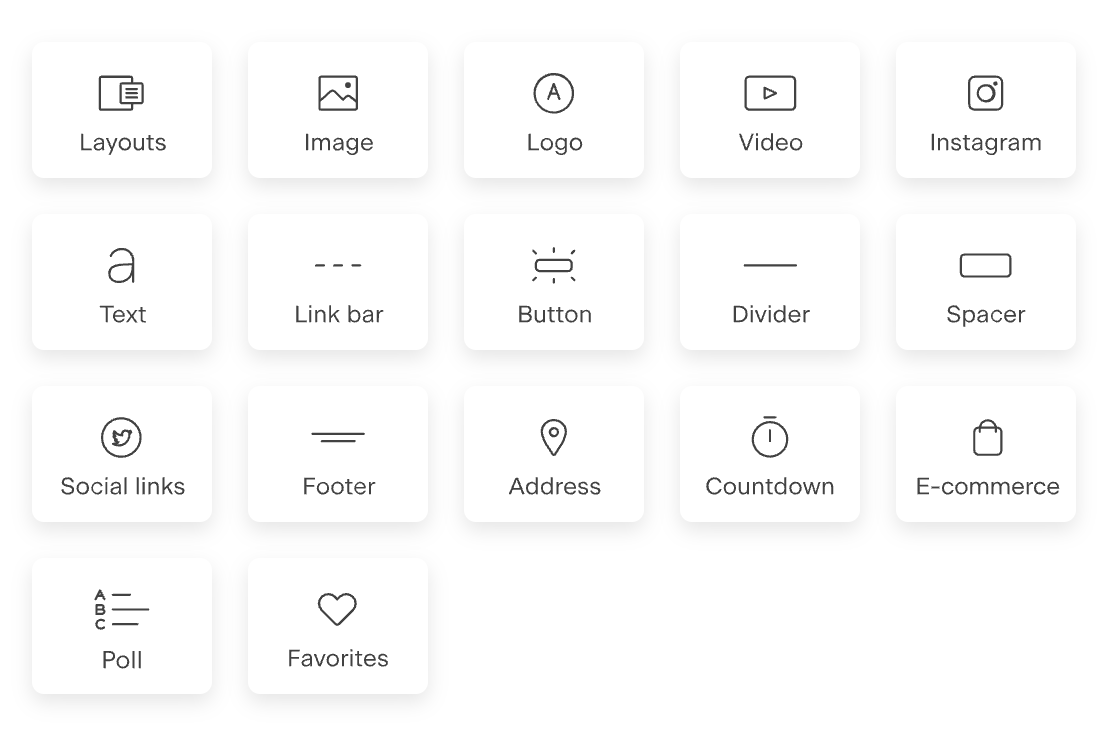
Step 3: Choose a text-based layout
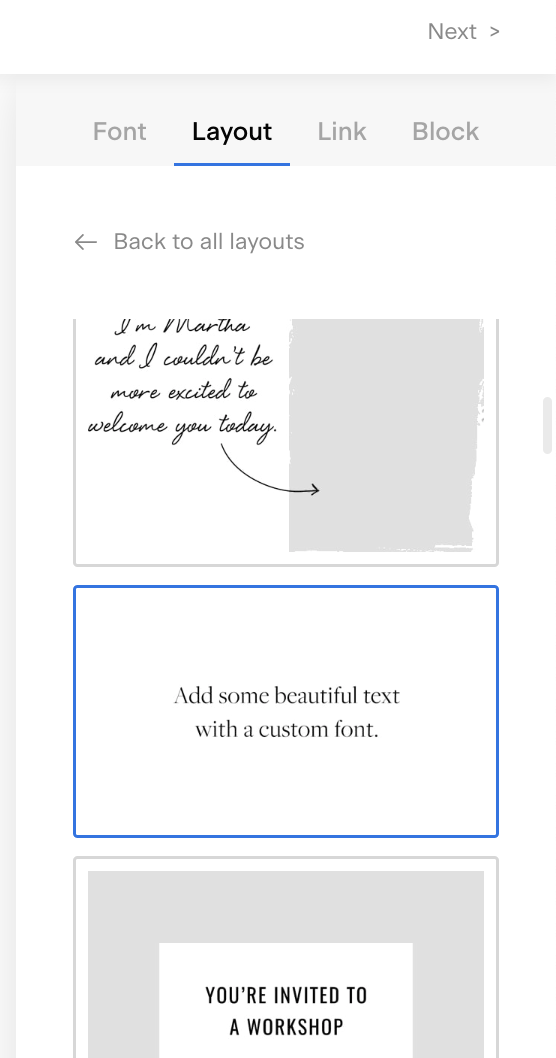
In the layout selector on the right:
Scroll until you find a text-only layout block (for example, “Add some beautiful text with a custom font”).
Click to insert it.
Step 4: Add your sign-off text
Highlight the placeholder text.
Replace it with your sign-off phrase and name (for example:
With love,
Maria)
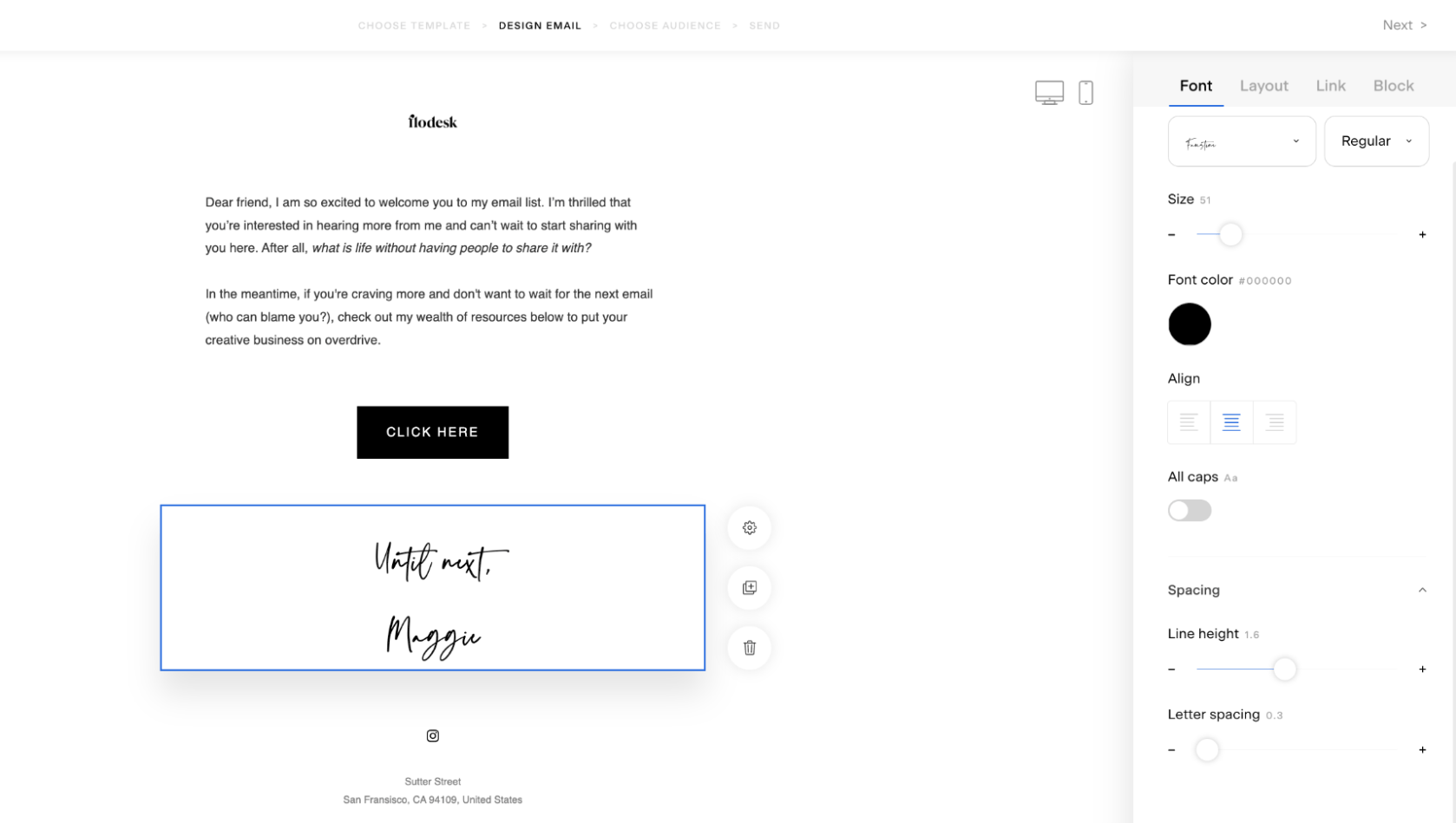
Step 5: Apply a script font
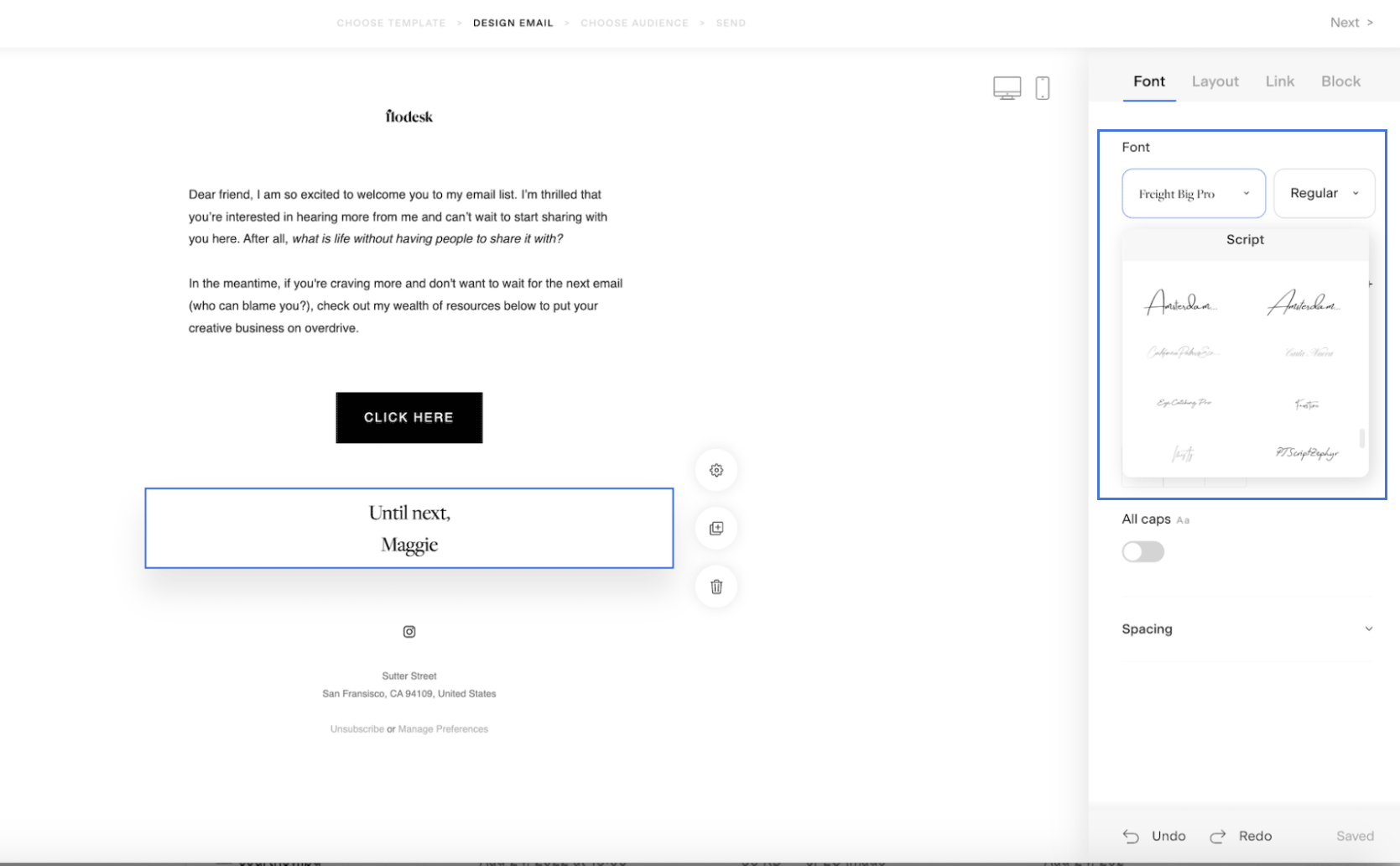
Open the Font tab.
Use the dropdown menu.
Scroll to the Script fonts section.
Choose a font you love.
You can also upload your own custom script font if you’d like something unique to your brand.
Step 6: Adjust styling
Fine-tune the look:
Font size
Line height
Letter spacing
Once it feels right, you’re done.
Option 2: Build a custom signature using Layout blocks
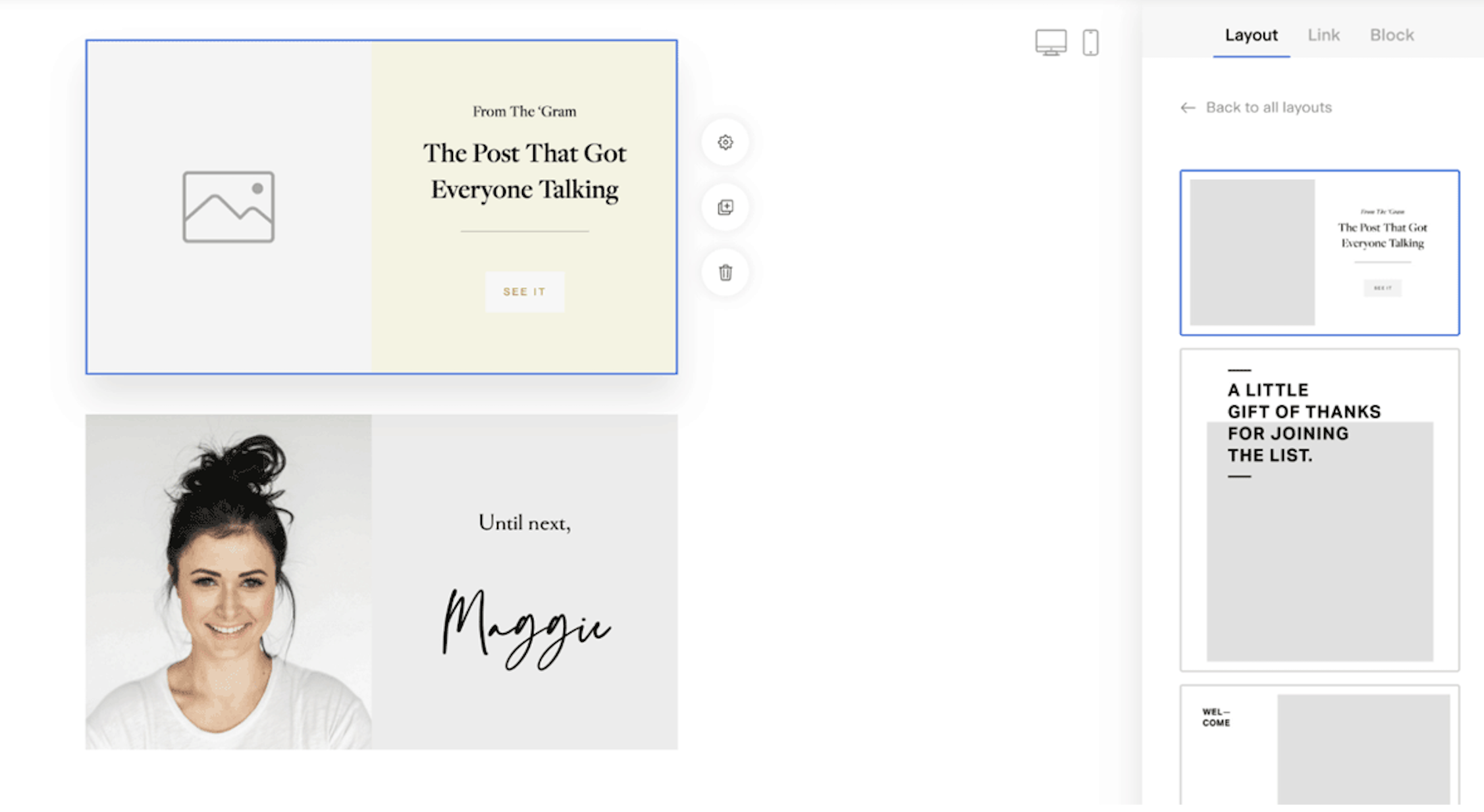
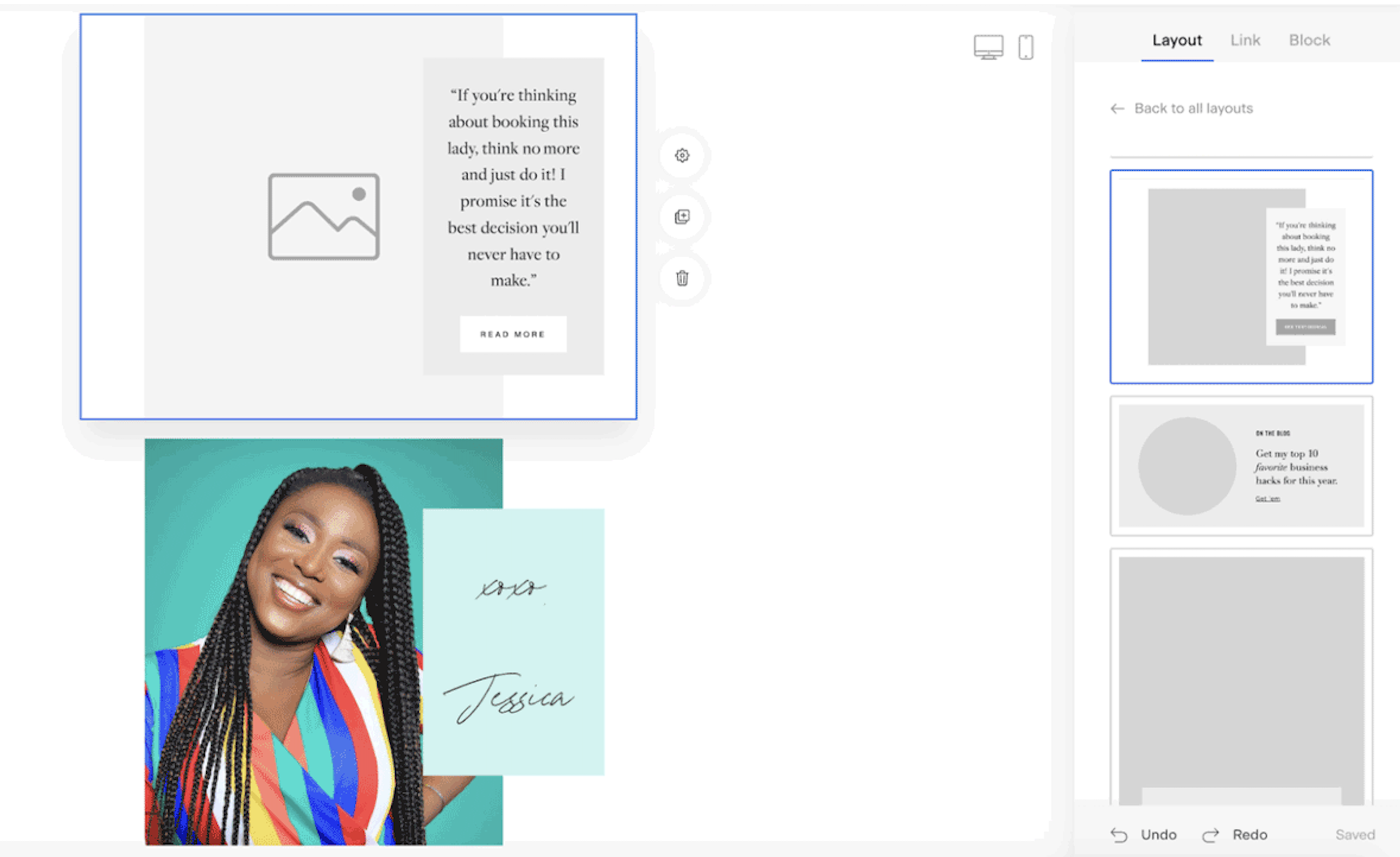
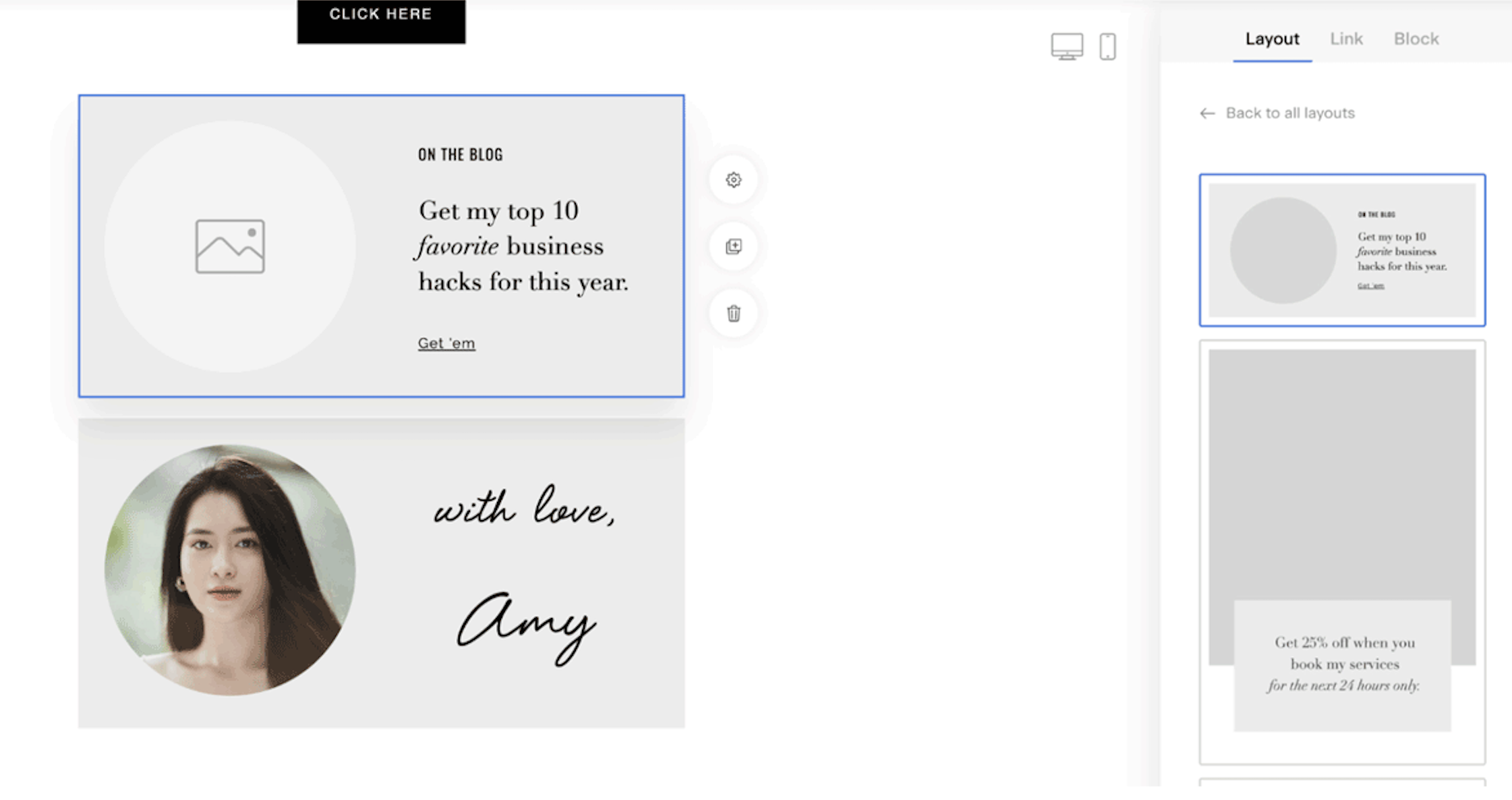
You’re not limited to text-only layouts.
Many Layout blocks allow you to:
Turn off buttons
Remove dividers
Hide extra elements
This means you can create a more styled sign-off section that might include:
A short closing paragraph
Your signature
A small headshot
A divider line
Mix and match layouts to design a signature section that matches your brand.
Option 3: Create your signature in Canva and add it as an image
If you want full creative control, you can design your signature block in Canva.
For example, you could create:
A handwritten-style name
A branded sign-off section
A signature with decorative elements or graphics
How it works:
Connect your Canva account to Flodesk.
Design your signature block in Canva.
In your email, add an Image block.
Pull your Canva design directly into the email.
If you need help connecting Canva and importing designs, see:
How to import your Canva designs into Flodesk
This is a great option if:
You want complete design flexibility.
You already design brand assets in Canva.
You prefer using a real handwritten signature as an image.
Summary
To add a handwritten-style signature in Flodesk:
Use a Layout block (script fonts are only available there).
Replace the placeholder text with your sign-off.
Apply a script font and adjust styling.
If you want a fully custom look:
Design your signature in Canva.
Insert it into your email using an Image block.
If your emails are beautifully designed, your sign-off should feel just as thoughtful. A simple signature block can add personality, warmth, and consistency to every message you send.
FAQs
Why can’t I use script fonts in a regular Text block?
Script and specialty fonts are only available inside Layout blocks. If you don’t see script font options, make sure you’re editing a Layout block, not a plain Text block.
Can I upload my own signature font?
Yes. You can upload custom fonts and use them inside Layout blocks.
Can I use a real handwritten signature?
Yes. The easiest way is to:
Write your signature.
Scan or photograph it.
Upload it to Canva (optional for styling).
Add it to your email using an Image block.
Can I design my entire sign-off in Canva?
Absolutely. After connecting Canva to Flodesk, you can import your design directly into an Image block in your email. Learn more here.
Can I include more than just my name in my signature block?
Yes. You can use Layout blocks to include:
A short closing message
Your name
A headshot
A divider
You can also combine multiple Layout blocks to create a fully custom sign-off section.