
How to save an email as a template in Flodesk
A quick guide to saving emails as favorites and reusing them later
Once you’ve created an email you love in Flodesk, you can save it as a favorite template. This lets you reuse the design without starting from scratch—whether the email was created as a standalone campaign or inside a Workflow.
How to save an email as a favorite from the email builder
Open your email in the email editor (applies to workflow emails as well)
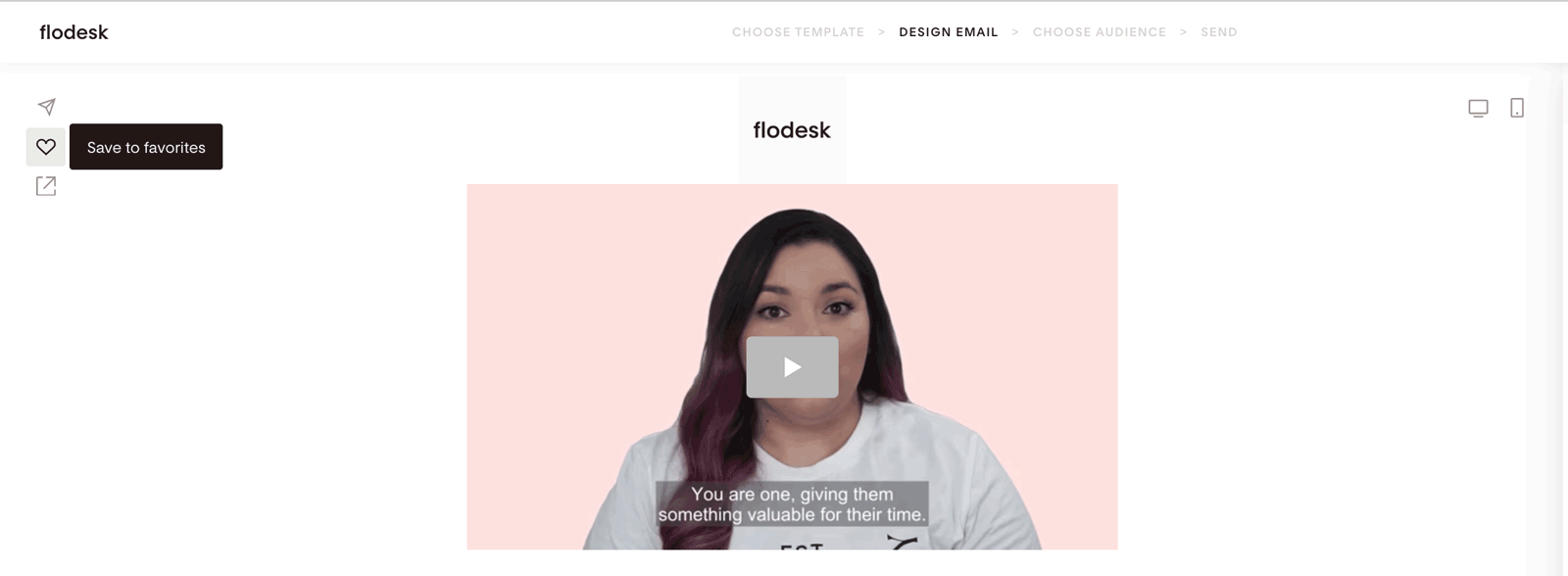
Click the heart icon in the top-left corner of the screen.
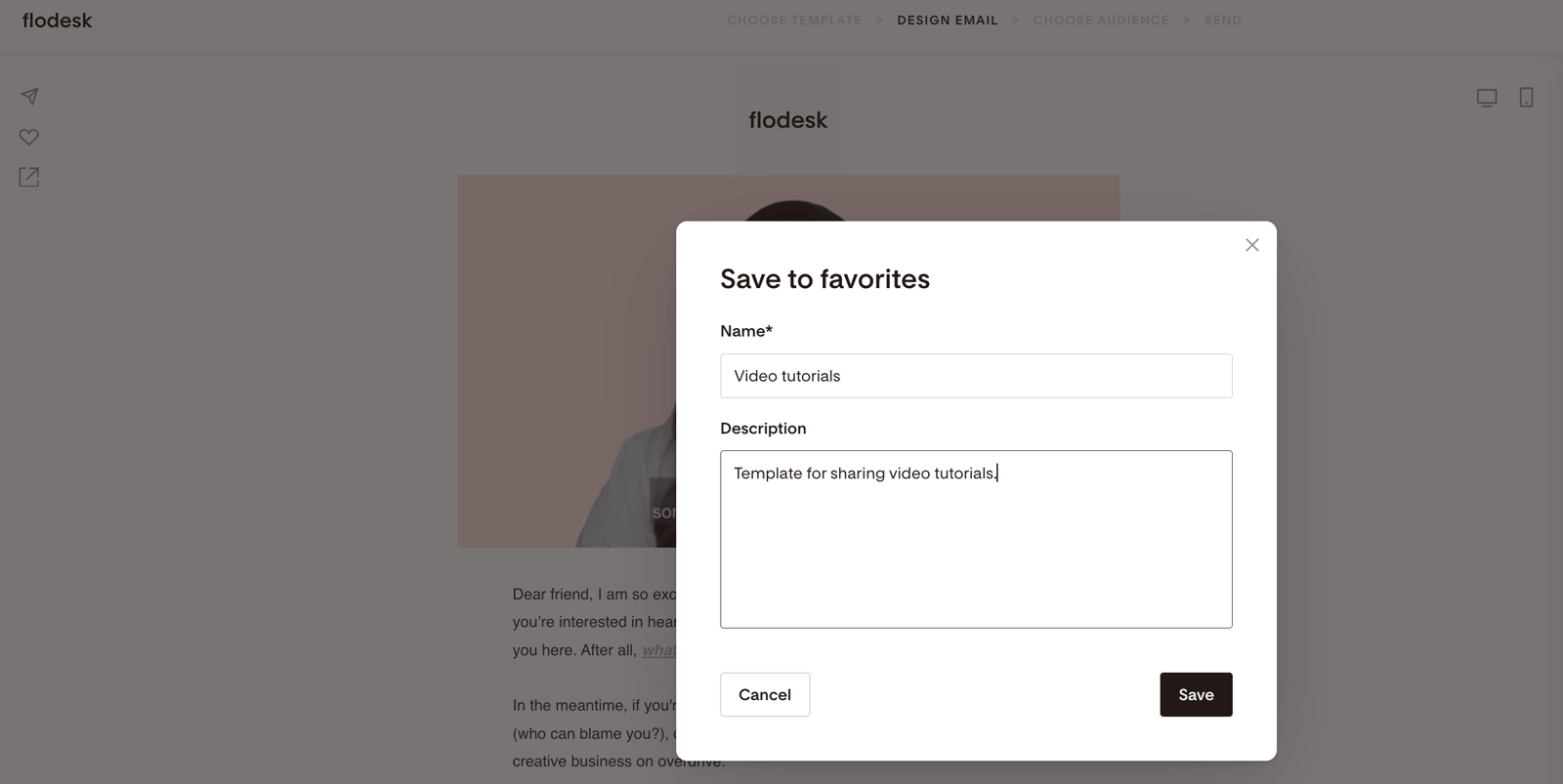
Enter a name for your template (for example: Welcome email template).
Click Save.
Tip: Use clear, descriptive names so your templates are easy to find later.
How to save an email as a favorite from the Emails dashboard
You can also save an email directly from the Emails dashboard:
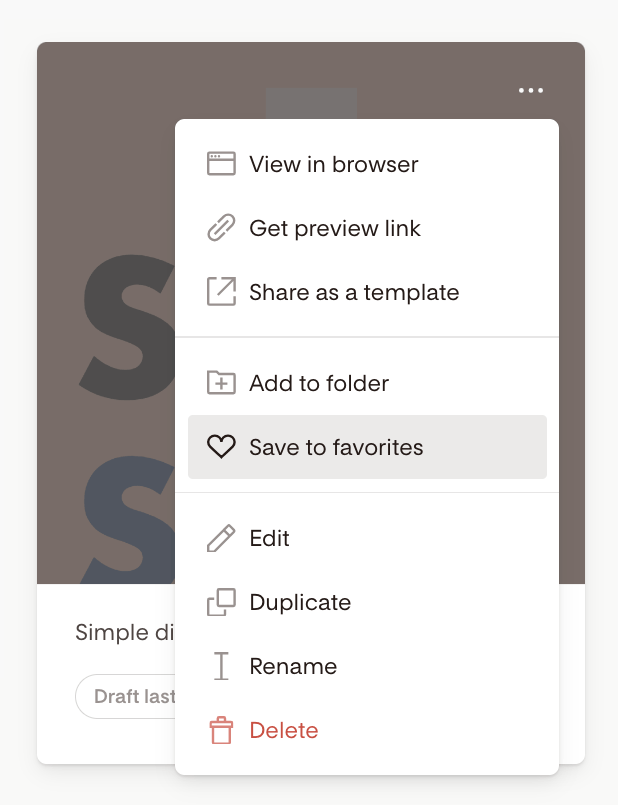
Hover over the email’s card.
Click the (…) three-dot menu.
Select Save to favorites.
Where to find your saved favorite email templates
You can access your saved email templates from both the Emails dashboard and Workflows.
Find favorites from the Emails dashboard
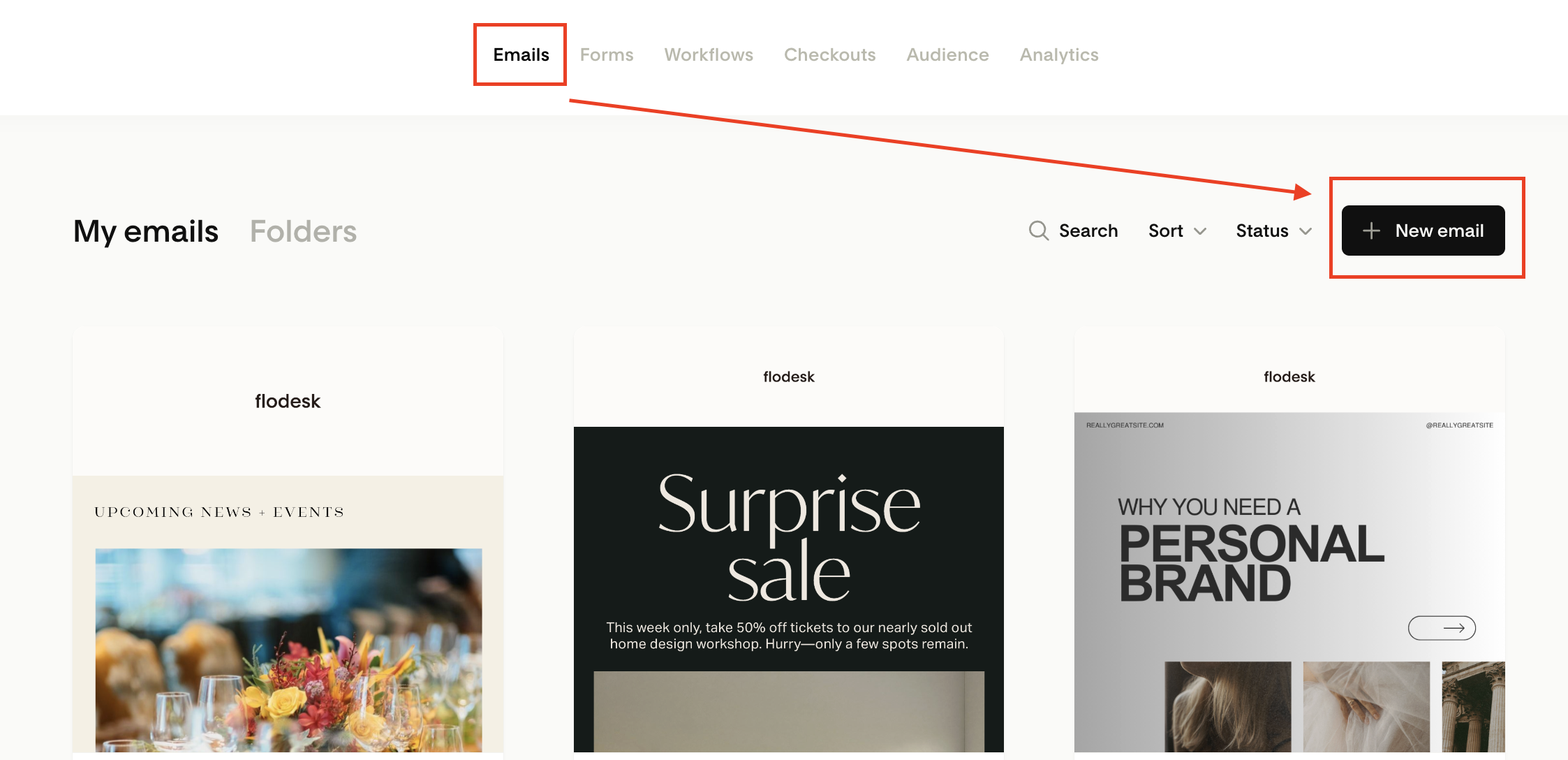
Step 1. Click create +New email.
Step 2. In the template gallery, select My favorites on the left.
Important: the "My favorites" section will only become available after you have saved at least one email as a template.
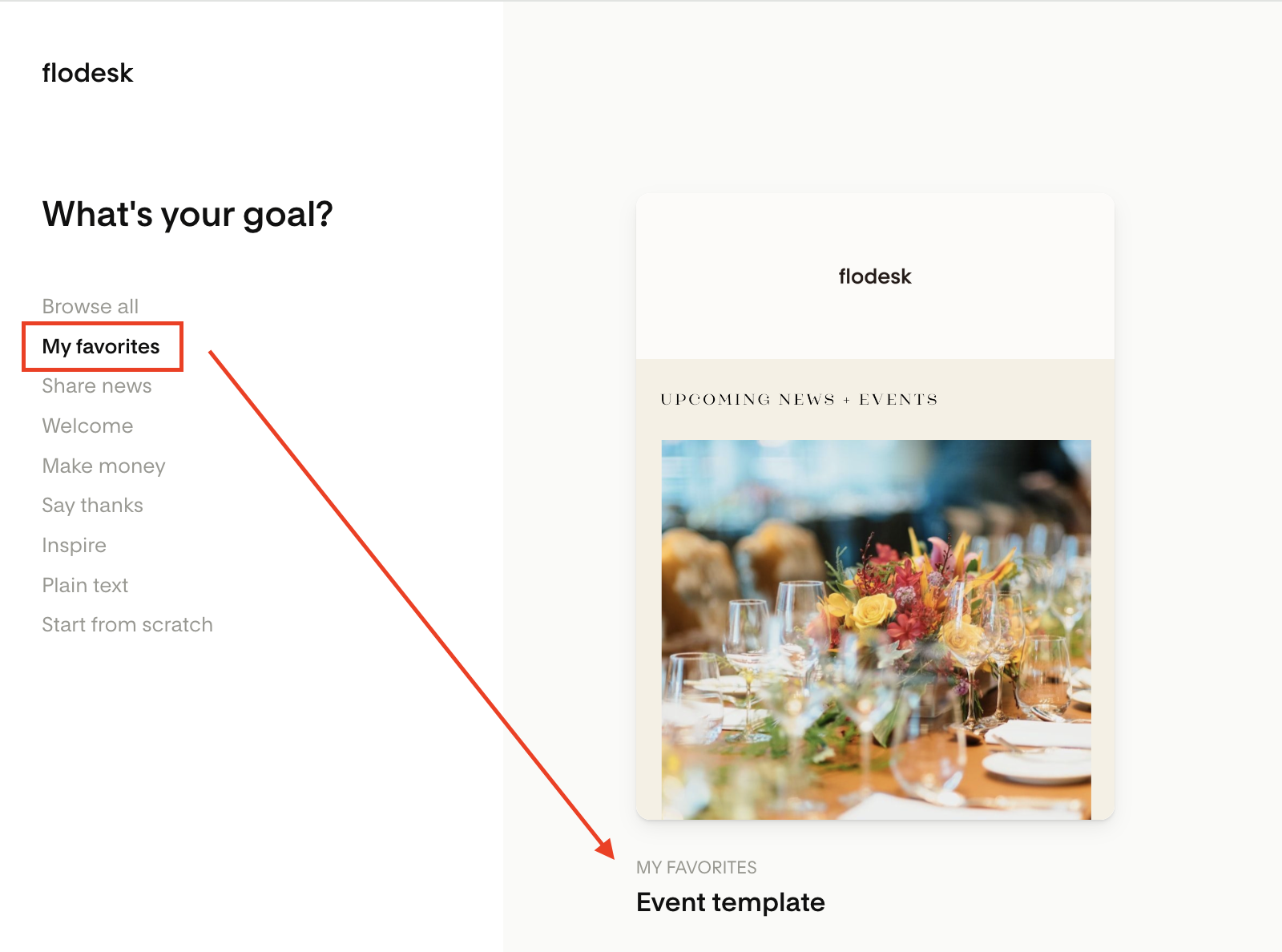
Step 3. Choose a template and customize it.
Find and add favorites inside a Workflow
Open your Workflow in edit mode.
Add an Email step.
Click Create new email.
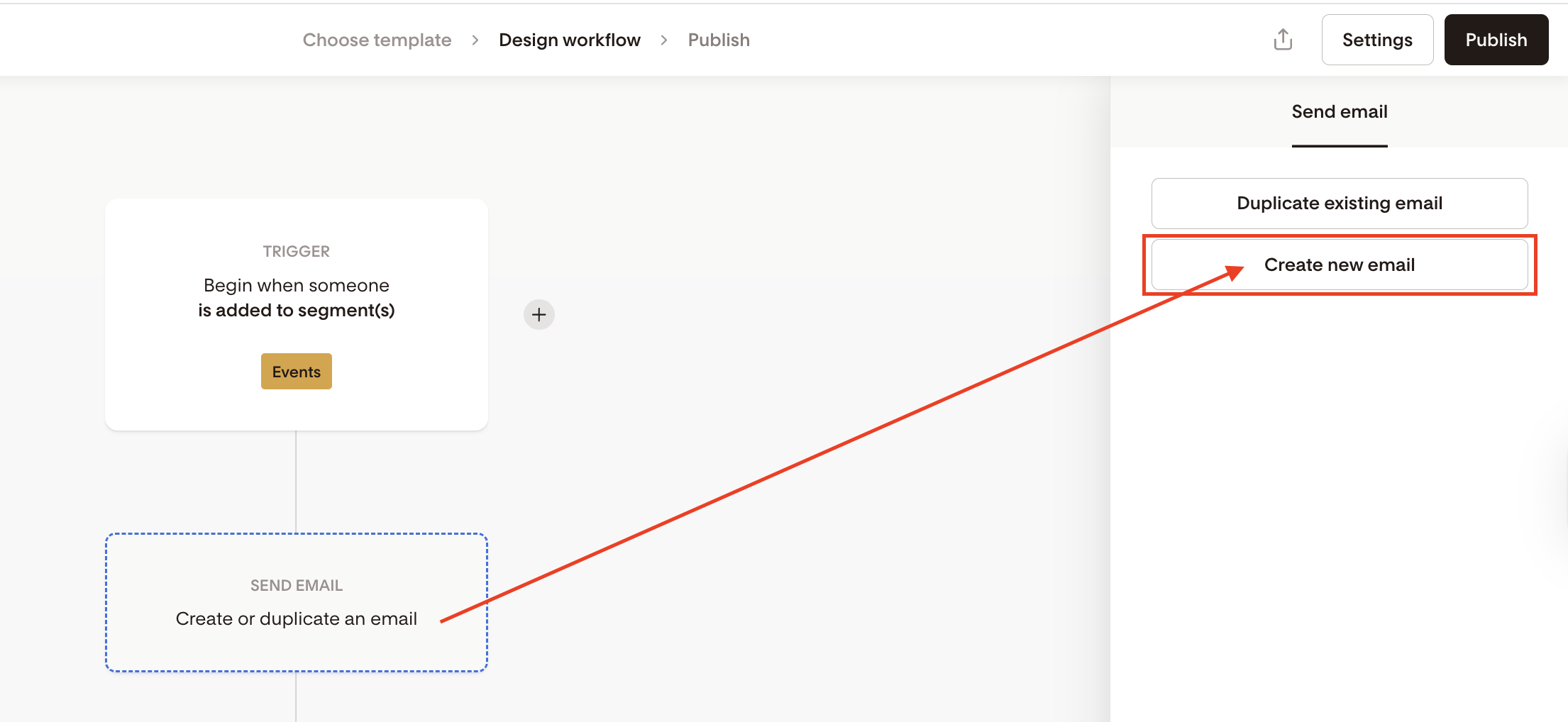
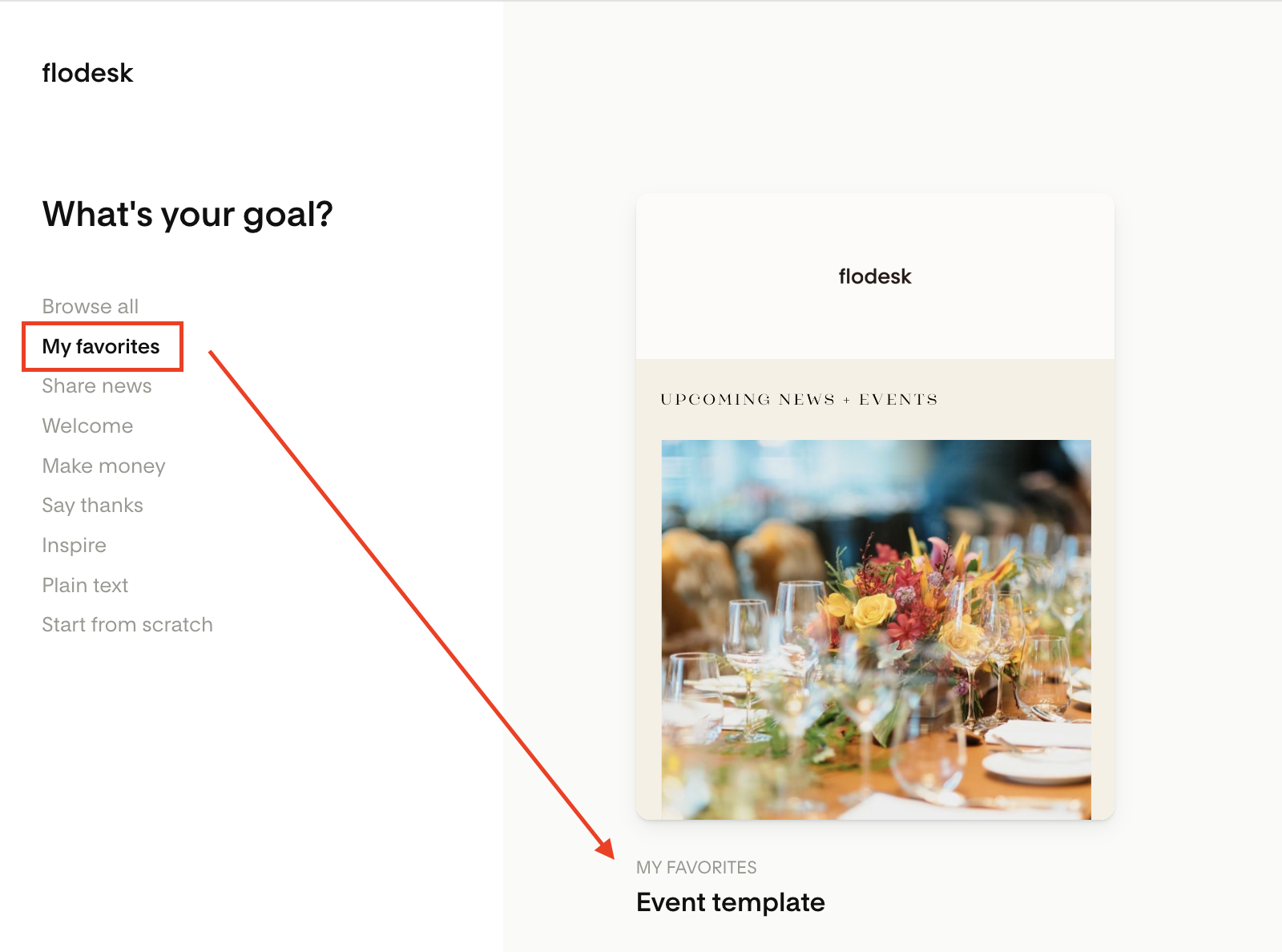
In the template gallery, select My favorites.
Choose the template and customize it for your Workflow.
Summary
Save an email as a template by clicking the heart icon in the email builder or using Save to favorites from the Emails dashboard.
Reuse saved templates by selecting My favorites when creating a new email or adding an email inside a Workflow.
FAQ
Can I save workflow emails as templates?
Yes. Workflow emails can be saved as favorites and reused in other emails or workflows.
Where do I find my saved email templates?
Saved templates are located under My favorites in the email template gallery. If you don't see the My favorites section in the email template gallery, you haven't saved any emails as a favorite template yet.
Can I edit a favorite template after saving it?
Yes. When you use a favorite template, you can fully customize it before sending.
Does saving an email as a favorite affect the original email?
No. Saving an email as a favorite does not change or overwrite the original email.
How many email templates can I save?
There’s no set limit—you can save as many favorite email templates as you need.