
Can I upload my own brand font into Flodesk?
Yes. You can upload your own brand fonts into Flodesk and use them across email layout blocks, forms, and checkouts to keep your branding consistent.
This guide explains where to upload brand fonts, which file types are supported, and where those fonts can be used once uploaded.
Why upload brand fonts to Flodesk?
Flodesk offers a wide selection of built-in web fonts that render beautifully across inboxes. In addition, uploading your own brand fonts allows you to:
Maintain a consistent brand look across emails, forms, and checkouts
Match the typography used on your website and sales funnels
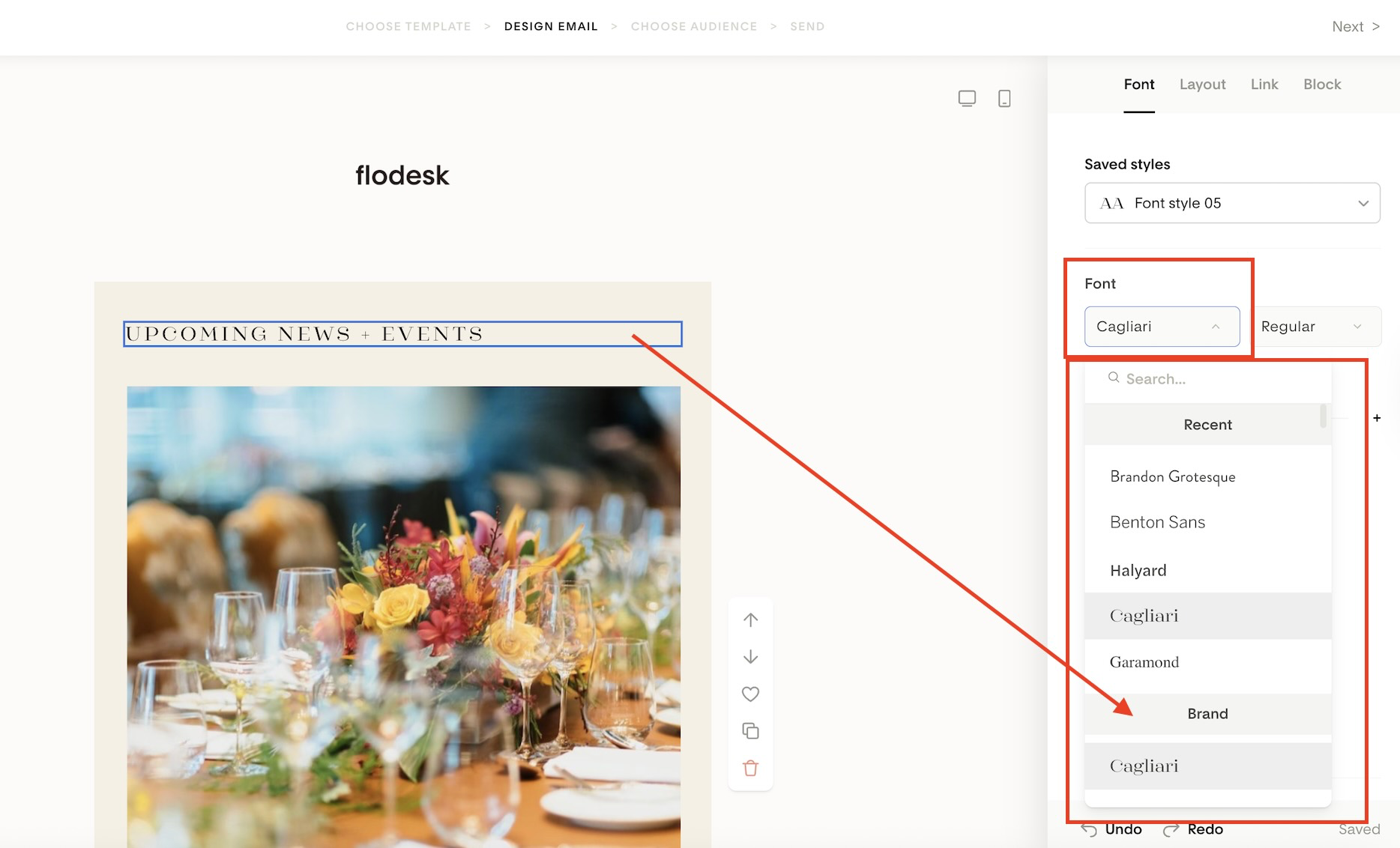
Quickly access your brand fonts from a dedicated Brand section in the font picker dropdown
Important: Uploaded brand fonts are supported in email Layout blocks, forms, and checkouts. Plain Text blocks use system-safe fonts only.
How to upload your brand fonts
You can upload brand fonts from your account settings or directly from the font picker.
Option 1: Upload from account settings
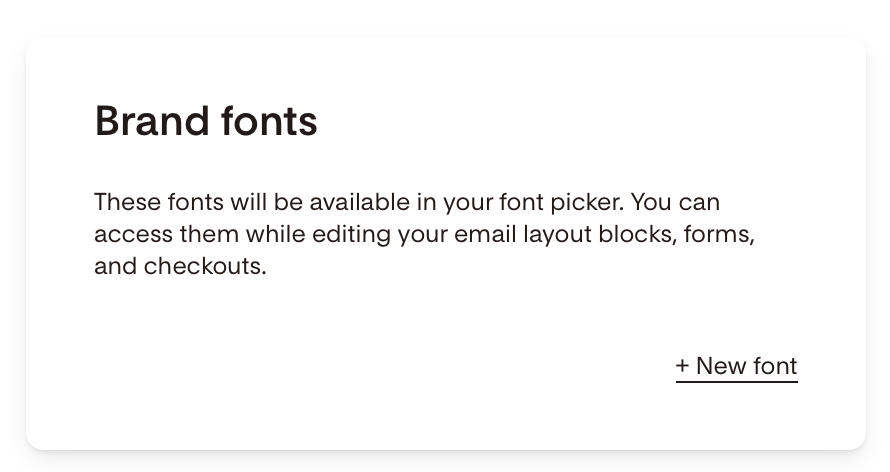
Go to My Account > Branding
Click + New font on the Brand fonts card
Option 2: Upload from the font picker
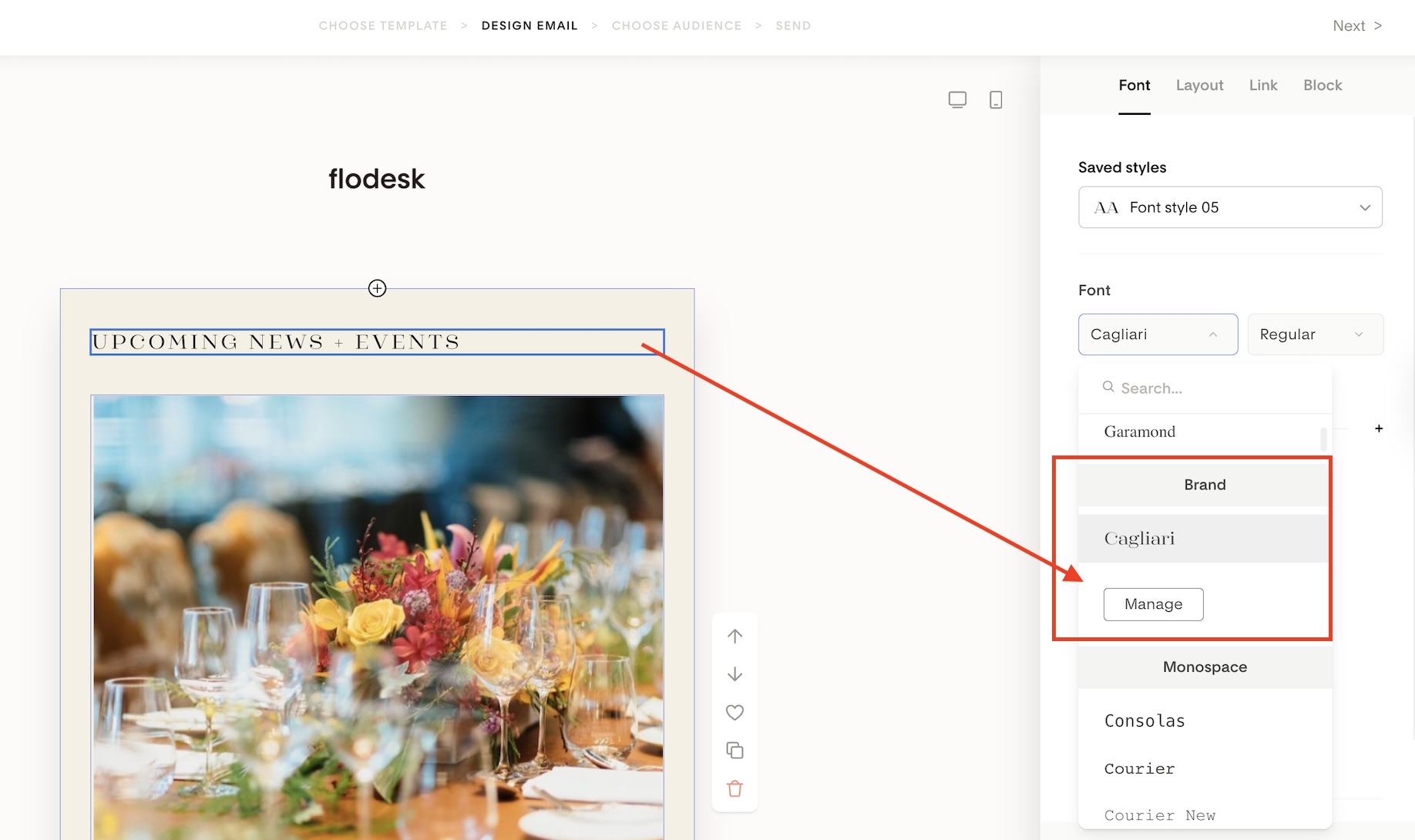
Open any Layout block, form, or checkout
Open the font selector
Scroll to the top and find the Brand section
Click Manage brand fonts
Upload requirements and limits
When uploading brand fonts, keep the following in mind:
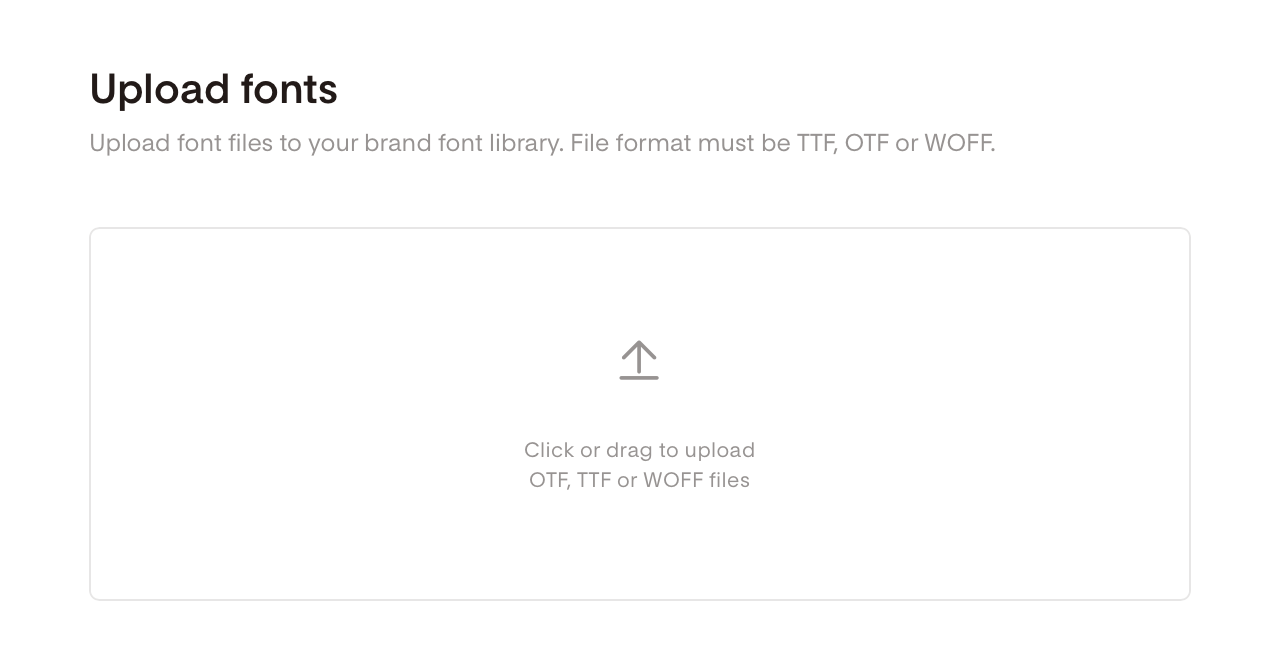
Supported file types: OTF, TTF, WOFF
Maximum file size:
2 MB per font file
Up to 32 MB total per upload
You can upload multiple fonts and multiple weights (light, regular, bold, etc.)
You must confirm that you own the font or have the legal rights to use it
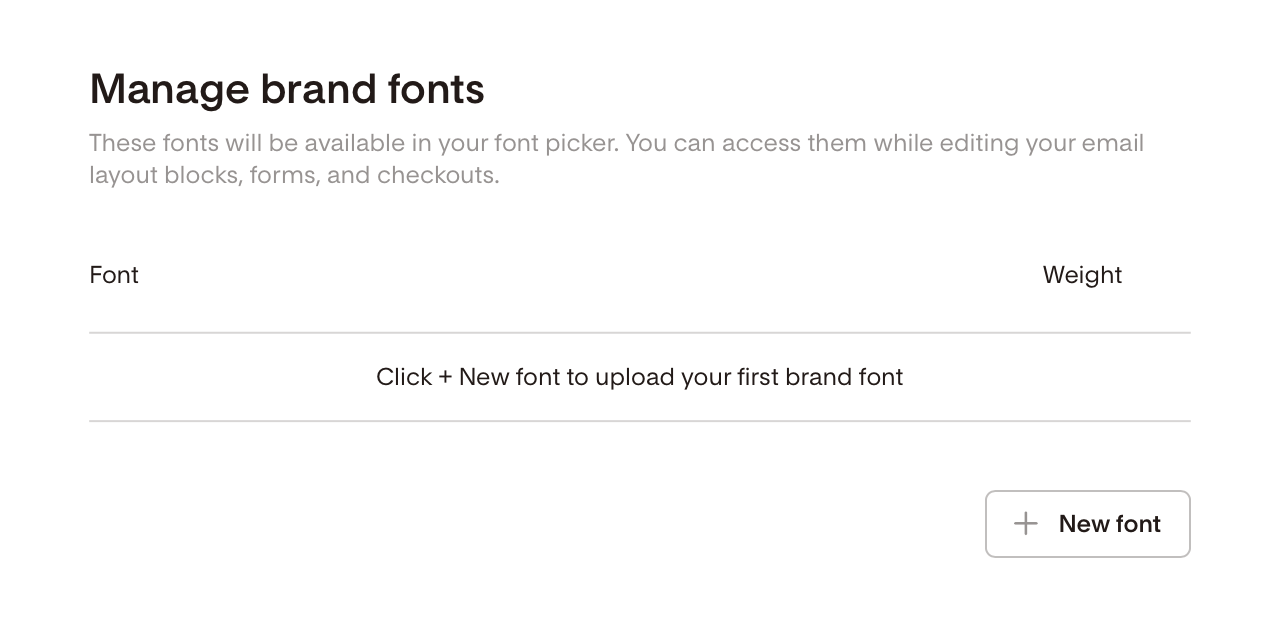
On the Manage brand fonts panel, click the + New font button to upload your first brand font.
Click or drag your font files to the Upload font box.
During the file upload process you’ll be required to confirm that you own the fonts/have rights to use them for your intended purpose before they will be added and available within your account.
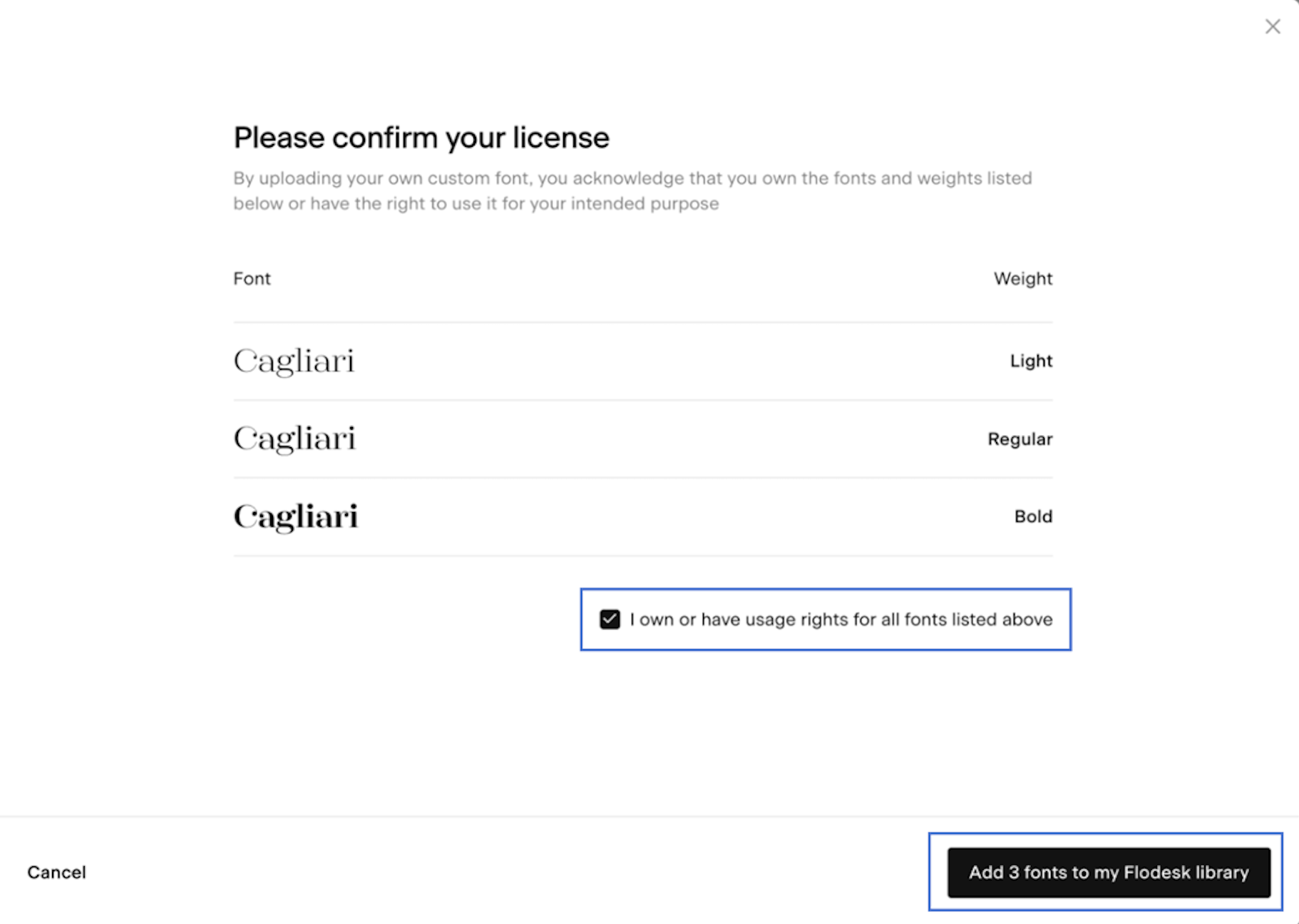
How brand fonts appear in Flodesk
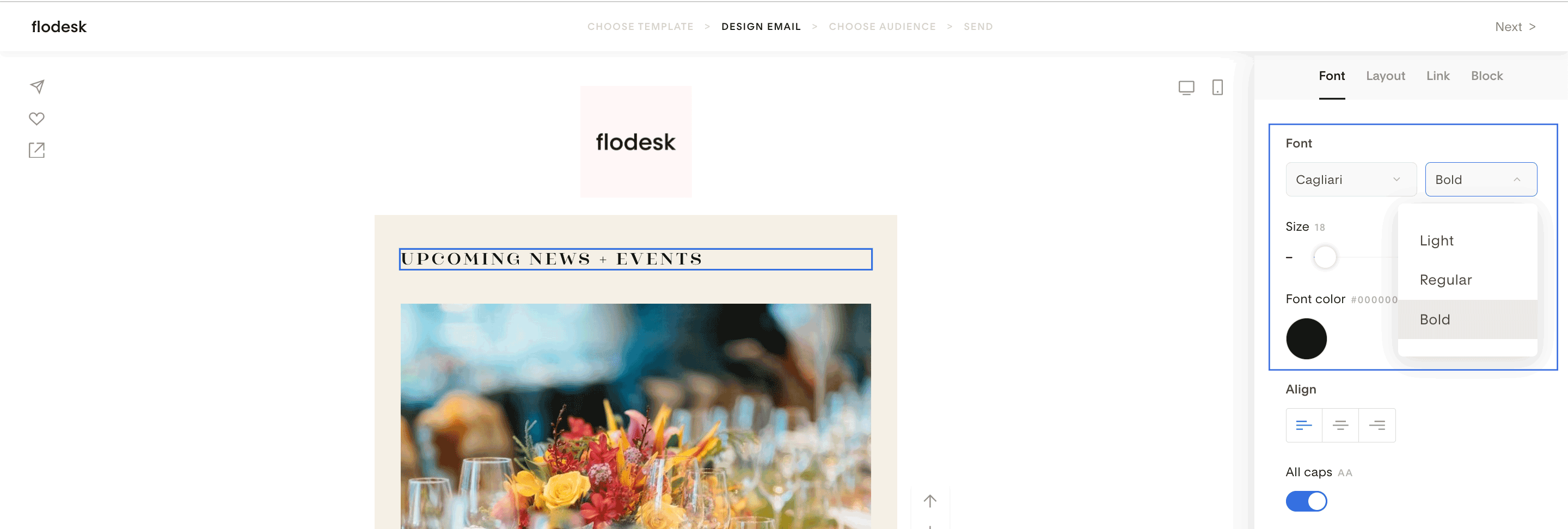
Flodesk automatically reads the font’s metadata (name and weight)
Font names and weights cannot be edited
Multiple font weights (e.g. light, regular, bold) are grouped under one font name
Available weights appear in the font weight dropdown
Your 5 most recently used fonts appear at the top of the font picker for quick access
Where you can use uploaded brand fonts
Uploaded brand fonts are available in:
Email Layout blocks
Forms
Flodesk Checkout pages
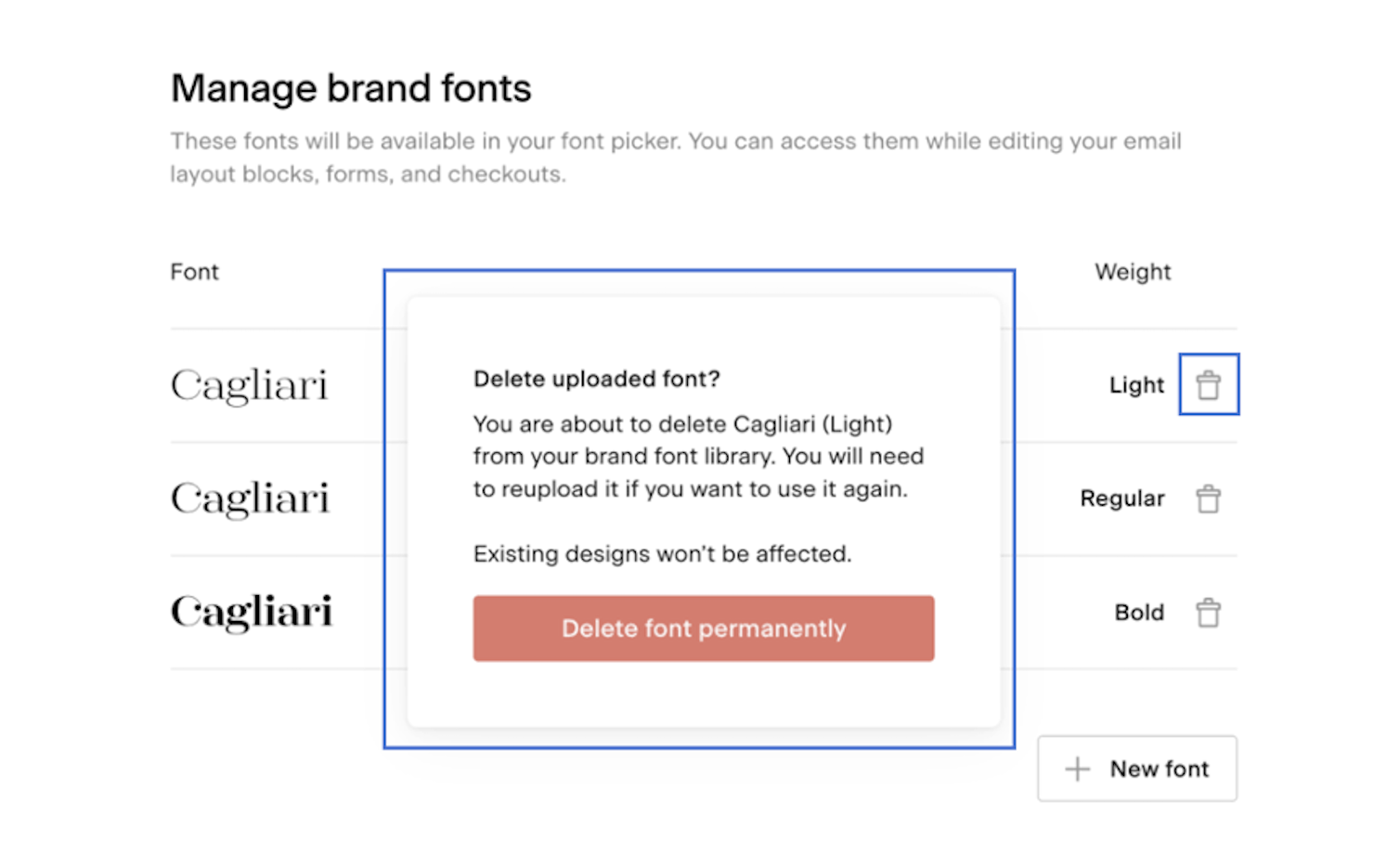
You can delete a brand font from your font library by clicking the trash bin icon next to the font. While existing designs won’t be affected, if you want to use this font again, you’ll need to re-upload it.
Summary
You can upload custom brand fonts in Account settings → Branding → Brand fonts
Supported formats: OTF, TTF, WOFF
Brand fonts appear under the Brand section at the top of the font picker dropdown
Brand fonts are supported in email Layout blocks, forms, and checkouts
FAQ
Can I upload my own brand font into Flodesk?
Yes. You can upload custom brand fonts from Account settings → Branding → Brand fonts.
Where can I use uploaded brand fonts?
Brand fonts can be used in email Layout blocks, forms, and Flodesk Checkout pages.
Why don’t my uploaded fonts appear in Text blocks?
Plain Text blocks only support system-safe fonts. Custom brand fonts work in email Layout blocks instead.
What font file types does Flodesk support?
Flodesk supports OTF, TTF, and WOFF font files.
Is there a file size limit for brand fonts?
Yes. Each font file can be up to 2 MB, with a maximum of 32 MB per upload.
Why are my font name and weights locked?
Flodesk automatically reads font metadata. Font names and weights cannot be edited manually.
Where do I find my brand fonts in the editor?
Open the font selector and scroll to the top to find the Brand section, which lists all uploaded brand fonts.