
How to turn the Instagram integration on and off
Overview
Flodesk's Instagram integration lets you pull your Instagram feed directly into your emails. Once connected, your most recent posts can appear in any email that includes an Instagram block, giving your subscribers a look at your social content without leaving their inbox.
Important: personal Instagram accounts are no longer supported
Meta (the parent company of Instagram) stopped supporting the Instagram Basic Display API on December 4, 2024. This is the technology that allowed personal Instagram accounts to connect to third-party platforms like Flodesk.
As a result, only public Business or Creator Instagram accounts can now be connected to Flodesk. Personal accounts are no longer supported for this integration.
If you previously connected a personal Instagram account, you'll need to:
Convert your Instagram account to a public Business or Creator account
Reauthorize the connection in Flodesk under My Account > Integrations
Learn more about professional accounts on Instagram here: https://www.facebook.com/help/instagram/138925576505882?helpref=faq_content
Steps to set up a business account on Instagram: https://help.instagram.com/502981923235522
Steps to set up a creator account on Instagram: https://help.instagram.com/2358103564437429?helpref=faq_content
How to connect your Instagram account
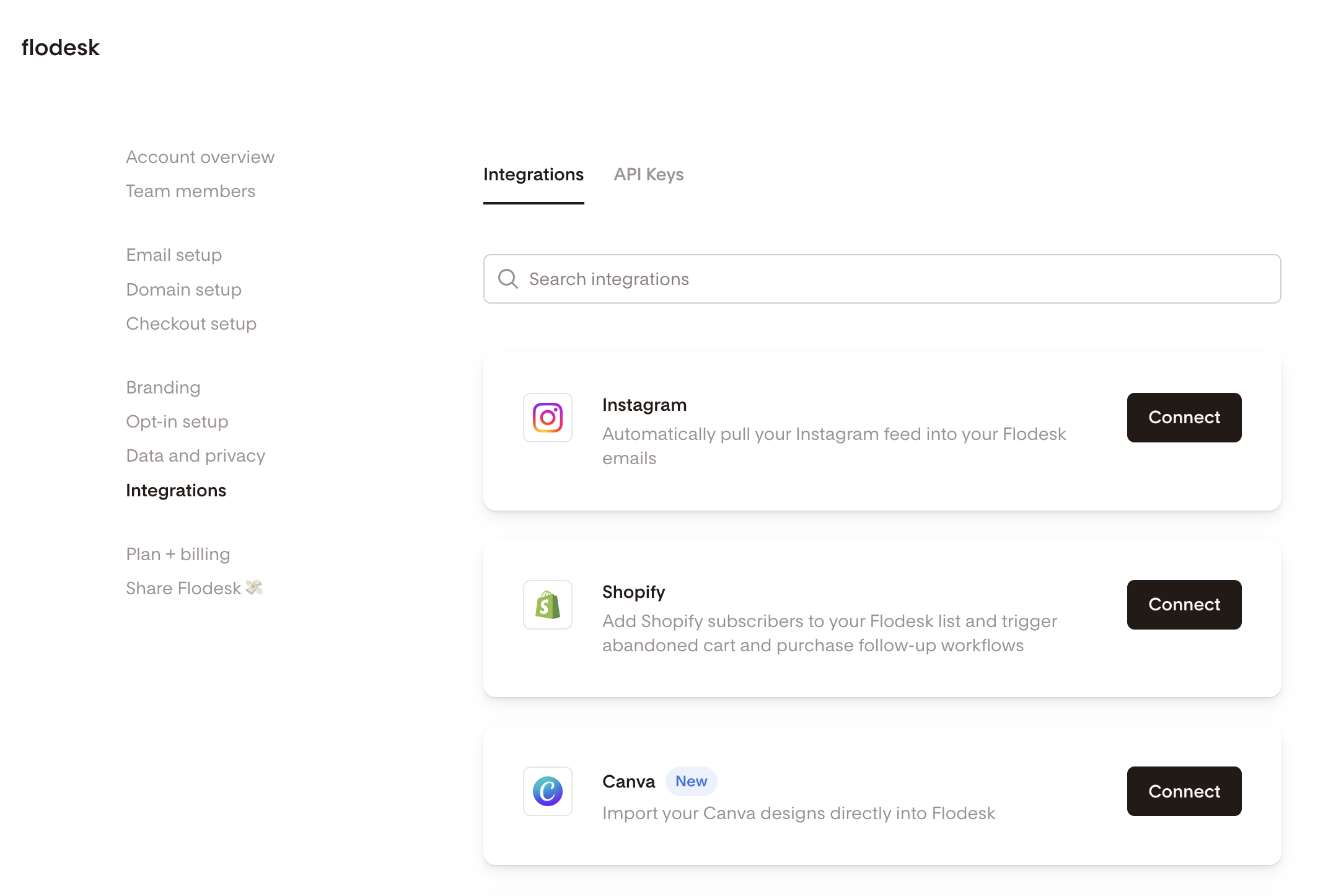
Log in to Flodesk and go to My Account > Integrations
Find the Instagram section and click to Connect
Follow the prompts to authorize Flodesk to access your Instagram account
Once connected, your Instagram feed will be available to use in your emails via the Instagram block.
How to disconnect your Instagram account
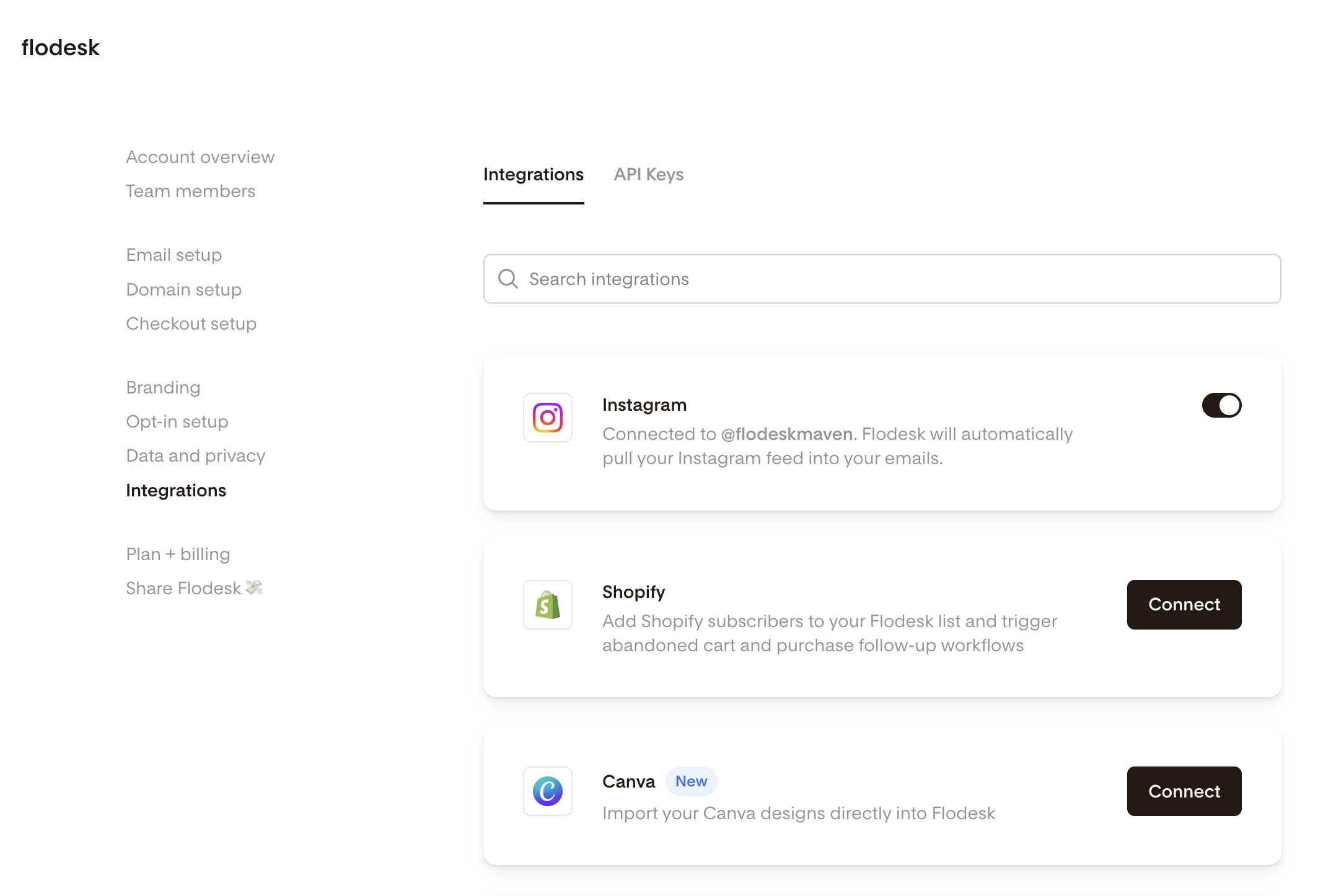
Log in to Flodesk and go to My Account > Integrations
Find the Instagram integration section and toggle it off
Turning off the integration permanently removes all Instagram integration data from your Flodesk account.
FAQ
How do I connect my Instagram account to Flodesk?
Go to My Account > Integrations in Flodesk, find the Instagram section, and click to connect. Follow the prompts to authorize the integration. Once connected, your Instagram feed can be added to your emails using the Instagram block.
How do I disconnect my Instagram account from Flodesk?
Go to My Account > Integrations, find the Instagram section, and toggle off the connection. This permanently removes all Instagram integration data from your Flodesk account.
Can I connect a personal Instagram account to Flodesk?
No. As of December 4, 2024, personal Instagram accounts are no longer supported for this integration. You'll need a public Business or Creator account on Instagram to connect it to Flodesk.
I used to have a personal Instagram account connected. What do I need to do?
You'll need to convert your Instagram account to a public Business or Creator account, then reauthorize the connection in Flodesk under My Account > Integrations. Instagram's official guides for making the switch are linked in the "Important" section of this article.
Why did Flodesk stop supporting personal Instagram accounts?
This change was made by Meta, not Flodesk. Meta stopped supporting the Instagram Basic Display API on December 4, 2024. This is the technology that allowed personal accounts to connect to third-party platforms. Flodesk now uses an updated integration that requires a public Business or Creator account.
What happens to my Instagram data if I disconnect the integration?
Turning off the integration permanently removes all Instagram integration data from your Flodesk account. If you reconnect later, you'll need to reauthorize the connection.
What is the Instagram block in Flodesk?
The Instagram block is an email element that displays your most recent Instagram posts directly in your email once your Instagram account is connected to Flodesk via the integration.