
How to Send One-Off Emails Without Interrupting Your Workflows
Overview
It’s common for subscribers to move through a welcome flow and a nurture workflow before landing on your general email list. But what happens when you want to send a one-off email—like an announcement, launch, or timely update—while some people are still in the middle of a workflow?
Good news: you don’t need to pause your workflows, duplicate emails, or stress about things feeling “random.”
The solution is simple: use a temporary “Do not disturb” segment to protect the experience for subscribers currently in a workflow.
This guide walks you through exactly how to set that up, step by step.
Why this works
This approach helps you:
Keep automated workflows running smoothly
Avoid overwhelming new subscribers
Send timely one-off emails with confidence
Create a more intentional, less “noisy” inbox experience
Step-by-step: How to set up a “Do not disturb” segment
Step 1: Create a “Do not disturb” segment
Go to Audience > Segments, and create a new segment in your account called something clear and intentional, such as:
"Do not disturb"
"Currently in workflow"
"Automation in progress"
This segment will temporarily hold subscribers while they move through your workflows.
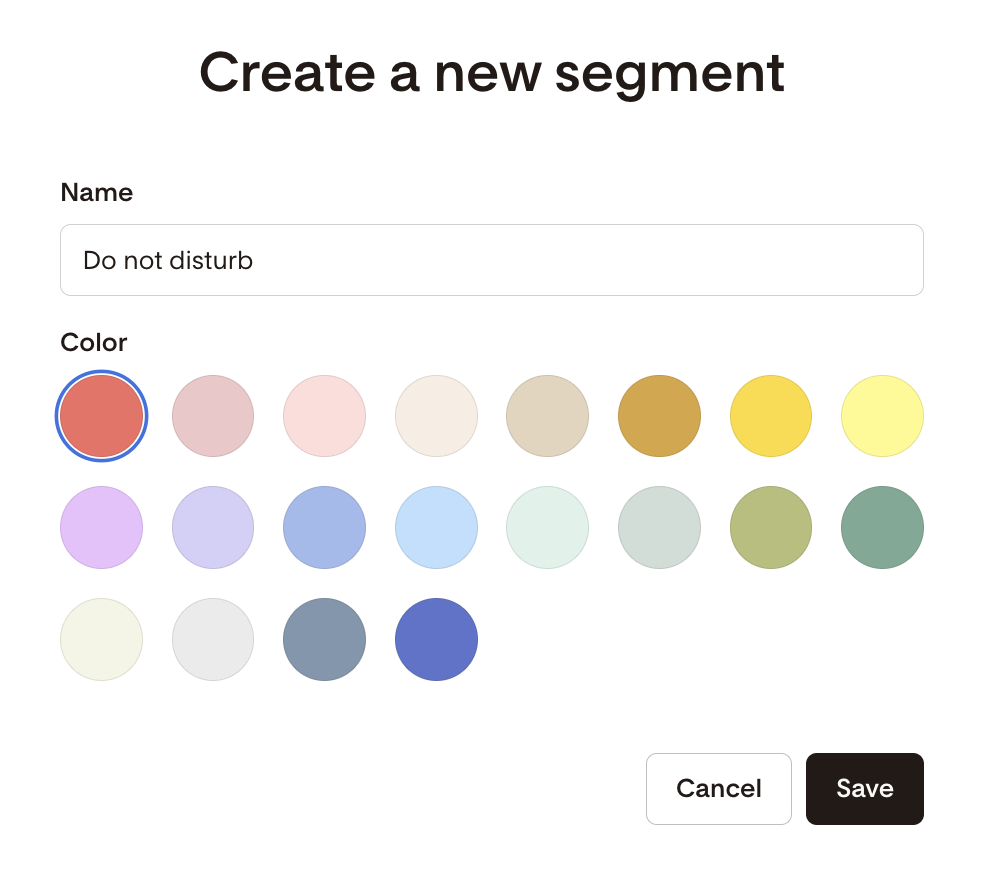
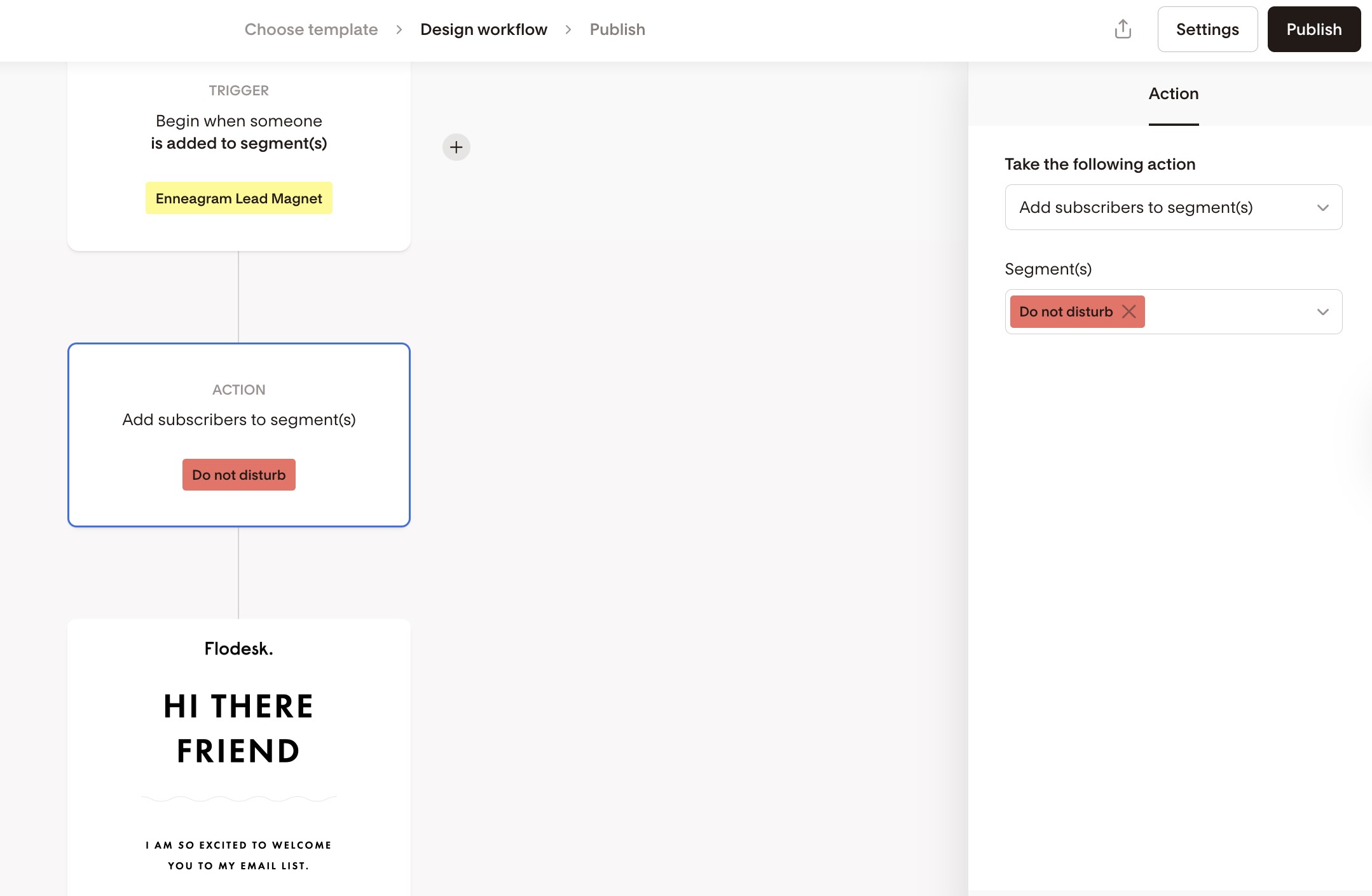
Step 2: Add subscribers to the segment at the start of your workflow
At the very beginning of your welcome or nurture workflow, immediately after the trigger step:
Add an action that adds the subscriber to the “Do not disturb” segment
This ensures that as soon as someone enters the workflow, they’re protected from one-off emails.
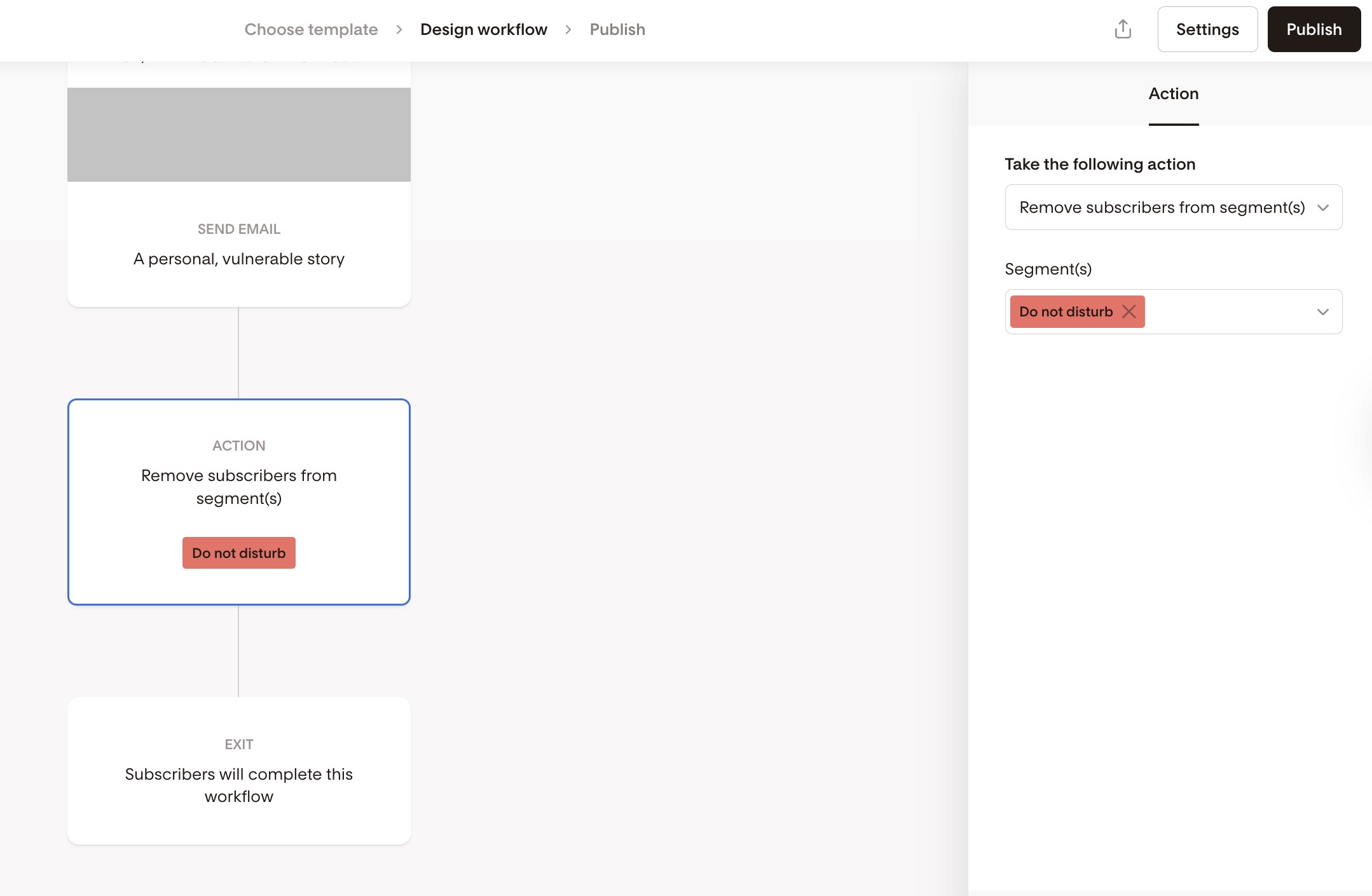
Step 3: Remove subscribers from the segment at the end of the workflow
At the final step of your workflow:
Add an action that removes the subscriber from the “Do not disturb” segment
Once they finish the workflow, they’re free to receive your regular one-off emails again.
Step 4: Exclude the segment when sending one-off emails
When you send a one-off (broadcast) email to your general list:
Select your main audience as usual
Exclude the “Do not disturb” segment
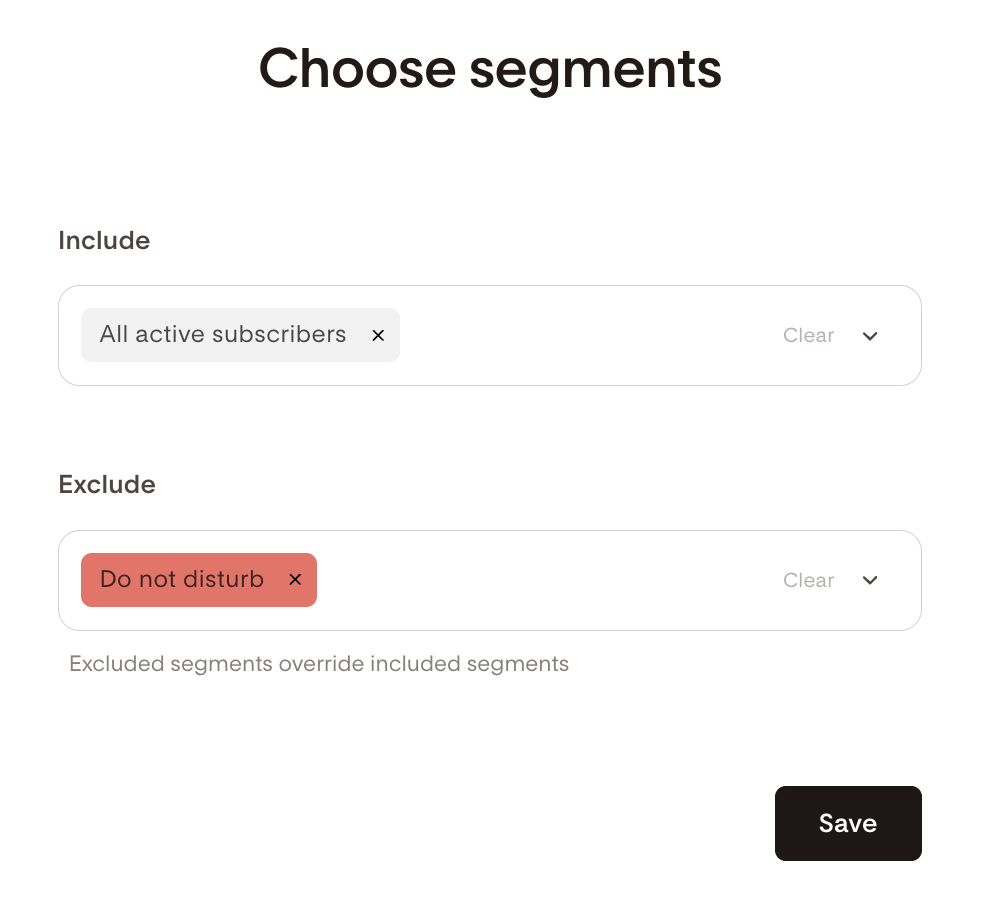
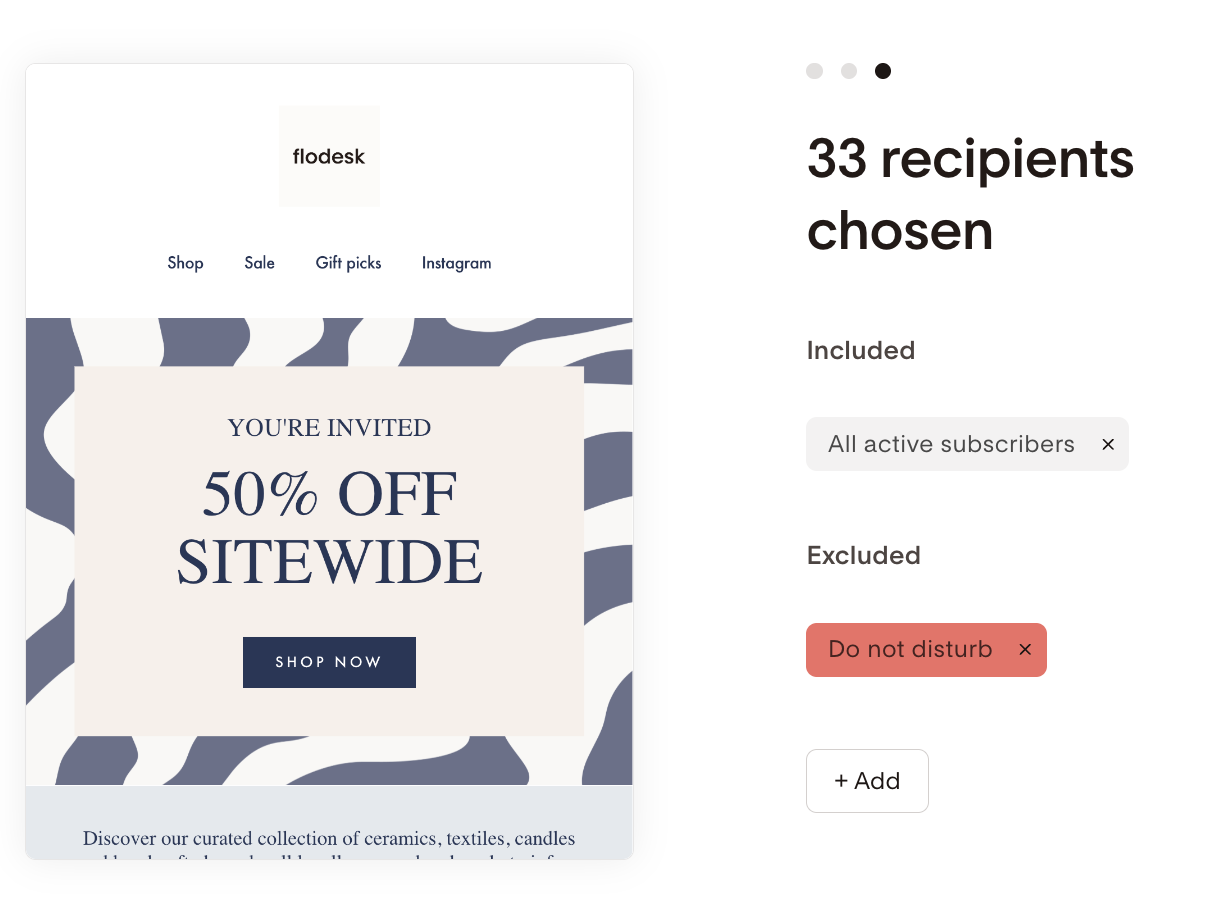
This means:
Subscribers still in a workflow won’t receive the one-off email
Subscribers who have finished the workflow will receive it
Clean, simple, and intentional.
Should I even worry about this?
Honestly? You’re not wrong for thinking about it—but you don’t need to stress.
Many businesses do send one-off emails to people in workflows, and most subscribers won’t mind. This setup is simply a more polished option if you:
Want tighter control over the subscriber experience
Run longer or more intentional nurture workflows
Prefer fewer interruptions during onboarding
If that sounds like you, this method is a great fit.
FAQs
Will one-off emails break or pause my workflow?
No. Sending a one-off email does not interrupt or stop workflows. This setup is purely about controlling who receives those emails.
Do I need a separate segment for every workflow?
Not usually. Most members use a single “Do not disturb” segment for all onboarding or nurture workflows.
What happens if someone joins another workflow later?
As long as that workflow also adds them to the “Do not disturb” segment at the start and removes them at the end, everything will continue to work smoothly.
Can I still send urgent emails to everyone?
Yes. If you ever want to email everyone, simply don’t exclude the “Do not disturb” segment for that send.
Is this required to use Flodesk correctly?
Not at all. This is a best-practice option, not a requirement. Use it if it supports the experience you want to create.