
How to manage new subscriber notifications in Slack via Zapier
Overview
If you work with a team, sending new subscriber notifications to a Slack channel is a great way to keep everyone in the loop without checking Flodesk manually. You can set this up in a few steps using Zapier, so that every time someone new joins your list, a message gets posted automatically to the Slack channel of your choice.
This article walks you through the full setup.
What you'll need before you start
An active Flodesk account
A Zapier account
A Slack account
At least one Slack channel to post notifications to
How to set up subscriber notifications in Slack
Step 1: Create a new zap
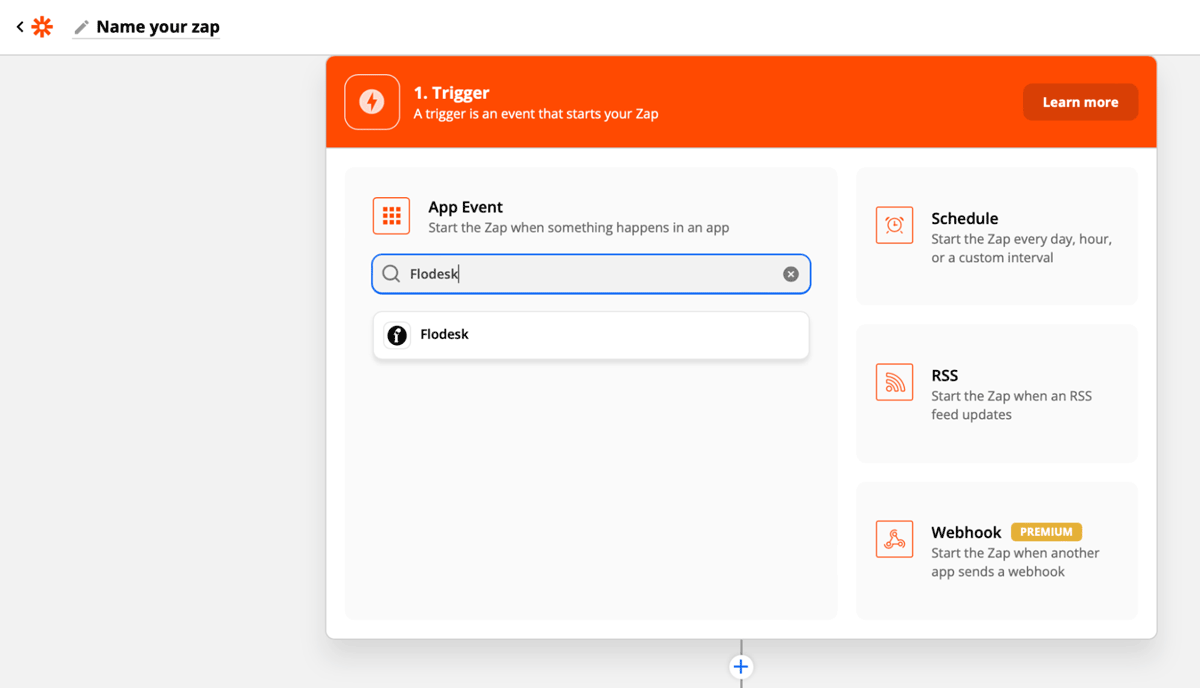
Log in to Zapier and create a new zap. Give it a name so it's easy to find later.
Step 2: Set Flodesk as the trigger
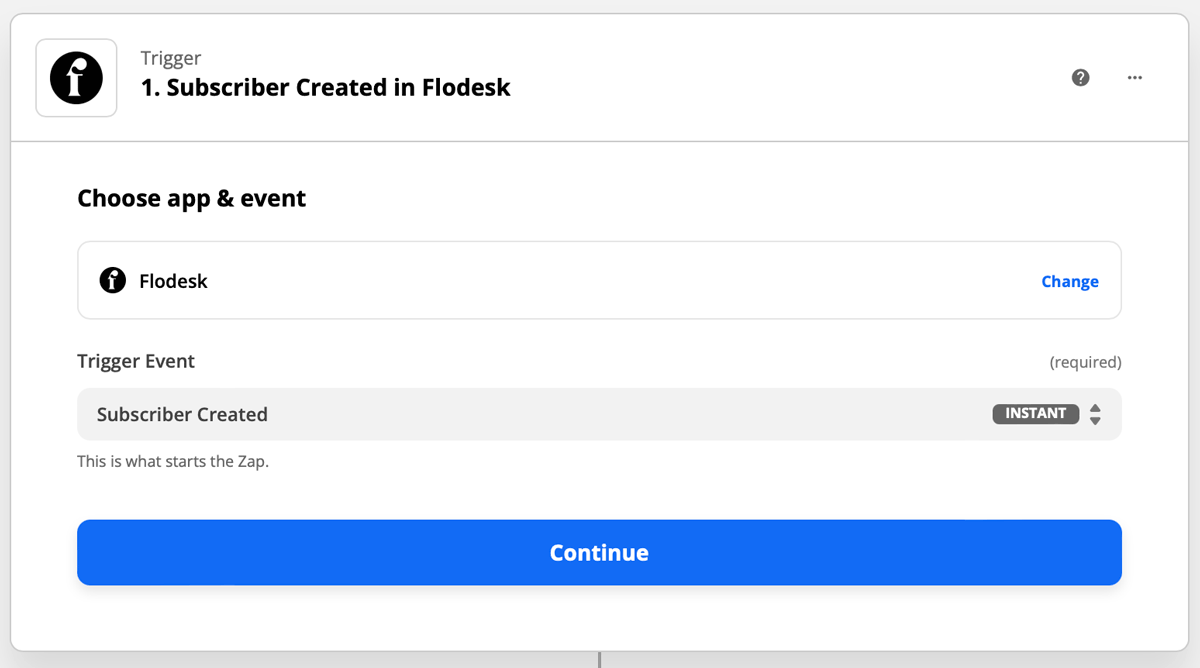
Select Flodesk as the trigger app and choose Subscriber Created as the event. This means the zap will run each time a new subscriber is added to your Flodesk audience.
Step 3: Connect your Flodesk account
If this is your first time linking Flodesk and Zapier, you'll be prompted to log in. Make sure your email address is entered in all lowercase letters. The login field in Zapier is case-sensitive, and using uppercase letters is a common cause of connection errors.
Zapier will then test the trigger to confirm it's working. This step is optional.
Step 4: Set Slack as the action
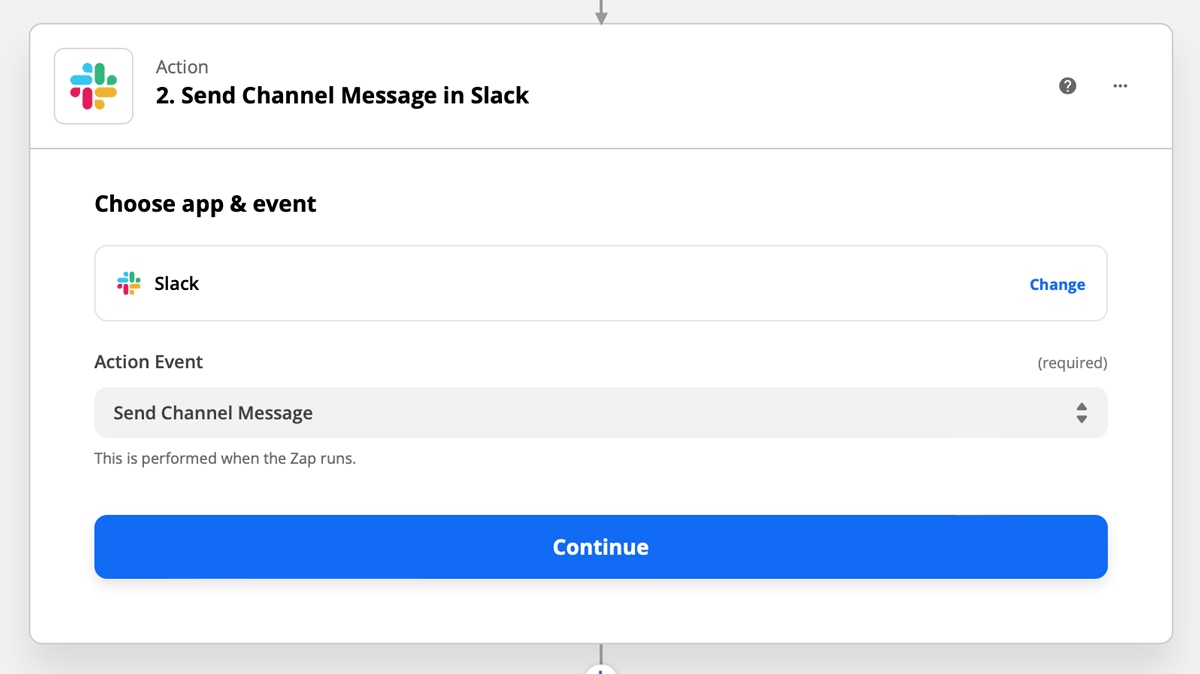
Select Slack as the action app and choose Send Channel Message as the event. This tells Zapier to post a message to a specific Slack channel each time a new subscriber is created in Flodesk.
Step 5: Connect your Slack account
If this is your first time connecting Slack and Zapier, you'll be prompted to log in to your Slack account and click Allowto grant Zapier permission to connect. If you're already logged in to Slack in the same browser, you can click Allow straight away. Click Continue once connected.
Step 6: Configure the message
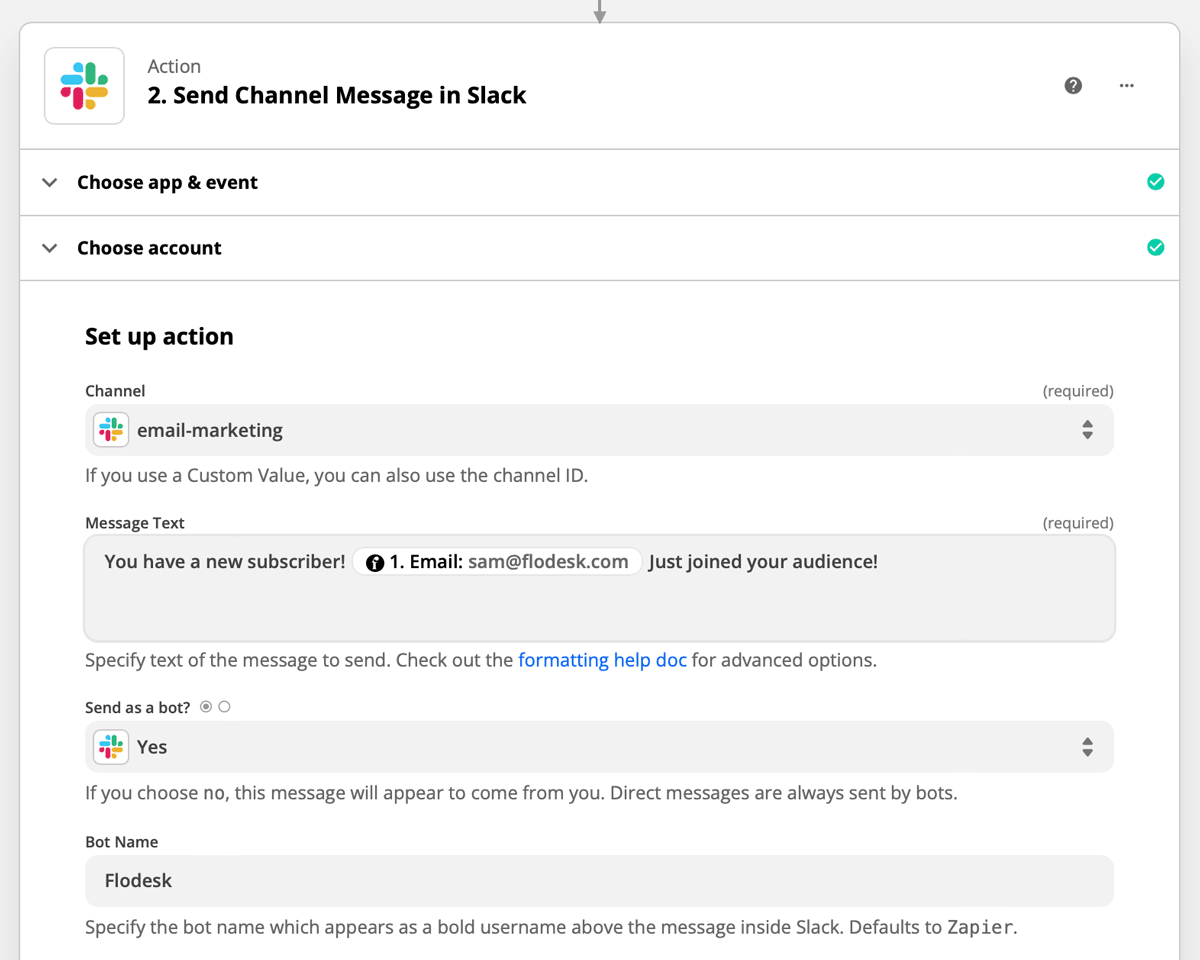
You'll be asked to fill in a few fields to set up the channel message. The most important ones are:
Channel: the Slack channel where notifications should be posted
Message text: what the notification should say (you can include subscriber data like name or email address by mapping fields from the Flodesk trigger)
Send as a bot: whether the message should appear as a bot rather than a personal account
Fill in the remaining fields as needed and continue.
Step 7: Test and turn on your zap
Run the test in Zapier to make sure everything is connected correctly. Once the test passes, turn the zap on so it's live.
More integration ideas
The same setup can be adapted for other Flodesk events. Here are a couple of other Slack notification zaps worth considering:
Trigger: Subscriber added to a segment in Flodesk / Action: Send channel message in Slack
Trigger: Subscriber unsubscribed in Flodesk / Action: Send channel message in Slack
These give your team real-time visibility into list growth and churn without anyone needing to log in to Flodesk.
FAQ
How do I send new subscriber notifications to Slack from Flodesk?
Set up a zap in Zapier with Flodesk as the trigger (using Subscriber Created as the event) and Slack as the action (using Send Channel Message). Choose your Slack channel, set up the message text, and turn the zap on. Every time a new subscriber is added to your Flodesk audience, a message will be posted to your chosen channel.
Can I notify a Slack channel when someone unsubscribes?
Yes. Set up the same zap but choose Subscriber Unsubscribed as the Flodesk trigger event instead of Subscriber Created. Everything else stays the same.
Can I notify a Slack channel when a subscriber is added to a specific segment?
Yes. Use Subscriber Added to Segment as the Flodesk trigger event and configure the filter to the segment you want to track. Then set Slack as the action with Send Channel Message.
I'm getting an error when connecting Flodesk to Zapier. What should I do?
Check that your Flodesk email address is entered in all lowercase letters in Zapier. The login field is case-sensitive, and uppercase letters are a common cause of connection errors.
Can I include the subscriber's name or email in the Slack notification?
Yes. When setting up the message text in the Slack action step, you can map fields from the Flodesk trigger (such as the subscriber's name or email address) so that each notification includes the specific details of the new subscriber.
Can I post notifications to more than one Slack channel?
Not within a single zap. To post to multiple channels, you'd need to create a separate zap for each channel, or add multiple Slack action steps within the same multi-step zap.
Do I need a paid Zapier account for this?
A basic single-step zap (one trigger and one action) is available on Zapier's free plan. If you want to add additional action steps, such as posting to multiple channels or adding a delay, you'll need a paid Zapier account.
What do I need before I can connect Flodesk and Slack via Zapier?
You'll need an active Flodesk account, a Zapier account, a Slack account, and at least one Slack channel to post notifications to.