
How to find your best-performing workflow emails in Flodesk
Overview
Workflow emails run in the background automatically, which makes it easy to set them up and move on. But checking in on their performance from time to time can help you spot which emails are resonating with your audience and which ones could use a refresh.
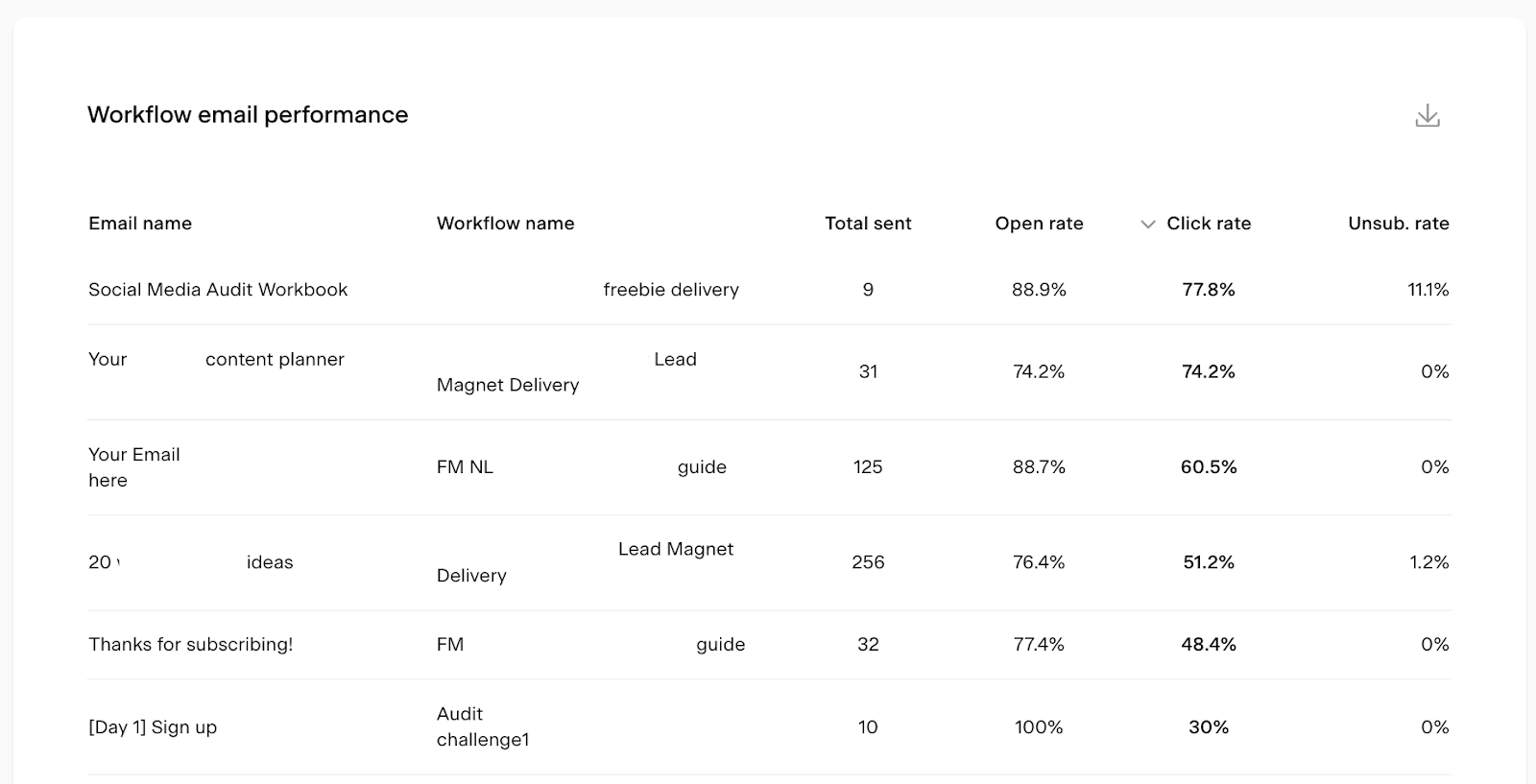
The Workflow email performance table in Flodesk shows you how each workflow email is performing so you can make informed improvements.
How to find your best-performing workflow emails
Log in to Flodesk and go to Analytics > Workflows
Scroll down to the Workflow email performance table
Click the Open rate or Click rate column heading to sort the table by that metric
Sorting by open rate shows you which emails are getting the most attention in the inbox. Sorting by click rate shows you which emails are driving the most engagement with your content and links.
How to use the data
Once you've identified your top performers, use them as a reference point for improving the rest:
Look at what your highest open rate emails have in common, such as subject line length, personalization, or timing, and apply those patterns to emails with lower open rates
Review the content and design of your highest click rate emails and consider applying similar formatting, calls to action, or link placement to underperforming ones
If a workflow email has consistently low open and click rates, it may be worth rewriting or reconsidering its place in the sequence
FAQ
How do I find my best-performing workflow emails in Flodesk?
Go to Analytics > Workflows and scroll down to the Workflow email performance table. Click the Open rate or Click rate column heading to sort the table by that metric and see which emails are performing best.
What's the difference between open rate and click rate for workflow emails?
Open rate is the percentage of recipients who opened the email. Click rate is the percentage of recipients who clicked a link inside it. Open rate tells you how well your subject line is working. Click rate tells you how engaging your email content and calls to action are.
How can I improve a workflow email that isn't performing well?
Compare it to your top performers and look for differences in subject line, content, design, or call to action. For low open rates, focus on the subject line. For low click rates, look at the body content, link placement, and whether the call to action is clear.
How often should I review my workflow email performance?
There's no fixed rule, but checking in every few months is a good habit. Workflow emails run automatically over time, so periodic reviews help you catch any that may be underperforming before they affect too many subscribers.