
Which is my best-performing opt-in form?
Overview
If you have multiple opt-in forms, the Forms Analytics section in Flodesk shows you how each one is performing side by side. You can see which forms are bringing in the most subscribers and converting the most visitors, so you know where to focus your efforts.
How to find your best-performing forms
Log in to Flodesk and go to Analytics > Forms
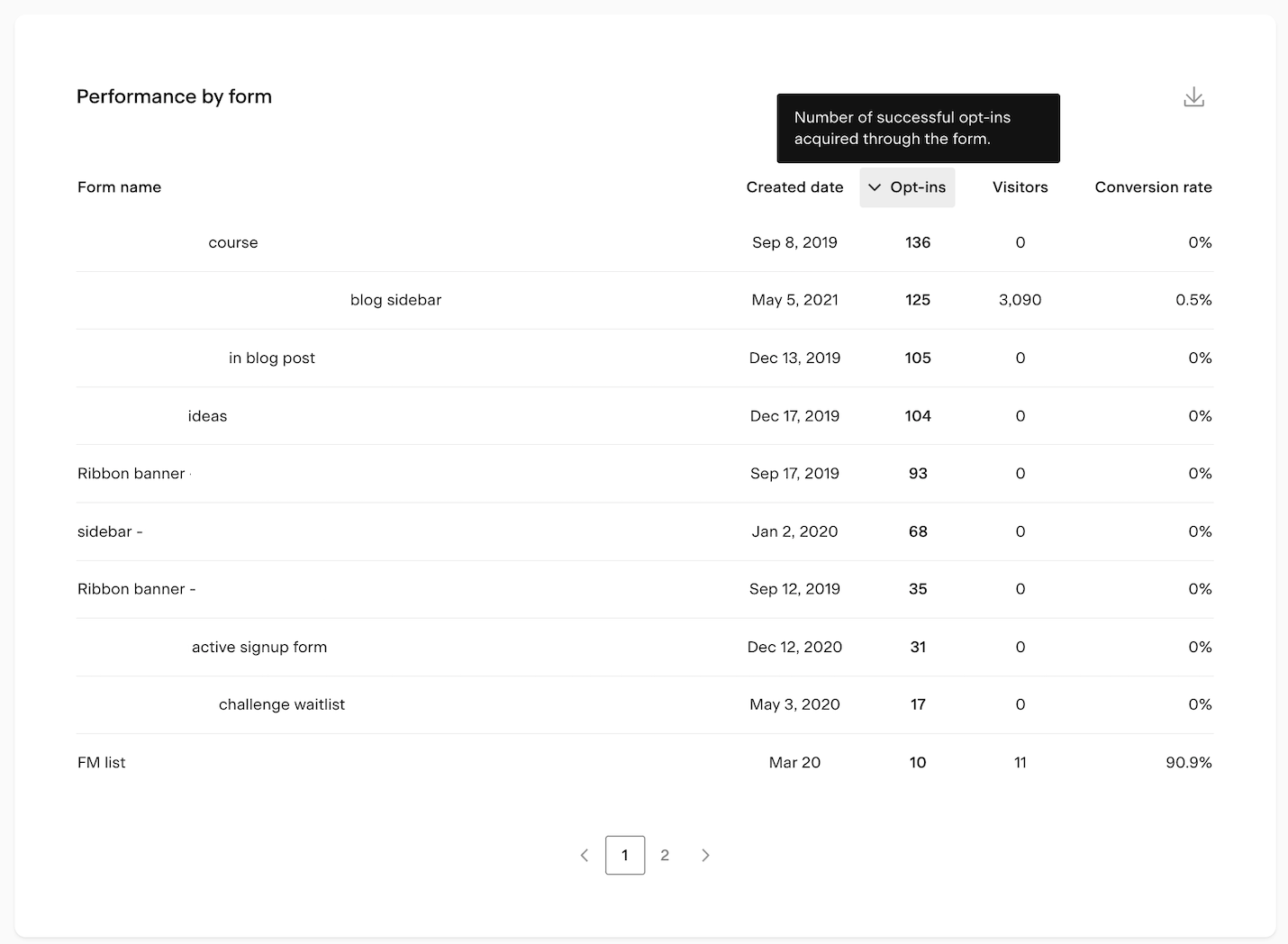
Scroll down to the Performance by form table
Review each form against these three metrics:
Opt-ins: the total number of subscribers who signed up through that form
Visitors: the total number of people who viewed the form
Conversion rate: the percentage of visitors who went on to opt in
The form with the highest conversion rate is your best performer. Note that conversion rate data is available from November 1, 2022 onward.
How to use the data
Once you know which forms are converting well, you can use those insights to improve the rest:
Look at what your top-performing forms have in common (design, placement, offer, copy) and apply those elements to underperforming forms
Update existing forms that have high visitor numbers but low conversion rates, since those represent the biggest opportunity
Use your best-performing form as a template when creating new ones
FAQ
How do I see which opt-in form is performing best in Flodesk?
Go to Analytics > Forms in Flodesk and scroll down to the Performance by form table. You'll see each form's opt-ins, visitors, and conversion rate side by side. The form with the highest conversion rate is your best performer.
What metrics are shown in the Performance by form table?
The table shows three metrics for each form: opt-ins (total subscribers who signed up), visitors (total people who viewed the form), and conversion rate (the percentage of visitors who opted in).
What does conversion rate mean for a form?
Conversion rate is the percentage of people who viewed your form and then went on to opt in. A higher conversion rate means more of your visitors are becoming subscribers. For example, a form with 100 visitors and 30 opt-ins has a 30% conversion rate.
Why don't I see conversion rate data for some forms?
Conversion rate data is only available from November 1, 2022 onward. Forms that were created or last received traffic before that date may not show conversion rate data.
How can I improve a form that isn't converting well?
Compare it to your best-performing forms and look for differences in design, copy, offer, or placement. Forms with high visitor numbers but low conversion rates are worth prioritizing, since small improvements there can have a big impact on your subscriber growth.