
Understanding your form analytics in Flodesk
Overview
The Forms analytics dashboard gives you a complete picture of how your opt-in forms are performing. You can see which forms are getting the most traffic, which are converting best, and how performance trends over time. This dashboard is available on all Flodesk plans, including the free Forms plan.
How to access your form analytics
In Flodesk, click the Analytics tab in the top navigation bar and select Forms.
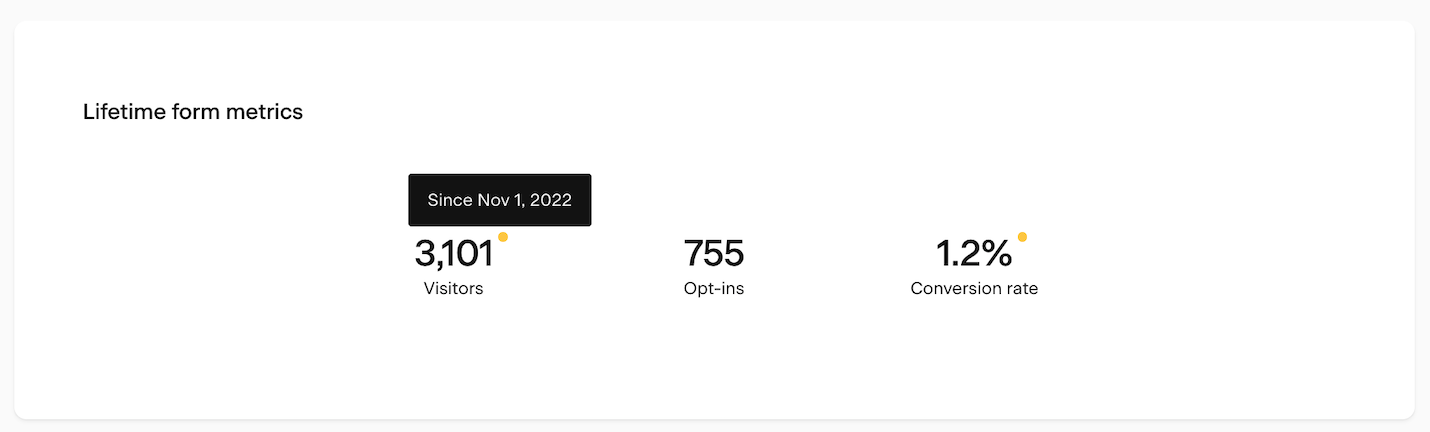
Lifetime form metrics
At the top of the Forms analytics page, the Lifetime form metrics card gives you a high-level overview of your forms' overall performance:
Metric | What it means |
|---|---|
Visitors | Unique visitors across all your forms, all time |
Opt-ins | Total opt-ins through all your forms, all time |
Conversion rate | Total opt-ins divided by unique visitors |
Note: if you created a form before November 1, 2022, visitor and conversion rate data for that form may be incomplete.
Form activity chart
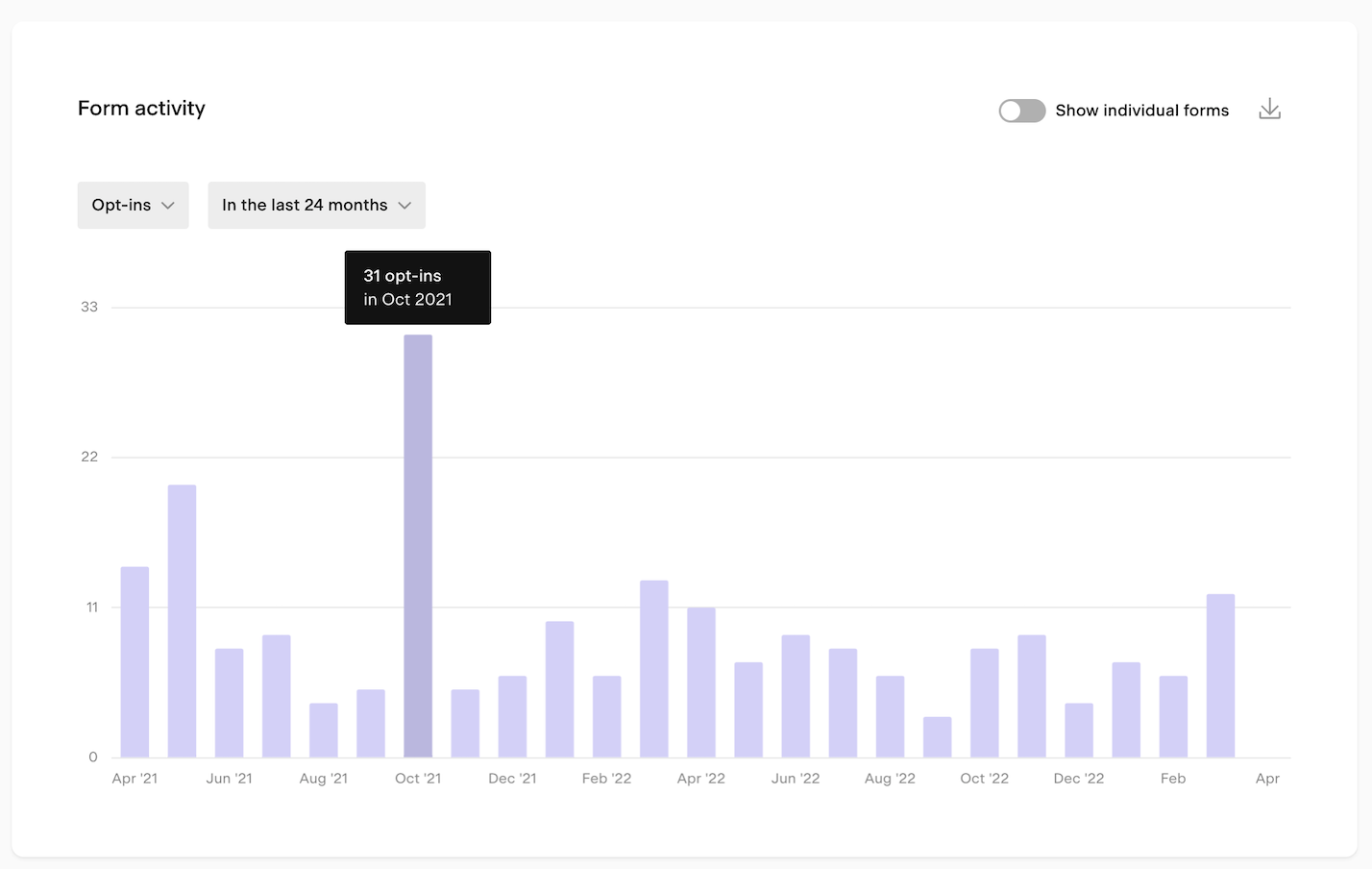
The Form activity bar chart shows how your forms have performed over a selected time period. Use the controls below to customize your view.
Metric drop-down
Choose what the bar height represents:
Visitors: unique form visitors within the selected period
Opt-ins: total opt-ins within the selected period
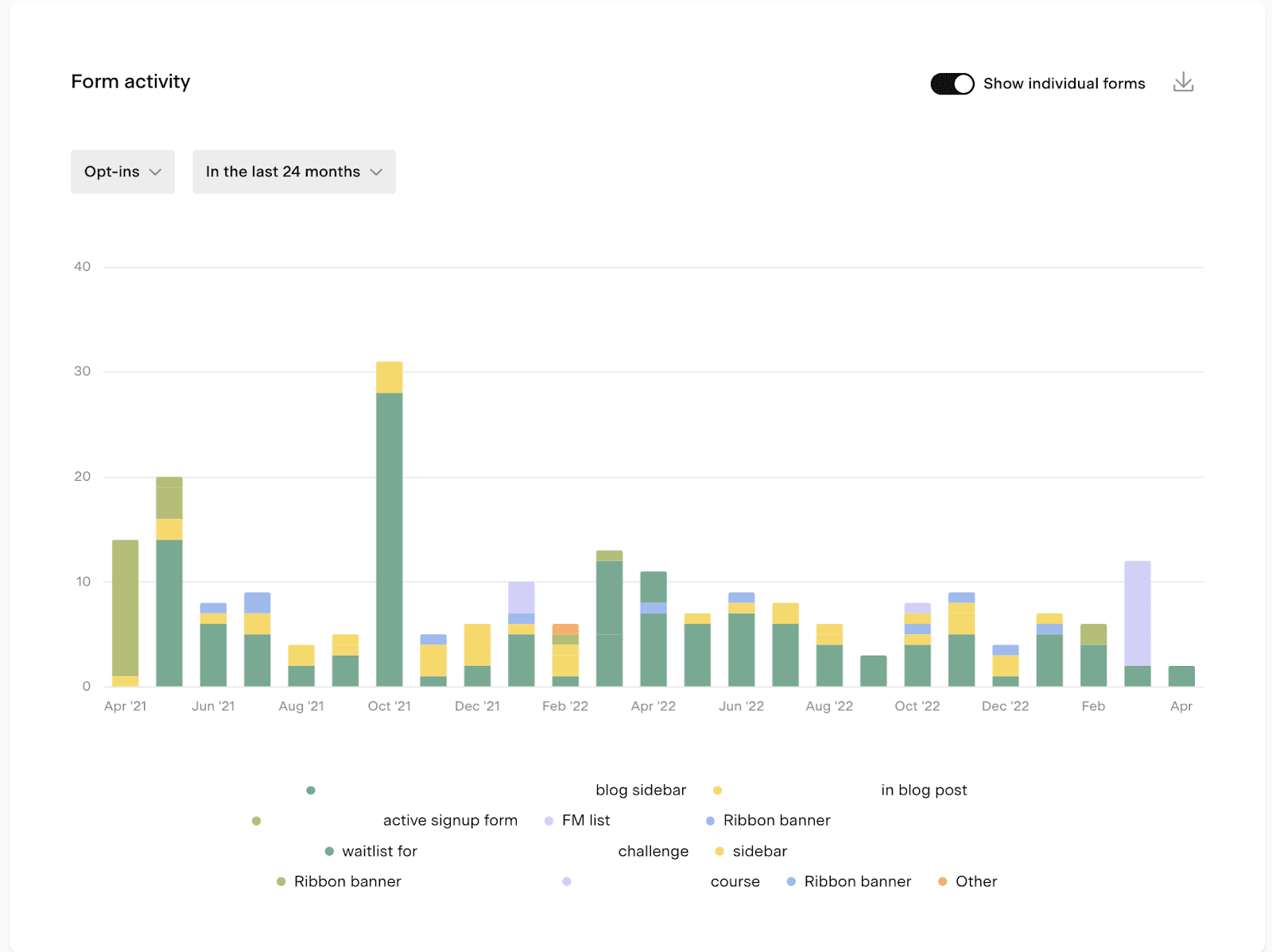
Show individual forms toggle
Turn this on to break the chart down by individual form. Each form gets its own color in the legend. Turn it off to see a combined overview.
Time period selector
Choose the time unit and range for the chart:
Time unit | Available ranges |
|---|---|
Daily | 7 days, 14 days, 30 days, custom |
Weekly | 8 weeks, 12 weeks, 24 weeks, custom |
Monthly | 6 months, 12 months, 24 months, custom |
Yearly | All years |
All data is displayed based on the timezone set in your account settings.
Tips for using the chart:
Hover over any bar to see a tooltip with the data for that period
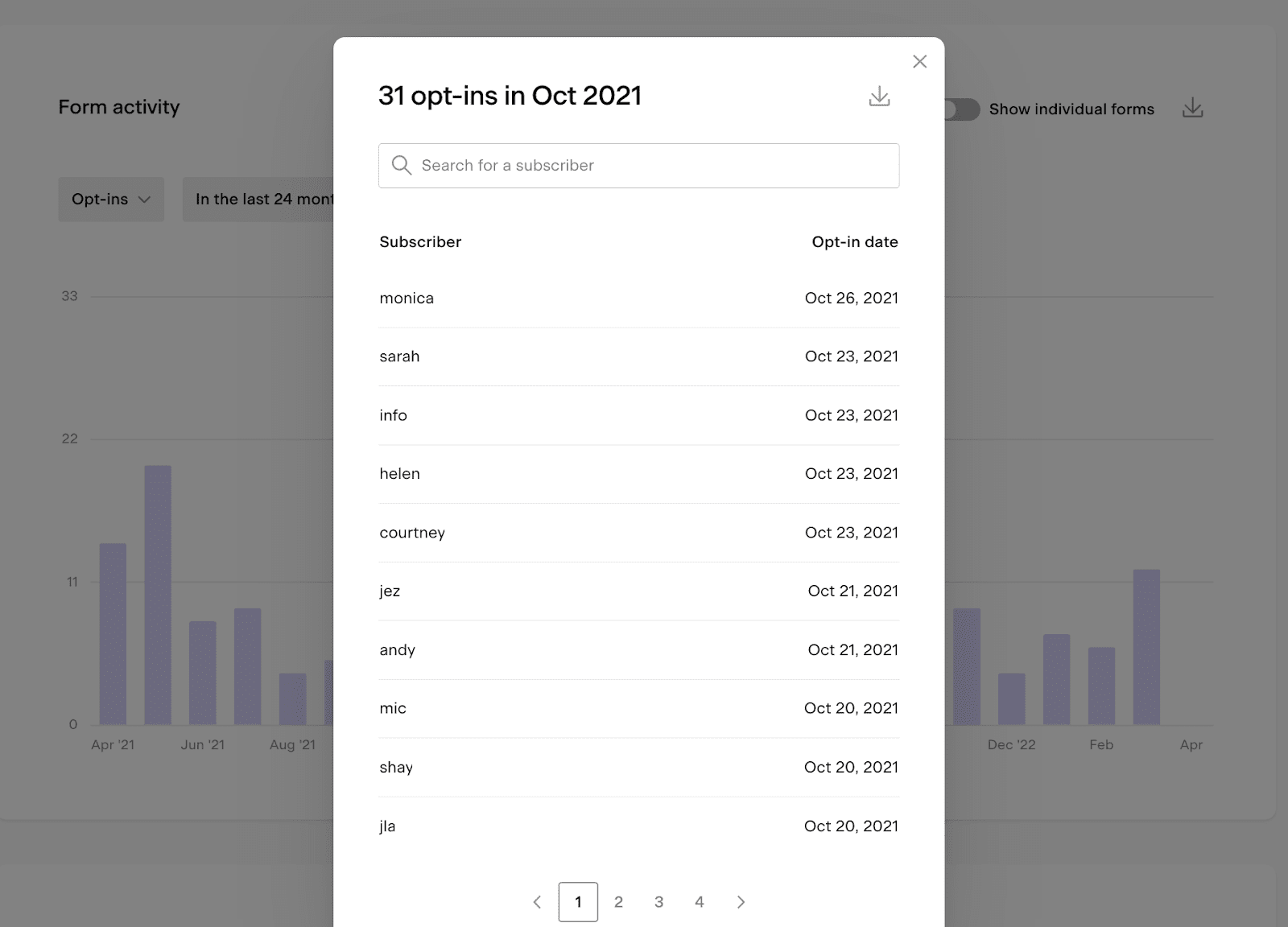
Click on a bar to open a detailed view of that data, which you can also export as a CSV
To focus on a specific form, click the other form names in the legend to turn them off
Recent form activity chart
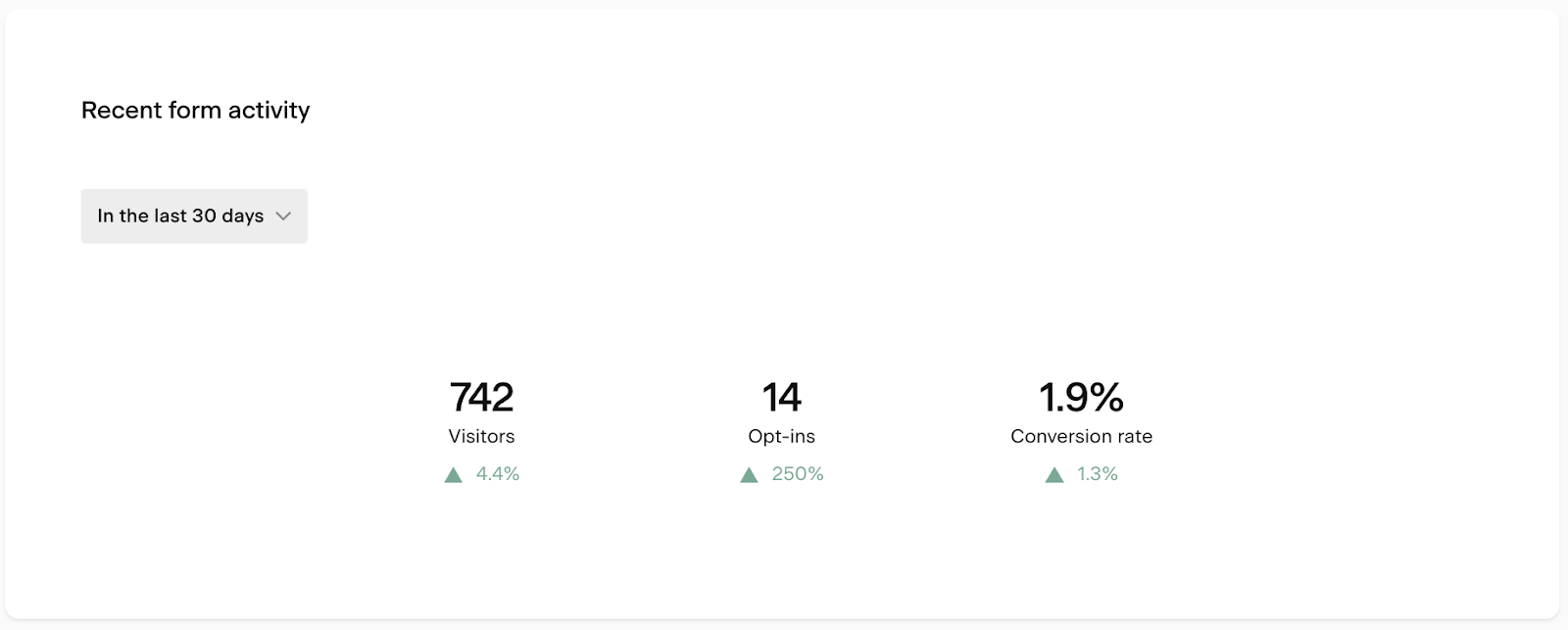
The Recent form activity chart shows whether your form performance is trending up or down. It compares a selected recent period to the previous equivalent period and shows the percentage change.
You can view the last 7 or last 30 complete days, compared to the 7 or 30 days before that.
Metrics shown:
Visitors: Count of unique form visitors within selected timeframe
Opt-ins: Count of opt-ins within selected timeframe
Conversion rate: Opt-in rate within the selected timeframe
Visitors and opt-ins by form chart
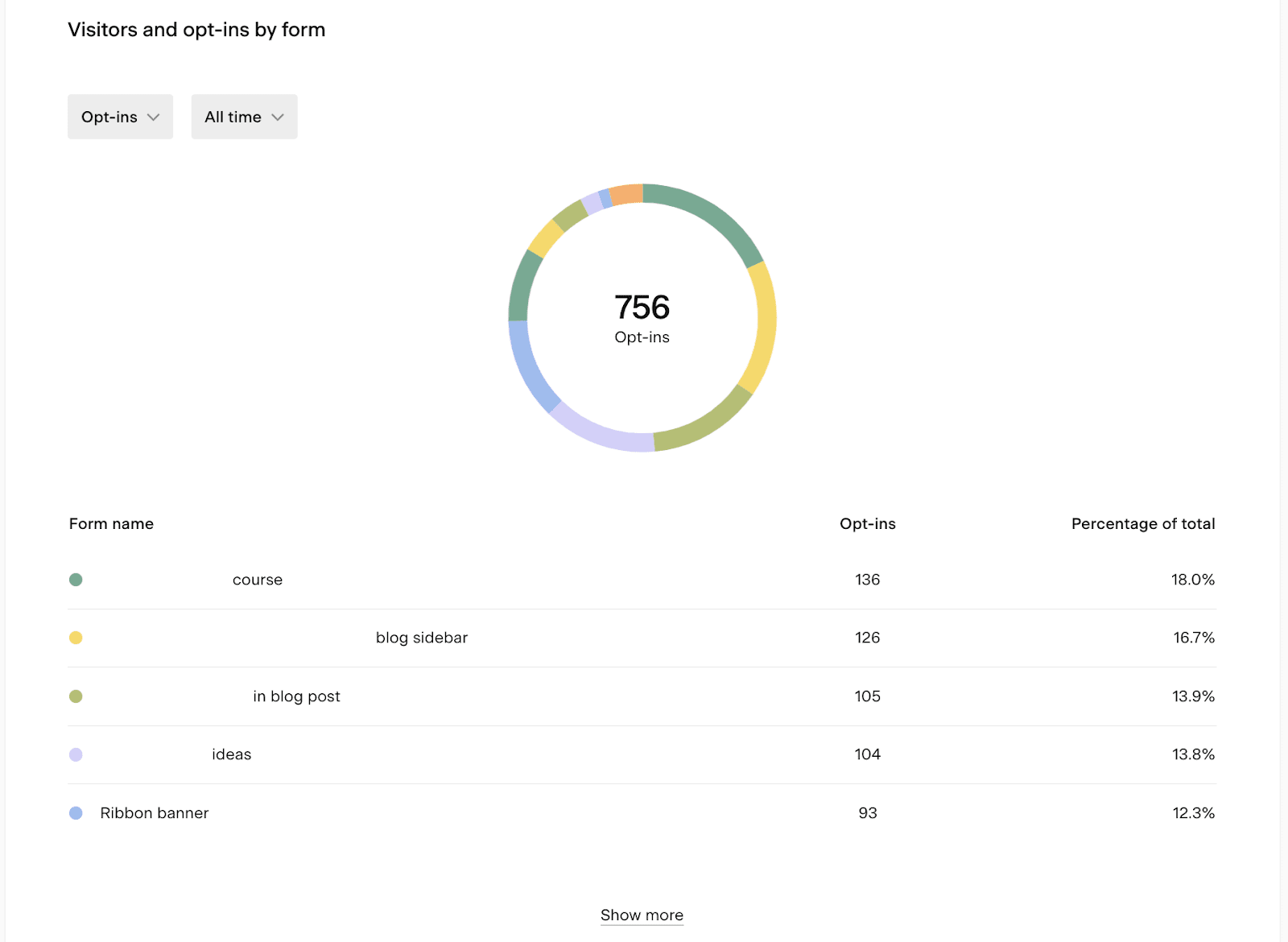
The Visitors and opt-ins by form pie chart shows how your traffic and opt-ins are distributed across your forms for a selected time period.
Available timeframes:
Last 7 days (excludes today, so exactly 7 full days ending at last midnight. All dates and times use the configured time zone you set in your Account settings.)
Last 30 days
All time
This is a quick way to see which forms are driving the most activity at a glance.
For example, the chart below shows the total number of opt-ins for all time—broken down by form.
Performance by form table
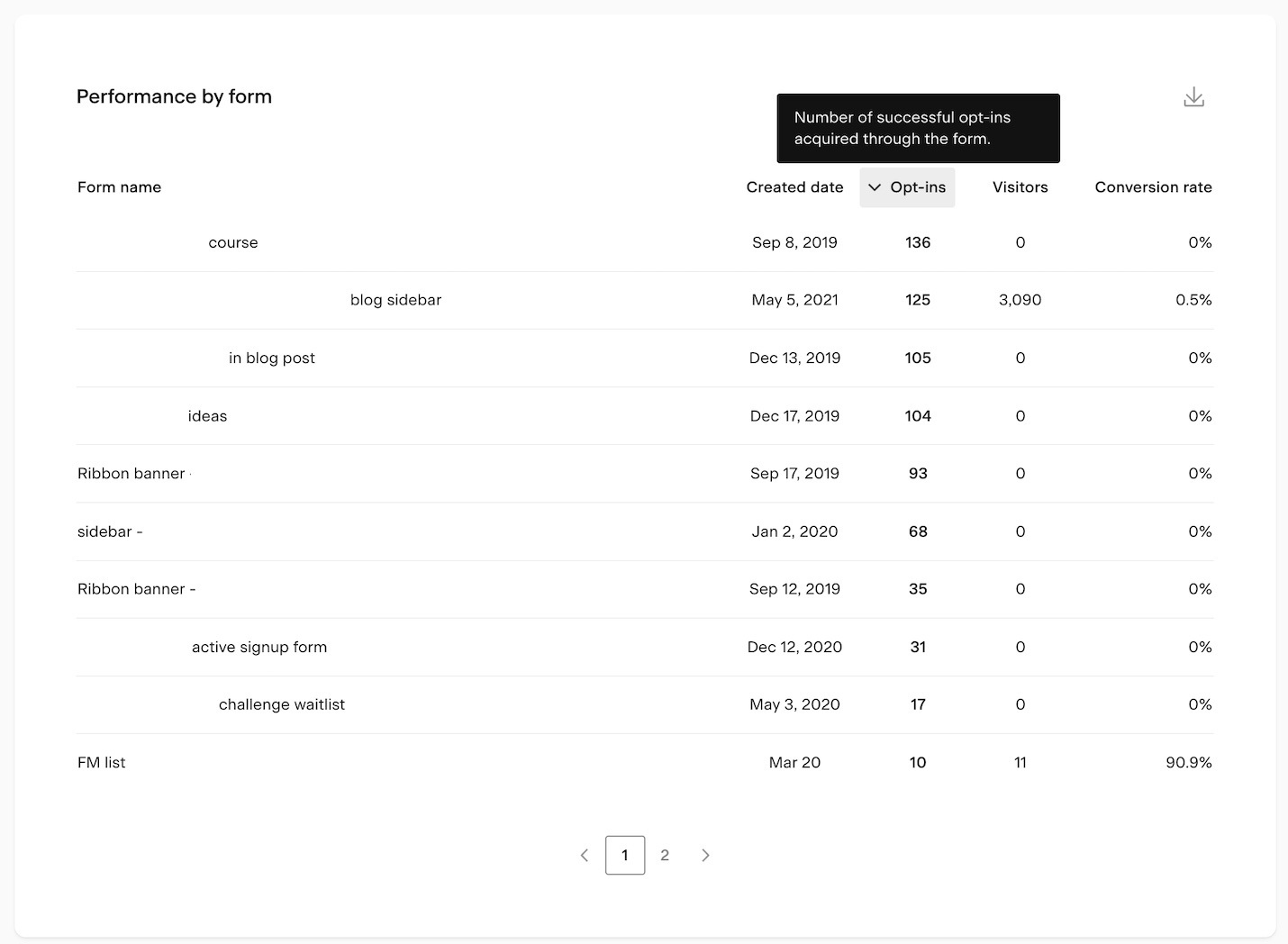
The Performance by form table at the bottom of the page lets you compare all your forms side by side. You can click any column heading to sort the table by that metric.
Column | What it shows |
|---|---|
Form name | The title of the form |
Created date | When the form was created |
Opt-ins | Total successful opt-ins through the form |
Visitors | Total people who viewed the form (available from November 1, 2022) |
Conversion rate | Percentage of visitors who opted in (available from November 1, 2022) |
Hover over any column title to see a tooltip explaining that metric.
How to export form analytics data
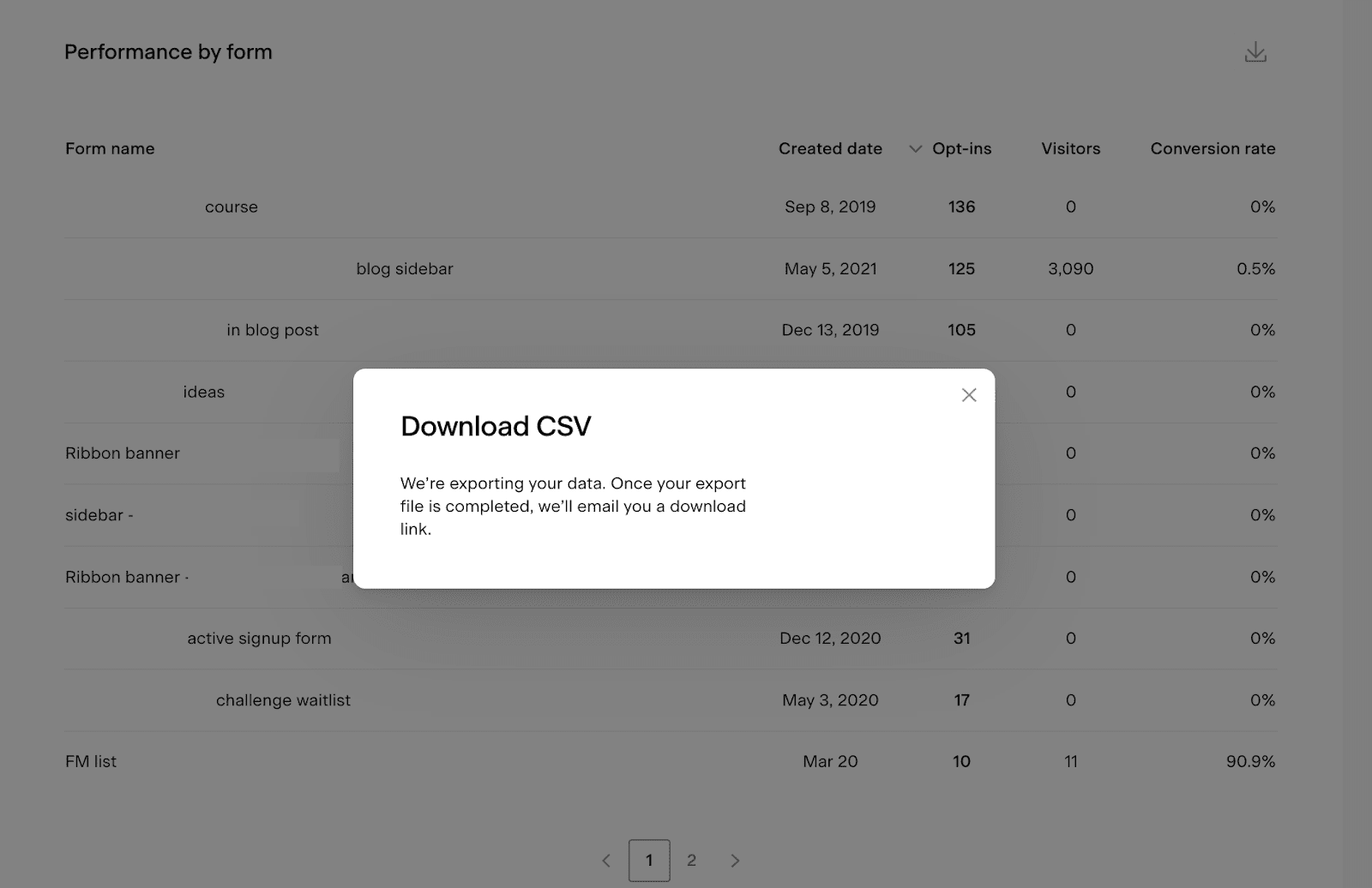
You can export data from the bar charts, chart pop-ups, and the Performance by form table as a CSV file. Click the download icon on any of these elements to request an export. You'll receive an email with a link to download the file.
Note: the download link in the email expires after 24 hours. If you miss the window, you'll need to generate a new export.
FAQ
Where do I find my form analytics in Flodesk?
Click the Analytics tab in the top navigation bar and select Forms. The Forms analytics dashboard is available on all Flodesk plans, including the free Forms plan.
What metrics can I see for my opt-in forms?
You can see visitors (unique people who viewed a form), opt-ins (people who subscribed), and conversion rate (the percentage of visitors who opted in). These are available at the account level, per form, and over time in the activity charts.
What does conversion rate mean for a form?
Conversion rate is the percentage of people who viewed your form and then went on to opt in. For example, if 100 people saw your form and 25 signed up, your conversion rate is 25%. Higher conversion rates mean your form is doing a good job of turning visitors into subscribers.
Why is my conversion rate or visitor data missing for some forms?
Visitor and conversion rate data is only available from November 1, 2022 onward. Forms created before that date, or forms that haven't received traffic since then, may show incomplete data for these metrics.
How do I see how each individual form is performing in the activity chart?
In the Form activity chart, toggle on Show individual forms. Each form will appear as a separate colored bar so you can compare them directly. To focus on one specific form, click the other form names in the legend to turn them off.
Can I compare recent form performance to a previous period?
Yes. The Recent form activity chart compares the last 7 or last 30 complete days to the previous equivalent period and shows the percentage change for visitors, opt-ins, and conversion rate.
How do I find out which form has the highest conversion rate?
Go to the Performance by form table at the bottom of the Forms analytics page. Click the Conversion rate column heading to sort the table by that metric and find your top-performing forms.
Can I export my form analytics data?
Yes. Click the download icon on any bar chart, chart pop-up, or the Performance by form table to export a CSV file. You'll receive an email with a download link. Note that the link expires after 24 hours, so download the file promptly.
What time zone is my form analytics data based on?
All data in the Forms analytics dashboard is displayed based on the timezone set in your Flodesk account settings.
Is the Forms analytics dashboard available on all Flodesk plans?
Yes. The Forms analytics dashboard is available on all plans, including the free Forms plan.