
How to customize your Link in bio Form and Full Page Form links
Want a cleaner, more on-brand link for your form? You can customize the URL (also called a slug) for your Link in bio Form or Full Page Form in just a few clicks.
This guide walks you through:
How to customize a new form link
How to edit an existing form link
What happens to your old links when you change them
Note: Only Link in bio Forms and Full Page Forms have shareable URLs you can customize. Inline and Popup forms are embedded on websites and don’t have standalone links.
Why customize your form link?
When you create a Link in bio Form or Full Page Form, Flodesk automatically generates a link for you.
Customizing your link helps you:
Make it shorter and easier to remember
Match your brand name
Clearly describe what the form is for (like
/waitlistor/free-guide)Share a cleaner link in your Instagram bio, emails, or DMs
For example:
Instead ofsolitary-truth-935.myflodesk.com/0a93b779-0e9d-4df56
You could use:petra.myflodesk.com/free-guide
Much nicer, right?
How to customize the link for a new form
After designing your Link in bio Form or Full Page Form:
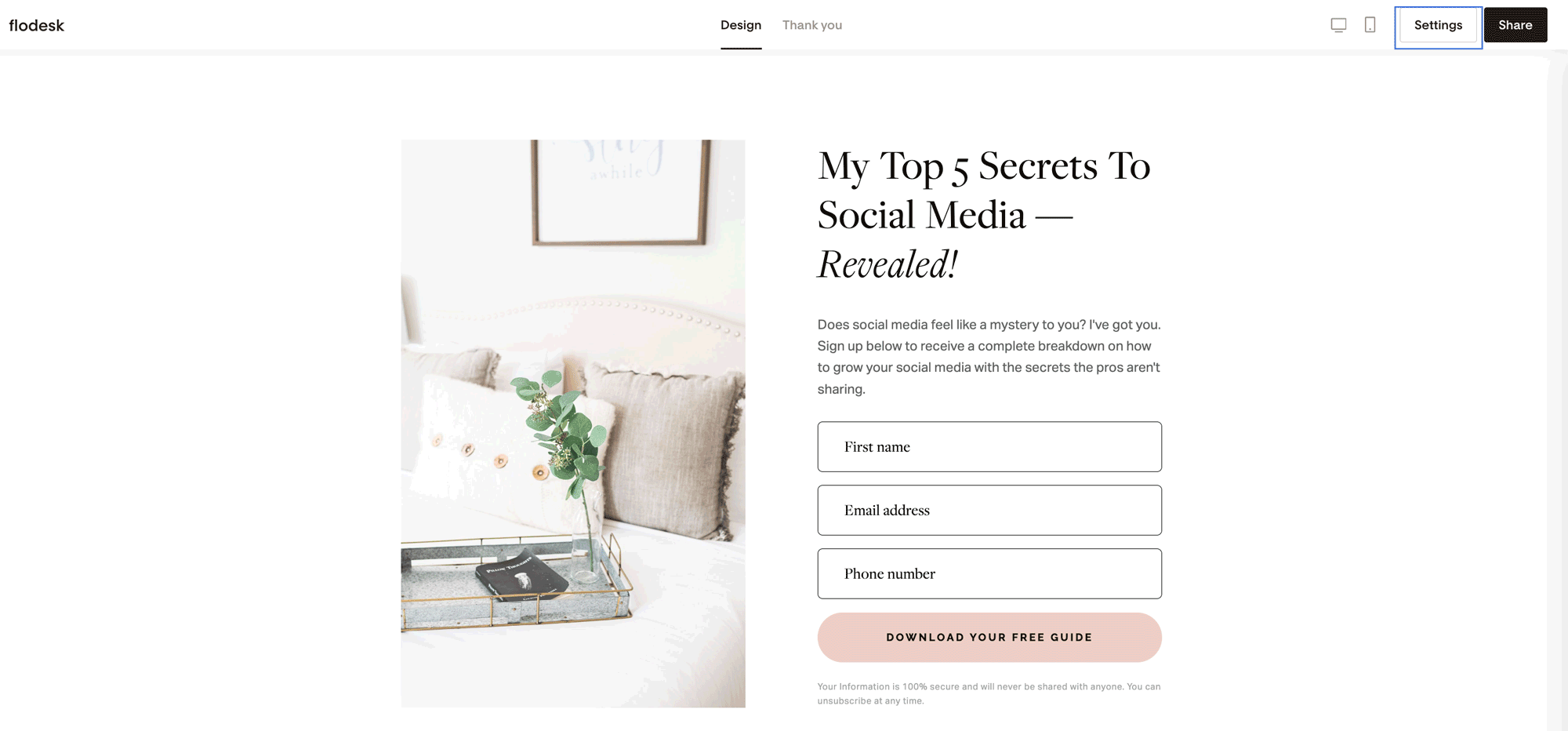
Step 1: Open the Link settings
Click Settings inside the form builder
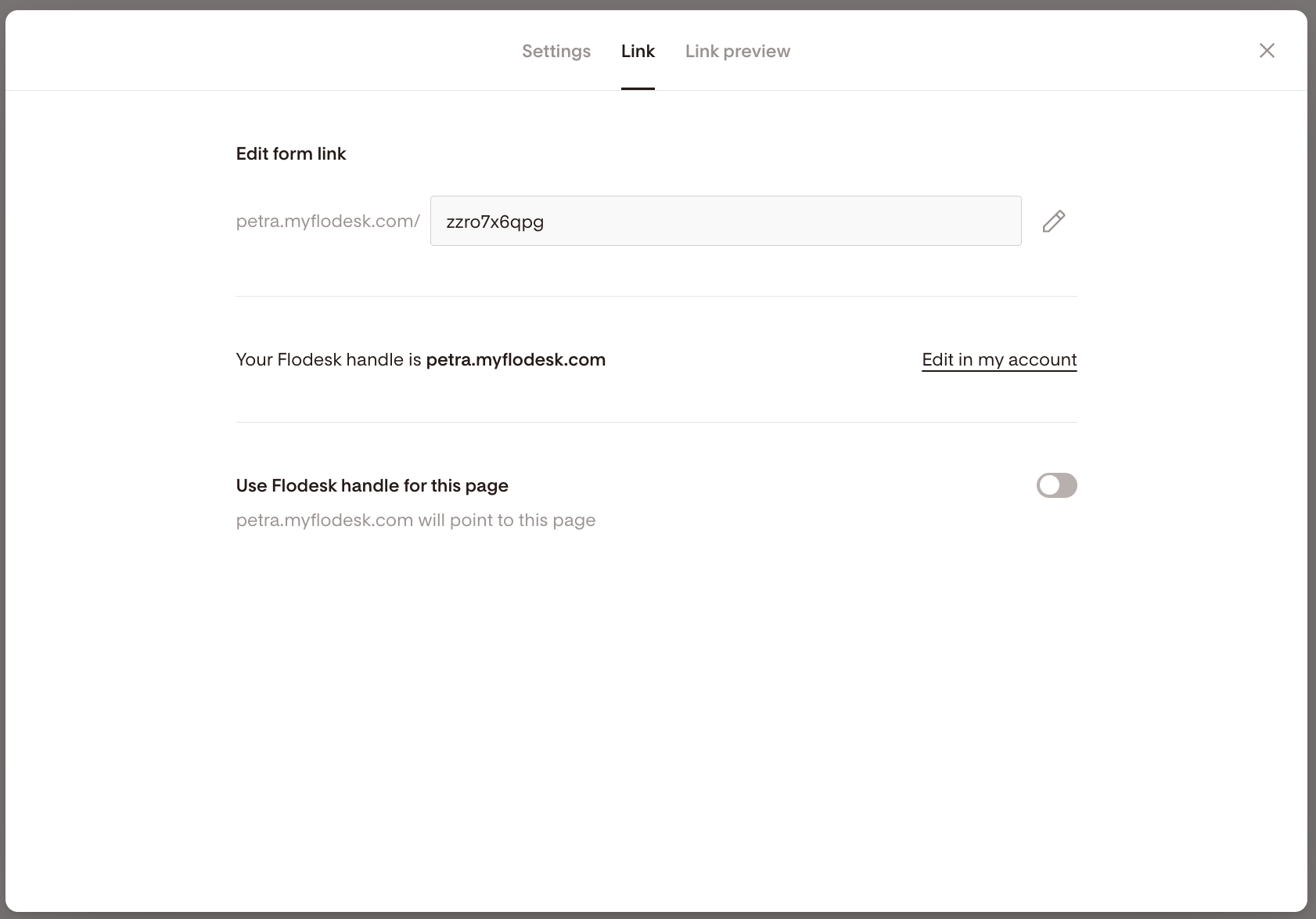
Go to the Link tab
Step 2: Edit the form link (slug)
Under Edit form link, click the pencil icon
Type your custom slug (the part that comes after the slash)
Save your changes
That’s it! Your new link is ready to share.
How to edit the link of an existing form
Already published your form? No problem.
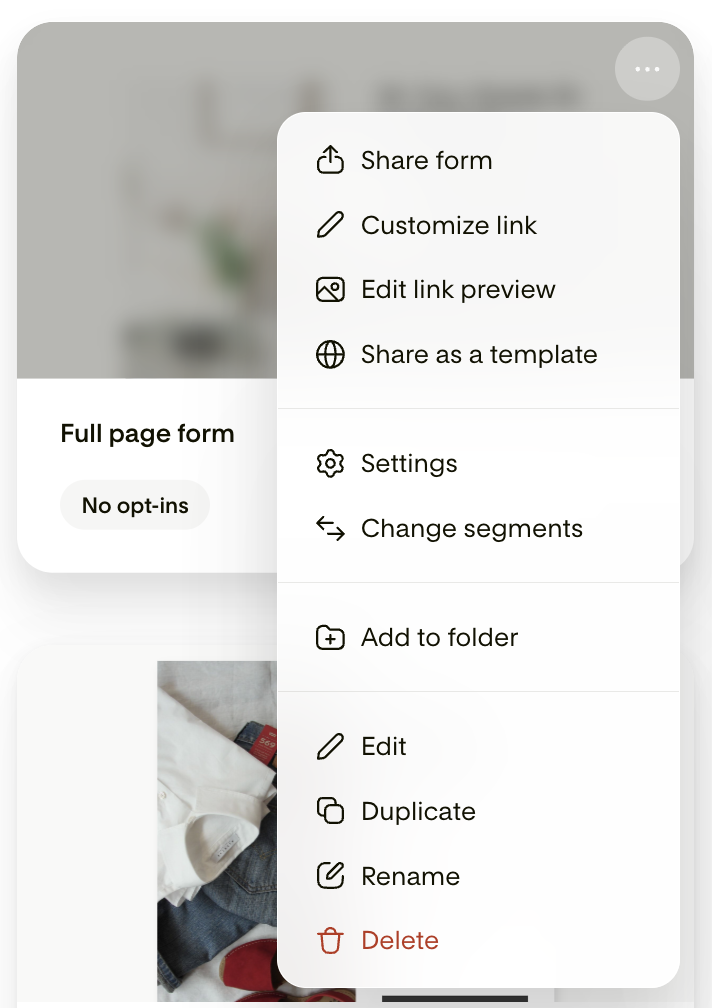
Step 1: Open the quick menu
Go to your Forms dashboard
Hover over the form card
Click the three dots (…)
Select Customize link
Step 2: Update the slug
Go to the Link tab
Click the pencil icon under Edit form link
Enter your new custom slug
Save your changes
Optional: Use your Flodesk handle
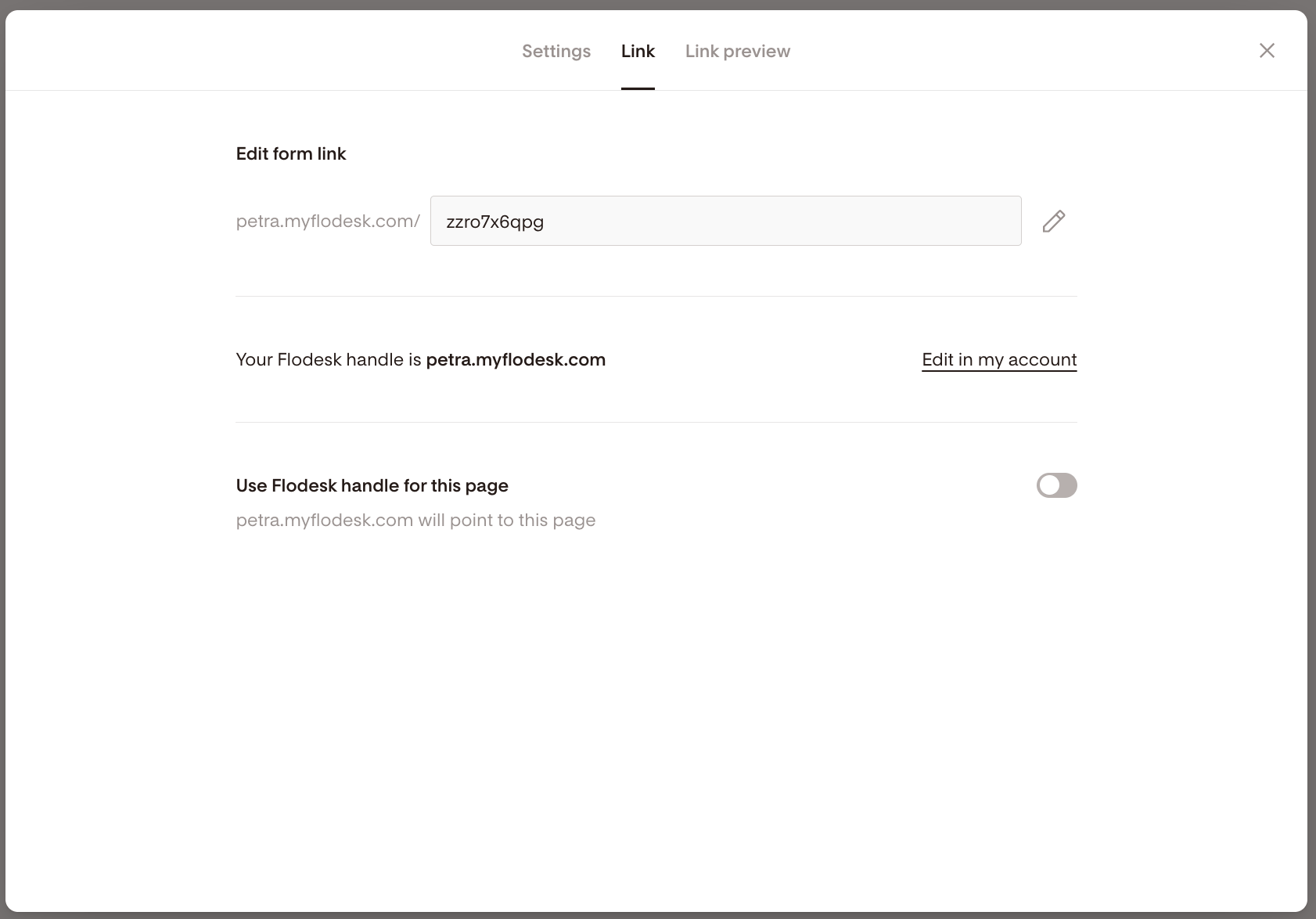
You can also toggle on Use Flodesk handle for this page.
When this is enabled:
Your main Flodesk handle (for example:
petra.myflodesk.com)Will automatically direct visitors to this specific form
This is especially helpful if:
You only want to share one main link everywhere
You regularly update which form your handle points to
Important: What happens to old links?
Your initial Link in bio Form and Full Page Form links starting with “view.flodesk.com” will always work, just as the new auto-generated ones with format “solitary-truth-935.myflodesk.com/0a93b779-0e9d-4df56“.
However, you need to be mindful of the following: Once you claim your Flodesk handle and customize your form links for the first time, those links will not work if you change them a second time.
Here’s an example.
Say your current Link in bio Form (or Full Page Form) link is
“solitary-truth-935.myflodesk.com/0a93b779-0e9d-4df56“
and you edit your Flodesk handle and form link to create something like “petra.myflodesk.com/social-form”.
The very first time, both links will work.
However, if later on you change your link from
“petra.myflodesk.com/social-form” to
“petra.myflodesk.com/instagram-social-form”,
then the “petra.myflodesk.com/social-form” won’t work anymore, and people visiting that link will get a 404 error message.
Best practice
Before sharing a new link:
Copy and paste it into an incognito/private browser window
Make sure it loads correctly
Then share it with confidence
If you’ve already shared a link publicly, be cautious about changing it later.
Summary
To customize your Link in bio Form or Full Page Form link:
Open the form
Go to Settings → Link tab
Click the pencil icon
Edit your slug
Save
Or:
Go to your Forms dashboard
Click the three dots (…)
Select Customize link
Customizing your link makes it cleaner, clearer, and more aligned with your brand.
FAQs
Can I customize the link for Inline or Popup forms?
No. Only Link in bio Forms and Full Page Forms have shareable URLs you can edit. Inline and Popup forms are embedded on a website instead.
Will my old form link still work after I customize it?
The first time you customize your link, the original link will still work.
However, if you change your custom slug again later, the previous custom version will stop working.
What happens if someone visits an old custom link?
They may see a 404 error page if that slug has been replaced.
What is a “slug”?
A slug is the part of the URL that comes after your domain name.
Example:petra.myflodesk.com/free-guide
Here, free-guide is the slug.
How do I make sure my new link works before sharing it?
Paste it into an incognito/private browser window and test it. This ensures you’re not seeing a cached version.