
How to change the success message font style or color in your opt-in form
When someone subscribes to your form, the success message is the very first confirmation they see. If it blends in with the rest of your form text, it can be easy to miss.
Want it to stand out more? You can style your success message in a different font, size, or color so it really pops on the screen and feels intentional.
This guide walks you through exactly where to click and how to customize it.
Before you start
You can customize the font and color of your success message.
This applies to both pre-written and custom success messages.
Font styling is edited inside the Thank you tab (not the Design tab).
How to change the success message font or color
Follow these steps:
Step 1: Open your form
Go to Forms in your dashboard.
Select the form you want to edit.
Click Edit to open the form builder.
Step 2: Click the “Thank you” tab
At the top of the form builder, you’ll see two tabs:
Design
Thank you
Click Thank you.
This is where your success message settings live.
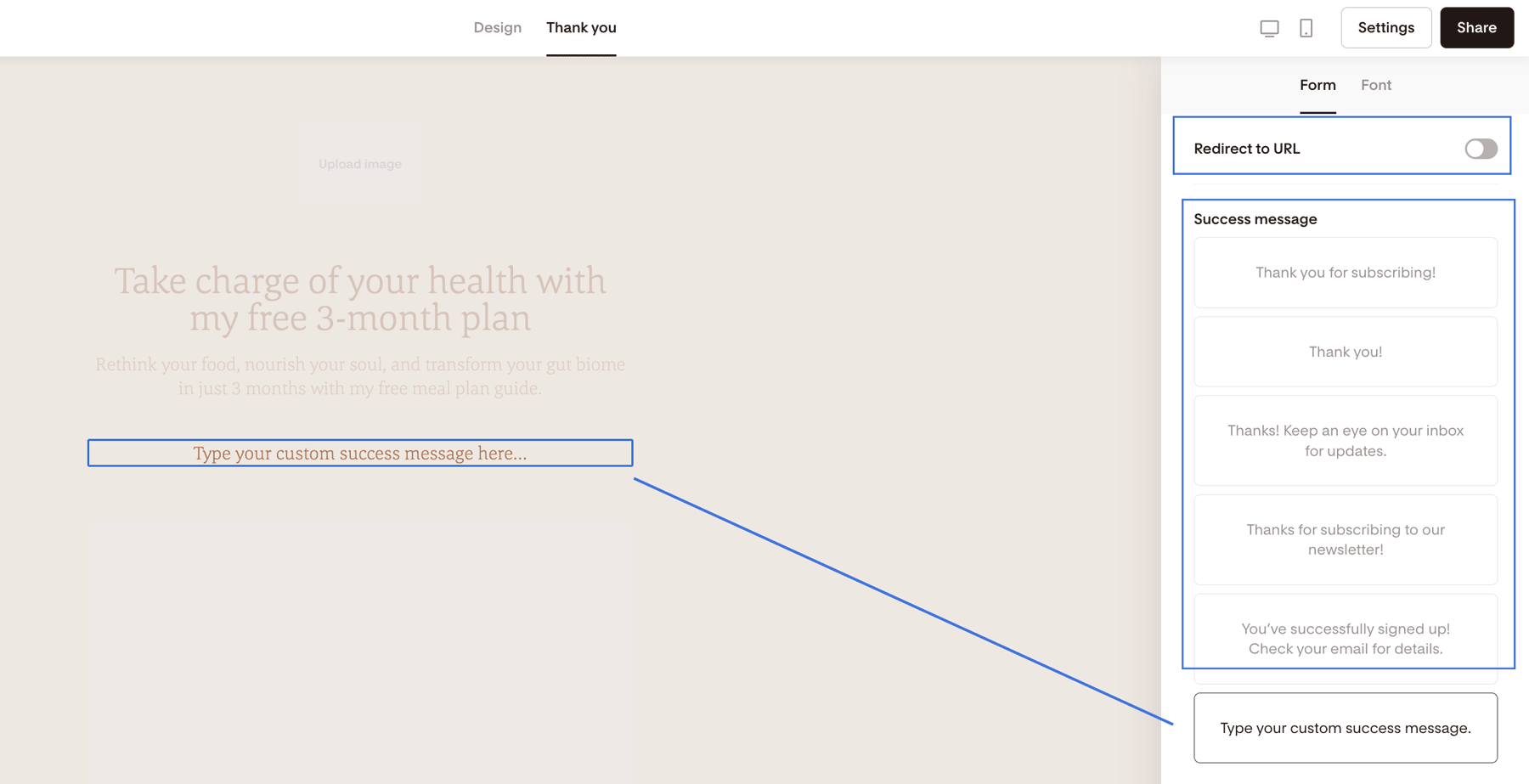
Step 3: Choose your success message type
You’ll see three options:
Set a redirect URL (sends subscribers to another page)
Pick a pre-written success message
Write your own custom success message
If you want to change the font style or color, select either:
A pre-written message
OR Custom success message
(If you use a redirect URL, the styling happens on the page you redirect to — not inside the form.)
Step 4: Customize the font settings
Once you’ve selected a success message:
Look at the right-hand sidebar.
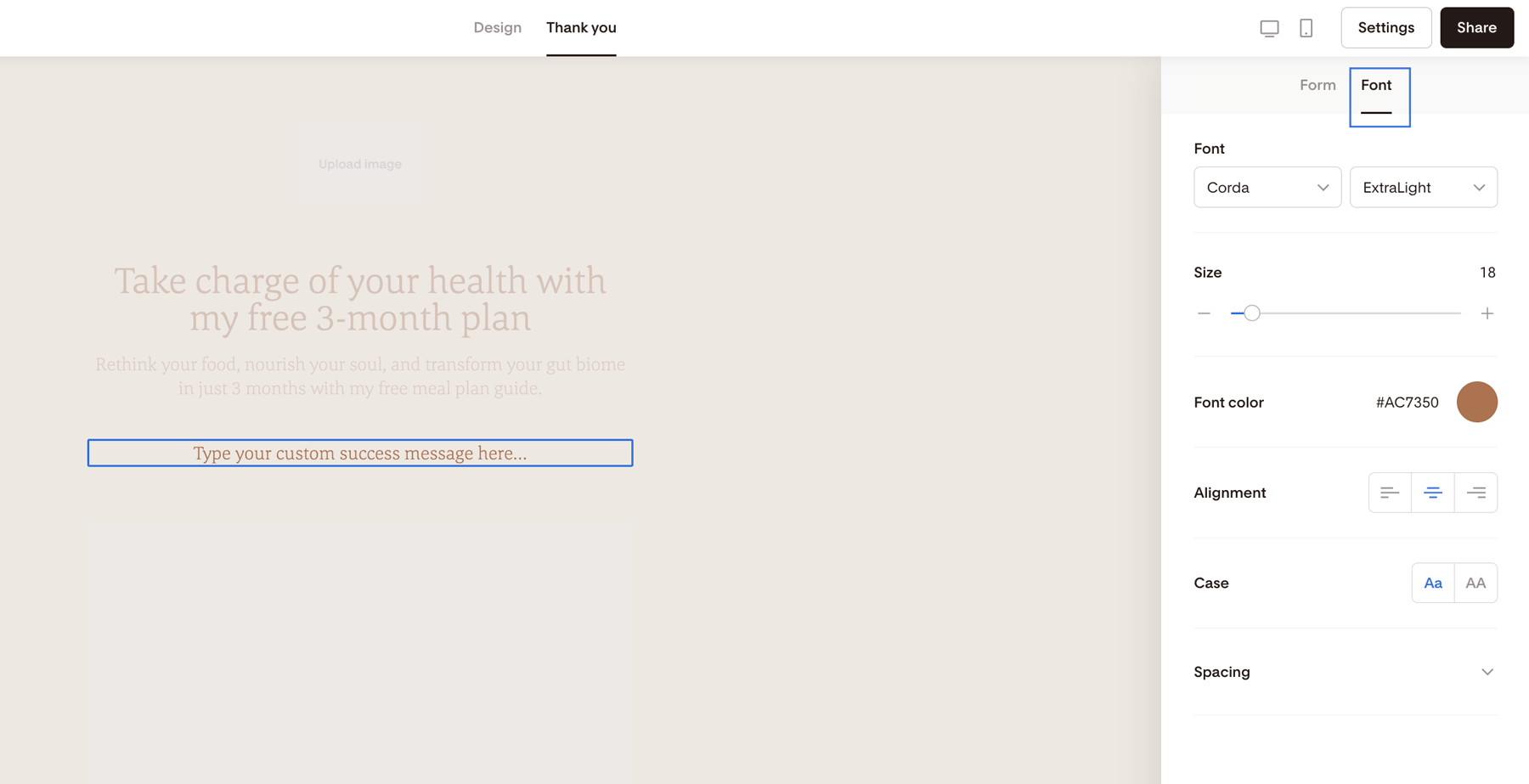
Click the Font tab.
Adjust your settings:
Font type
Font size
Font color
Alignment
Letter spacing
Text case
Your changes will preview instantly.
Summary
To edit your success message font or color:
Open your form.
Click Thank you.
Choose a pre-written or custom message.
Use the Font tab to adjust styling.
FAQs
Why can’t I change the font under the Design tab?
The success message is controlled inside the Thank you tab. The Design tab only affects the form itself — not what shows after someone subscribes.
Can I use different fonts in the success message than in the form?
Yes. You can style the success message independently from the form design.
Can I add images or buttons to the success message?
The success message is designed to display text. If you want a more customized post-signup experience (like buttons, images, or downloads), consider redirecting subscribers to a landing page instead.