
How to connect Kajabi and Flodesk via Zapier
Overview
If you use Kajabi for online courses or coaching, you can connect it to Flodesk via Zapier so that subscriber data moves between the two platforms automatically. For example, when someone submits a form or completes a purchase in Kajabi, they can be added to a Flodesk segment and entered into a workflow without any manual work.
This article walks you through setting up the integration step by step.
What you'll need before you start
An active Flodesk account
A Zapier account
A Kajabi account
At least one Kajabi trigger set up (a form submission, purchase, or completed assessment)
At least one segment created in Flodesk
If you plan to use this zap to trigger a Flodesk workflow, build the workflow in full before creating and testing your zap.
How to connect Kajabi and Flodesk via Zapier
Step 1: Create a new zap
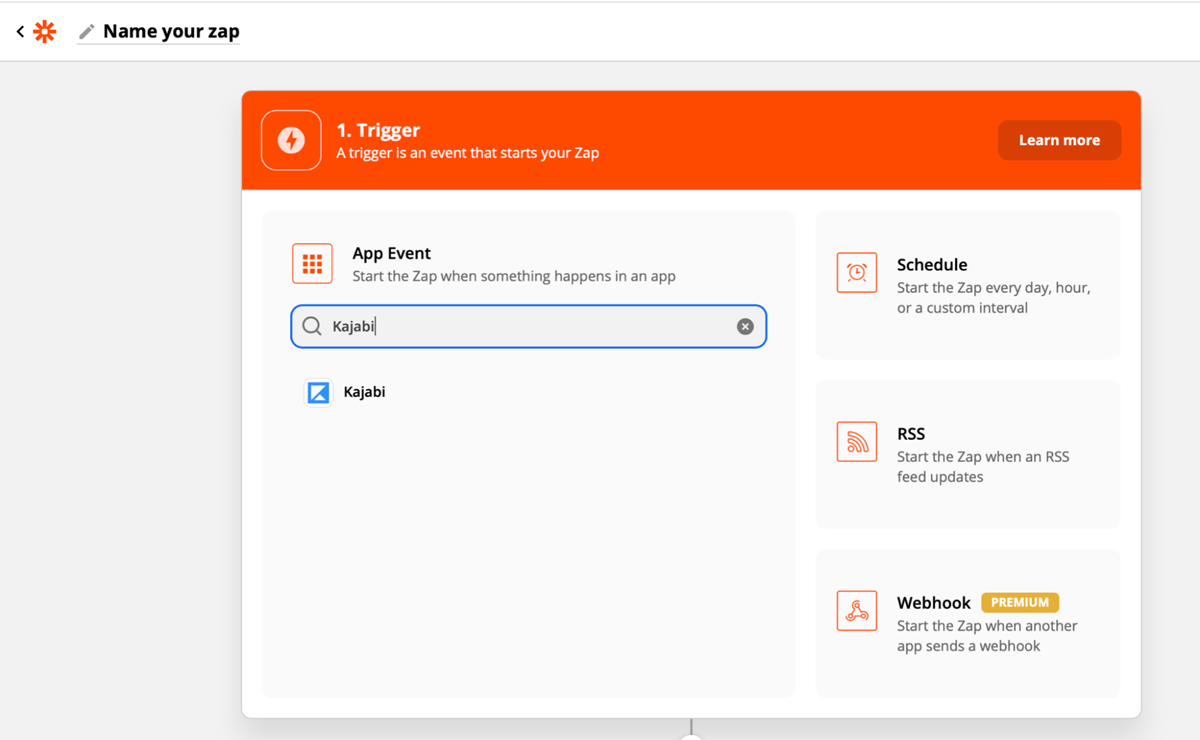
Log in to Zapier and create a new zap. Give it a name so it's easy to find later.
Step 2: Set Kajabi as the trigger
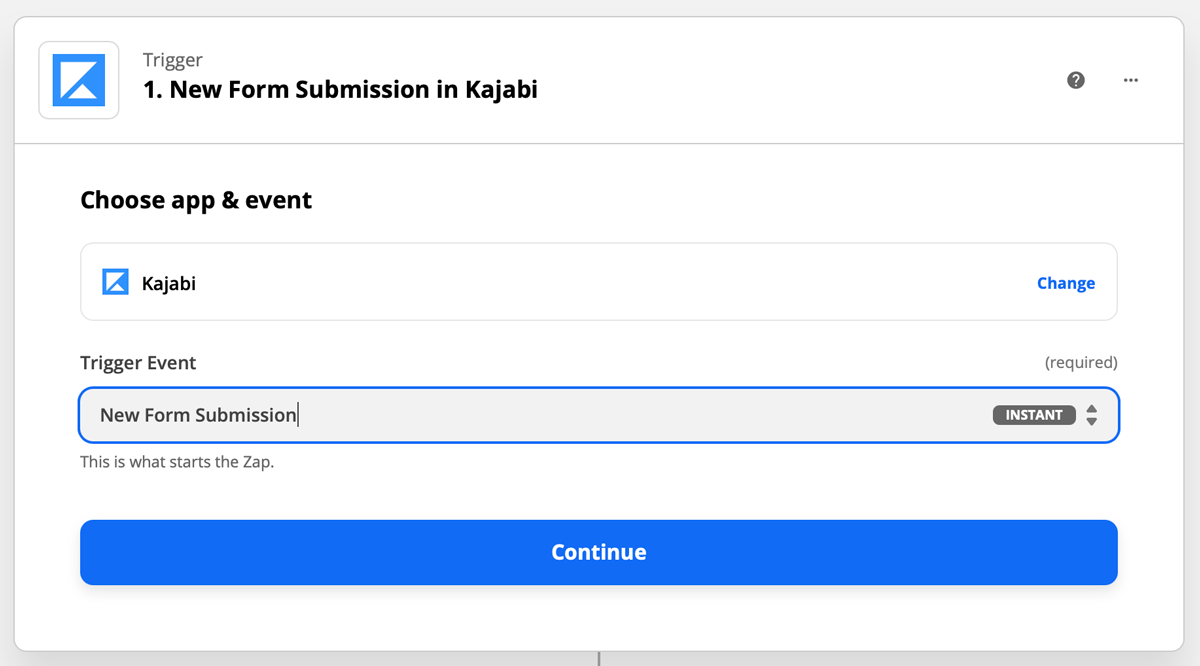
Select Kajabi as the trigger app and choose the event that should start the zap. For this example, we're using New Form Submission, which means the zap will run whenever someone submits an opt-in form on your Kajabi site.
Step 3: Connect your Kajabi account
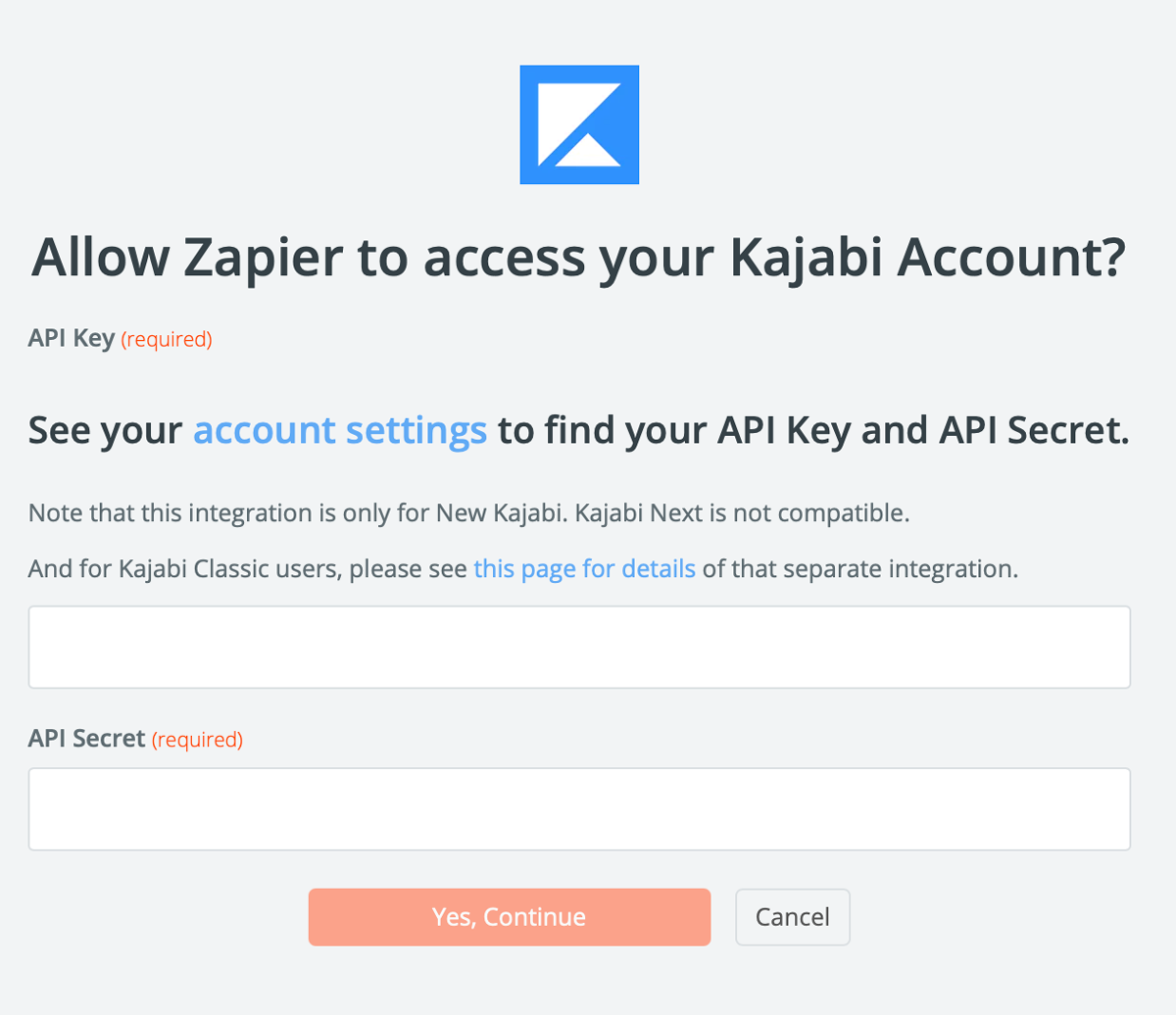
If this is your first time connecting Kajabi to Zapier, you'll be prompted to log in. You'll need your Kajabi API key and API secret, which you can find in your Kajabi account settings.
Step 4: Finish setting up the trigger
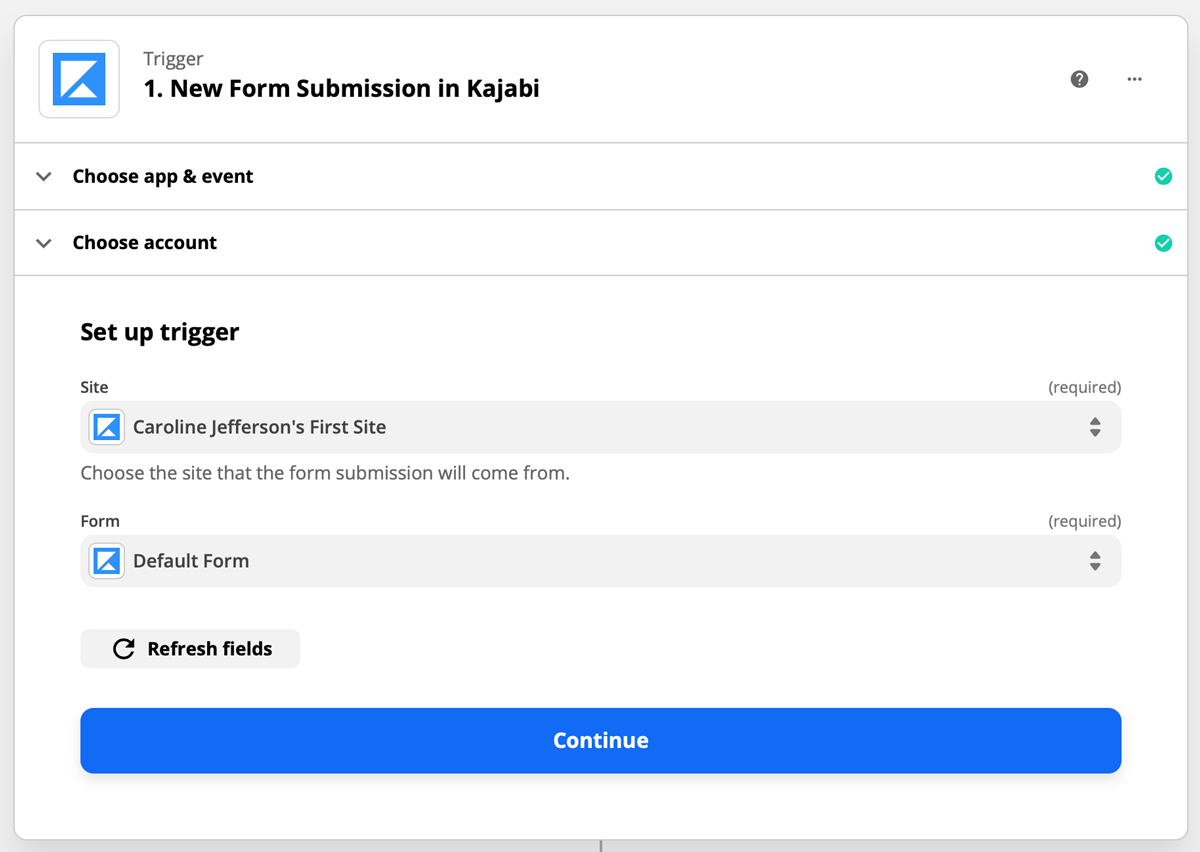
Select the Kajabi site the form submission will come from, then select the specific form you want to trigger the zap. Zapier will test the trigger to confirm it's working correctly.
Step 5: Set Flodesk as the action
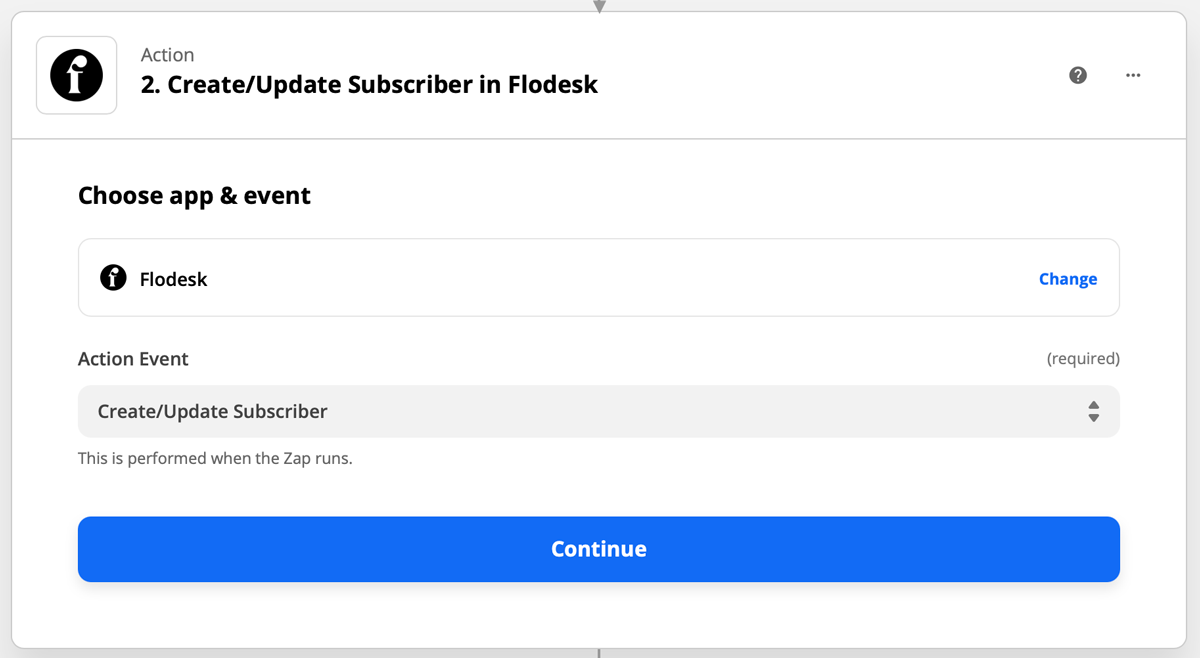
Select Flodesk as the action app and choose Create/Update Subscriber as the event. This should almost always be your first Flodesk action: subscribers need to exist in Flodesk before they can be added to segments or workflows.
Step 6: Connect your Flodesk account
If this is your first time linking Flodesk and Zapier, you'll be prompted to log in to your Flodesk account.
Step 7: Choose the segment and map the fields
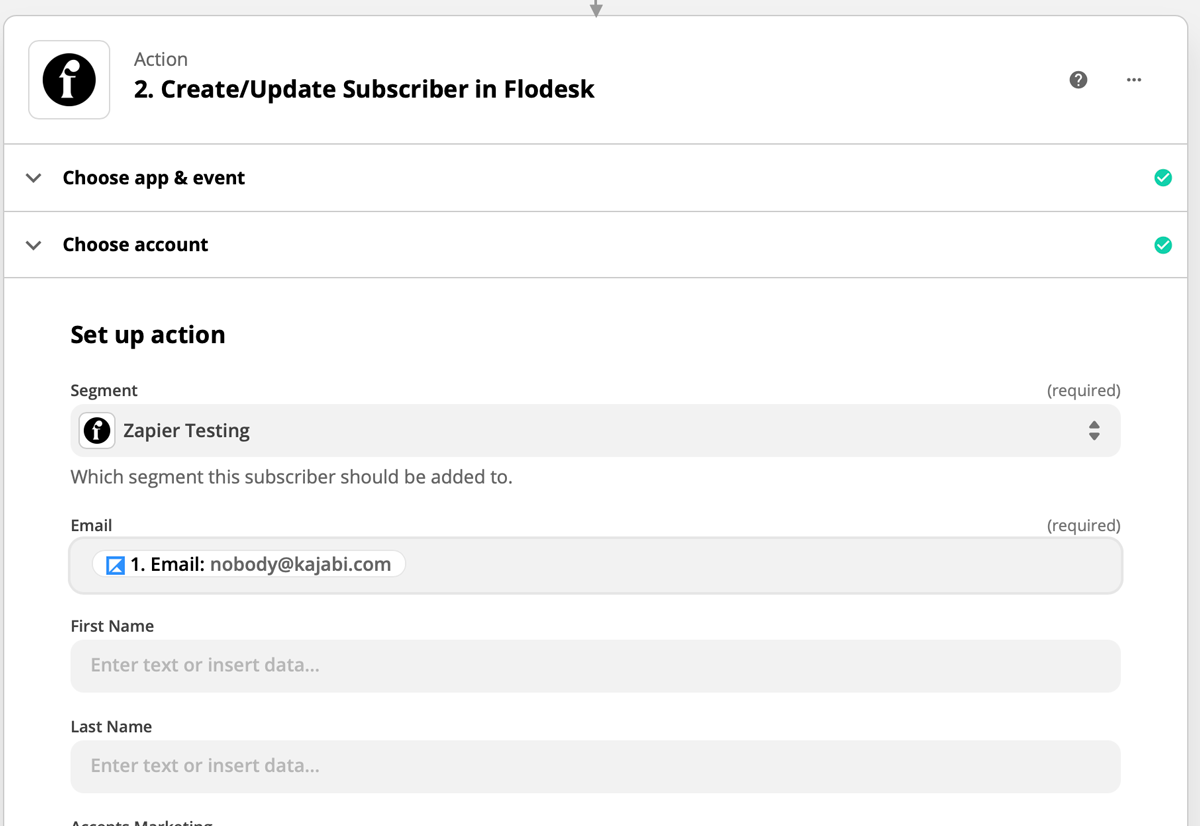
Choose the Flodesk segment you want subscribers added to, then map any additional data fields you'd like to carry over (such as name).
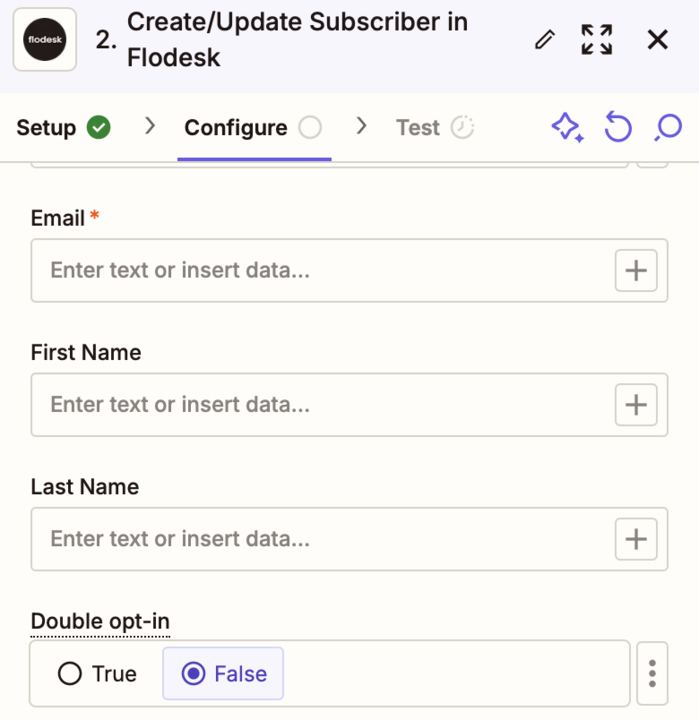
For an added layer of consent, enable double opt-in so that only subscribers who confirm they want to join your list will be added to Flodesk.
Step 8: Test your zap
Run the test in Zapier to make sure everything is connected correctly.
Step 9: Turn on your zap
Once the test passes, review the zap and turn it on so it's live.
More integration ideas
The Kajabi and Flodesk integration works in both directions. Here are a couple of other zap setups worth considering:
Trigger: New subscriber created in Flodesk / Action: Grant access to an offer in Kajabi
Trigger: Assessment completed in Kajabi / Action: Create/Update subscriber in Flodesk
These are just starting points. You can mix and match triggers and actions based on how your business is set up.
FAQ
How do I connect Kajabi to Flodesk?
You connect them using Zapier. Create a zap with a Kajabi event as the trigger (such as New Form Submission) and Flodesk as the action (using Create/Update Subscriber). Map the relevant fields, choose your Flodesk segment, and turn the zap on.
What Kajabi events can trigger a zap to Flodesk?
Common triggers include a new form submission, a completed purchase, and a completed assessment in Kajabi. You can choose whichever event makes sense for your setup when creating the zap in Zapier.
What Flodesk action should I use in Zapier?
Always start with Create/Update Subscriber as your first Flodesk action. Subscribers need to exist in Flodesk before they can be added to segments or workflows, so this step should come first.
Where do I find my Kajabi API key and API secret?
You can find both in your Kajabi account settings. You'll only need these the first time you connect Kajabi to Zapier.
Should I build my Flodesk workflow before setting up the zap?
Yes. If you plan to use the zap to trigger a Flodesk workflow, build the workflow in full before creating and testing your zap. This ensures everything is in place when you run your test.
Should I enable double opt-in when connecting Kajabi to Flodesk?
Yes. Double opt-in adds a confirmation step so that only subscribers who actively confirm they want to join your list will be added to Flodesk. You can enable it in the Flodesk action step within Zapier.
Can I set up a zap that goes from Flodesk to Kajabi instead?
Yes. The integration works in both directions. For example, you can set up a zap where a new subscriber in Flodesk triggers an action in Kajabi, such as granting access to an offer. Set Flodesk as the trigger and Kajabi as the action when building that zap.
What do I need before I can connect Kajabi and Flodesk via Zapier?
You'll need an active Flodesk account, a Zapier account, a Kajabi account, at least one Kajabi trigger configured (such as a form submission or purchase), and at least one segment already created in Flodesk.