
What is the Flodesk API?
Overview
An API (application programming interface) is a way for two systems to talk to each other and share data automatically. In plain terms: it's the technology that lets Flodesk connect to other apps and tools you use.
If you work with a developer or have coding experience yourself, you can use the Flodesk API to sync subscriber data between Flodesk and your other systems, or to build custom integrations tailored to your business. The Flodesk API is available to all paid members.
What you can do with the Flodesk API
With the Flodesk API, you can sync and manage subscribers across Flodesk and any connected systems. You can find the full list of available requests and webhooks in the Flodesk API documentation.
There are two types of integrations you can build with the Flodesk API: private integrations (for your own account) and partner integrations (built by third-party tools for their shared customers with Flodesk).
Private integrations: connecting for your own account
A private integration is what you create when you connect the Flodesk API directly to your own Flodesk account, for your own use.
To do this, you'll use an API key, which is a unique code that confirms you own the Flodesk account you're connecting to. Every request you make to the API needs to include this key.
Who can use this: API keys are available to paid Flodesk members only. They're not available on trial or free plan accounts.
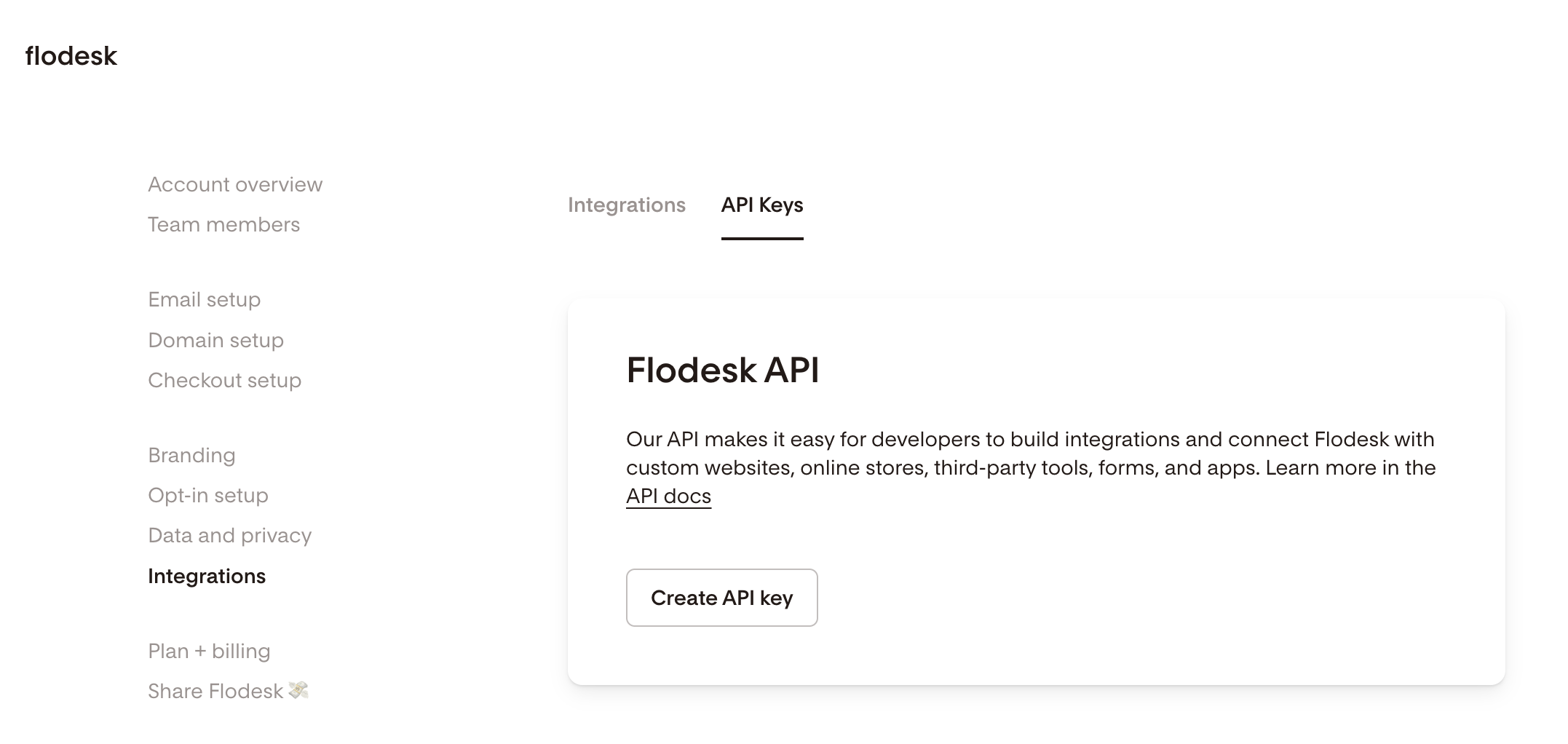
Where to find your API key: Go to My Account > Integrations > API keys. From there, you can generate new keys and manage any existing ones.
Partner integrations: built by third-party tools
A partner integration is one built by a third-party company (such as Zapier, Pabbly Connect, or Mediavine) that creates pre-built connections for their users who also use Flodesk.
Partner integrations work differently from private ones. Instead of an API key, they use:
OAuth: a secure login process that lets you approve one app connecting to another without sharing your password
Client ID and Client Secret: codes that confirm the third-party tool is authorized to act on behalf of your Flodesk account
If you're a company interested in building a partner integration with Flodesk, you'll need to submit a request using the Partner Integration Request Form. Access isn't automatic and must be approved by Flodesk.
Not a developer? Try Zapier or Pabbly Connect
If you're not comfortable with code and don't have a developer to help, you don't need to use the API directly. Flodesk integrates with Zapier and Pabbly Connect, which let you connect Flodesk to hundreds of other tools using simple, no-code automation builders.
If there's a specific integration you'd like to see, you can submit your integration request here.
Support limitations
The Flodesk support team can help with questions about Flodesk's native integrations, such as Shopify and Instagram. However, support isn't available for custom API setups or third-party integrations. For API-related questions, the Flodesk API documentation is the best place to start.
FAQ
What is the Flodesk API?
The Flodesk API is a way to connect Flodesk to other apps and systems so they can share data automatically. If you have coding experience or work with a developer, you can use it to sync subscriber data and build custom integrations with your other tools.
Who can use the Flodesk API?
The Flodesk API is available to all paid Flodesk members. API keys aren't available on trial or free plan accounts.
Where do I find my Flodesk API key?
Go to My Account > Integrations > API keys. From there, you can generate new API keys and manage existing ones.
What is an API key and why do I need one?
An API key is a unique code that confirms you own the Flodesk account you're connecting to. Every request you make to the Flodesk API needs to include it. Think of it as a password that verifies your identity when your systems communicate with Flodesk.
What's the difference between a private integration and a partner integration?
A private integration is one you build yourself to connect the Flodesk API to your own account. A partner integration is built by a third-party company (like Zapier or Mediavine) for their customers who also use Flodesk. Private integrations use an API key. Partner integrations use OAuth and a Client ID and Client Secret.
I'm not a developer. Can I still connect Flodesk to other tools?
Yes. Flodesk integrates with Zapier and Pabbly Connect, which let you connect Flodesk to hundreds of other tools without any coding. If there's a specific integration you'd like to see, you can submit your integration request here: https://flodesk.frill.co/b/j0x71evq/feature-ideas
How do I request a new integration with Flodesk?
If you're a Flodesk member looking for a specific integration, you can submit an integration request here. If you're a company looking to build a partner integration with Flodesk, complete the Partner Integration Request Form. Access must be approved by Flodesk.
Where can I find the Flodesk API documentation?
The full API documentation, including available requests and webhooks, is available at the Flodesk API documentation page: https://developers.flodesk.com/. This is also the best resource for troubleshooting custom API setups, as the Flodesk support team doesn't offer support for custom integrations.
Does Flodesk offer SMTP relay or SMTP credentials?
No. Flodesk is built for sending your own email campaigns and automations directly through the platform. It doesn't provide SMTP relay or SMTP credentials, and it can't be used to send transactional emails from another system.
Does Flodesk support help with API setup?
The Flodesk support team can help with questions about native integrations like Shopify and Instagram. For custom API setups or third-party integrations, support isn't available. The Flodesk API documentation is the best place to find technical guidance.