
How to connect BookFunnel and Flodesk
Overview
BookFunnel is a platform for authors that handles ebook delivery, reader magnets, advanced review copies, and digital sales. With the direct Flodesk integration, subscribers who sign up through your BookFunnel pages can be automatically added to your Flodesk audience, without any manual exporting or importing.
This article walks you through connecting the two accounts and making sure your BookFunnel signup pages are sending new subscribers to the right Flodesk segment.
What you'll need before you start
At least a Mid-List Author or Bestseller plan on BookFunnel to take advantage of direct mailing list integration
An active Flodesk account
At least one segment created in Flodesk
How to connect BookFunnel and Flodesk
Step 1: Create a segment in Flodesk for your BookFunnel subscribers
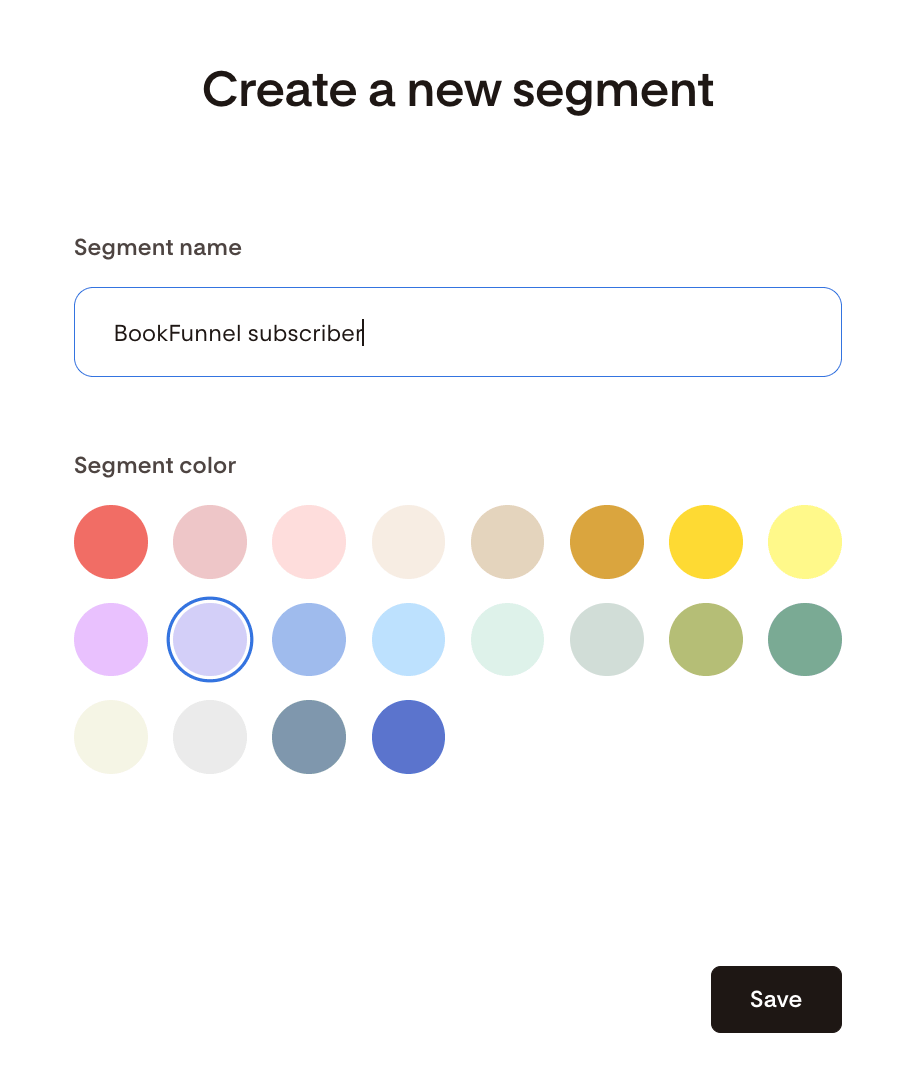
Before connecting the two accounts, create the segment in Flodesk where you want BookFunnel subscribers to be added. Go to Audience > Segments and create a new segment, for example "BookFunnel subscribers."
Step 2: Go to Integrations in Flodesk
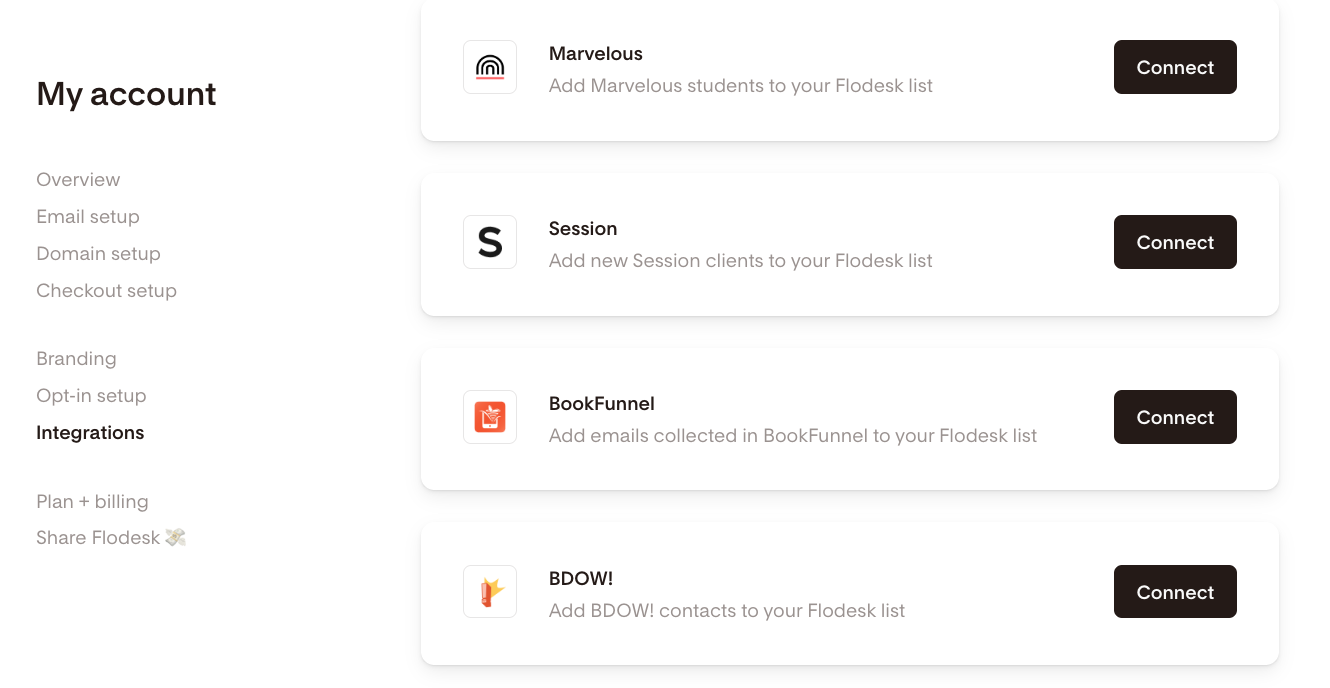
In your Flodesk account, go to My Account > Integrations and click Connect on the BookFunnel integration card.
Step 3: Log in to BookFunnel
If you already have a BookFunnel account, sign in. If not, you can sign up for a new account at this step.
Step 4: Add the Flodesk integration in BookFunnel
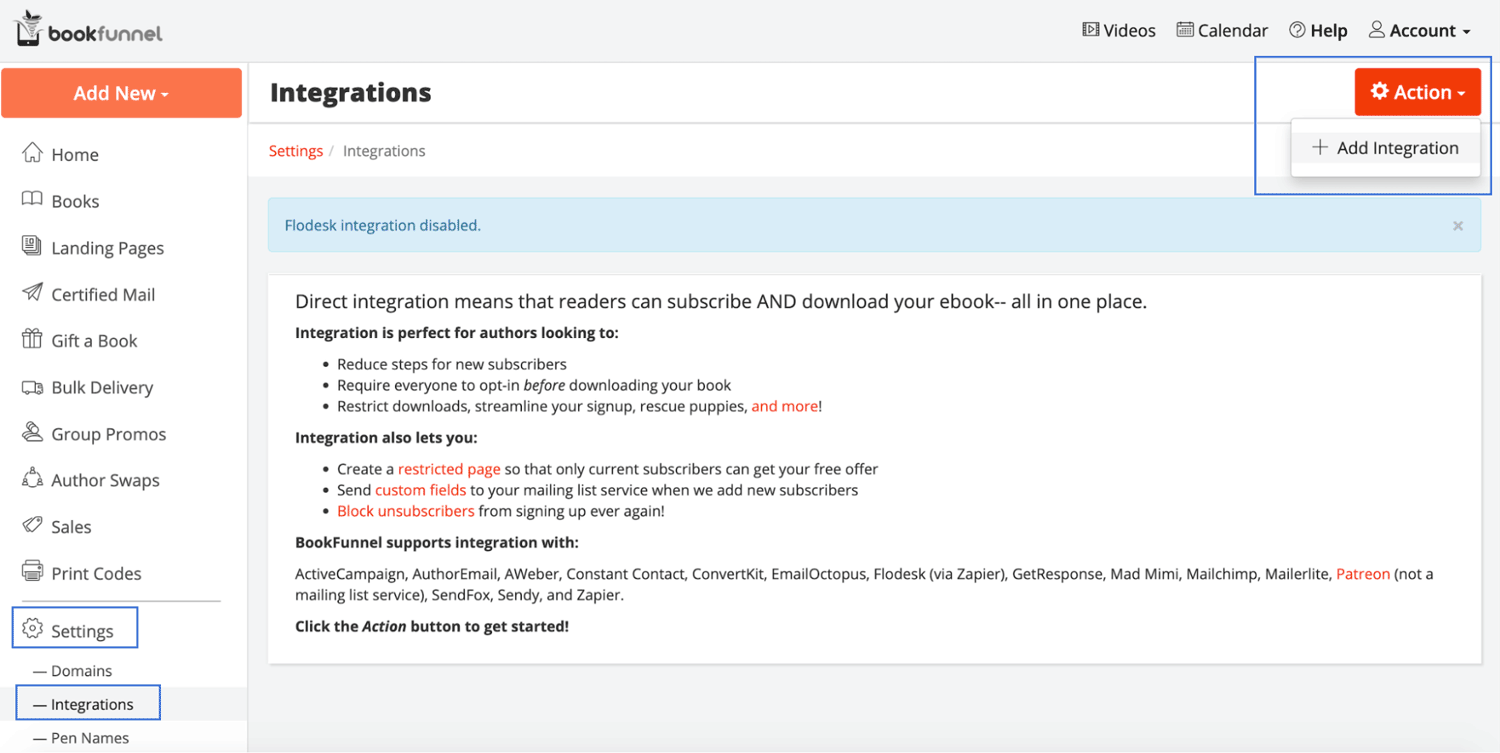
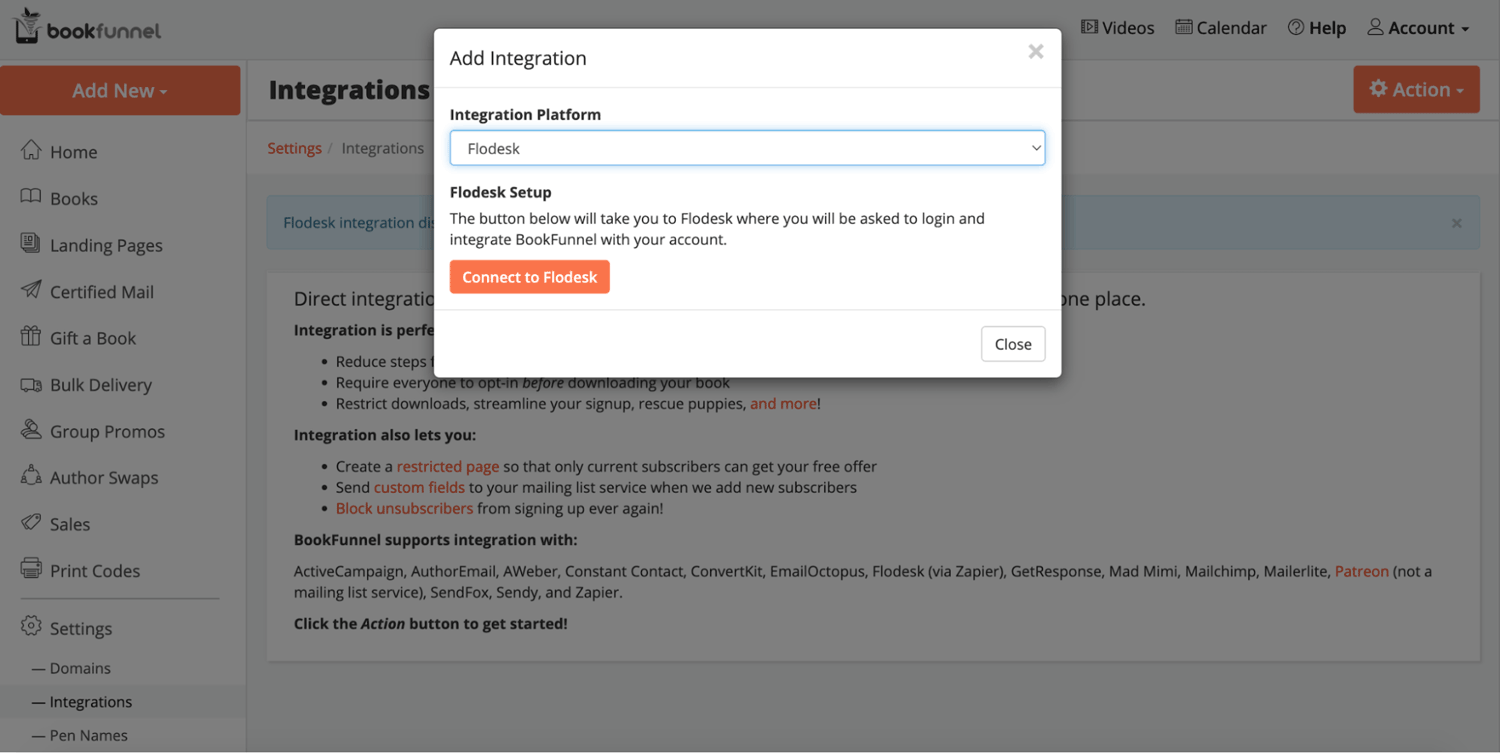
Once you're logged in to BookFunnel, go to Integrations, click the Action button, and select + Add Integration.
Step 5: Select Flodesk
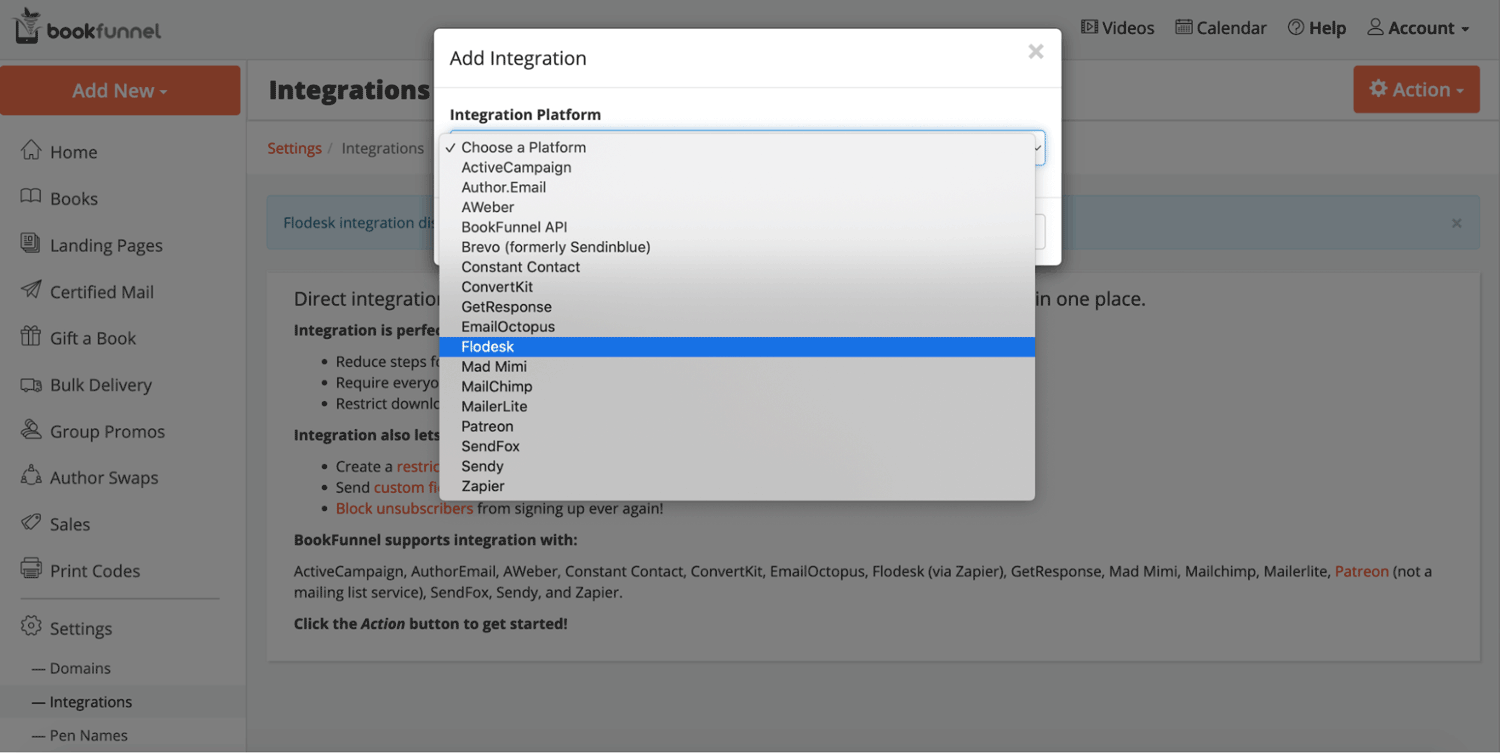
In the Integration Platform dropdown, select Flodesk.
Step 6: Connect and authorize
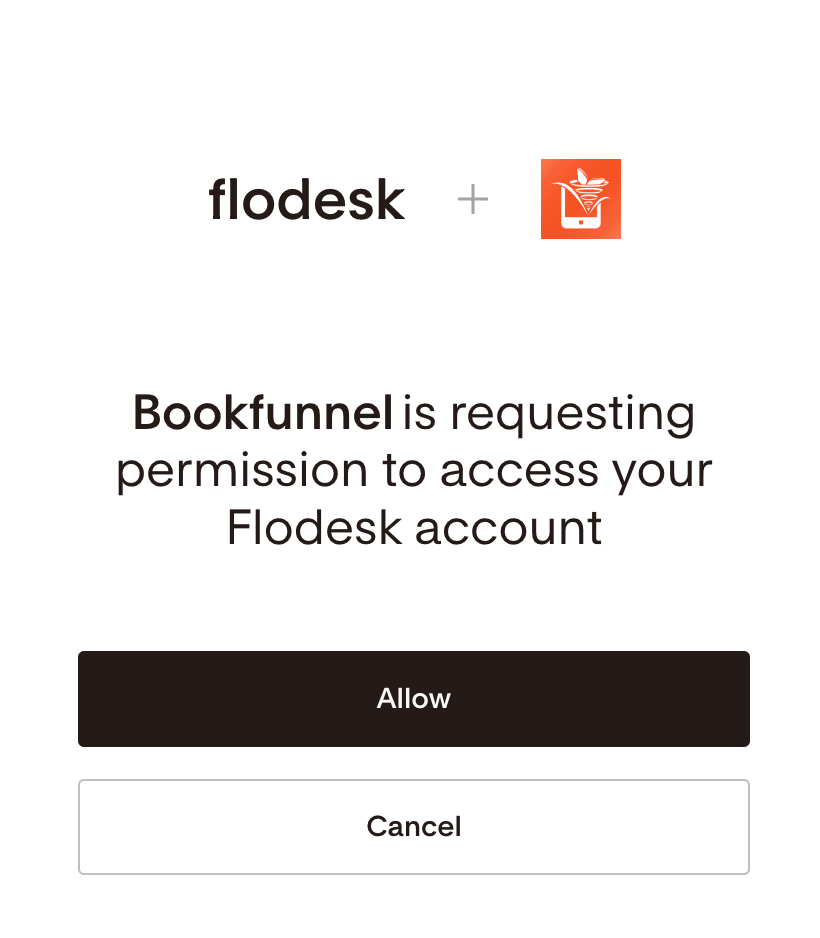
Click Connect to Flodesk and log in to your Flodesk account when prompted. Click Allow to authorize BookFunnel to access your Flodesk account.
You'll be redirected back to your BookFunnel dashboard once the connection is complete.
How to assign a Flodesk segment to your BookFunnel signup pages
Connecting the accounts doesn't automatically assign a segment to your existing signup pages. You'll need to configure each page separately.
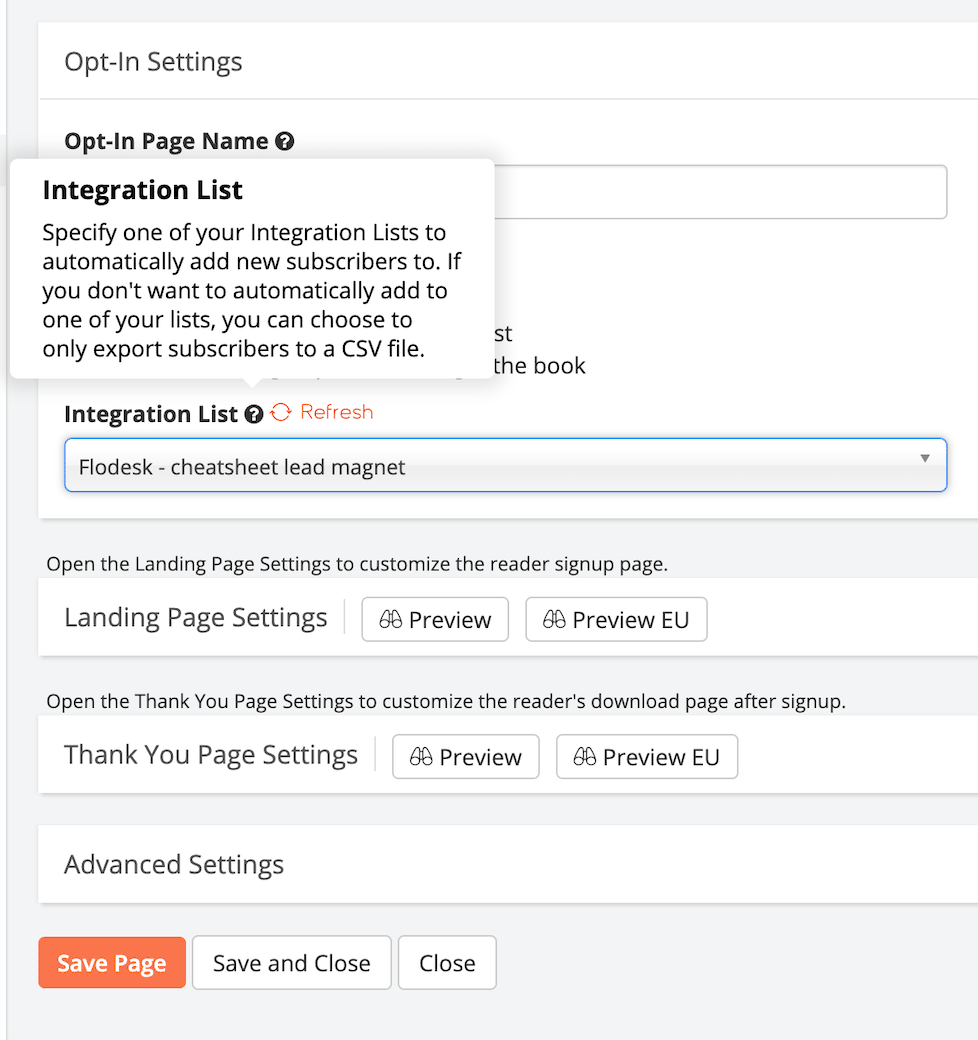
In BookFunnel, find the email signup page you want to update and click Edit
Under the Integration list dropdown, select the Flodesk segment you want new subscribers from that page added to
Click Save and Close
Repeat this for each signup page you want connected to Flodesk.
Important: any email addresses collected before you select a segment and save will not be added to Flodesk automatically. You'll need to export those addresses from BookFunnel into a CSV and import them to Flodesk manually. All new subscribers collected after saving will sync automatically.
FAQ
How do I connect BookFunnel to Flodesk?
In your Flodesk account, go to My Account > Integrations and click Connect on the BookFunnel card. Then in BookFunnel, go to Integrations, click the Action button, select + Add Integration, and choose Flodesk from the dropdown. Click Connect to Flodesk, log in to your Flodesk account, and click Allow to authorize the connection.
Which BookFunnel plan do I need for the Flodesk integration?
You need at least the Mid-List Author or Bestseller Author plan on BookFunnel to use the direct mailing list integration. Lower-tier plans don't include this feature.
After connecting BookFunnel and Flodesk, will new subscribers be added automatically?
Yes, but only after you've assigned a Flodesk segment to your BookFunnel signup pages. You need to edit each signup page, select the relevant segment under the Integration list dropdown, and save. Once that's done, new subscribers will be added to Flodesk automatically.
How do I choose which Flodesk segment BookFunnel subscribers are added to?
In BookFunnel, click Edit on the signup page you want to configure. Under the Integration list dropdown, select the Flodesk segment you want subscribers added to, then click Save and Close. You can assign different segments to different signup pages.
What happens to subscribers who signed up before I connected BookFunnel to Flodesk?
Subscribers collected before you saved the segment assignment on your BookFunnel signup pages won't be synced automatically. You'll need to export those email addresses from BookFunnel into a CSV file and import them to Flodesk manually.
Do I need to create a Flodesk segment before connecting BookFunnel?
It's a good idea to create your segments first so they're ready to select when you configure your BookFunnel signup pages. You can create segments by going to Audience > Segments in your Flodesk account.
Can I connect different BookFunnel signup pages to different Flodesk segments?
Yes. The segment assignment is set at the individual signup page level in BookFunnel, so you can route subscribers from different pages to different Flodesk segments. Edit each page separately and choose the segment that fits.
What types of BookFunnel pages work with this integration?
The integration works with email signup pages in BookFunnel, including those used for reader magnets, advanced review copies, and other ebook delivery campaigns. You configure the Flodesk segment connection on each individual page.