
Where can I submit a feature request?
Overview
Got an idea that would make Flodesk work better for you? You can submit feature requests and upvote ideas from other members at updates.flodesk.com. The Flodesk product team reviews submissions regularly, so sharing your ideas is one of the best ways to help shape what gets built.
Before you submit: check if it already exists
Before submitting, it's worth a quick check to see if the feature already exists or is already on the way:
Search the Flodesk Help Center for existing guides or articles about the feature
Browse the Flodesk Insiders Facebook group to see if others have discussed it
Check the Release notes to see if it was recently shipped
If the feature has already been requested by someone else, upvoting their idea is more useful than submitting a duplicate.
How to submit a feature request
Go to updates.flodesk.com
Click + Submit idea
Write a one-sentence title that summarizes your idea, then add a detailed description in the body
Choose up to three topic tags to help categorize your request
Click Submit
Note: this form is for feature requests only. If you've run into a bug or need help with something in Flodesk, reach out to the support team at support@flodesk.com.
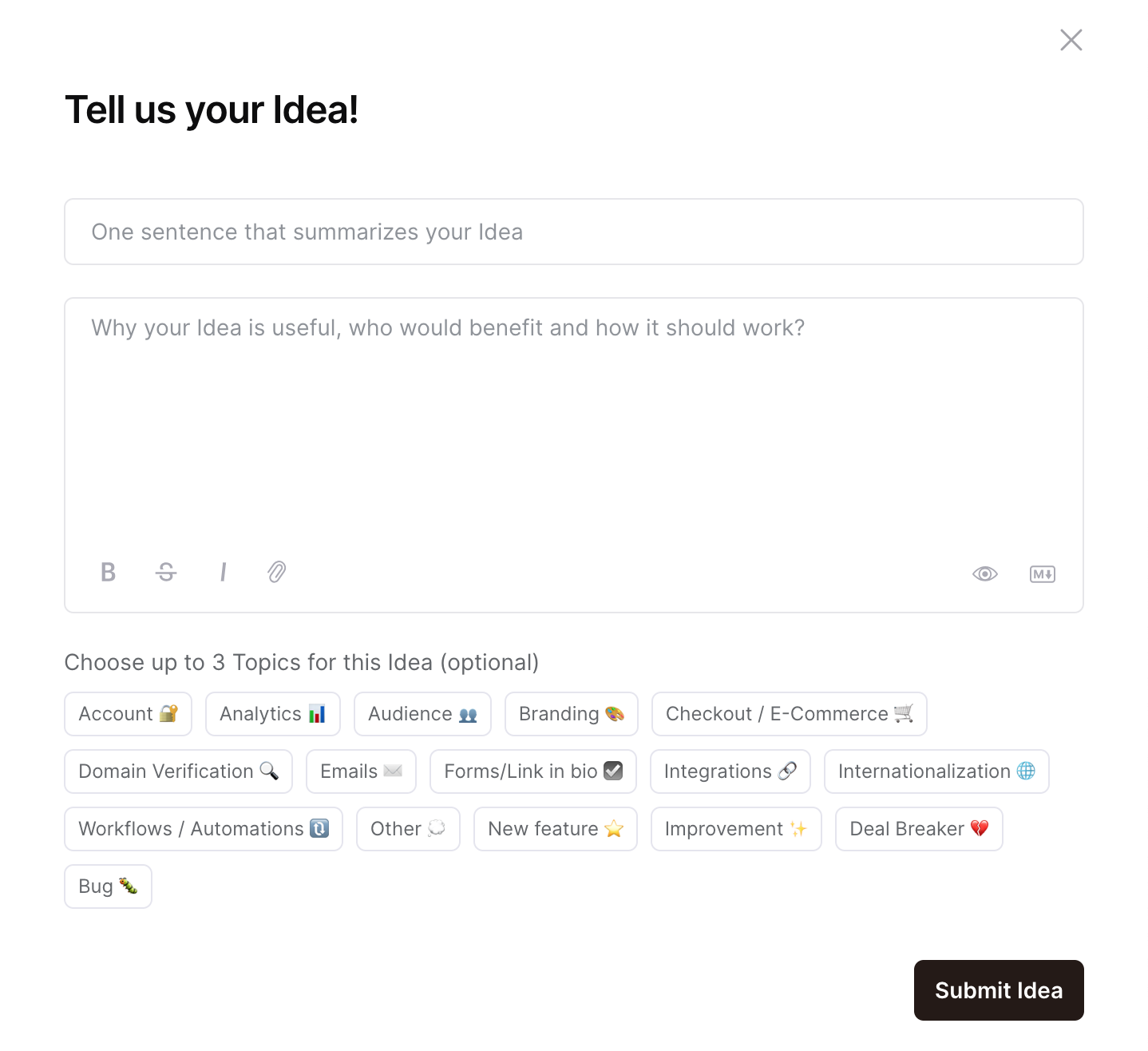
How to write a helpful feature request
The more context you include, the easier it is for the product team to understand and prioritize your idea. Try to answer these questions in your description:
What specific problem are you trying to solve?
Why does this matter to you or your business?
What would a solution look like?
What would it allow you to do that you can't do right now?
A request that clearly explains the problem behind the idea (not just the idea itself) is much easier to move forward with.
How to upvote a feature request
You can browse all submitted ideas on the Feature Requests dashboard at updates.flodesk.com. To upvote an idea, hover over the feature card and click the upward arrow. You can upvote as many ideas as you like.
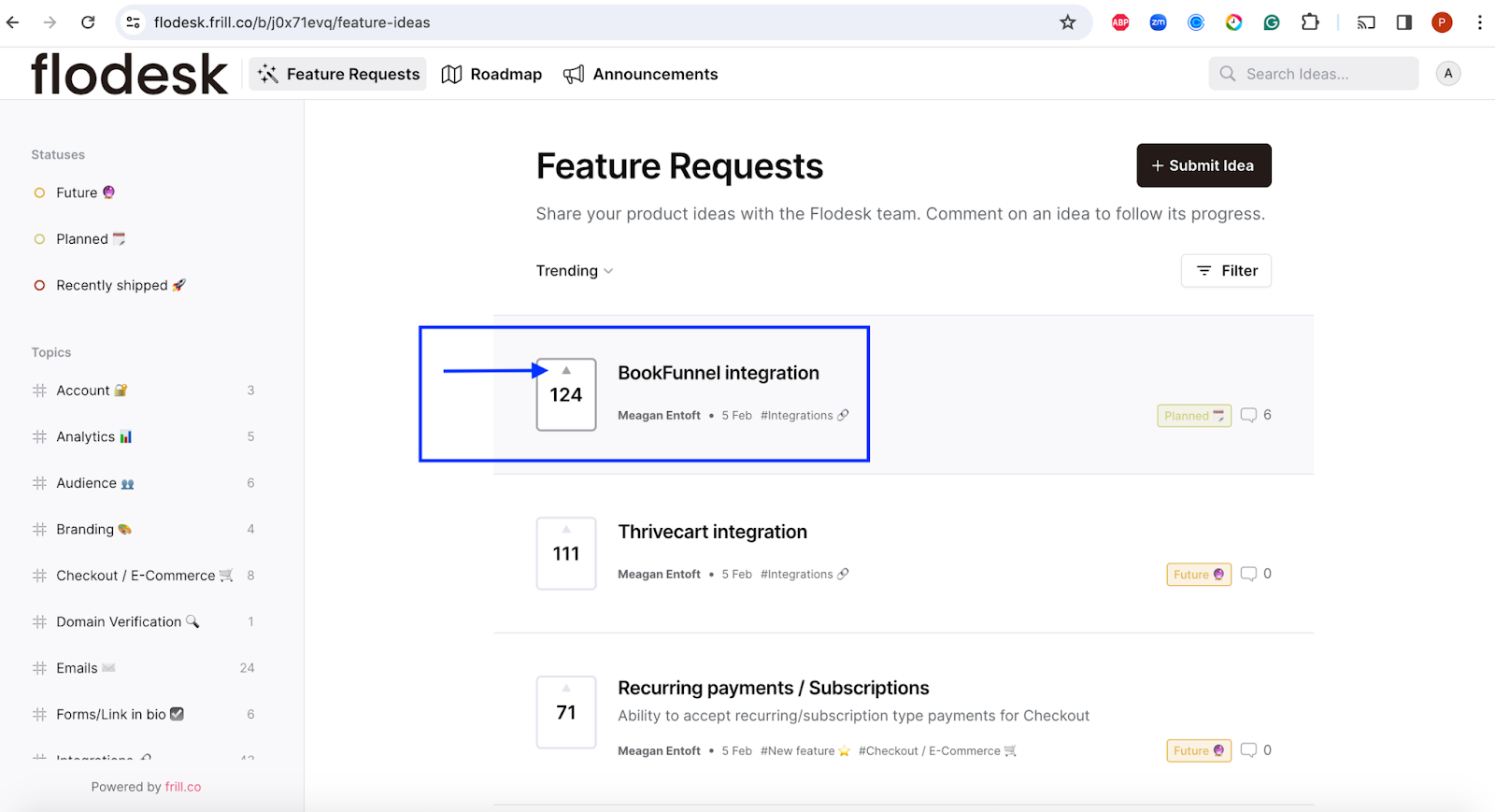
How to follow a feature request
If you want to track the progress of a specific idea:
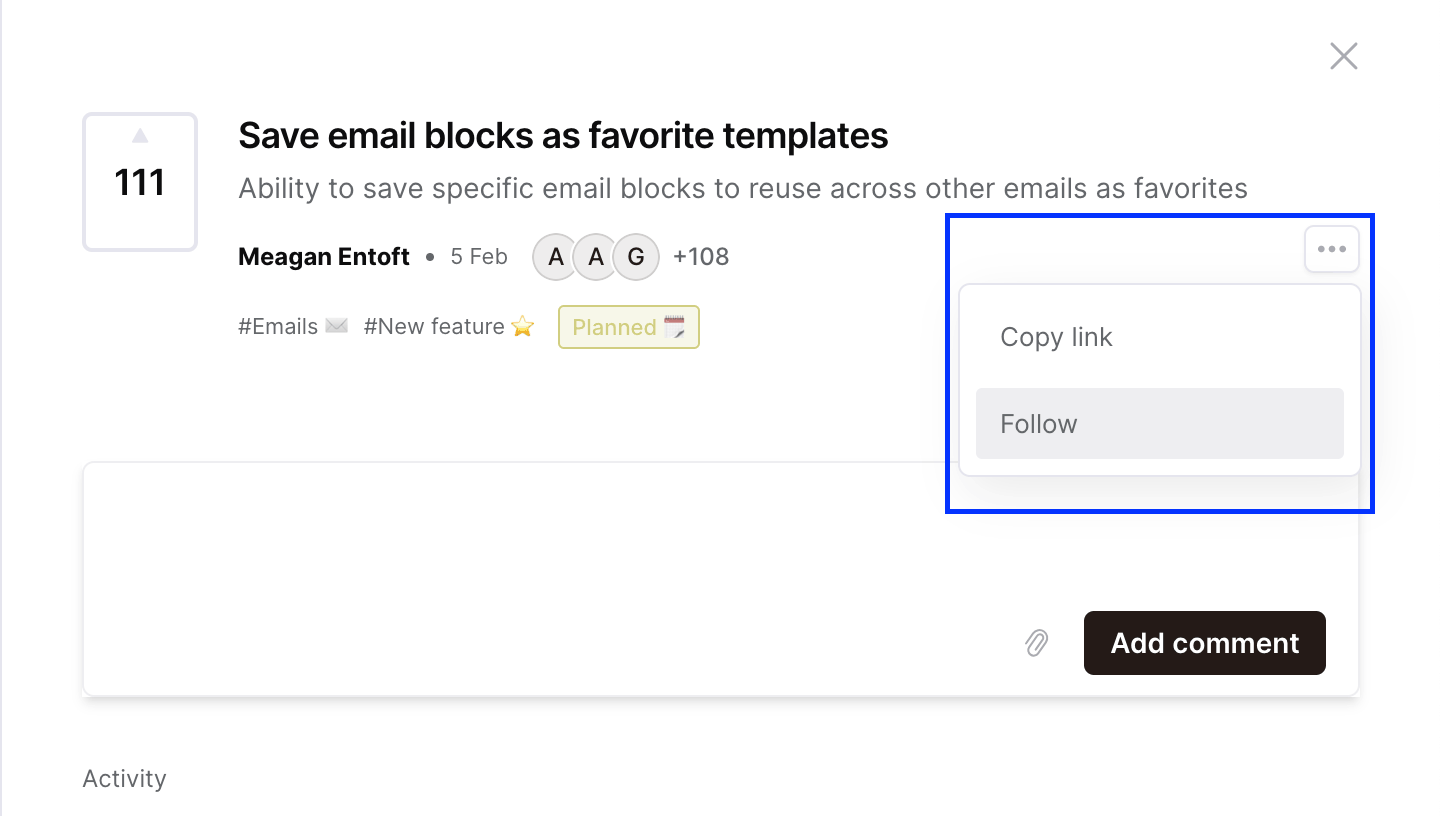
Click on the feature idea to open it
Move your cursor to the right side of the screen until you see the three-dot menu (...)
Click it and select Follow
You'll receive updates when the status of that feature changes.
How to manage your notifications
To control which email notifications you receive from the feature request board, log in to your Frill account and go to the Notifications section in your account settings. From there, you can adjust what you'd like to be notified about.
Note: if you created a Frill account, this is separate from your Flodesk account.
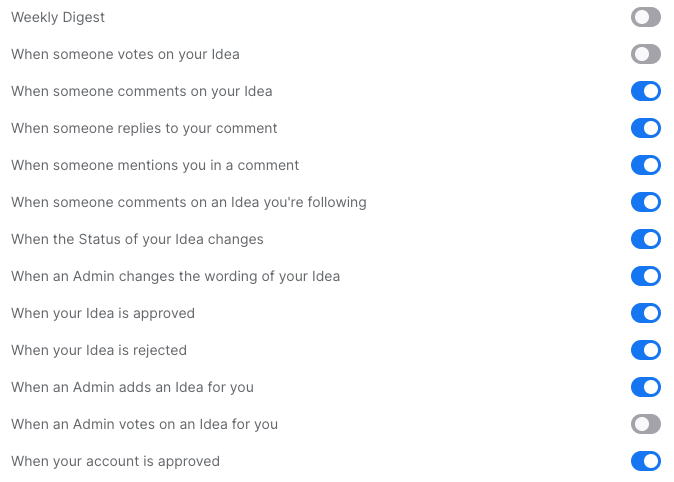
What happens after you submit
The Flodesk product team reviews submitted requests regularly. While they can't commit to a specific timeline for every idea, feature requests are tracked and statuses are updated as things progress. Here's what each status means:
In development: the feature is actively being built and will be released soon
Up next: the feature is in the research, design, or planning phase and is expected within about three months
Planned: the feature is on the roadmap for release at some point during the year
Recently shipped: the feature has already been released
FAQ
How do I submit a feature request to Flodesk?
Go to updates.flodesk.com and click + Submit idea. Write a short title summarizing your idea, add a detailed description, choose up to three topic tags, and click Submit. The Flodesk product team reviews submissions regularly.
Where do I go to request a new feature in Flodesk?
Visit updates.flodesk.com to submit new ideas and browse existing feature requests from other members.
Can I vote on feature requests in Flodesk?
Yes. Go to updates.flodesk.com, hover over any feature idea card, and click the upward arrow to upvote it. You can upvote as many ideas as you like. Upvoting an existing request is a great way to show support without submitting a duplicate.
How do I track the progress of a feature request?
Open the feature idea on the Feature Requests dashboard, move your cursor to the right side of the screen to find the three-dot menu (...), click it, and select Follow. You'll receive updates when the status changes.
What do the feature request statuses mean?
Each status gives you a sense of where a feature is in the process. "In development" means it's being built now. "Up next" means it's in planning and expected within about three months. "Planned" means it's on the roadmap for sometime this year. "Recently shipped" means it's already been released.
How do I report a bug or get technical help in Flodesk?
The feature request form is for new ideas only. For bugs or technical issues, contact the Flodesk support team directly at support@flodesk.com.
What makes a good feature request?
The most useful requests explain the problem you're trying to solve, not just the feature you want. Include why it matters to you, what a solution might look like, and what it would allow you to do that isn't currently possible. The more context you give, the easier it is for the product team to understand and prioritize the idea.
How do I turn off notifications from the Flodesk feature request board?
Log in to your Frill account (this is separate from your Flodesk account!) and go to the Notifications section in your account settings. From there, you can control which types of emails you receive.