
The Flodesk affiliate dashboard
Overview
The Flodesk affiliate dashboard is where you manage your referral link, track your earnings, and see how your referrals are performing. Once you've shared your affiliate link and people start signing up, the dashboard gives you a clear picture of what's working and who you might want to follow up with.
This article walks you through each section of the dashboard and what it all means.
Where to find your affiliate dashboard
Click your avatar in the bottom-left corner of your Flodesk account and select Share Flodesk. Your affiliate dashboard, including your link, earnings, and analytics, is all in one place here.
Your affiliate link and code
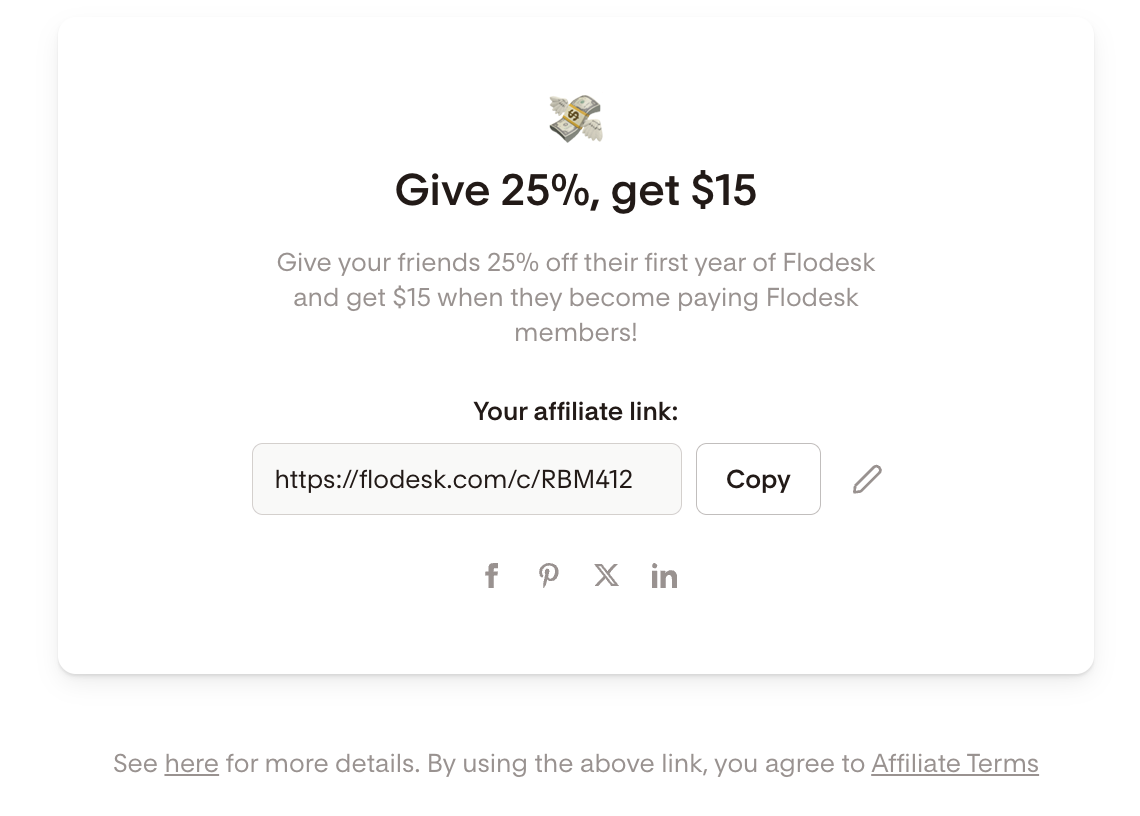
Your affiliate link is a unique link you can share anywhere: in emails, on your website, in blog posts, or on social media. When someone clicks it, they're taken to a landing page where they can start a free Flodesk trial. Your 25% discount for their first year of a paid membership is applied automatically.
You can also share your affiliate code on its own, which people can enter when upgrading to a paid account. Your code is the last part of your affiliate link, after /c/. For example, if your link is flodesk.com/c/YOURCODE, your code is YOURCODE.
To customize your affiliate link or code: Click the pencil icon next to your affiliate link and update it to something easy to remember, like your name or business name. Save your changes before you start sharing. Changing the link after you've already shared it will break the old version.
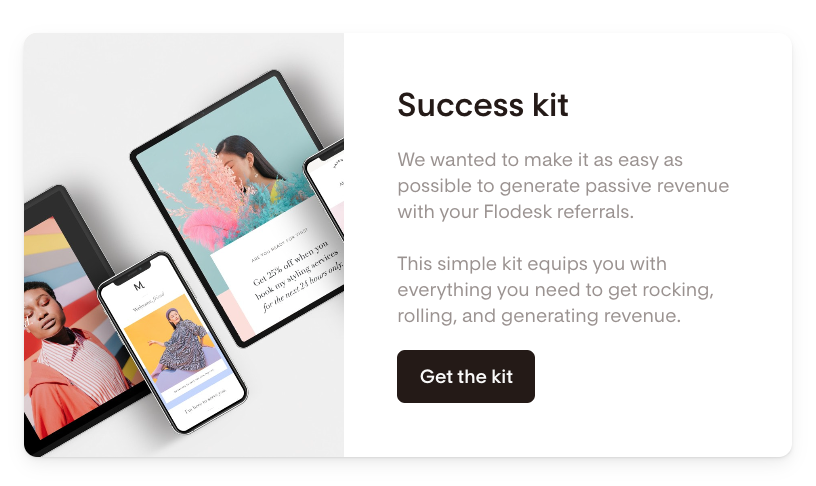
Below your affiliate link, you'll find a download button for the referral program success kit. It includes a PDF guide with tips for sharing your link, along with promotional images you can use across your channels.
Understanding your earnings
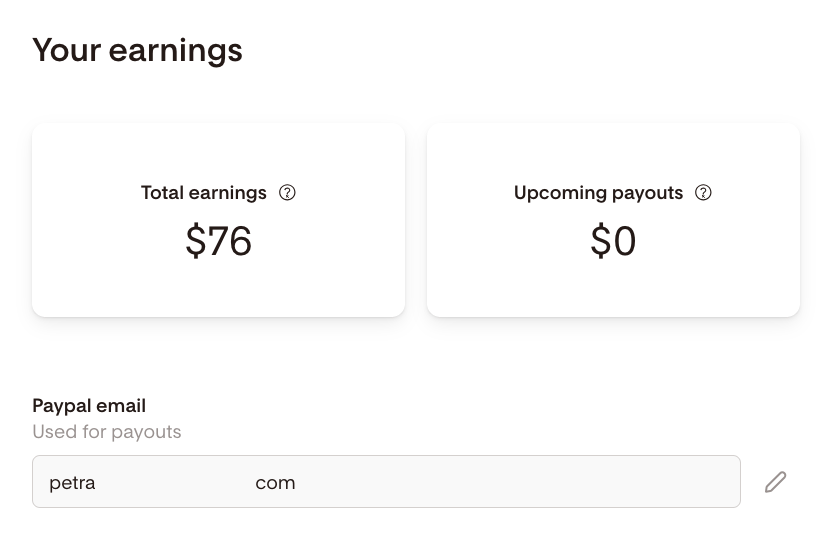
As soon as your referrals convert to paid members, your potential earnings show up under Your earnings. They turn into earned commissions once you've met the eligibility requirements, starting with your PayPal email. Add it now so your first payout isn't held up.
Field | What it means |
|---|---|
Total earnings | Your total revenue earned (potentially, or if you have met eligibility requirements) from the affiliate program, including upcoming payouts. |
Upcoming payouts | Commissions you've recently earned that are scheduled to be paid out. |
PayPal email | The PayPal account your earnings are sent to. |
Newly earned commissions are paid out automatically 30 days after you earn them, and payouts run on a rolling basis.
Payouts go through PayPal, so connect your PayPal email under Share Flodesk. You can only earn commissions once we have this information because it is how we track details, as necessary, for tax purposes.
Understanding your analytics
The analytics section shows how your referral link is performing across different stages of the conversion journey.
Metric | What it means |
|---|---|
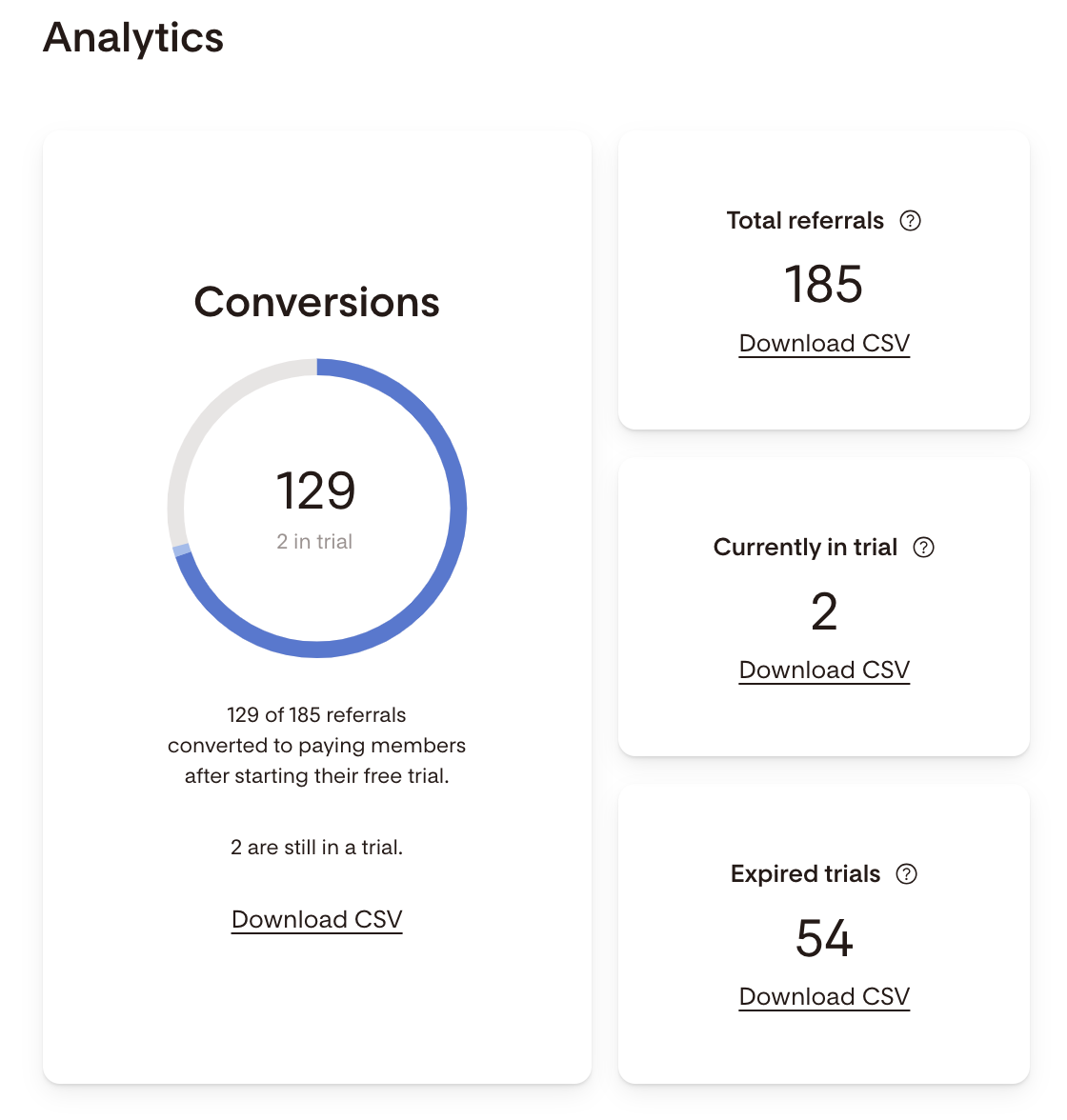
Total referrals | The total number of people who signed up for a Flodesk trial using your link |
Conversions | Referrals who have converted to a paid plan, plus anyone still in their trial period |
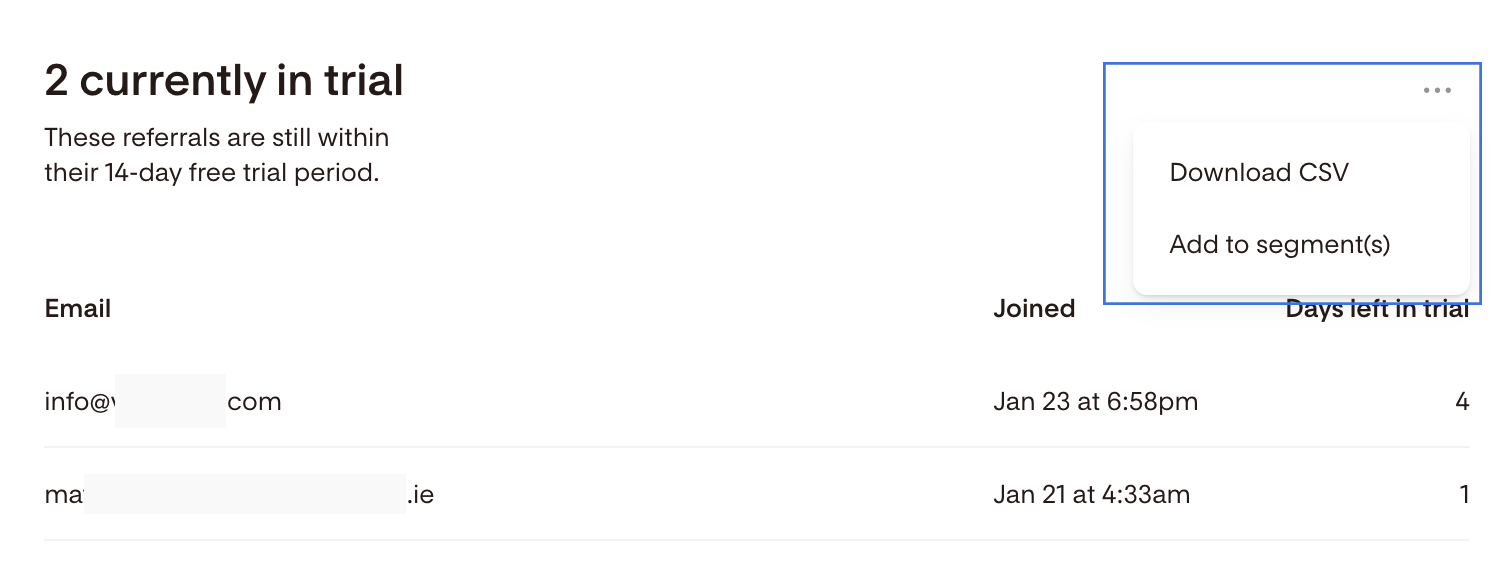
Currently in a trial | Referrals who started a trial and are still within their free period but haven't joined a paid plan yet |
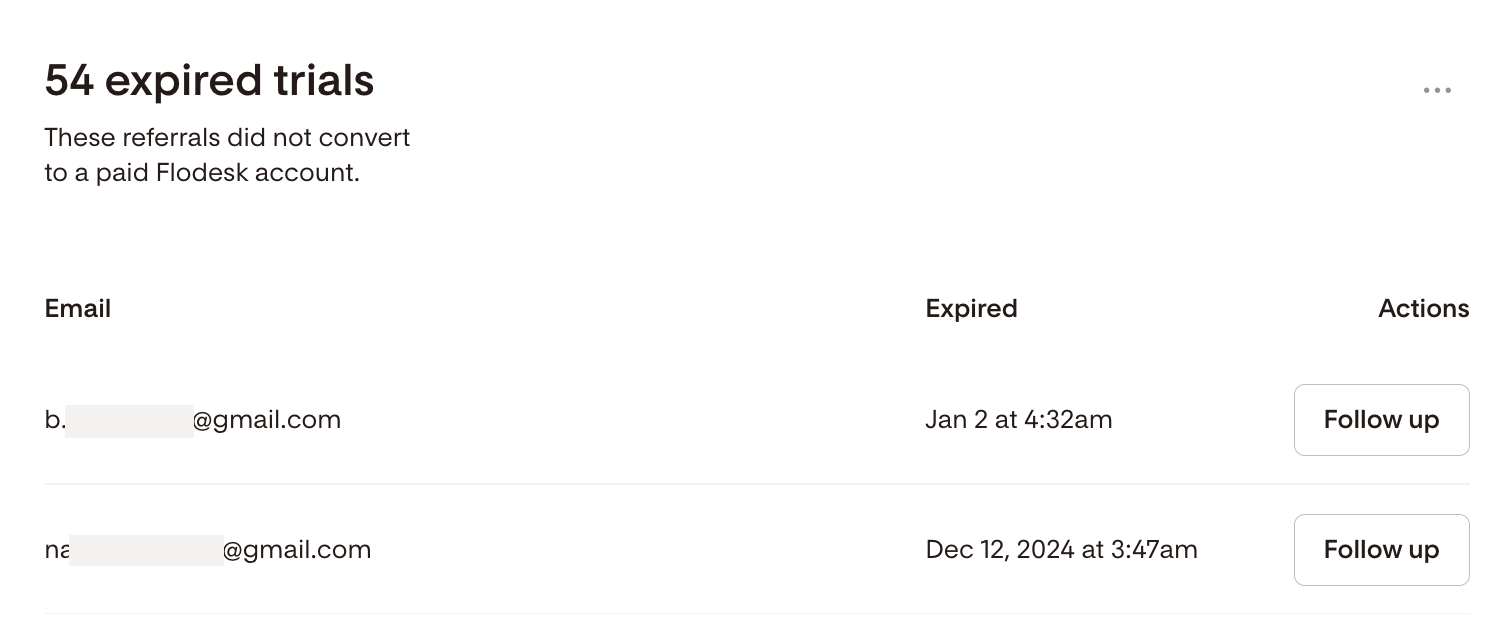
Expired trials | Referrals who started a trial, have passed their free period, and haven't converted to paid |
Click on any metric to see a detailed list of the referrals in that category.
Exporting your referral data
You can download a CSV of any referral category by clicking the three-dot menu (...) in the top-right corner of that section. You can also add referrals directly to a segment in your Flodesk account from the same menu, which makes it easy to follow up with them via email.
Following up with expired trials
If someone signed up through your link but didn't convert to a paid plan, you can reach out to them directly. Click the Expired trials card, find the individual in the list, and click the Follow up button.
FAQ
Where is the Flodesk affiliate dashboard?
Click your avatar in the bottom-left corner of your Flodesk account and select Share Flodesk. Your affiliate link, earnings, and analytics are all in that section.
What is my affiliate code and how is it different from my affiliate link?
Your affiliate link is the full URL you share (for example, flodesk.com/c/YOURCODE). Your affiliate code is just the last part of that link, after /c/. People can use the code on its own when upgrading to a paid Flodesk account. Both give your referral the same 25% discount for the first year of their subscription.
How do I customize my affiliate link?
Go to Share Flodesk from your account menu, click the pencil icon next to your affiliate link, and update the last section to something memorable. Save your changes before you start sharing. If you change the link after sharing it, the old version will stop working.
What does "expired trials" mean in the affiliate dashboard?
Expired trials are referrals who signed up for a free Flodesk trial using your link but haven't converted to a paid plan after their trial period ended. You can follow up with them directly from the dashboard by clicking the Expired trials card and selecting Follow up next to their name.
Can I export my referral data from the affiliate dashboard?
Yes. Click the three-dot menu (...) in the top-right corner of any referral category to download a CSV of that group. You can also add them to a segment in your Flodesk account to follow up via email.
What's the difference between "total referrals" and "conversions" in the dashboard?
Total referrals is everyone who signed up for a Flodesk trial using your link. Conversions is a subset of that: it shows the referrals who have become paying members, plus anyone still in an active trial who hasn't converted yet.
What is the referral success kit?
The success kit is a downloadable resource available below your affiliate link in the dashboard. It includes a PDF guide with tips for sharing your link and promotional images you can use on social media, your website, or anywhere else you promote Flodesk.
Can I follow up with referrals who didn't convert?
Yes. In the analytics section, click the Expired trials card to see a list of referrals who started a trial but didn't join a paid plan. Click Follow up next to any individual to reach out to them. You can also export this list as a CSV or add them to a Flodesk segment to send a follow-up email campaign.