
How to collect shipping information in Flodesk Checkout
Overview
If you're selling a physical product (or any product that requires delivery), you can collect your buyer's shipping address directly through Flodesk Checkout. This works for both free and paid products, and takes just a few clicks to set up.
How to turn on shipping fields
Shipping fields are turned off by default. Here's how to enable them:
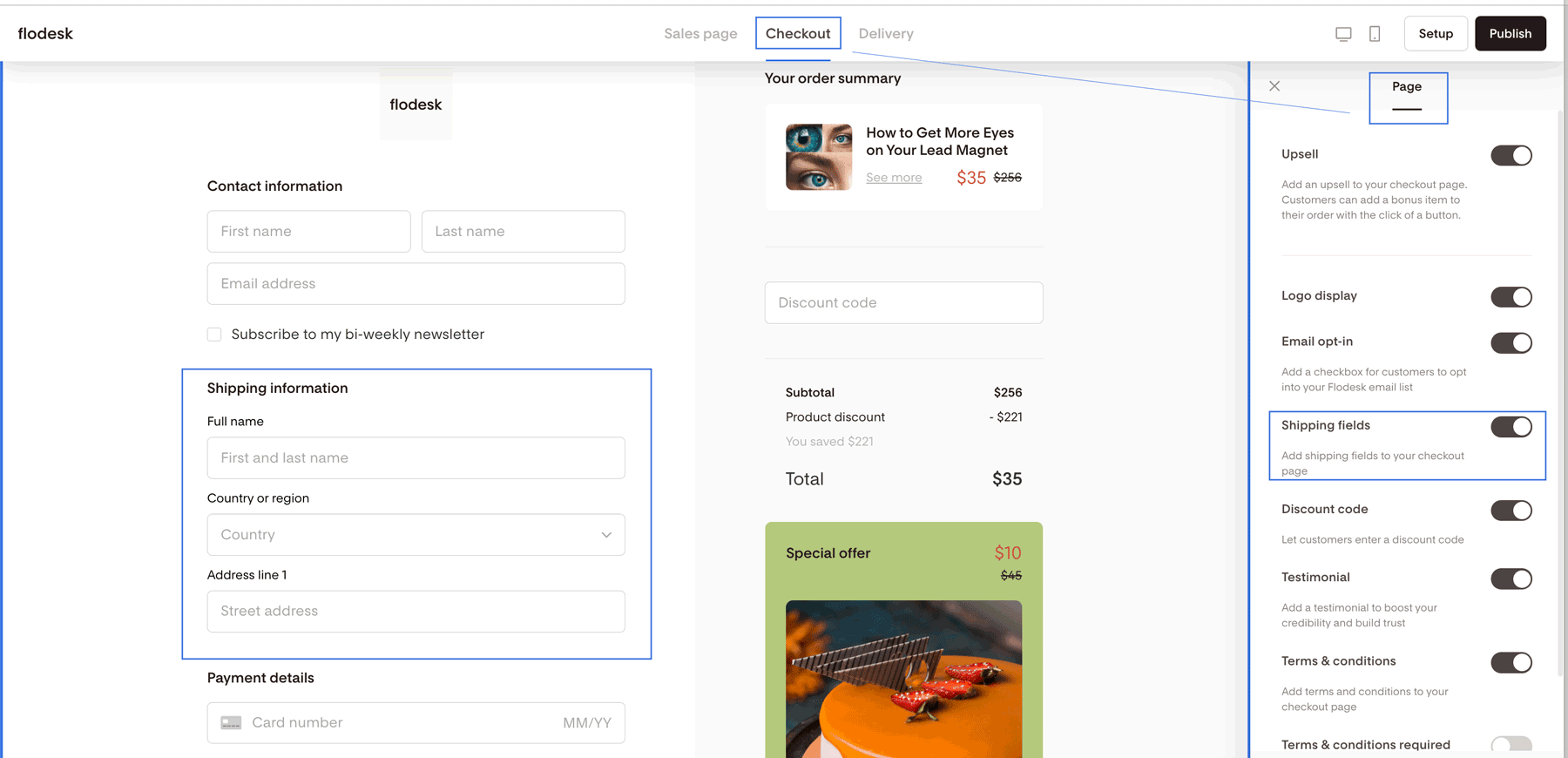
Open your checkout and click the Checkout tab at the top of the editor
Click on the background area outside of any fields to open the Page settings panel in the right sidebar
Toggle on Shipping fields
That's it. From this point on, buyers will be required to fill in their shipping address before they can complete their order.
How to find buyer shipping addresses
Shipping addresses aren't displayed directly in Flodesk. To access them, you'll need to download your order report.
In case of one-time payment products:
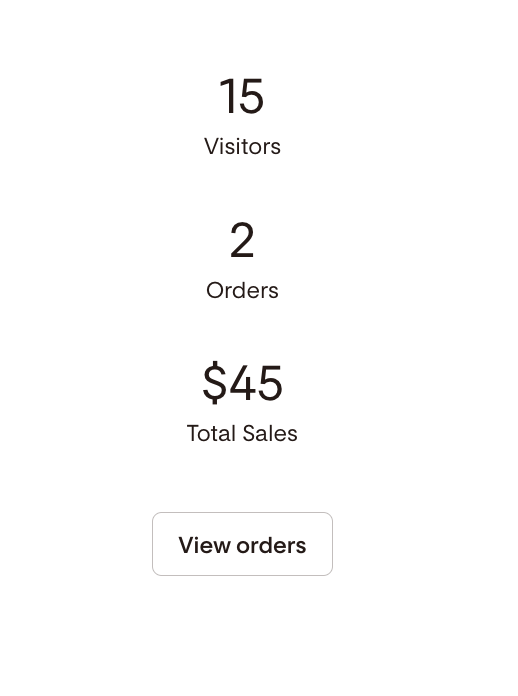
Go to your checkout card and click the analytics icon in the bottom-right corner to flip the card
Click View orders
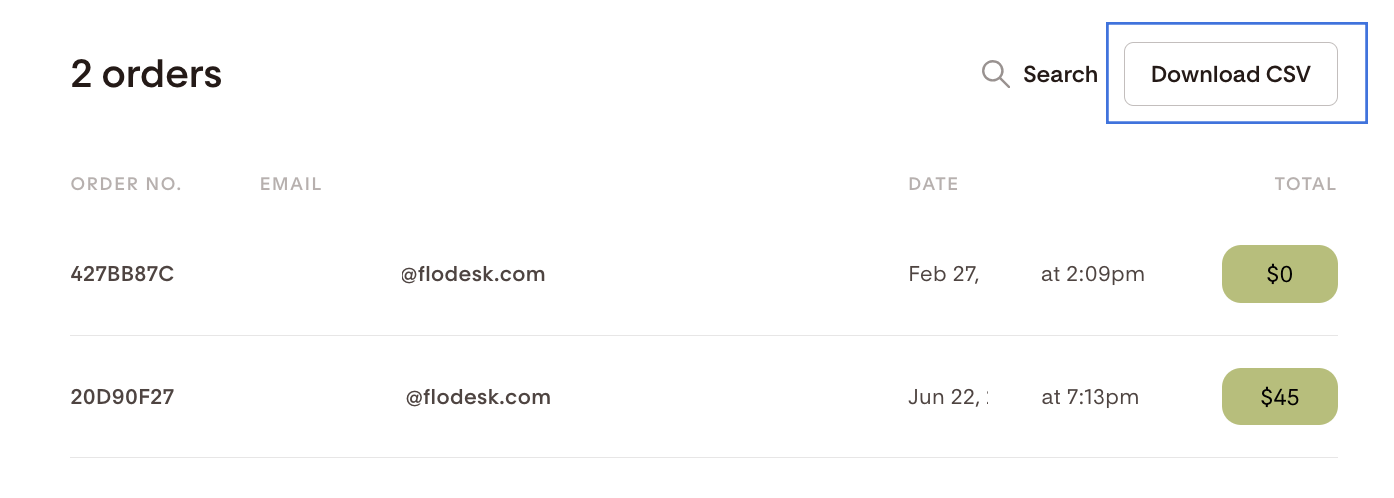
On the Order details page, click Download CSV. The CSV file includes each buyer's submitted shipping address along with other order details.
In case of products with recurring payments:
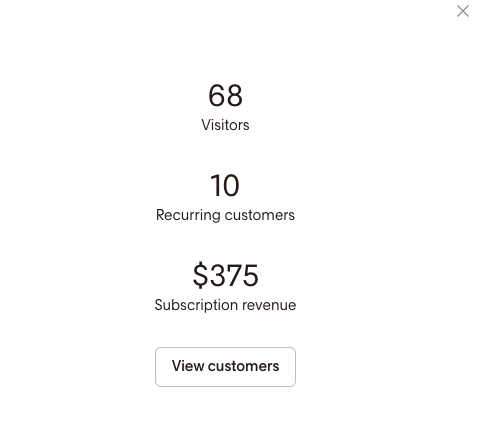
Go to your checkout card and click the analytics icon in the bottom-right corner to flip the card
Click View customers
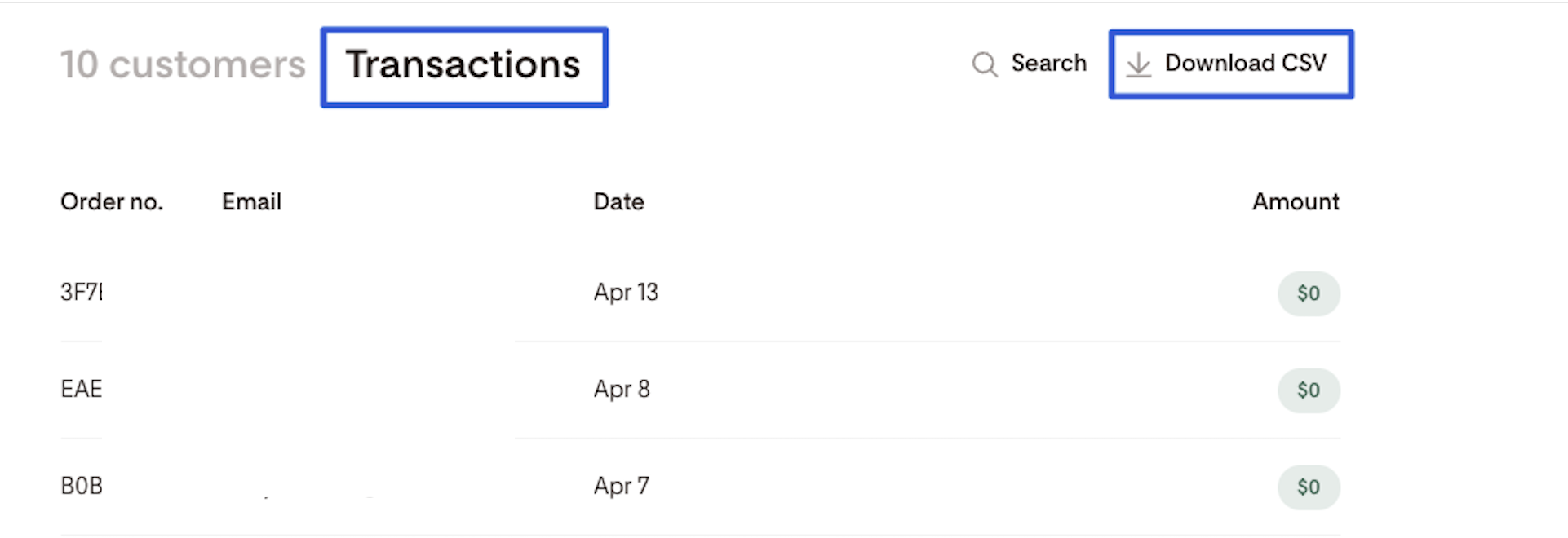
On this page, go to the "Transactions" tab, and then select Download CSV. The CSV file includes each buyer's submitted shipping address along with other order details.
Things to know about shipping fields
Shipping fields are required once enabled
If you turn on the Shipping fields toggle, buyers must complete those fields to finish their purchase. There's no way to make them optional.
No autocomplete
There's no autocomplete feature for shipping fields. Buyers enter their full shipping address manually, including their full name.
Buyers can enter a different recipient name
The name field in the shipping section is separate from the buyer's account name. This is powered by Stripe's Address Element and allows buyers to ship to someone else, which is useful for gifts.
Shipping fields work for free products too
You can enable shipping fields for free products. Just keep in mind that if shipping has a cost, you'll need to cover it yourself since no additional payment is collected for free orders.
You can't collect additional custom fields
At this time, it's not possible to add custom fields to your checkout form. Information like phone numbers or custom questions can't be collected through Checkout.
Apple Pay and Google Pay skip the shipping fields
If a buyer pays with Apple Pay or Google Pay, Flodesk automatically uses the address saved to that payment method, so no shipping fields will appear. Shipping fields show up, however, when a buyer chooses to pay by card.
FAQ
How do I collect shipping addresses in Flodesk Checkout?
Go to the Checkout tab in your checkout editor, click on the background area outside any fields to open the Page settings panel, and toggle on Shipping fields. Buyers will then be required to enter their shipping address before completing their order.
Are shipping fields required for buyers to complete checkout?
Yes. Once you enable the Shipping fields toggle, buyers must fill in their shipping address to complete their purchase. The fields can't be made optional.
Where do I find the shipping addresses my buyers submitted?
Shipping addresses are available in your order report. Click the analytics icon on your checkout card to flip it, then click View orders. On the Order details page, click Download CSV. The file includes each buyer's shipping address and other order details.
Can I collect shipping information for free products?
Yes. You can turn on shipping fields for free products. Keep in mind that since no payment is collected for free orders, any shipping costs would need to be covered by you.
Why does the buyer have to enter their name again in the shipping fields?
The name field in the shipping section is separate from the buyer's account name. This is powered by Stripe's Address Element and allows buyers to ship to a different recipient, which makes it easy for buyers to send purchases as gifts.
Does Flodesk autocomplete shipping addresses for buyers?
No. Buyers enter their shipping information manually, including their full name. There's no autocomplete feature for shipping fields at this time.
Can I add custom fields to my checkout to collect extra information, like a phone number?
Not at this time. Custom fields aren't supported in Flodesk Checkout, so it's not possible to collect additional information beyond the standard checkout and shipping fields.
Can I turn shipping fields on for some checkouts and off for others?
Yes. The Shipping fields toggle is set per checkout, so you can enable it on the checkouts that need it and leave it off for others.