
How to add an inline form to your Kajabi website
A step-by-step guide to embedding your Flodesk inline form on Kajabi.
Flodesk opt-in forms help you collect email addresses so you can grow your list and stay connected with your audience. And yes — you can absolutely embed them directly into your Kajabi website.
Inline forms are the sign-up forms that live inside your page content. You’ll often see them in the middle of a page, at the bottom of a blog post, or in a section between other content. Unlike popups, they’re always visible and feel like a natural part of your site.
Below, we’ll walk you through exactly how to add one to Kajabi.
Before you begin:
Make sure your inline form is created and customized in Flodesk.
You’ll need both the Header code and the Inline code.
Adding only one of the codes will not display the form correctly.
Step 1: Get your embed code from Flodesk
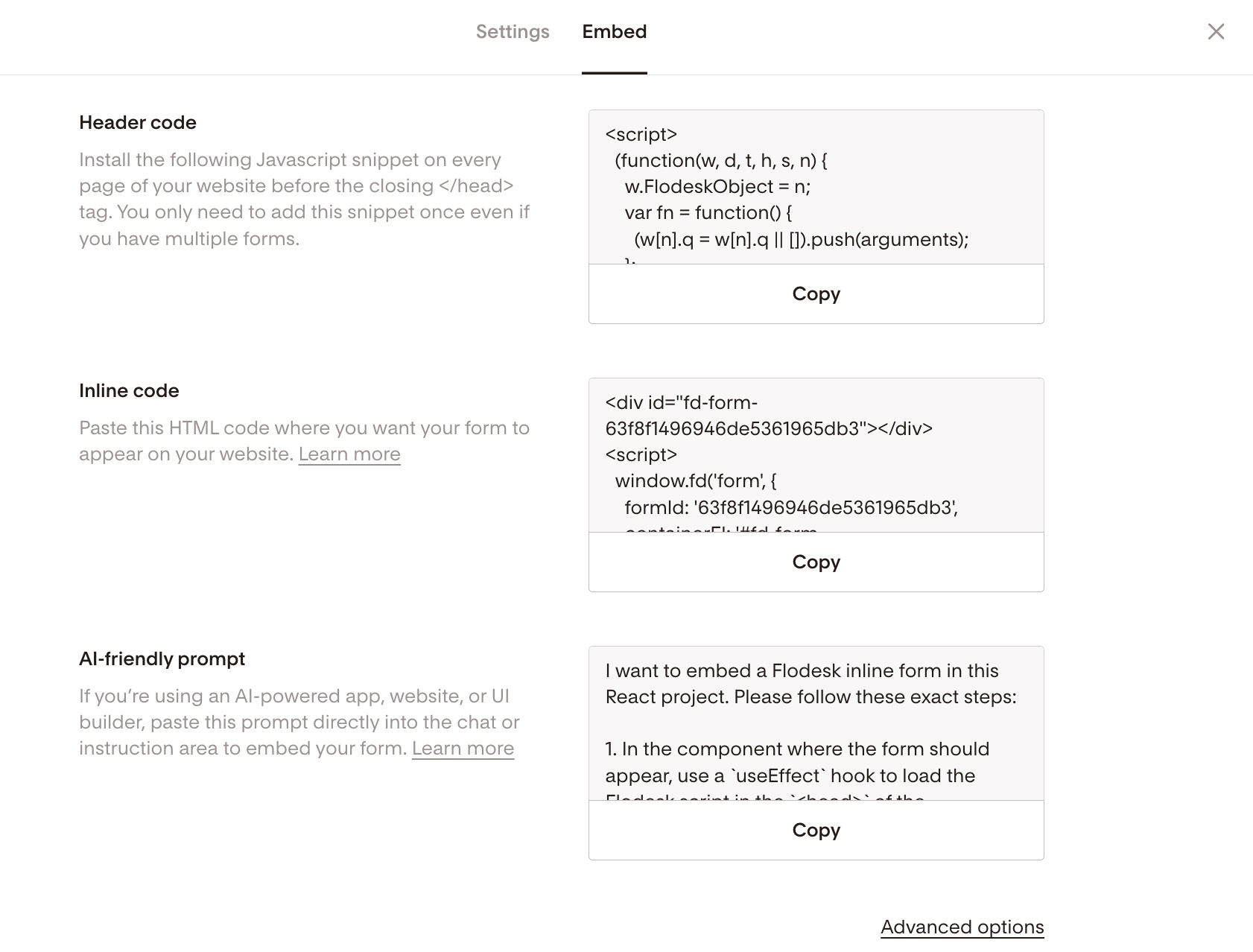
In your Flodesk dashboard, open your Inline form.
Click Embed.
You’ll see two code snippets:
Header code
Inline code
Keep this window open — you’ll paste both codes into Kajabi in the next steps.
Step 2: Open your Kajabi page editor
Log in to your Kajabi account.
Go to Website.
Choose Pages.
Select the page where you want to add your form.
Click Edit.
You’re now inside Kajabi’s page builder.
Step 3: Add a Custom Code section in Kajabi
Kajabi requires a custom code block to embed HTML.
In the page builder, click Add Section (or choose where you’d like the form to appear).
Select a section that allows for Custom Code.
Add a Custom Code block to that section.
Paste the Header code first.
Immediately paste the Inline code directly below it.
Click Save.
Important:
Both codes must be added together in the same Custom Code block. The Header code always goes first.
Step 4: Preview and publish
After saving:
Preview your page to confirm the form displays correctly.
If everything looks good, click Publish.
That’s it! Your inline form should now appear directly on your Kajabi page.
Troubleshooting tips
If your form doesn’t appear:
Double-check that both the Header and Inline codes were added.
Make sure the Header code is pasted first.
Make sure you’re using a Custom Code block (not a text block).
Try clearing your browser cache and refreshing the page.
If the spacing looks slightly off, you can adjust padding or spacing settings inside Kajabi’s section editor.
Why inline forms are great for Kajabi
Inline forms work beautifully in Kajabi because they:
Blend seamlessly into sales pages and landing pages
Let you place opt-ins exactly where engagement is highest
Keep your page clean (no popups required)
You can also add the same inline form to multiple Kajabi pages — just reuse the same embed code.
FAQs
Do I need to connect Kajabi and Flodesk?
No direct integration is required for inline forms. You simply embed the form using the provided HTML code.
Can I style the form inside Kajabi?
Design and styling changes should be made inside Flodesk. Once embedded, the form will reflect whatever design you’ve set in Flodesk.
Why isn’t my form showing up?
This usually happens because:
The Flodesk embed codes weren't pasted into a Custom Code block.
Part of the code was accidentally deleted.
Go back and carefully re-copy and re-paste the full embed code.
If you’re ever unsure whether your form is working correctly, test it by subscribing with your own email address. If it lands in your selected segment in Flodesk, you’re all set.