
How to connect Flodesk and Linktree
Overview
The new Linktree integration allows you to automatically send subscriber data—such as names and email addresses—collected via your Linktree opt-in form directly into your Flodesk account and add those subscribers to the default Linktree segment or a specific segment of your choice.
Important to know upfront:
This integration is built and maintained by Linktree, not Flodesk.
Linktree controls which integration features are available.
Mailing list integrations, including the direct integration with Flodesk, are currently available on Linktree’s Pro and Premium plans.
What the Flodesk × Linktree integration lets you do
With this integration, you can:
Send your audience form submissions from Linktree directly into Flodesk
Add subscribers to to the default Linktree segment or a specific segment of your choice
Trigger automated workflows connected to that segment
Connect your Flodesk account to Linktree
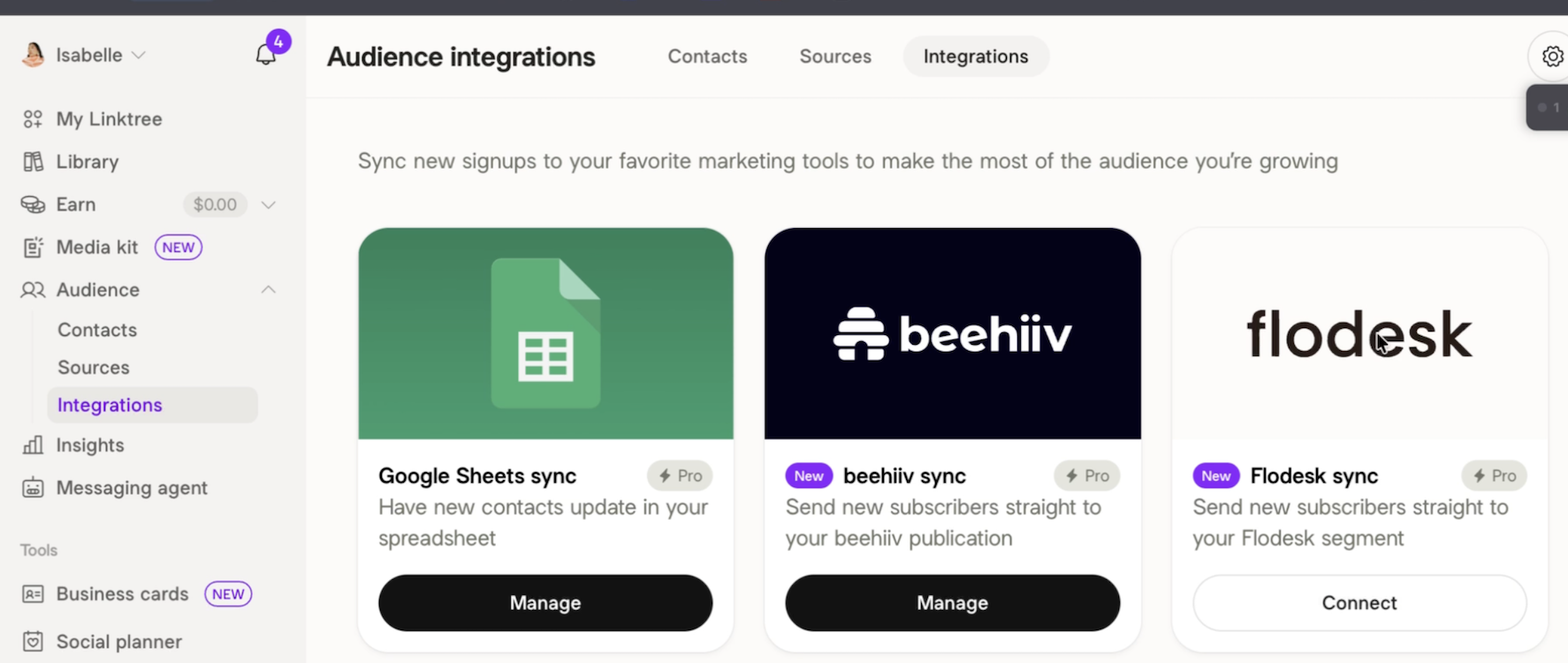
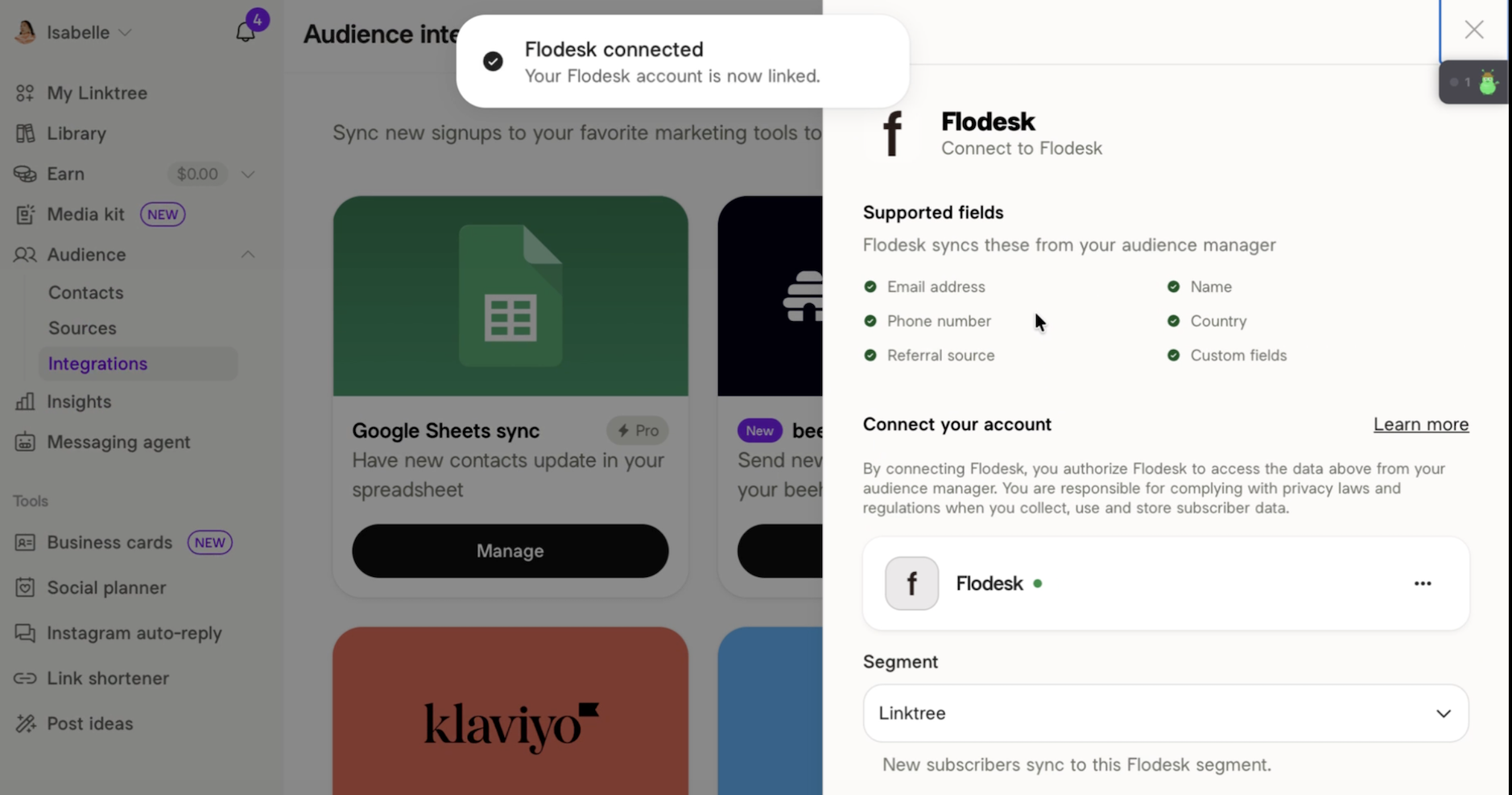
In your Linktree admin, go to the Audience tab and click the Integrations page.
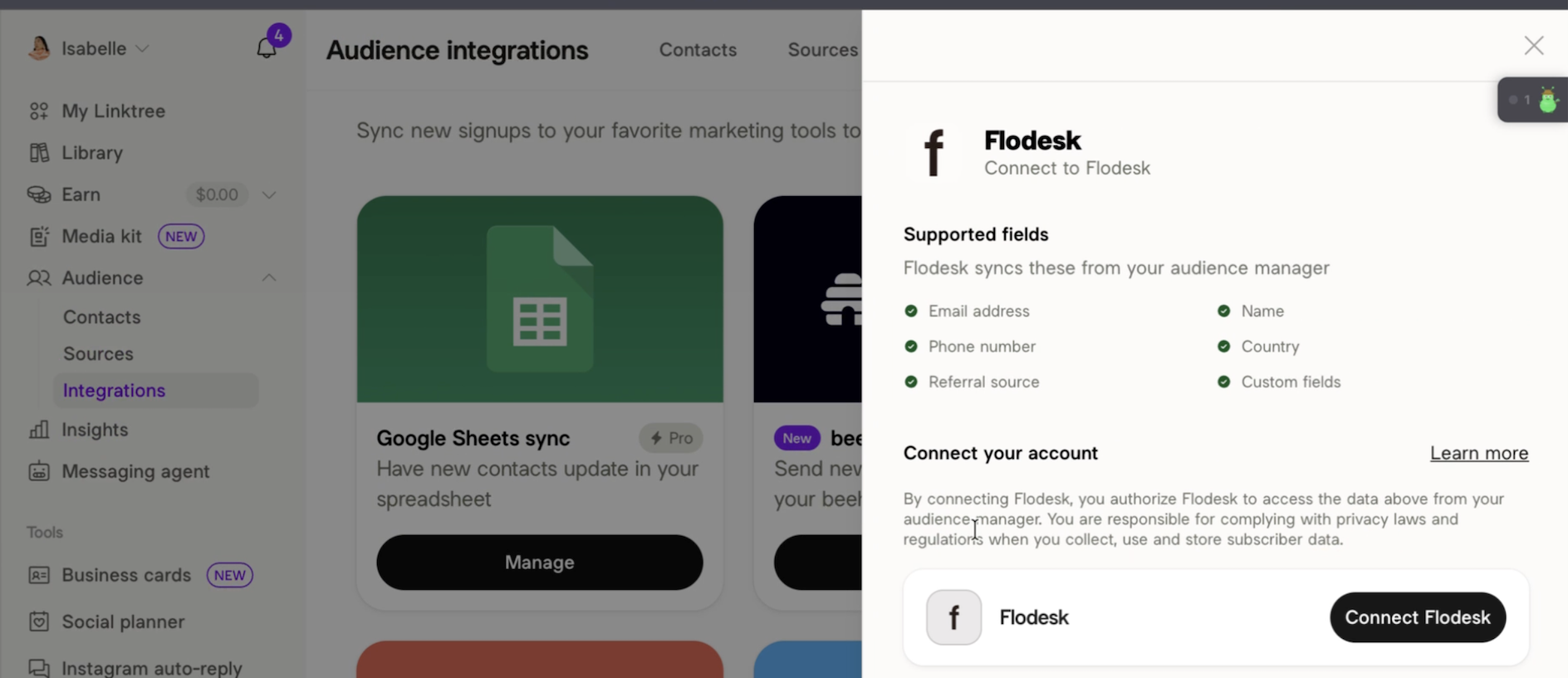
Find Flodesk and click Connect Flodesk.
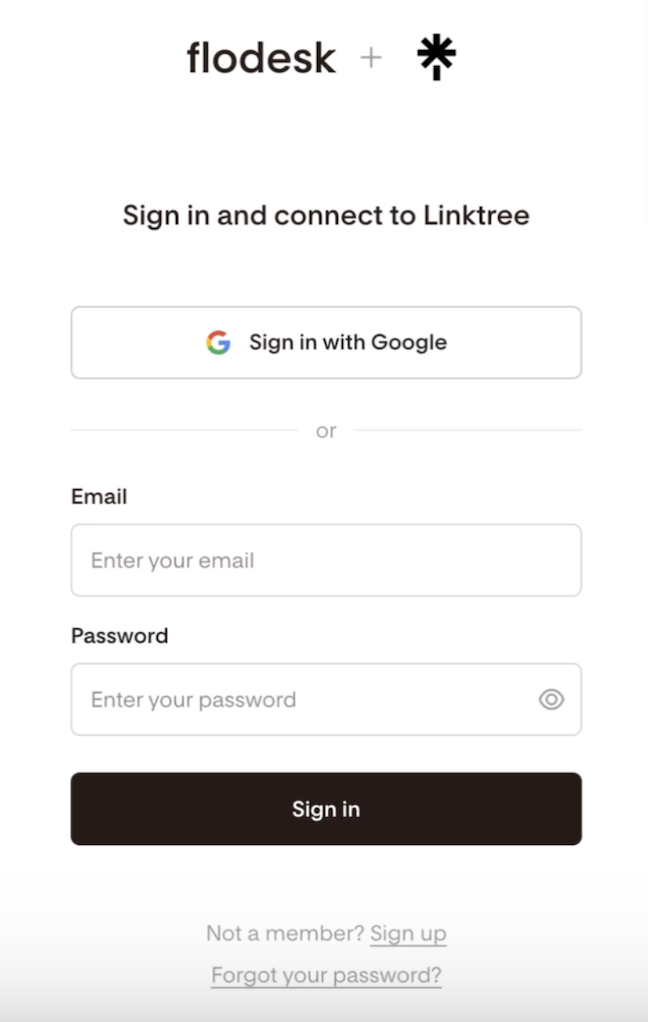
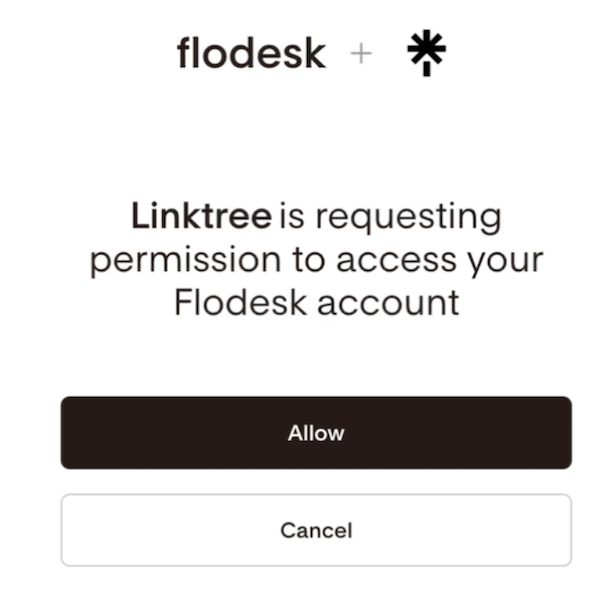
When prompted, log in to your Flodesk account and authorize the connection.
Linktree automatically creates a segment called “Linktree”. New subscribers sync to this Flodesk segment by default.
Note: By clicking on the dropdown menu, you can select any of your existing segments from your Flodesk account to override this.
After your accounts are connected, you can start sending subscribers into Flodesk.
How this works with Flodesk workflows
The segment you select in Linktree can be used in Flodesk as a workflow trigger. This allows you to:
Start a welcome or onboarding sequence
Deliver a freebie or lead magnet
Add subscribers to a nurture or sales workflow
Disconnecting Flodesk from Linktree
You can disconnect Flodesk at any time. New signups will stop syncing immediately. You can reconnect any time.
In your Linktree admin, go to the Audience tab and click the Integrations page.
Click the connected platform you want to remove.
Select Remove integration.
FAQ
Is the Flodesk x Linktree integration built by Flodesk?
No. The integration is built and maintained by Linktree. They control which features are available and on which plans.
Do I need Linktree Pro to use Flodesk with Linktree?
Yes, for mailing list integrations, a Linktree Pro or Premium plan is required. See Linktree’s pricing page here.
Can I automatically add Linktree subscribers to Flodesk?
Yes. You can send contacts from Linktree into Flodesk and add them to the default Linktree segment or a specific segment of your choice.
Can I trigger Flodesk workflows from Linktree?
Yes. Once a subscriber is added to a Flodesk segment via Linktree, that segment can trigger a Flodesk workflow.
Where do I manage or disconnect the integration?
You manage and disconnect the integration from Linktree admin → Audience tab → Integrations page.
Where can I see what features are included in my Linktree plan?
You can review Linktree’s feature comparison on their pricing page.