
Connecting Flodesk to Claude and ChatGPT
Overview
Flodesk now provides a way for you to connect to Claude and ChatGPT, so you can ask plain-language questions about your emails, dig into your subscriber list, and manage your audience, all from a single conversation. No exporting, no spreadsheets, no dashboard-digging required. Just ask.
How to connect your Flodesk account
Claude
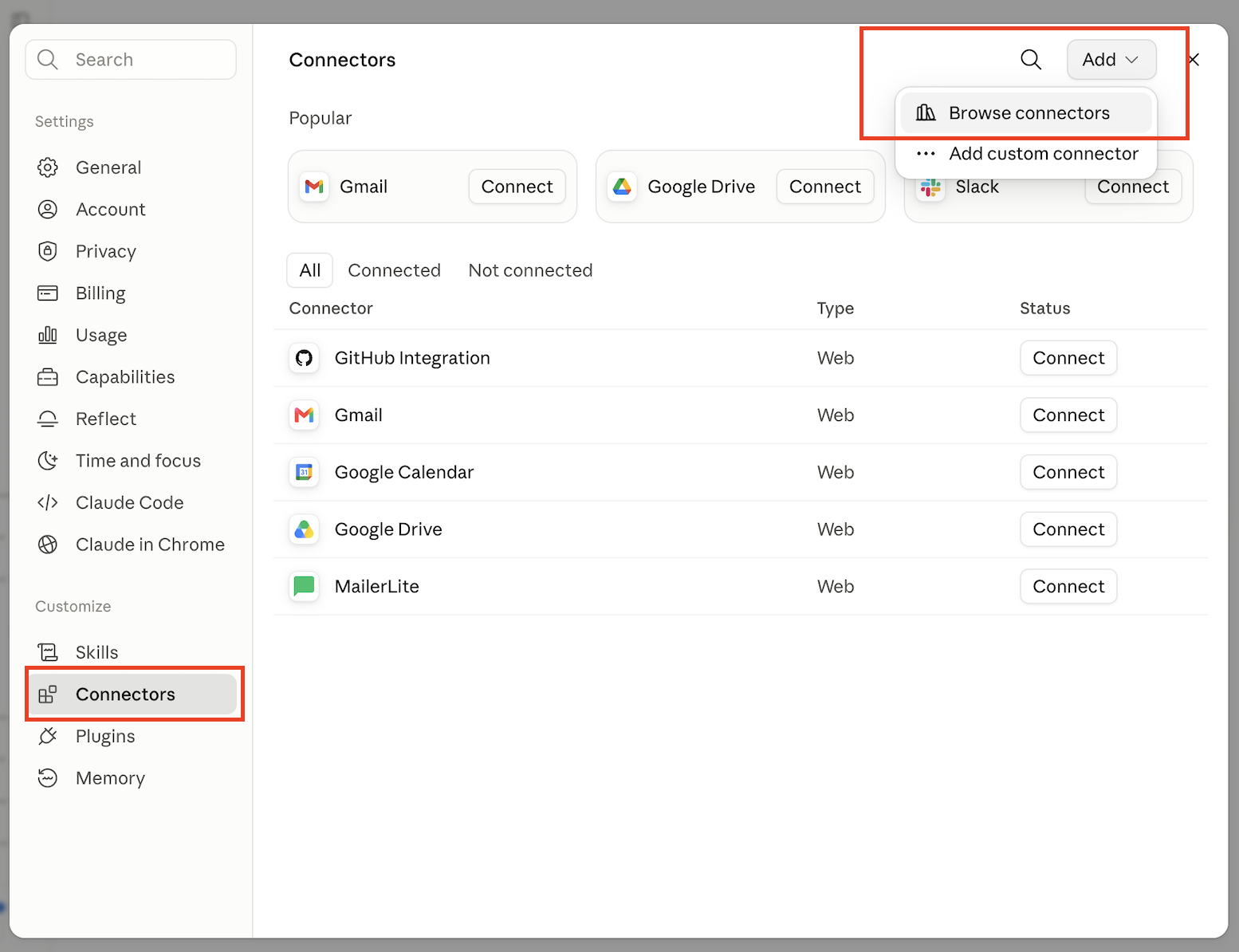
Navigate to Customize > Connectors
Click Add > Browse connectors.
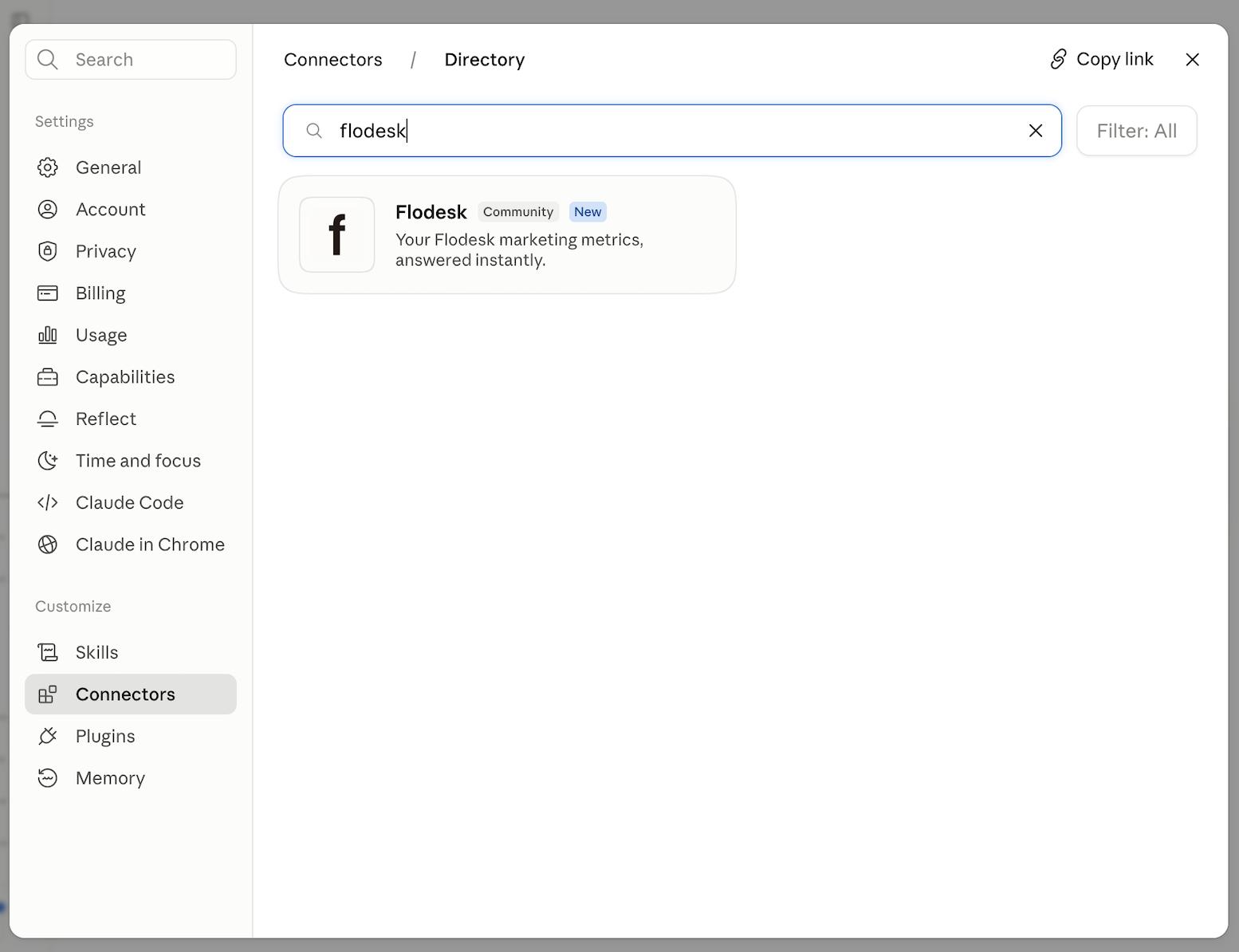
In the directory, search for Flodesk
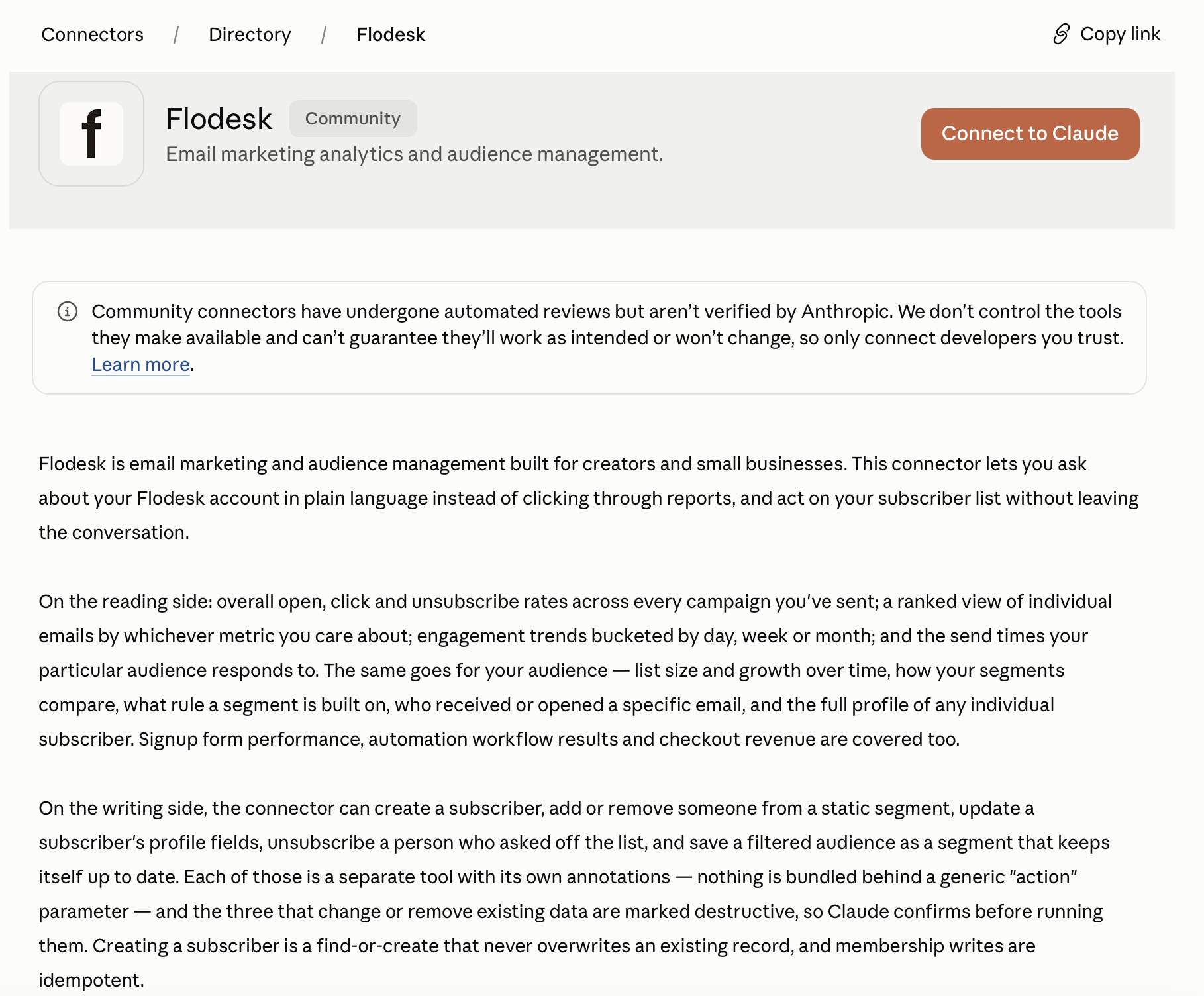
Click on the search result, then click Connect to Claude. You will be redirected to your Flodesk account to log in.
ChatGPT
Connecting Flodesk to ChatGPT requires a Pro or Plus plan (Team plans are not currently supported by OpenAI for this feature).
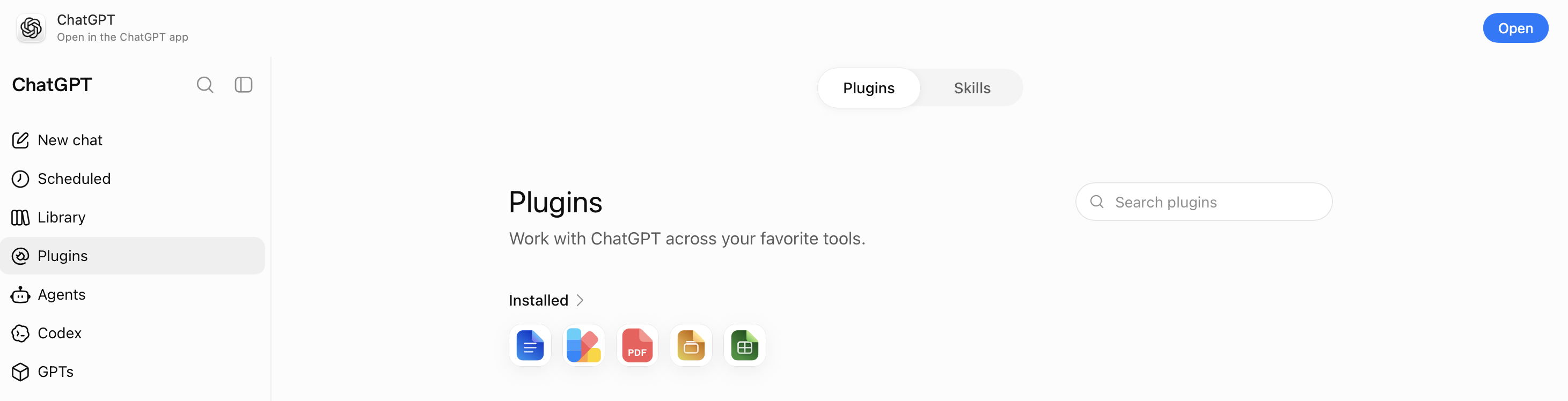
In ChatGPT, go to your profile settings in the bottom left corner and select Settings > Plugins
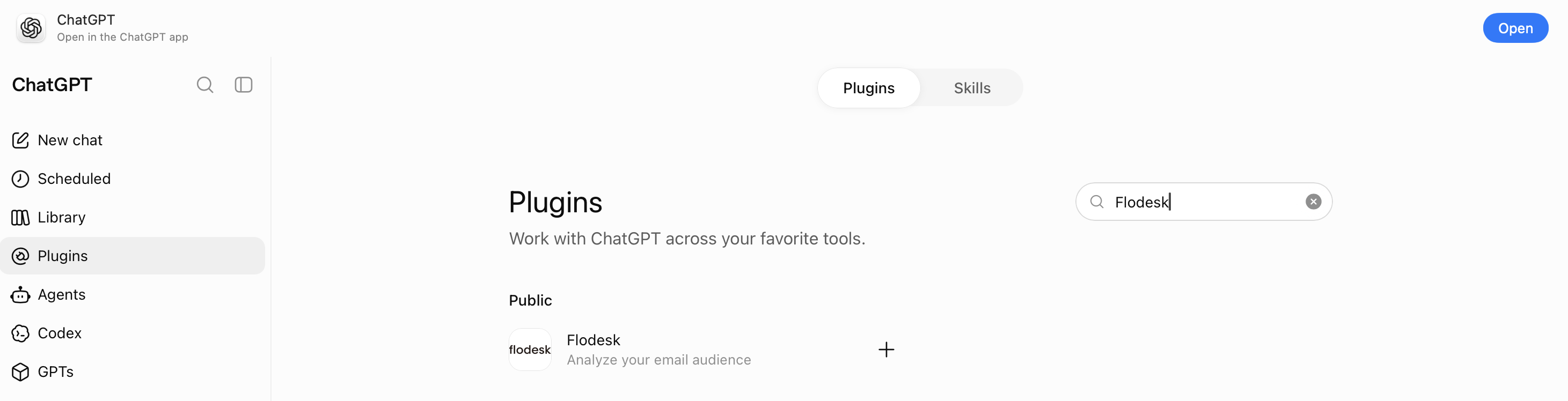
Click Browse plugins and search for Flodesk
Under the search results, click "+" to connect Flodesk
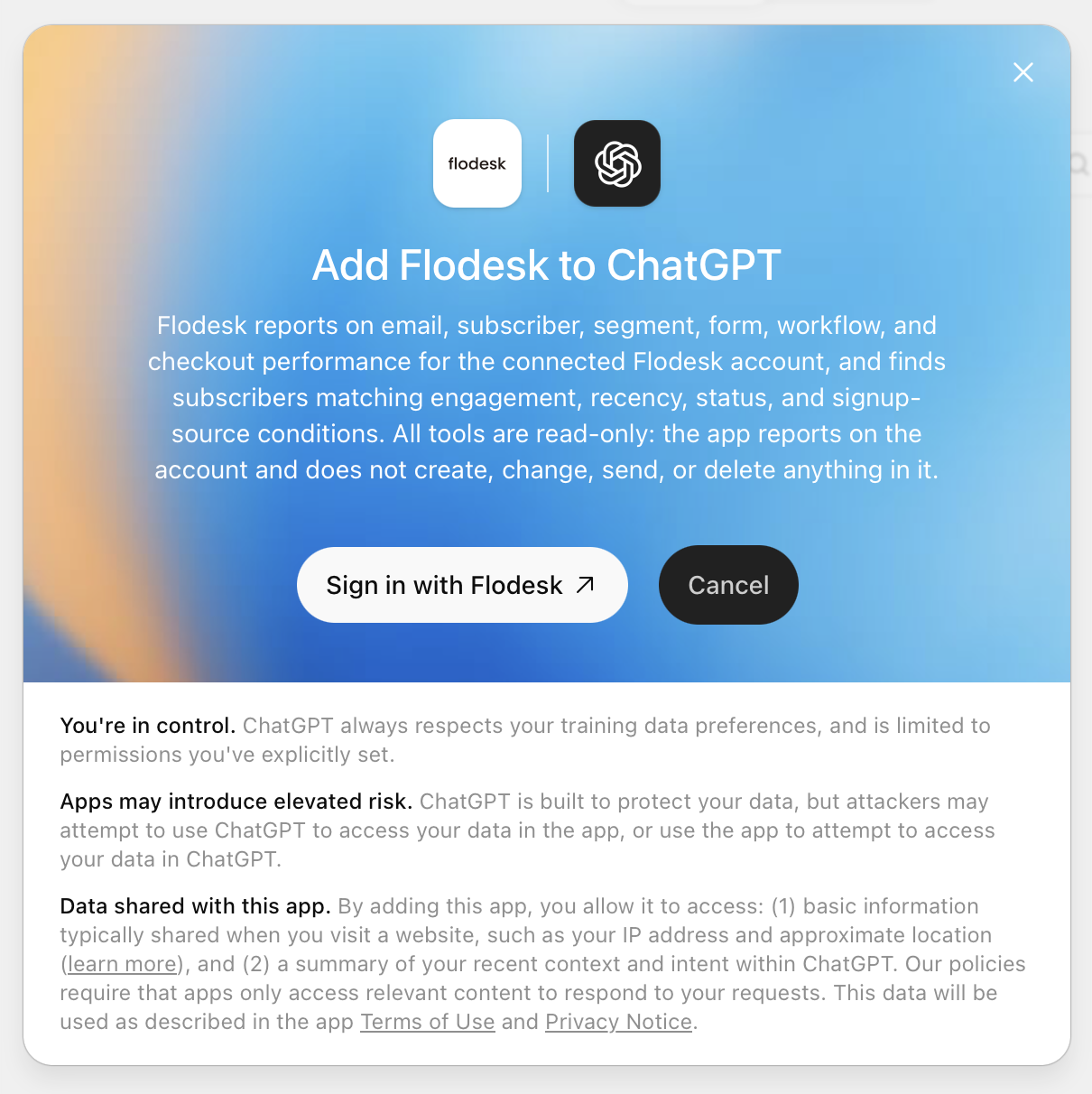
On the next screen, click "Sign in with Flodesk"
You'll be redirected to Flodesk in your browser. Sign in to the account you want to connect.
Review the permissions and click Authorize
Flodesk is now active and ready to use in ChatGPT.
Can I connect to other AI tools?
Right now, Flodesk connects to Claude and ChatGPT. Support for other AI tools is on the way. This article will be updated as new connections become available.
What is this feature?
When you connect Flodesk to Claude or ChatGPT, you can ask questions about your email performance, subscribers, forms, and sales, and get direct answers from your actual account data. You can also look up individual subscribers, see who's engaging (and who isn't), and make light updates to your audience without leaving the conversation.
Claude and ChatGPT will pull the answer from your Flodesk account, without you having to navigate to a single dashboard or export anything.
What can you ask?
Flodesk connects to Claude and ChatGPT for email analytics, reporting, and audience management. Here are some examples of what you can ask:
Email performance:
"How many emails did I send in Flodesk?"
"Which emails performed best last month?"
"How has my open rate changed over the last 6 months?"
Subscribers and growth:
"How many subscribers do I have?"
"How has my list grown over the last year?"
“Monthly subscriber growth chart.”
“How are my signup forms doing?”
Sales and workflows:
"Which automation converts best?"
"How much revenue did I make this month?"
Subscriber lookups:
"What's the status of jane@example.com?"
"When did jane@example.com last open or click one of my emails?"
"Which segments is jane@example.com in?"
"Show me everything on jane@example.com's profile."
Audience insights:
"Who are my most engaged subscribers in the last 30 days?"
"Who hasn't opened anything in the last six months?"
"Who opened my last email?"
"Who clicked in my last email, and on which links?"
"Who signed up this month?"
Subscriber management:
"Add jane@example.com to my VIP segment."
"Add Jane Doe (jane@example.com) as a new subscriber in my Welcome segment."
"Update jane@example.com's first name to Jane."
"Move jane@example.com from Segment A to Segment B."
"Remove jane@example.com from my Holiday Promo segment."
"Unsubscribe jane@example.com from my list."
For any action that changes or removes existing data, Claude and ChatGPT will ask you to confirm before making the update.
Just checking in:
"How's my Flodesk account doing?"
"Give me a rundown of my Flodesk account performance."
You can ask in whatever language feels natural. There's no special syntax to learn.
What your AI can see (and do) in Flodesk
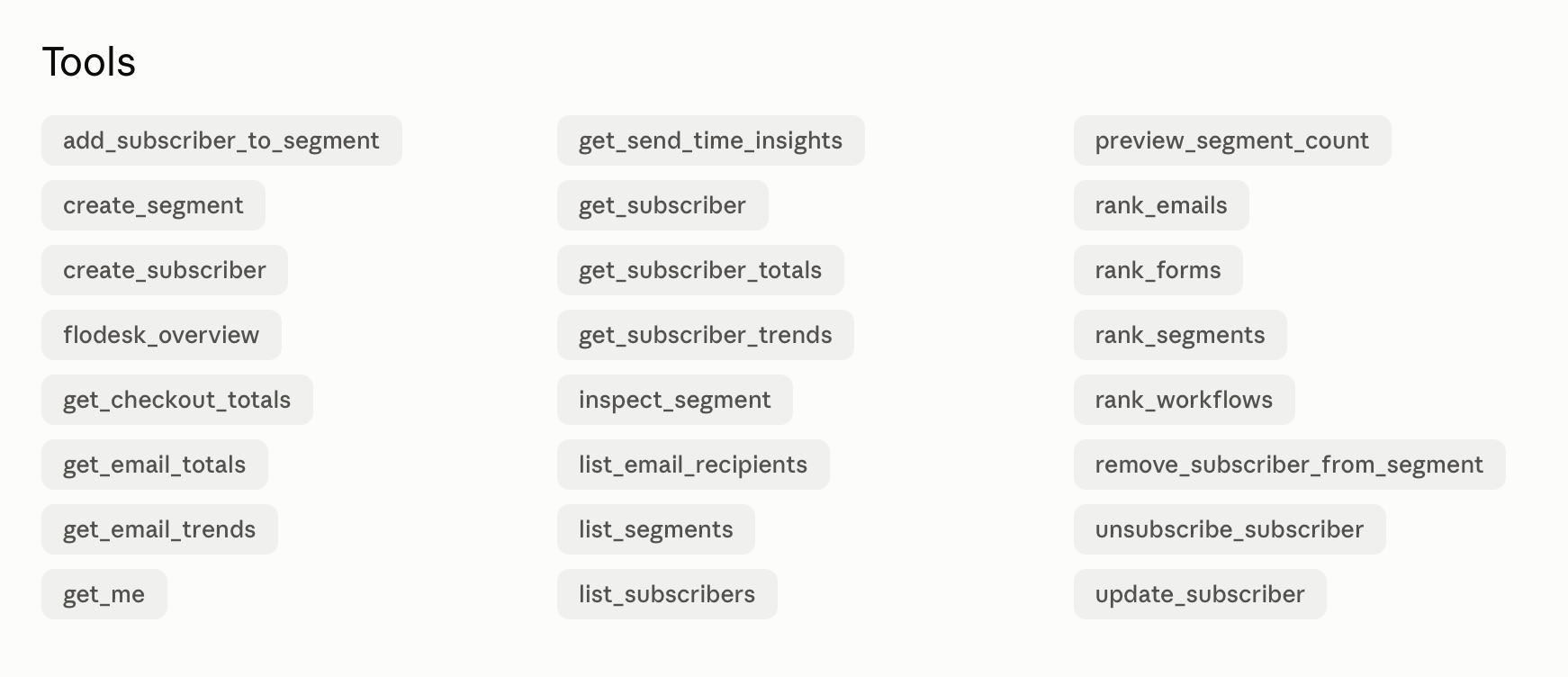
Once connected, your AI has access to the following information from your Flodesk account. More is coming soon.
Your account
Your profile: name, email, and current plan (get_me)
Email performance
Overall email stats across all your campaigns (get_email_totals)
Performance trends over time, by day, week, or month (get_email_trends)
Your campaigns ranked by any metric you choose, like opens or clicks (rank_emails)
Best times to send, broken down by day of the week, time of day, and device type (get_send_time_insights)
Subscribers
A snapshot of your current list: active subscribers, new subscribers, and unsubscribes (get_subscriber_totals)
Subscriber growth and churn over time (get_subscriber_trends)
Your audience segments ranked by size or engagement (rank_segments)
The following subscriber tools are now available:
Look up an individual subscriber's profile, status, segments, and recent activity (get_subscriber)
Browse your full subscriber list with engagement details (list_subscribers)
View all your segments with active subscriber counts (list_segments)
See who received, opened, or clicked a specific email, including which links they clicked (list_email_recipients)
Check how many subscribers match a specific filter before saving it (preview_segment_count)
View a segment's details, including its filter rules and subscriber counts (inspect_segment)
Subscriber management
Your AI can also take action on your audience, one subscriber at a time:
Add a new subscriber to your list and assign them to a segment (create_subscriber)
Save a filtered audience as a new segment (create_segment)
Add an existing subscriber to a static segment (add_subscriber_to_segment)
Update a subscriber's name, custom fields, or other profile details (update_subscriber)
Remove a subscriber from a static segment, without unsubscribing them (remove_subscriber_from_segment)
Unsubscribe a subscriber from your list (unsubscribe_subscriber)
Actions that change or remove existing data (update_subscriber, remove_subscriber_from_segment, unsubscribe_subscriber) are marked as destructive. Claude and ChatGPT will confirm with you before running them.
Automations and forms
Your workflows ranked by completion rate, opens, or clicks (rank_workflows)
Your signup forms ranked by opt-in rate or number of visitors (rank_forms)
Sales
Checkout revenue, number of orders, and conversion rate (get_checkout_totals)
Associated Risks
The use of AI agents and large language models (“LLM”) can introduce risks to organizations.
Prompt injection. Prompt injection occurs when a malicious actor embeds hidden instructions within content processed by the LLM. This can cause the AI agent to perform unintended actions, such as executing unauthorized commands or leaking sensitive data. These hidden instructions can be placed in various sources, including PDF documents, web pages, responses from third-party MCP servers or MCP tools added by end users.
Hallucination. LLMs may generate output that appears accurate but is entirely fabricated, or just incorrect.
FAQ
What is an MCP? What is a connector?
MCP stands for Model Context Protocol. It's the technical standard that allows AI tools like Claude and ChatGPT to access data from other apps. Flodesk built an MCP so that AI tools can access your account data, only with your permission, when you ask questions.
A connector is the official listing inside Claude or ChatGPT, similar to installing an app. Once you authorize the connection, the AI tool can read your Flodesk data on your behalf.
Is this free?
Yes. This feature is included for Flodesk members at no additional cost.
Can Claude or ChatGPT make changes to my Flodesk account?
Yes, in a limited way. Claude and ChatGPT can now add new subscribers, update subscriber profiles, manage segment membership, and unsubscribe individual subscribers. Any action that changes or removes existing data requires your confirmation first, so nothing happens without your say-so.
These tools work one subscriber at a time. Bulk actions (like unsubscribing an entire segment or tagging a large group at once) are not available yet. Claude and ChatGPT still cannot send or schedule emails.
What data can Claude and ChatGPT see?
If you grant the permission, Claude and ChatGPT can access your email analytics, subscriber data (including individual subscriber profiles and activity), segment details, form performance, Checkout sales, and Workflow conversions.
Is there a guarantee my data won't be used to train AI models?
Flodesk is not sending your data to any AI tool. When you authorize the connection between the AI tool and your Flodesk account, you're granting the AI tool permission to read your Flodesk data on your behalf, at your request. You stay in full control of that connection and can disconnect at any time. Learn more about Flodesk’s Privacy Policy here: https://flodesk.com/legal/privacy-policy
That said, AI tools have their own data and privacy policies that apply to how the tool may use your inputs or data. So, once you grant access to the AI tool, then that AI tool’s privacy policy will apply. Generally, what happens to your data will depend on the account settings on your account with the AI tool. If you want to make sure your data isn't used to train their models, you'll need to adjust the privacy settings in your AI tool directly. For example, in Claude, you can disable model training under Settings > Privacy.
AI Tool | Who's responsible for your data | Flodesk terms | AI Tool terms | AI Tool privacy |
ChatGPT Your OpenAI account | While Flodesk maintains data: Flodesk. Governed by Flodesk’s privacy policy and terms. The data shared with OpenAI: OpenAI. Governed by OpenAI's privacy policy and terms. | Flodesk’s privacy policy and terms | OpenAI Terms of Use (Covers all AI processing.) | |
Claude Your Anthropic account | While Flodesk maintains data: Flodesk. Governed by Flodesk’s privacy policy and terms. The data shared with Anthropic: Anthropic. Governed by Anthropic's privacy policy and terms. | Flodesk’s privacy policy and terms | Commercial Terms of Service and Consumer Terms of Service (Covers all AI processing.) |
Do my subscribers need to consent to me connecting an AI tool to Flodesk?
Flodesk can't provide legal advice. Consult with an attorney to make sure your approach complies with the laws and regulations in your region. That said, connecting an AI tool doesn't change who your subscribers' consent belongs to: it still belongs to you, as the sender. You're responsible for the tools you use to serve your subscribers, whether that's your CRM, a Zapier integration, or an AI tool like Claude or ChatGPT. Connecting an AI tool to Flodesk works the same way.
If you use an AI tool with your Flodesk account, it's worth mentioning in your own privacy policy. Your subscribers trusted you with their information, so being transparent about the tools in your stack (AI included) is good practice, with or without AI involved.
For details on how your data is handled once an AI tool is connected, see "Is there a guarantee my data won't be used to train AI models?" above.
What's coming next
Flodesk is building this out in phases. Here's what's planned:
Phase 1 (available now): Analytics and reporting. Ask questions about your emails, subscribers, forms, checkouts, and workflow conversions.
Phase 2 (available now): Audience management. Look up individual subscribers, see who's engaging, browse your segments, and make light updates to your list, one subscriber at a time.
Phase 3 (on the horizon): Control and perform advanced actions across your Flodesk account.
This page will be updated as each phase goes live.